


For iPhone users who want to take portrait photos with shallow depth of field, in addition to iPhones with multiple main lens cameras, the portrait mode is built-in in the camera app, and other iPhones equipped with single-lens main cameras can use Focos App to take photos with a shallow depth of field. Focos, a well-received photography app on the iOS platform, has also recently launched a video recording version of the Focos Live App, which can shoot portrait videos with a shallow depth of field, then adjust the large aperture and background blur through editing, customize the focus point, and continuously track moving objects in focus. In addition to shooting, Focos Live also has built-in video editing tools, allowing video shooting and editing to be completed at once within the app.
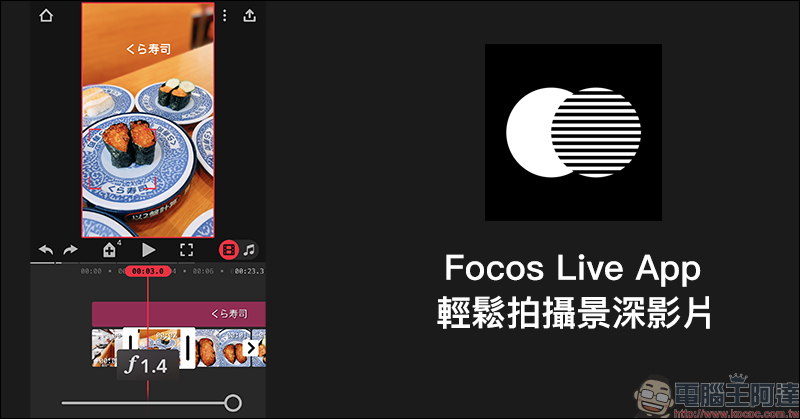
Focos Live App launched: As a video version of Focos, it can not only shoot depth-of-field videos but also has built-in video editing tools
Focos Live App Download:
Click here to go (iOS version|App Store)
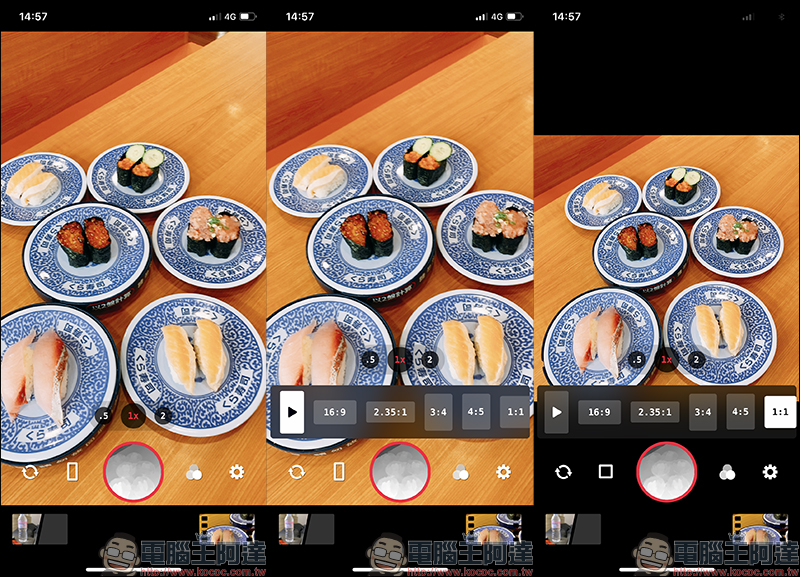
For iPhone users with multi-lens main cameras, Focos Live App supports shooting videos with depth of field through dual lenses, triple lenses, or through the front lens. For different video usage needs, Focos Live has built-in multiple screen display ratios:
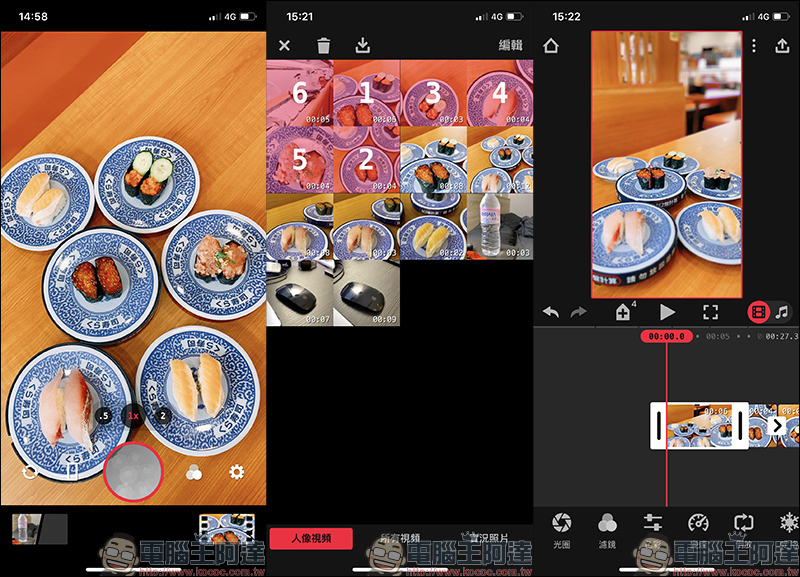
After recording the video, import all the video materials you want to edit into the editing page at once:
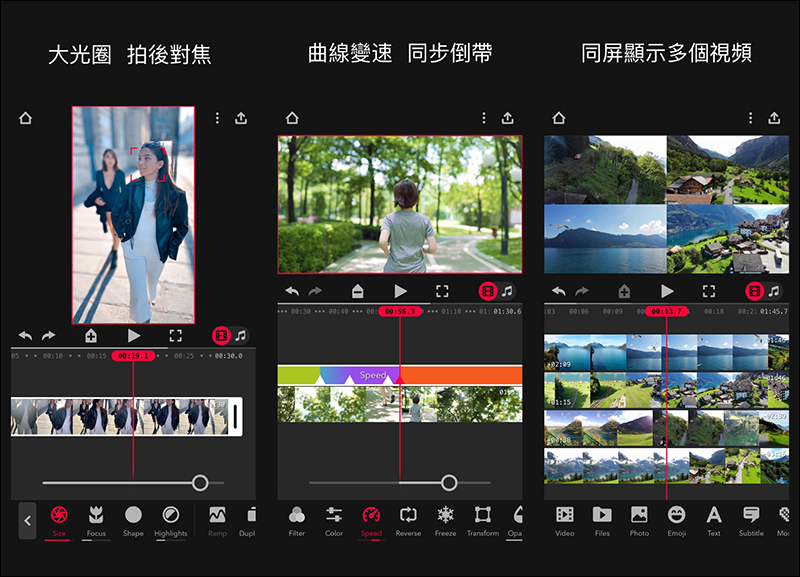
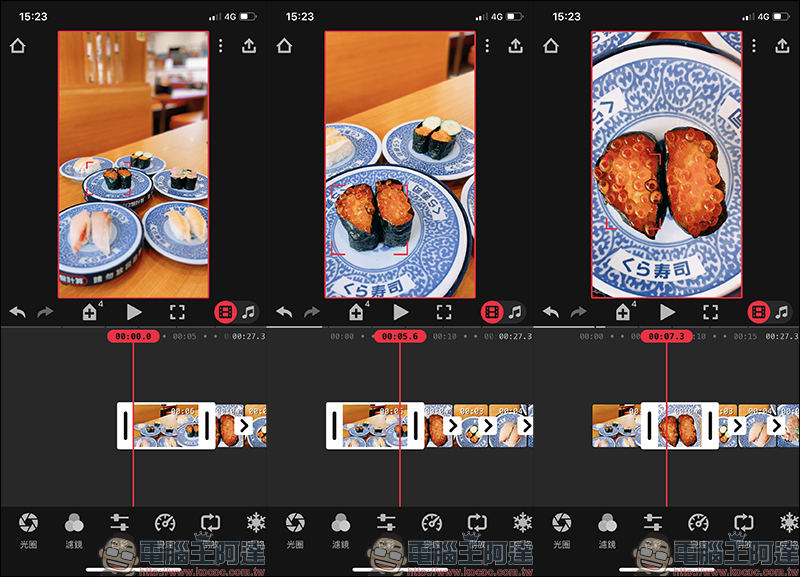
In the Focos Live App, users can customize the focus point in each video, and can also continuously track moving objects to focus:
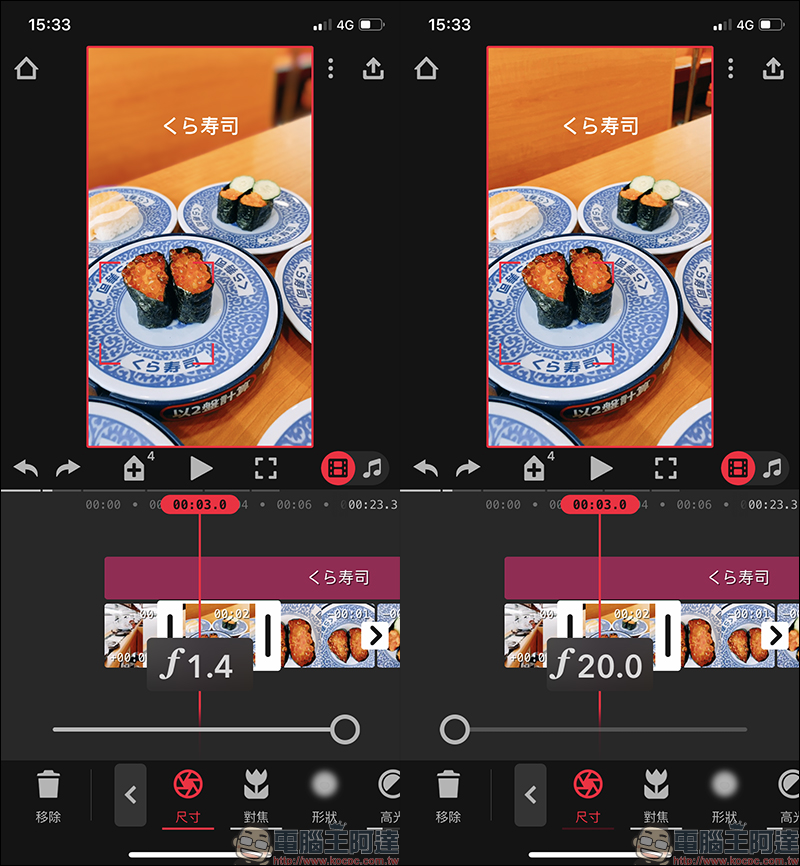
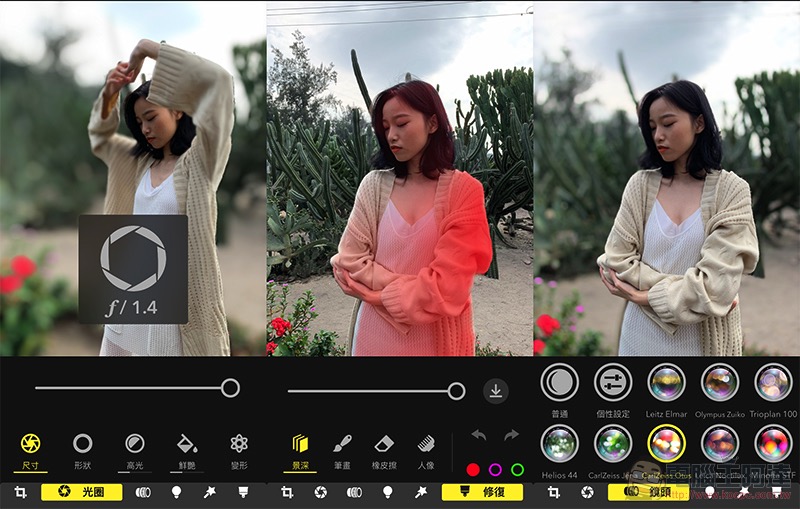
With the Focos Live App, you can adjust the aperture size to simulate a shallow depth of field after taking a photo. This time, after shooting a video with the Focos Live App, you can also enter the editing page to adjust the large aperture simulation effect:
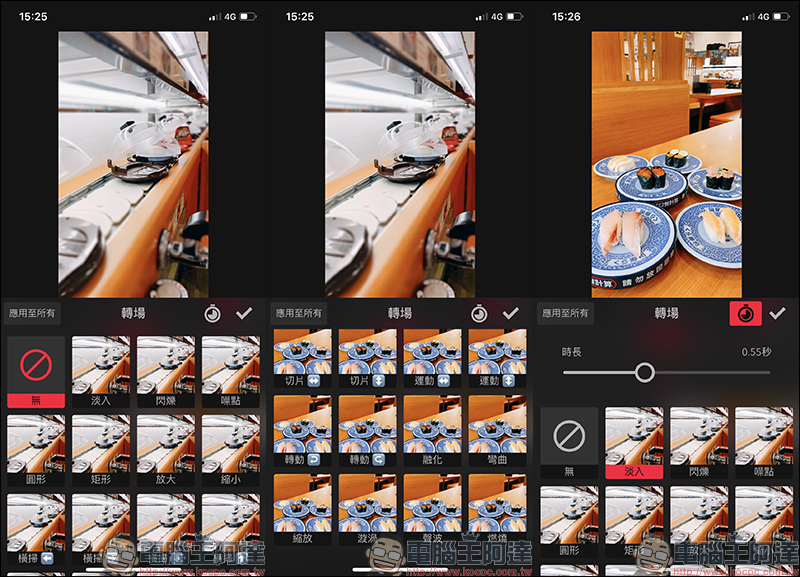
For the transitions between different videos, Focos Live also has built-in rich transition effects, and users can also customize the duration of the transition:
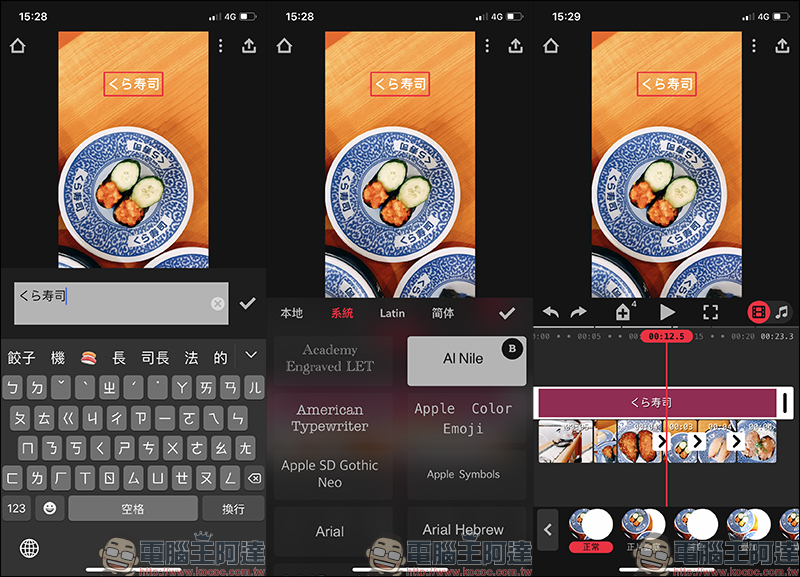
Focos Live App is not only a portrait video recording tool, but also a complete video editing tool that can also edit other videos not recorded by Focos Live. Users can add multiple layers through Focos Live, edit videos, add text, adjust filters, adjust video speed, reverse video, screen transitions and other settings within Focos Live.
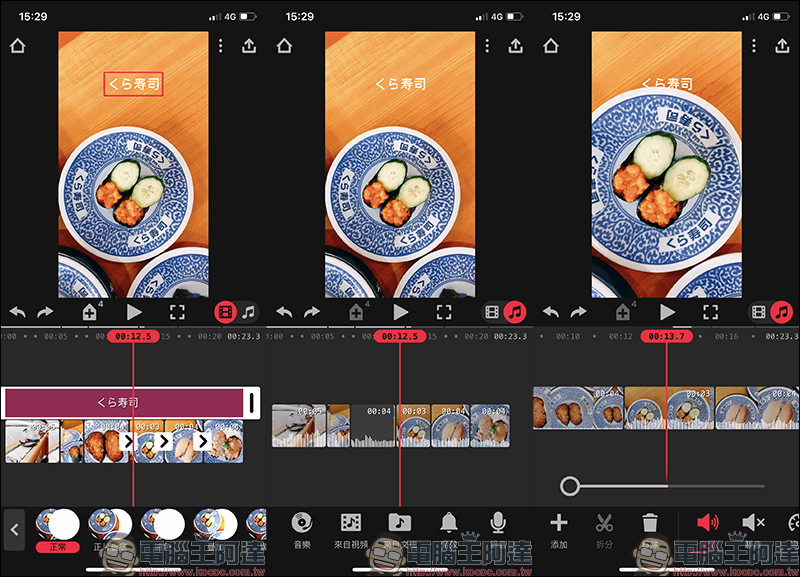
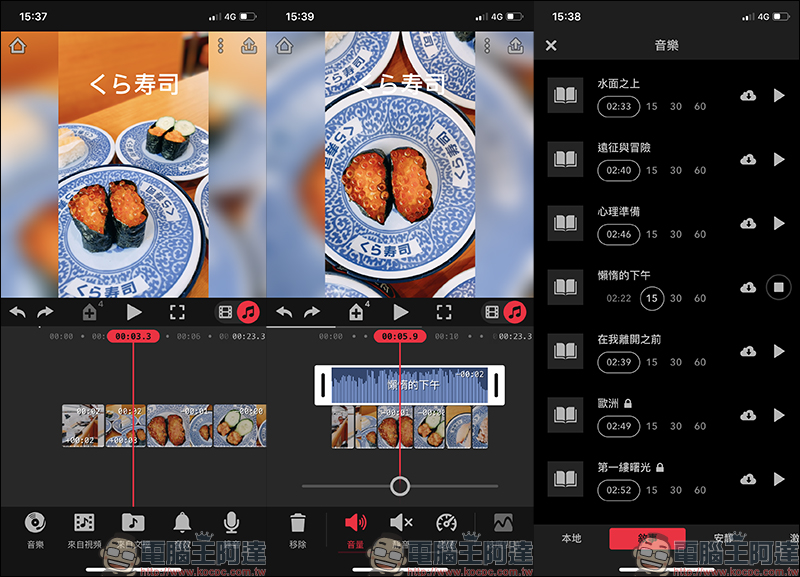
If you want to match music with the video, independent audio track channels are also provided to easily manage and add music. You can also record your own music and import it into the video:
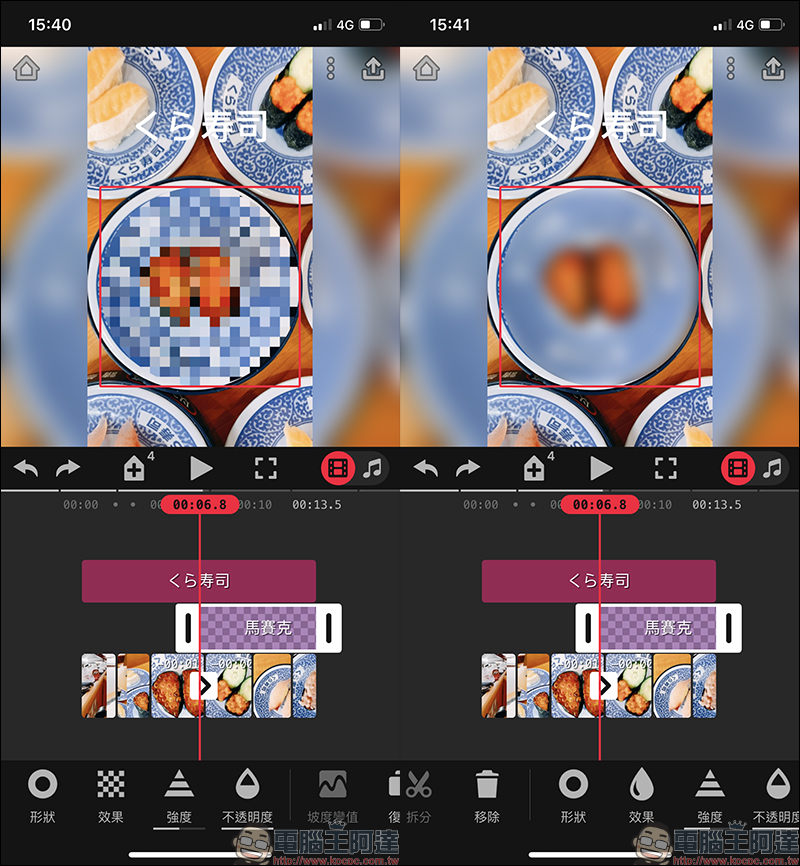
In addition, Focos Live also has a built-in mosaic function, allowing users to customize the display method and range of mosaics on the screen:
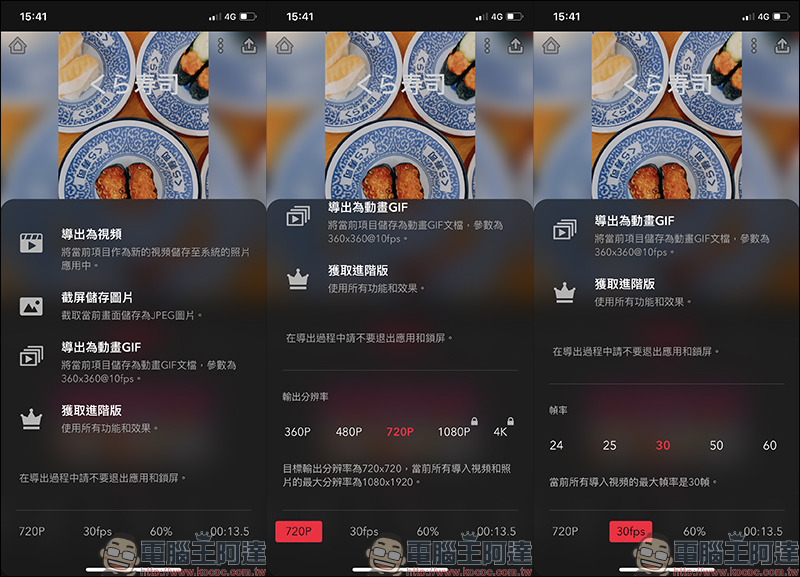
When the editing is completed, you can export the video! Focos Live App can output videos at up to 4K 60fps, and the free version can also output videos at 720P resolution. If you want to use all the built-in functions and effects of Focos Live App, you can purchase the advanced version of Focos Live by paying a subscription or buying out. The current one-month subscription is 70 yuan; the one-year subscription is 290 yuan, and the one-time purchase price of the app is 490 yuan:
Focos Live App Download:
Click here to go (iOS version|App Store)
Further reading:
iOS application tips: Use Google to search for images on your iPhone, and it’s easy to operate without shortcuts! (teaching)

Source: KOCPC Chinese