


I recently came across another pretty good free YouTube and Instagram download tool, “YTPullBox.” For YouTube, it supports up to 4K quality, and it’s MP4 format with audio, so you don’t need to merge anything yourself after downloading. Audio is also supported, but there’s no MP3—it’s M4A format, so you can just convert it later with an online tool. Here’s an introduction for everyone below.
Reminder: Before use, please confirm for yourself whether content on YouTube or other websites is legally licensed, such as works you uploaded yourself, Creative Commons-licensed content, or public domain material. If it is copyrighted music or audiovisual work, downloading or converting it without the rights holder’s consent may involve copyright risks and may also violate the original platform’s terms of service.
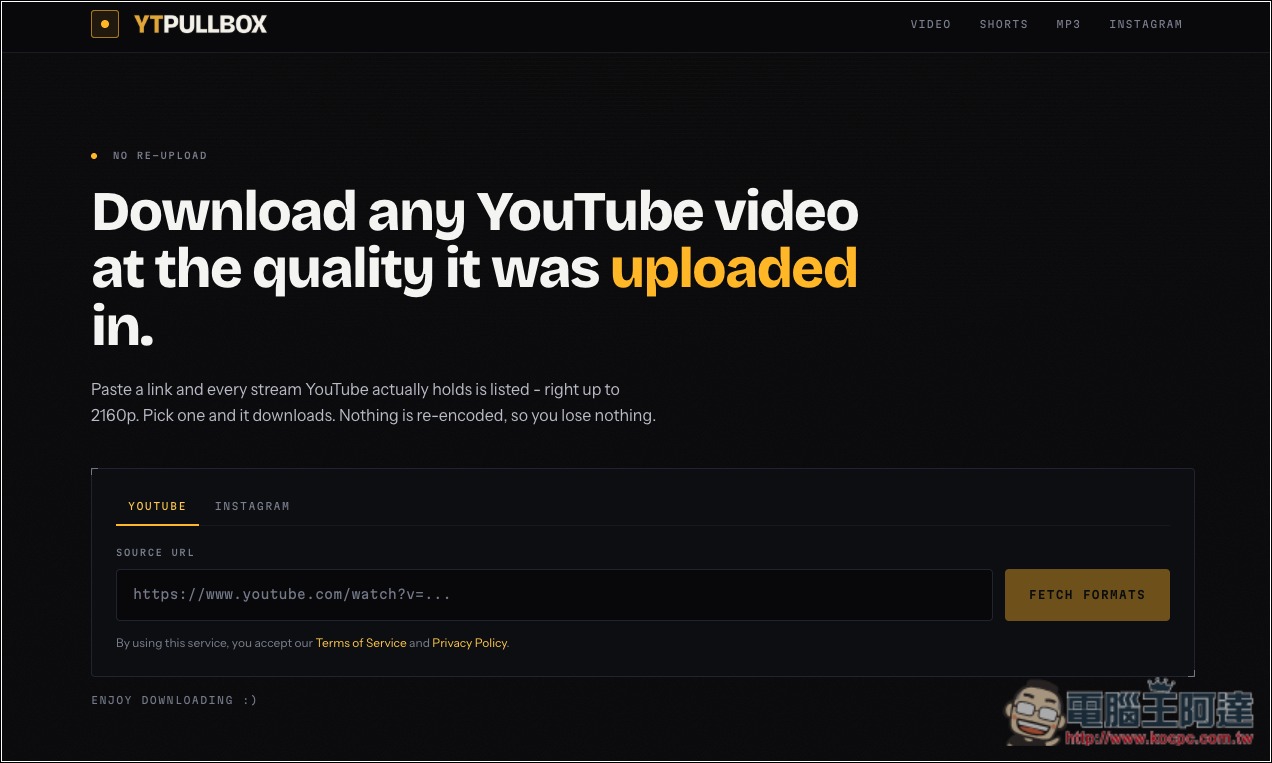
Introduction to YTPullBox: A Free YouTube Video Downloader
Yt.PullBox is a free online YouTube video downloader that works right in your browser—no additional software or extensions to install, and no account registration required. Whether you want to save regular YouTube videos, Shorts, or just extract the audio, simply paste the URL to see which formats and quality options are available.
Supports up to 4K (2160p) quality, provided, of course, that the original video itself has the corresponding resolution. In addition to the common MP4, you can also choose formats such as WebM depending on the video source. The download list displays resolution, container format, frame rate, and file size.
Using it is simple. First, copy the YouTube video URL, return to the Yt.PullBox website, and paste it into the input box. After the site retrieves the video information, it will list the available download options. Then choose the desired quality and format, and click the corresponding download button.
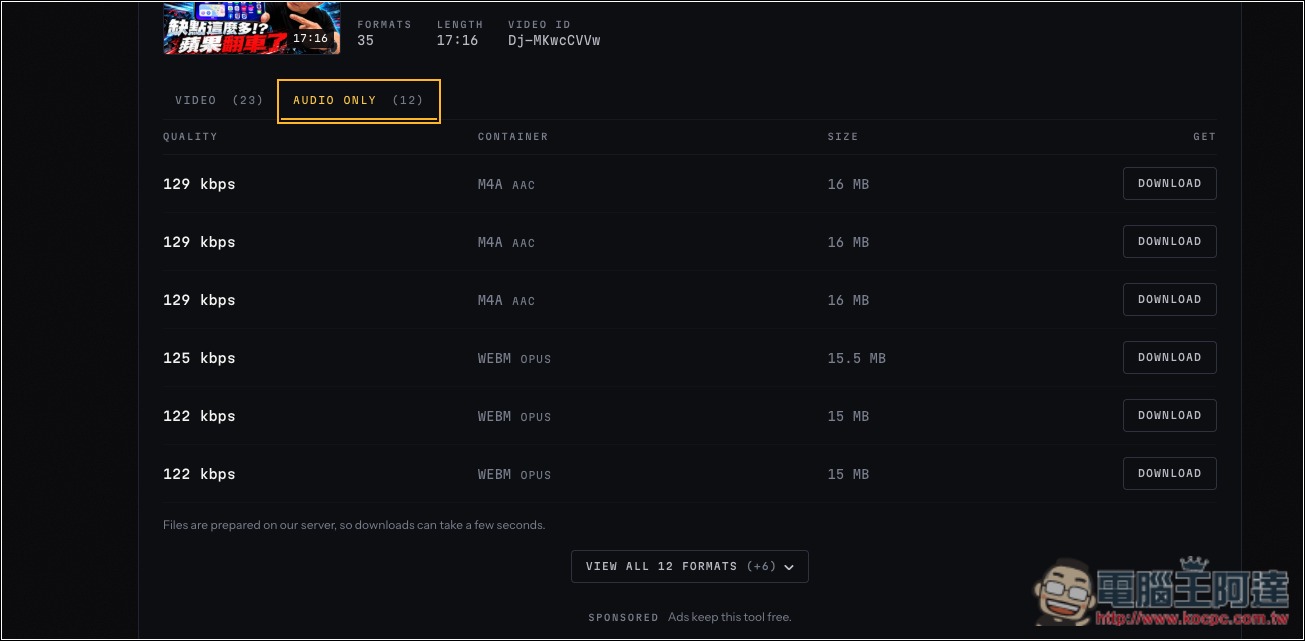
In addition to video, the site also offers audio extraction, prioritizing YouTube’s original M4A (AAC) or WebM (Opus) audio streams rather than re-encoding low-bitrate audio into MP3 labeled as 320 kbps.
If you usually watch YouTube Shorts, you can also download vertical videos directly using the Shorts URL. Downloading Instagram Reels and public video posts is also supported.
Key Features
- Completely free to use: no account registration required, and no paid subscription necessary.
- Supports up to 4K quality: download YouTube videos at up to 2160p, depending on the original video quality.
- Supports multiple video formats, including MP4, WebM, etc.; the available options depend on the source.
- Supports YouTube Shorts: download short videos, and the tool does not add extra watermarks.
- Audio extraction feature: provides original audio stream downloads in formats such as M4A and WebM.
- Instagram Reels download: supports public Reels and video posts.
- Display detailed file information: provides resolution, format, frame rate, and file size for easy selection.
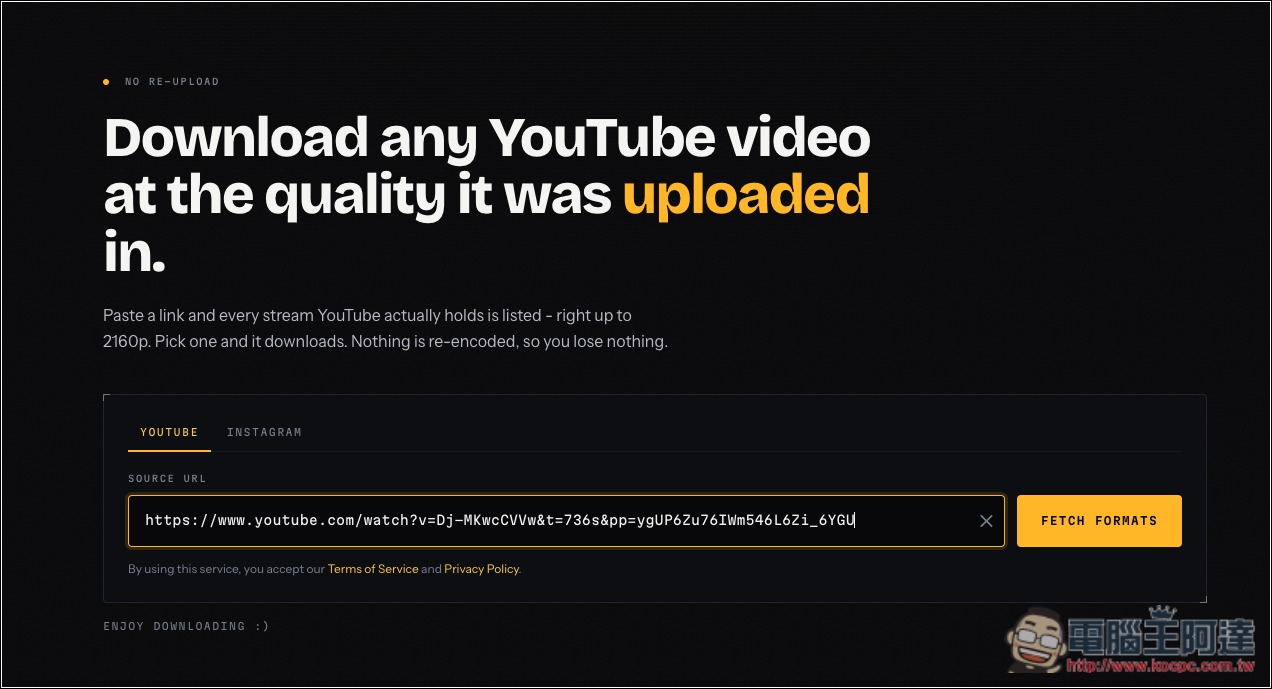
After clicking the link above to enter YTPullBox, you can paste the link of the video you want to download, then click FETCH FORMATS on the right. The default is YouTube mode; if you want to download from IG, please switch to INSTAGRAM:
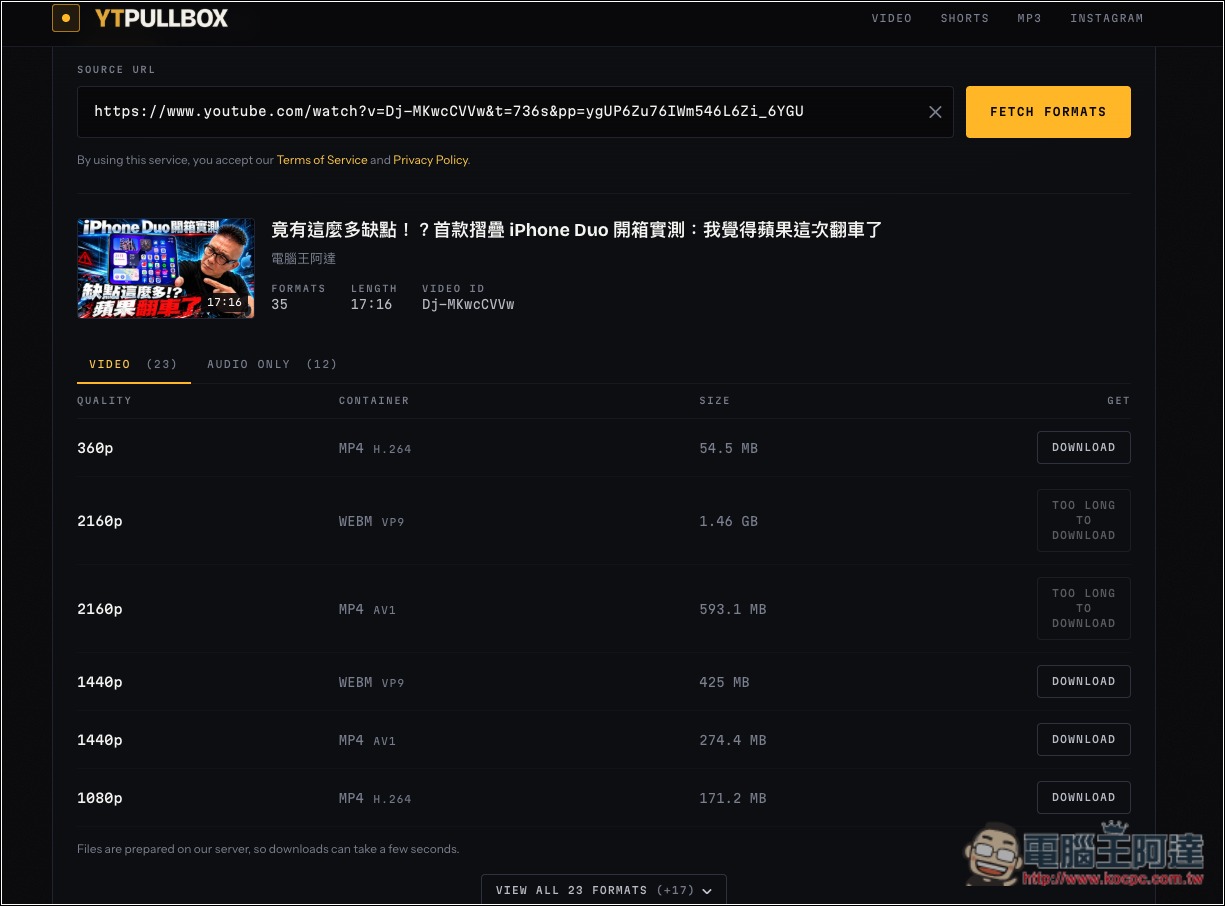
Next, the video download links will appear below. Although the video I tested did show a 4K option, the download link displayed “TOO LONG TO DOWNLOAD,” which seems to be because the video is too long or the file is too large. However, 2K quality is fine and can be downloaded as .mp4:
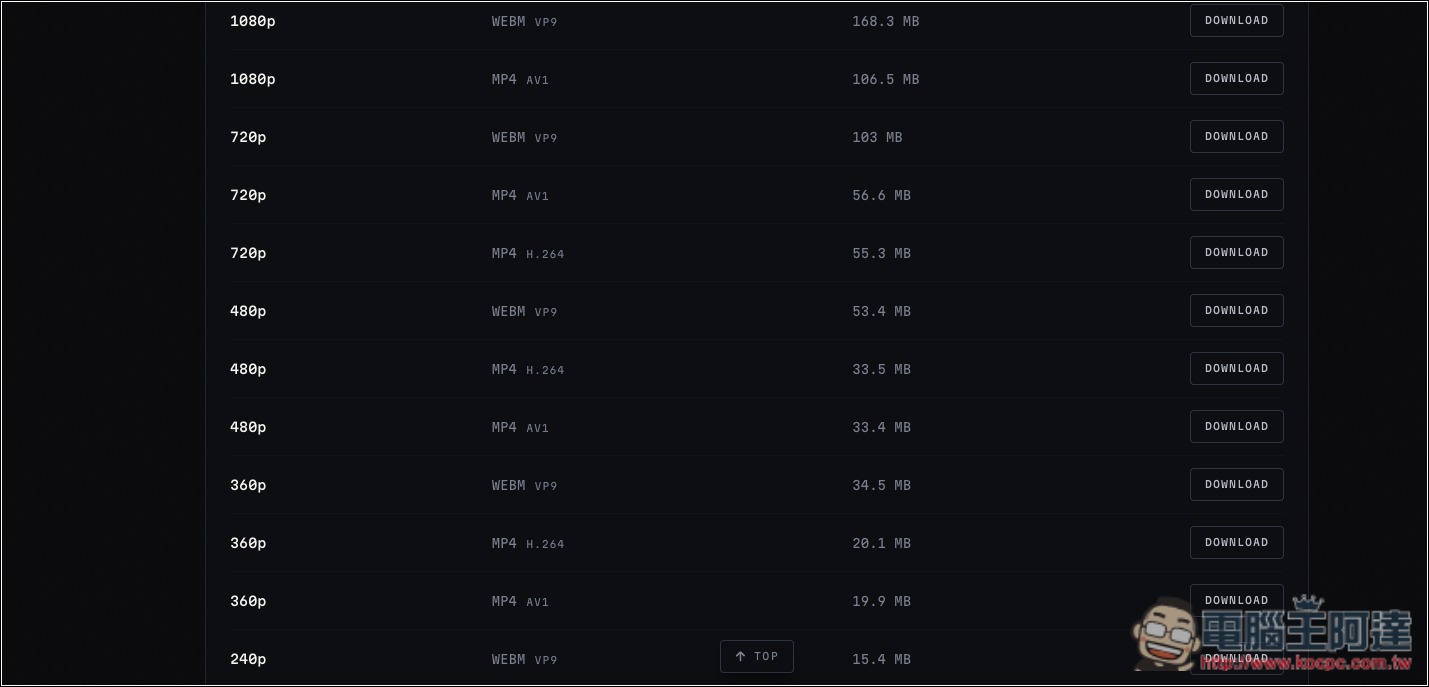
Open VIEW ALL FORMATS below to see more supported formats and quality options:
If you only want the audio, switch to AUDIO ONLY to find the download link:
Click Download to the right of the video or audio quality you want, and the website will start processing:
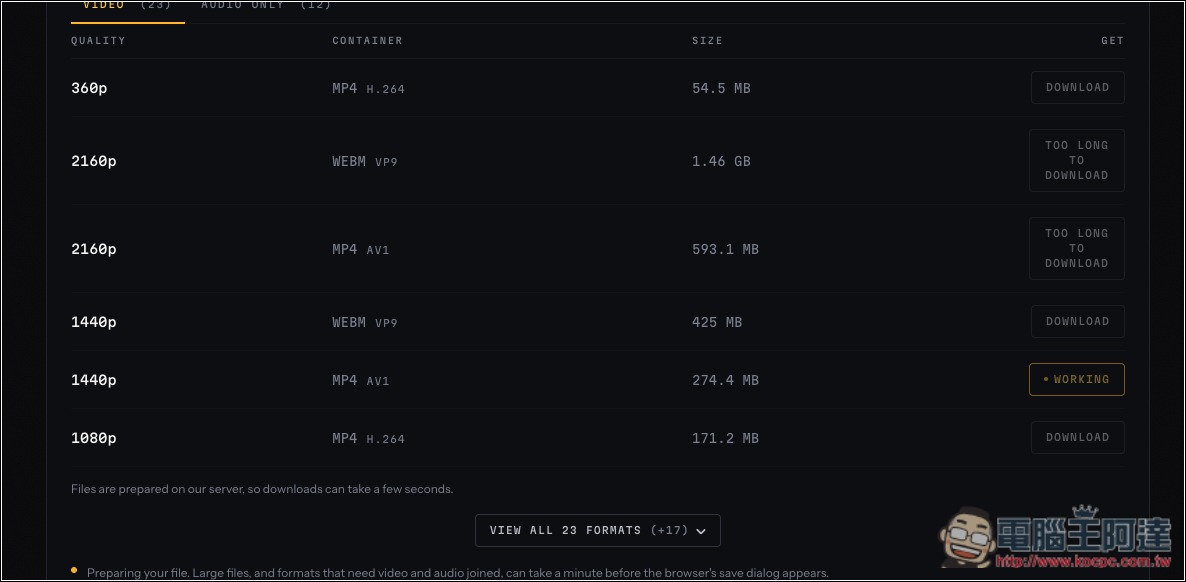
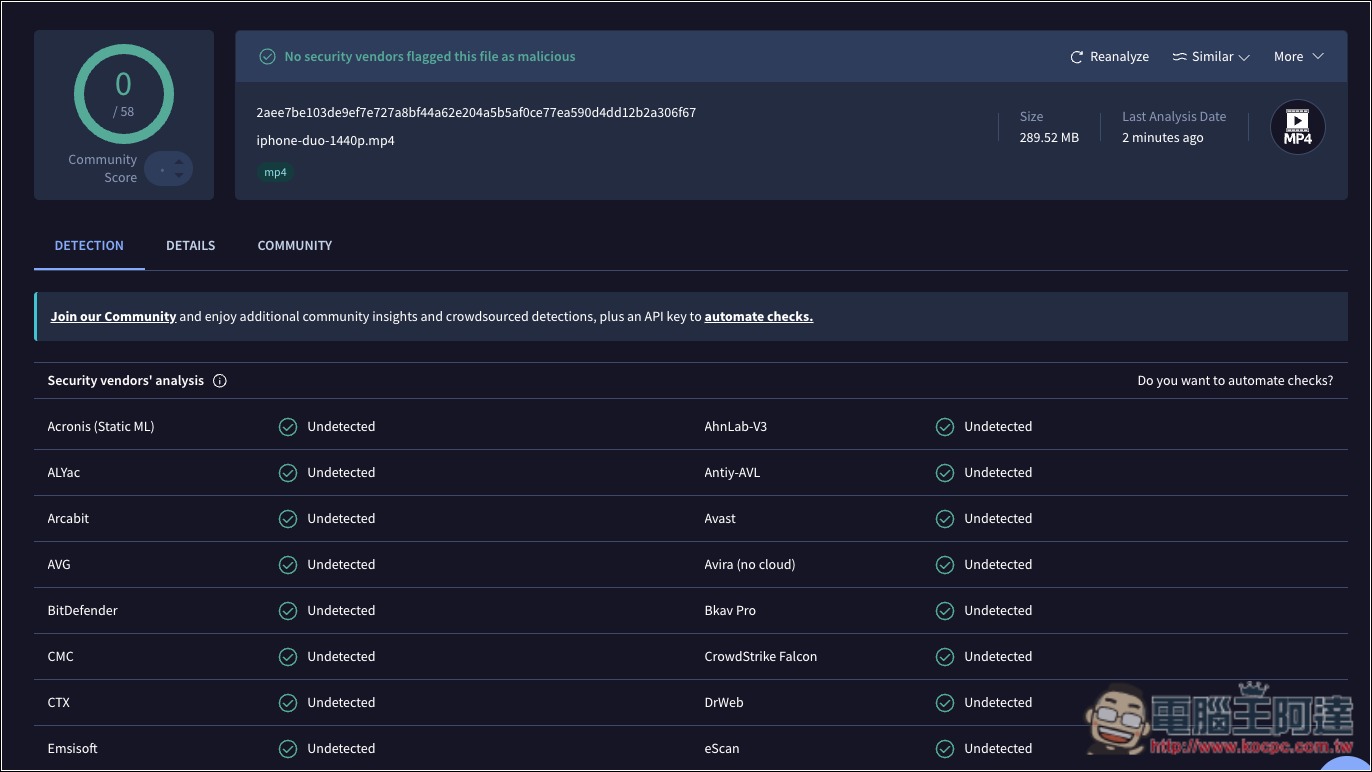
The download speed is a bit slow, but it does download successfully. I also uploaded it to VirusTotal for an online scan, and the file is fine:
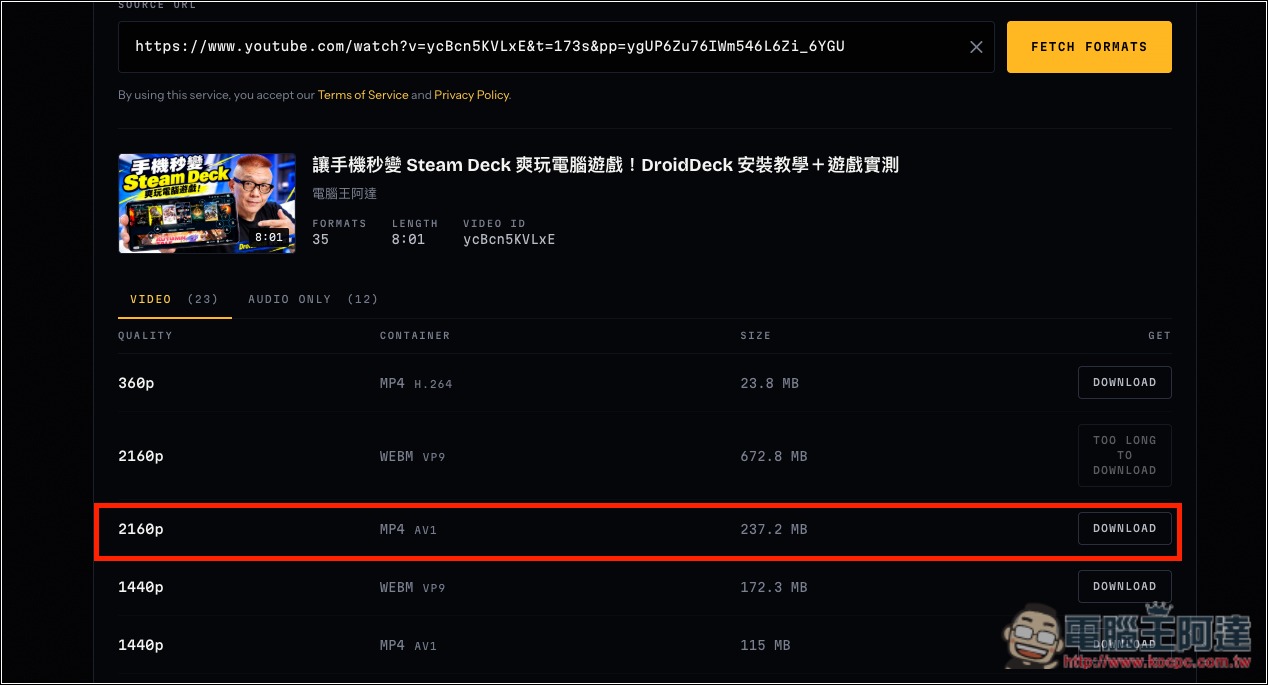
I tried another shorter YouTube video, and I was able to download it in 4K. However, the WEBM format file seems to be too large, so I still can’t download it:
Source: KOCPC Chinese