


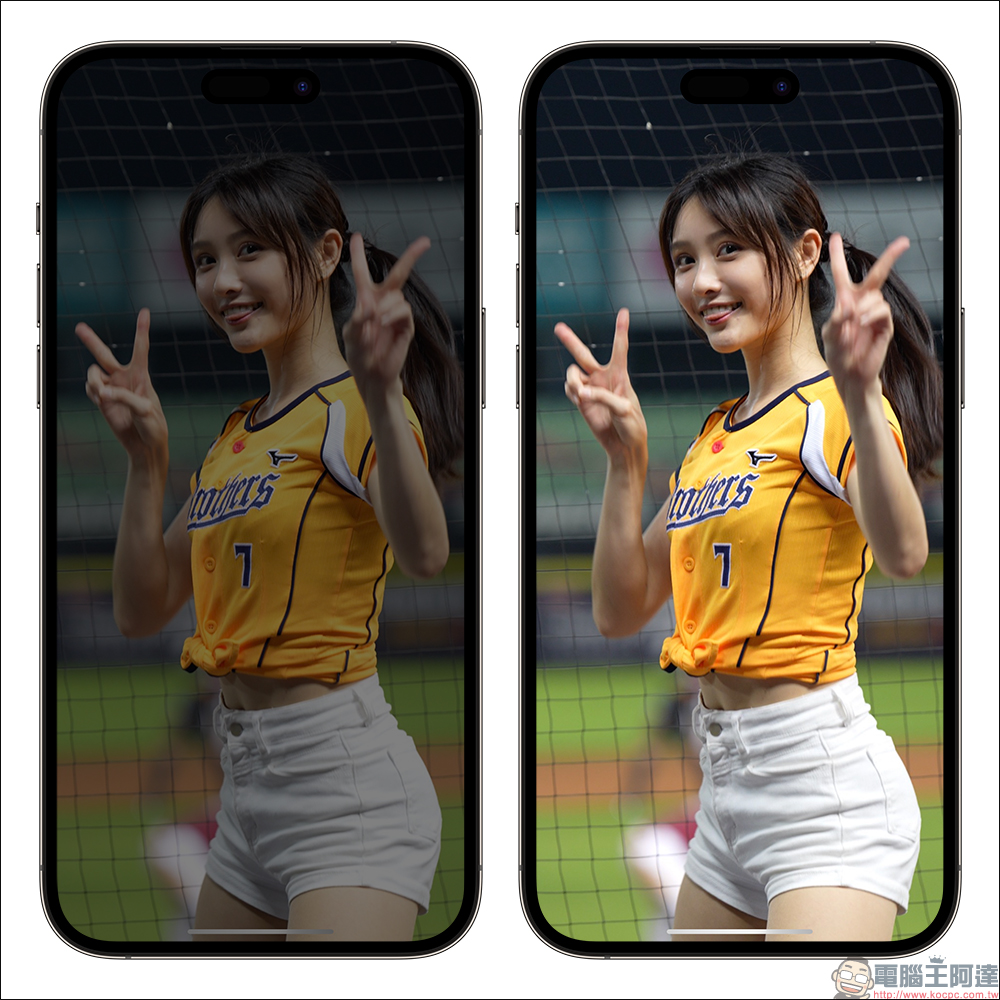
Some time ago, some users may have noticed that the screen became extremely dark when watching YouTube videos on their iPhone. Even though they did not manually adjust the brightness, the screen suddenly gradually dimmed automatically and sometimes brightened on its own. This happened more frequently when some screens had a lot of flashing lights. Is this a software BUG or is there a problem with some settings? In fact, if you encounter this phenomenon, you only need to change one setting!
The screen becomes super black when watching YouTube videos on iPhone? Just change this setting and it will be solved!
Some time ago, some users began to report that when watching YouTube videos, they encountered the problem of the iPhone screen suddenly dimming. This flickering on and off inevitably affected the mood of watching the video. What is the cause? In fact, this is not a software BUG, but the “dimming flashing lights” function launched by Apple starting from iOS 16.4. This function is mainly to take care of some groups with “light stimulation-induced epilepsy”. When they browse video content, a large number of lights flash continuously or strobe, which may cause headaches, nausea, dizziness, facial twitching and other symptoms, and may even lead to epileptic seizures.
Therefore, the “Dim Flickering Lights” function will be automatically enabled when the video screen is interfered by flashing lights, allowing the iOS system to automatically adjust the video brightness to further reduce the stimulation of the flash.
If there is no need for this, how to adjust the settings?
If you suffer from epilepsy induced by light stimulation, you may wish to double-check whether your iPhone has this function turned on after understanding the function. As for if there is no need for this, I hope to turn off this function to reduce the interference of the flickering video screen, and I can continue to watch it.
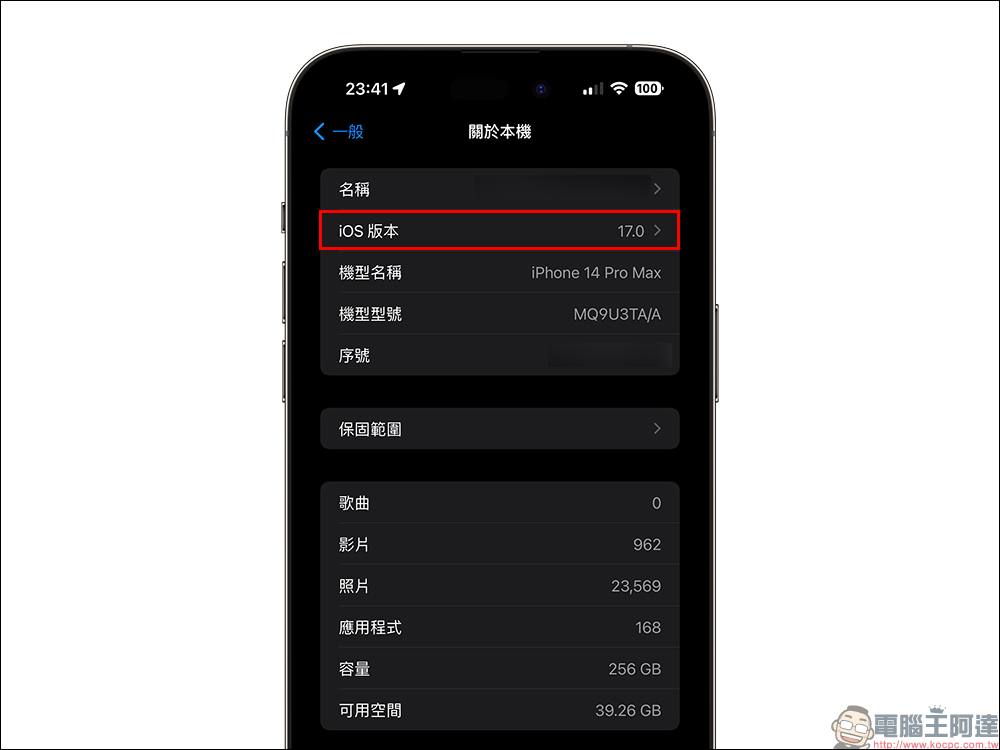
First, confirm that the iPhone’s iOS version has been updated to iOS 16.4 (inclusive) or above:
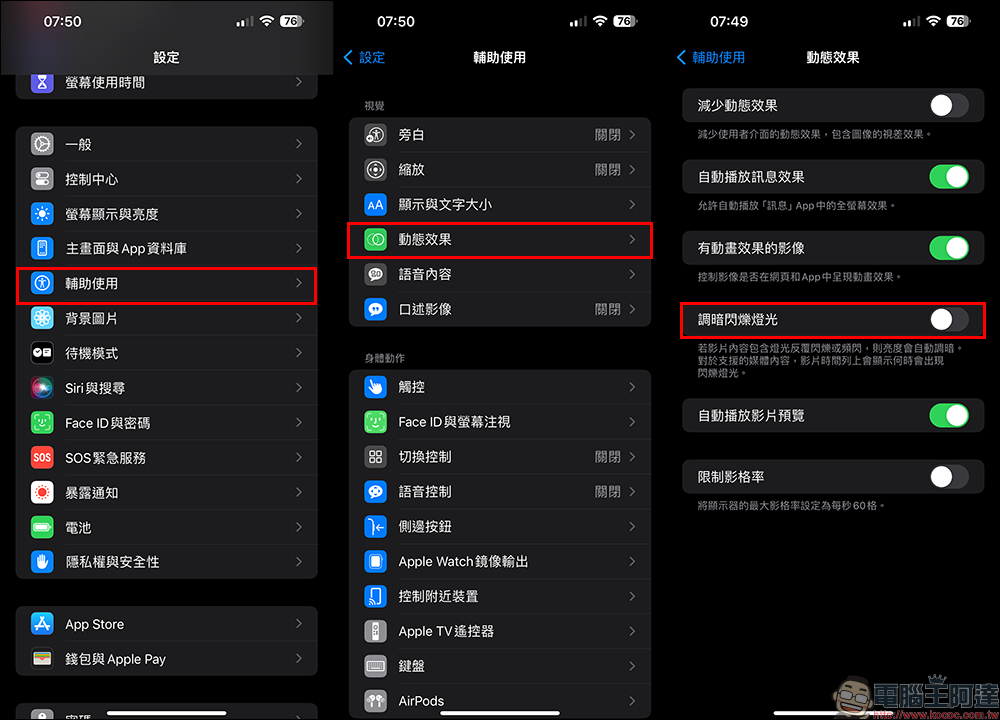
Then open the “Settings” app and find “Accessibility”, then select “Dynamic Effects” under the visual category of “Accessibility”. Finally, if you don’t want the video to automatically adjust the screen brightness, you can turn off the “Dim Flickering Lights” function.
According to the explanation of the “Dim Flickering Lights” function here in the settings, if the video content contains lights that repeatedly flicker or strobe, the brightness will be automatically dimmed. For supported media content, the video timeline will show when the flashing light will appear.
Finally, after turning off the “Dim Flickering Lights” function, when watching videos on YouTube, Apple TV, etc., the iPhone screen will no longer automatically dim when the video is played in a scene with flickering lights!
In addition to iOS systems, iPadOS and macOS also support the “dim flashing light function”. Mac users only need to update to macOS 13.3 (inclusive) or above, then click the “” icon on the menu bar in the upper left corner of the Mac, then select “System Settings” > “Accessibility” > “Display” and then set the “Dim Flashing Light Function”.

Source: KOCPC Chinese