


Many people usually use LINE as a communication channel whether at work or while chatting. In addition to using stickers and emoticons to make the chat process more fun, I wonder how long it has been since you changed your chat room background? Recently, LINE has silently added a variety of free chat room backgrounds in illustration style officially launched by LINE after its update. If you don’t know how to change them, continue reading this article to find out!

LINE has released a variety of super cute free chat room backgrounds. How to change them? Read this article!
LINE can be said to be the channel through which we talk about business, chat with friends, and develop romantic relationships with our significant other. LINE chat rooms have evolved from the aqua blue chat room background in the earliest stage to exclusive backgrounds with various LINE themes. It also allows users to use different chat room backgrounds to make the atmosphere of chatting more different. If you are tired of seeing the plain backgrounds preset by LINE themes, you might as well change your fingers to cute chat backgrounds! You can also choose a chat background suitable for different chat partners, which can also reduce the chance of “wrong frequency” (laughs).
Some time ago, LINE App silently optimized the user chat room background setting process after the update, and added more super cute chat room backgrounds officially released by LINE. Let Xiong Da, Bunny and Sally make the chat room cute together!
First open the LINE App, click the function list button (≡) in the upper right corner of the chat room where you want to change the background, and then click “Other Settings”:
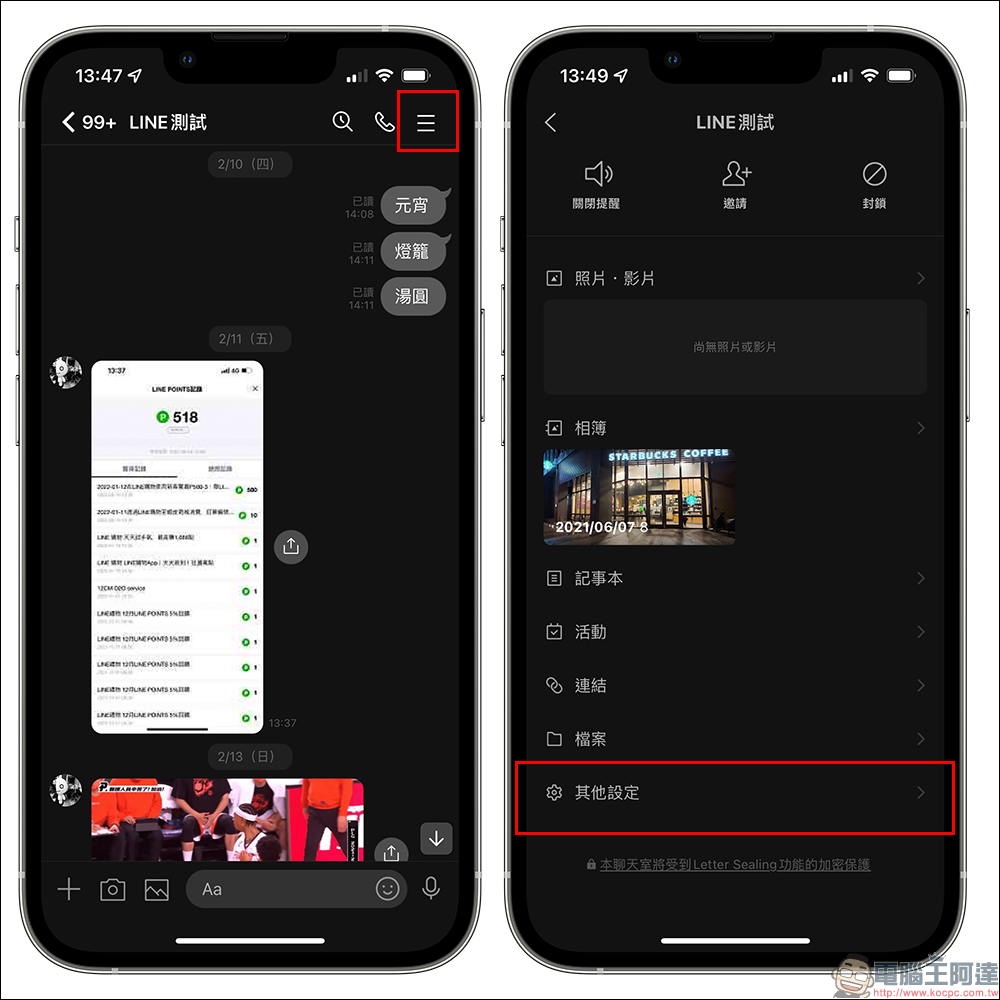
On other settings pages, click “Background” under the chat settings category, and then you can see a variety of chat room background images officially released by LINE! And these super cute illustration-style background pictures are all free. In addition, if you want to use a picture in your photo album as the background of the chat room, you can click “My Photos” on the background setting page to make a selection. On the background setting page, synchronization will display the theme currently used by the user.

After selecting the LINE chat room background you like, you will first enter the preview background page. At this time, the user can first imagine the effect of the chat room after setting. If you don’t like the picture, click “Cancel” to reselect it. If you have selected it, just click “Apply”. After applying, the background of the chat room will be replaced with the background image of your choice!

If you want to set all LINE chat rooms to the same chat room background, here is a faster setting method. First, click the “Settings” button on the “Homepage” of the LINE App, and then select “Chat” on the settings page:
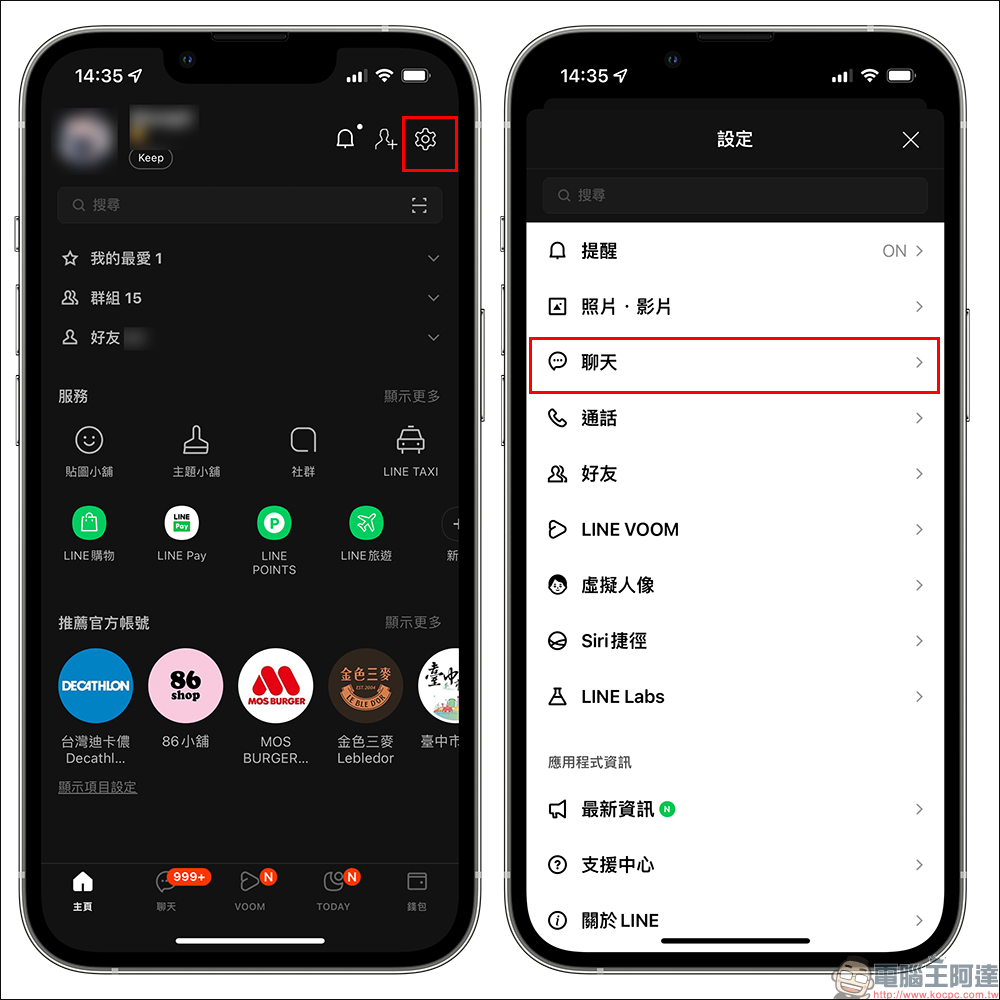
Then select “Background” on the chat settings page, and you can choose to set the background image for all chat rooms at once! The chat room background set in this step will be applied to all LINE chat rooms, but chat rooms with applied backgrounds will not be affected by this setting. In other words, if the chat room background has been set in some chat rooms before, setting a new chat room background here will not overwrite the set one.
Therefore, if you have some specific chat partners, it is recommended to set the background separately first and then use this method to change the background of other chat rooms at once.

The LINE chat room background settings introduced this time are applicable to the following LINE App versions:
- LINE mobile App 12.1.0 (inclusive) and above
- Both iOS and Android dual systems have been launched on January 27
Source: KOCPC Chinese