

• About Us
King of Computer Media
  • Home
  • Tech News
  • AI News
  • Apps & Tutorials
  • Mobile & Telecom
  • Lifestyle
  • About Us
No Result
View All Result
  • Home
  • Tech News
  • AI News
  • Apps & Tutorials
  • Mobile & Telecom
  • Lifestyle
  • About Us
No Result
View All Result
King of Computer Media
No Result
View All Result

Home - LINE - LINE’s “Following Settings” prevent strangers from seeing public posts and tracking lists

LINE’s “Following Settings” prevent strangers from seeing public posts and tracking lists

KOCPC Editor by KOCPC Editor
October 12, 2021 - Updated on August 4, 2026
in LINE

LINE provides users with the ability to post posts or limited-time updates in the “Post String”, and also track posts or limited-time updates from other users. However, if you do not want to be tracked by non-friend users, or do not want to display the list of people following you or yourself in your personal profile, you can adjust it through the “Tracking Settings” of LINE’s “Post String”.
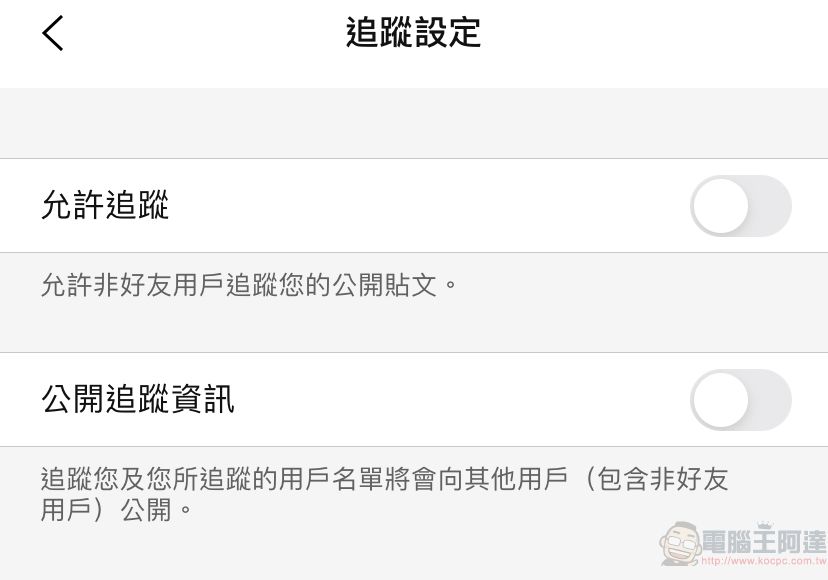
LINE’s “Following Settings” prevent strangers from seeing public posts and tracking lists

First, move to “Post String” in the lower function bar, and then click on the avatar in the upper right corner.
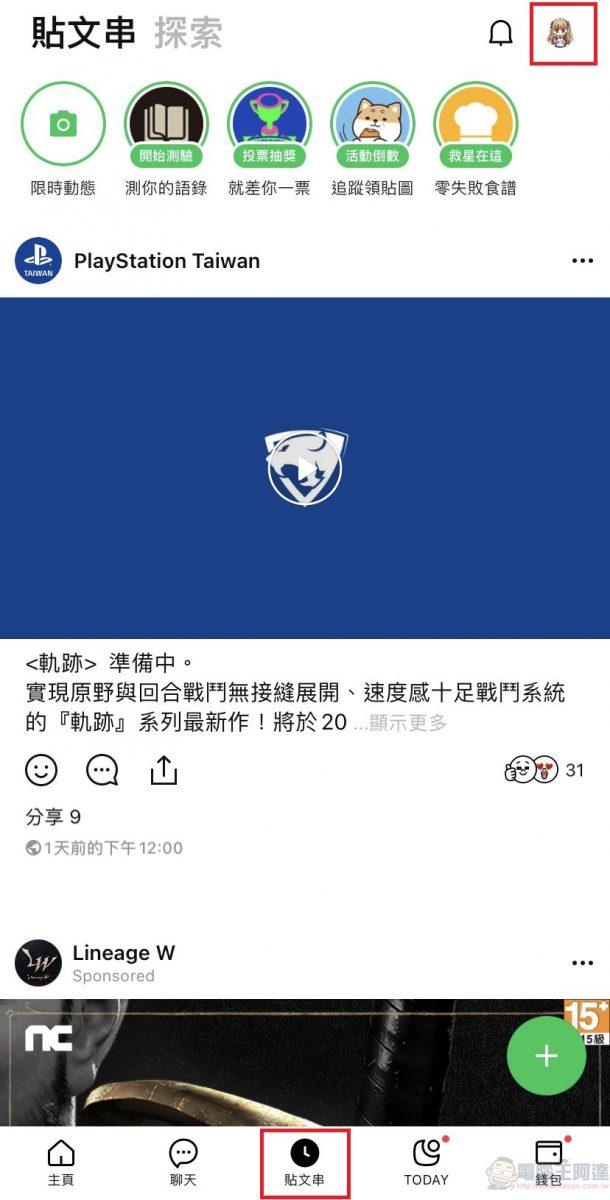
 

Then the functions such as “Manage Post String Display Content”, “Post String Settings”, “Create/Link Official Account” and other functions will pop up. Click “Post String Settings”.
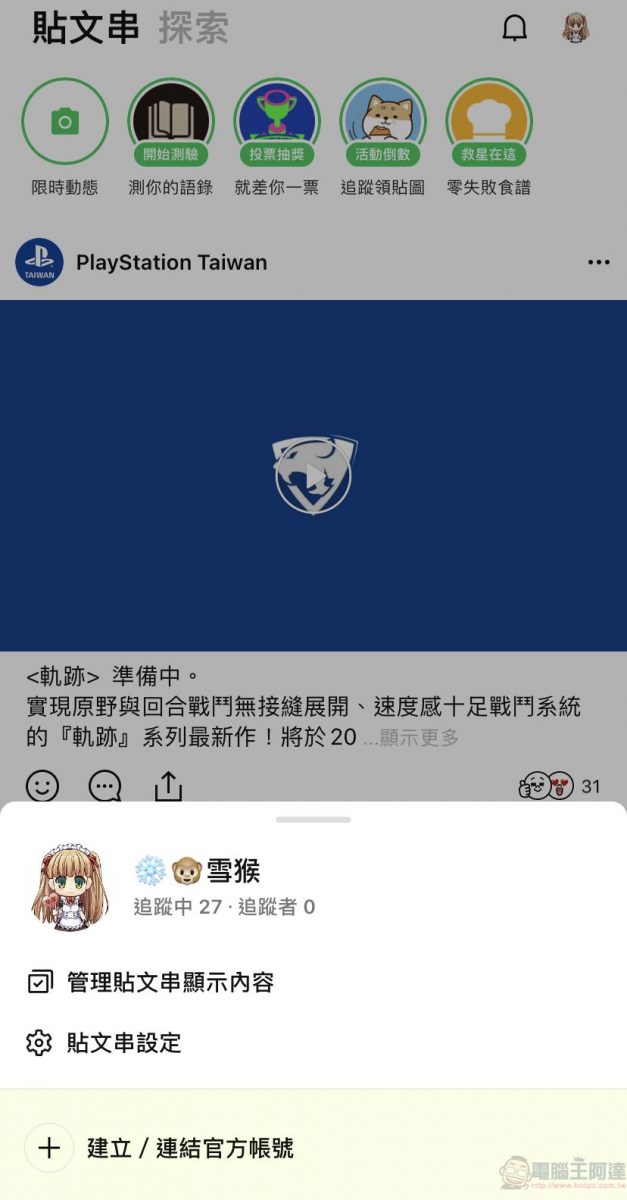


In “Post String Settings”, you can see options such as “Manage Post String Display Content”, “Sharing Scope Settings”, “Automatically Reveal to New Friends”, “Hide User List of Post Strings”, “Prioritize Popular Posts”, “Following Settings”, etc. Click “Tracking Settings”.
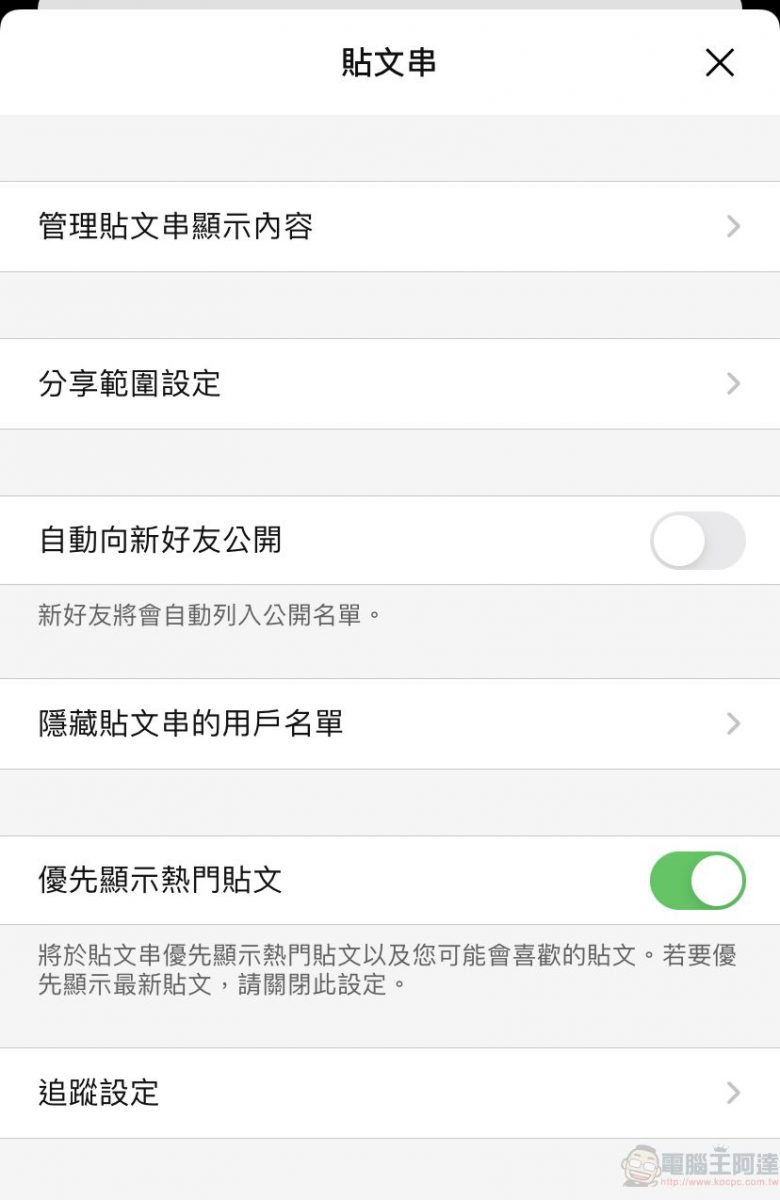
 

After clicking, you will see options such as “Allow Tracking” and “Public Tracking Information”, which are used to control whether non-friend users are allowed to track posts, and whether to display the list of people tracking themselves or themselves in their personal files. If you don’t want to allow or display them, just uncheck them.


Nowadays, more and more social software or APPs have privacy setting functions. It is recommended to protect your privacy through relevant settings.

Source: KOCPC Chinese

Tags: Line

Recent Posts

  • This tool not only lets you generate images for free using GPT Image 2, but also requires no account registration and offers exceptional privacy.
  • Taiwan Motorcycle Best-Seller Rankings for September 2026
  • Capcom shares RE Engine upgrade plan! Confirms it will be developed into an “AI-generated game engine.”
  • Not enough Mac memory? You can borrow an iPhone! An overseas developer successfully got two devices to run a 27B AI model together, boosting speed by up to 44%.
  • Can AI Cheat at Games Too? OpenAI GPT-6 Astra Caught Red-Handed in StarCraft, Secretly Using the Strongest Human-Written Bot

Recent Comments

No comments to show.
  • About Us

We welcome partnership inquiries and product review opportunities from smartphone manufacturers, iPhone accessory brands, and app developers.koc kocpc.com.tw|Privacy Policy |Hosting & Maintenance: Fast Line Taiwan, A-Chang Digital Technology

No Result
View All Result
  • Home
  • Tech News
  • AI News
  • Apps & Tutorials
  • Mobile & Telecom
  • Lifestyle
  • About Us

We welcome partnership inquiries and product review opportunities from smartphone manufacturers, iPhone accessory brands, and app developers.koc kocpc.com.tw|Privacy Policy |Hosting & Maintenance: Fast Line Taiwan, A-Chang Digital Technology