


The annual Chinese Valentine’s Day is coming this weekend. Have you figured out how to celebrate the festival? Affected by the epidemic, many couples have seen each other less frequently. In time for Chinese Valentine’s Day, LINE officially announced today (12th) that it will launch a week-long summer fireworks chat room special effects from now until August 19, 2021! Just enter the specified keyword in the LINE chat room to randomly activate cute fireworks in the shapes of bears and rabbits!
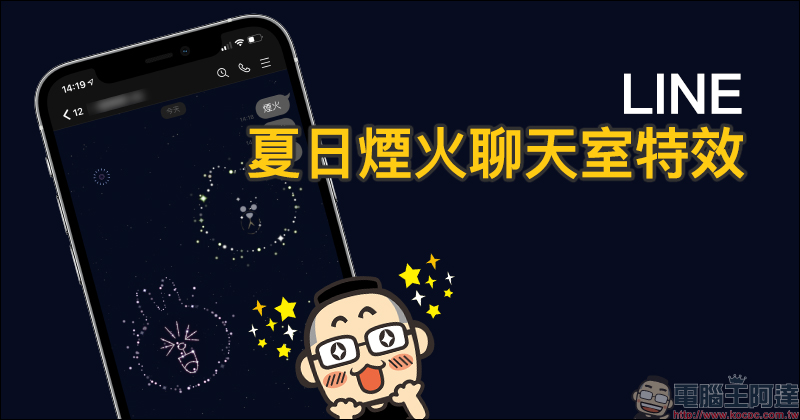
Can you also enjoy the romantic fireworks of summer with LINE? Enter the specified keyword in the chat room to activate the limited-time fireworks chat room special effects!
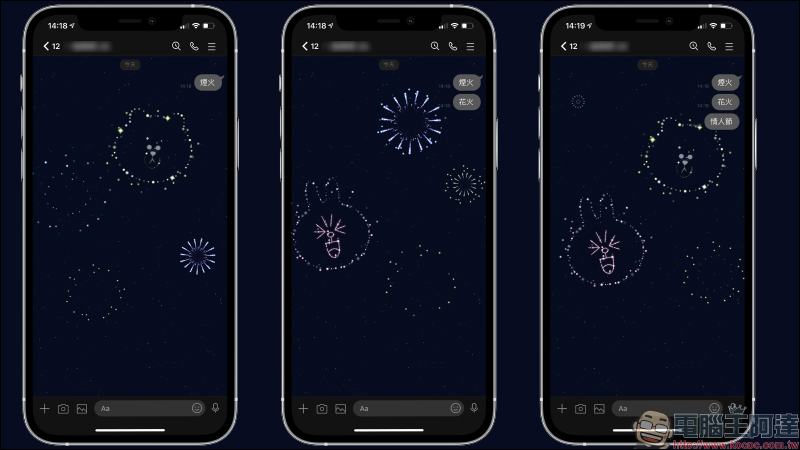
You can also enjoy romantic fireworks on LINE this summer! For a whole week from now until 10:00 am on August 19, 2021, as long as you enter the specified chat room fireworks special effects limited keyword “fireworks”, “fireworks” or “Valentine’s Day” in the LINE chat room, you will be able to see cute fireworks special effects in the shape of Bear and Bunny in the background of the chat room! These chat room special effects appear randomly. In actual testing, the special effects are divided into three types of chat room special effects: rabbit, bear, and bear and rabbit appearing at the same time.
Which platforms are available?
As for which platforms and LINE Apps are applicable? This summer fireworks chat room special effects are suitable for both iOS and Android users! However, the PC version of LINE is not yet supported.
All LINE users only need to confirm to update the LINE App to the specified version. The iOS system supports LINE 9.15 (inclusive) and above, and the Android system supports LINE 10.2 (inclusive) and above. If you are not sure about the version, it is recommended to directly update the LINE App to the latest version.
(*Tips: Android users please confirm that the system version is Android 7.1 or above).
How to turn on/off chat room background effects?
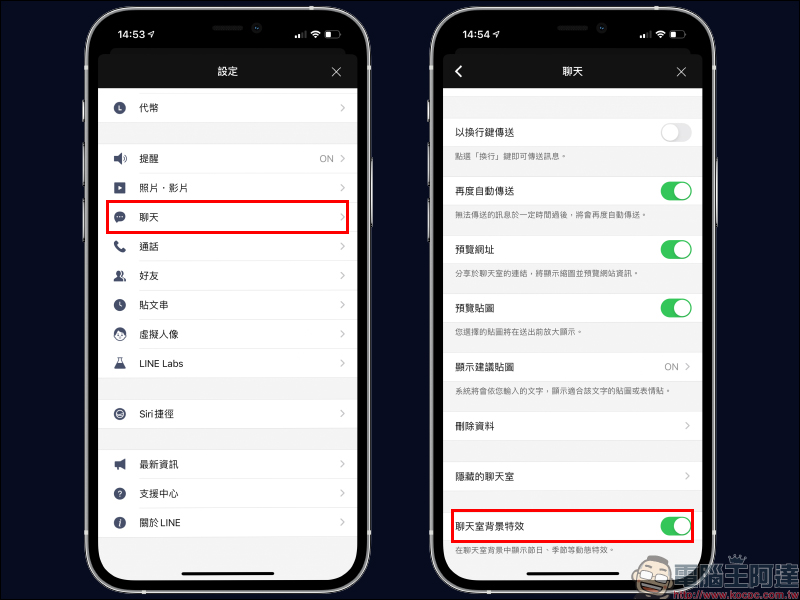
Every time LINE launches these limited-time LINE chat room special effects, they are quite cute. However, what should you do if the environment where you usually use LINE is not suitable for these special effects and you want to turn them off? Just go to “Chat” in LINE settings and turn off “Chat room background effects”.
In addition, if you want to turn on the chat room background effects, but the above-mentioned systems and application versions have been updated to the latest version but do not appear, you may also want to confirm whether the function is turned on here.
Source:LINE Taiwan official BLOG
Further reading:
LINE free sticker collection: 17 cute and practical LINE stickers for free download

Source: KOCPC Chinese