


After talking about the Windows 10 May 2021 feature update for a long time, Microsoft finally officially launched it recently. However, as in the past, it was not opened to all users at once, but in batches. Therefore, many people should not have received the notification yet. If you can’t wait and want to experience the useful new features of Windows 10 May 2021 (21H1), this article will teach you 3 ways to upgrade first.
3 ways to teach you how to update to Windows 10 May 2021 first
1. Through Windows Update function
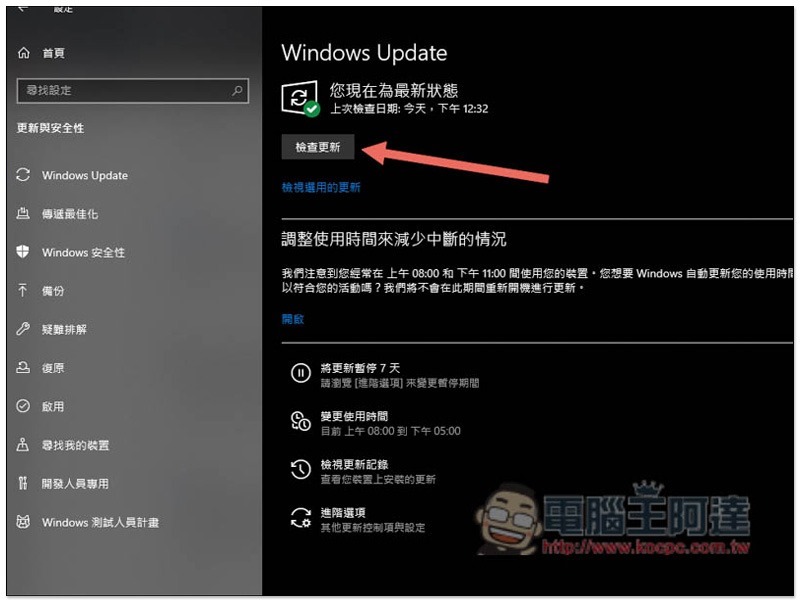
The first thing, of course, is to check it in Windows Update. Sometimes Windows will not actively push notifications when an update is first launched, but you may have been eligible for the upgrade and must manually check for it to appear.
Please go to Windows 10 Settings -> Update & Security, and you will see the function of Check for Updates. Click it and see if there is any 21H1 update below. If so, congratulations, you are on the first wave list. If not, please try the two methods below:
2. Use Windows 10 Update Assistant
If your previous method didn’t find new updates, this one should do the trick, at least it did for me.
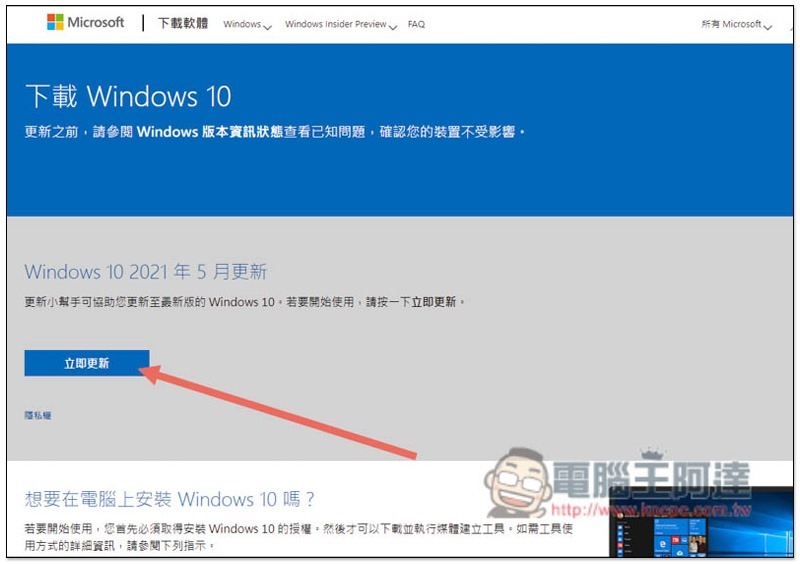
The Windows 10 Update Assistant can help Windows 10 computers upgrade to the latest version. Simply put, it is a forced update, and the May 2021 update has also been added.Click me to go to the download page, please click “Update Now” on the screen:
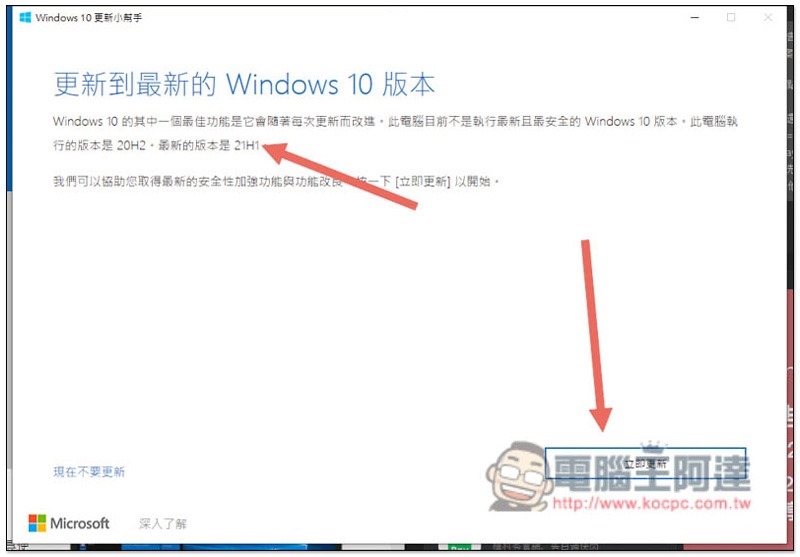
Then the Windows 10 Update Helper will start to download. After the download is completed, it can be executed without installation. No surprise, you should see that the latest version in the picture below is 21H1. Click below to update now and it will start:
3. Use Windows 10 Media Creation Tool
Just nowDownload page, there is a Windows 10 media creation tool below that can force the computer to be updated to 21H1, click “Download Tool Now”:
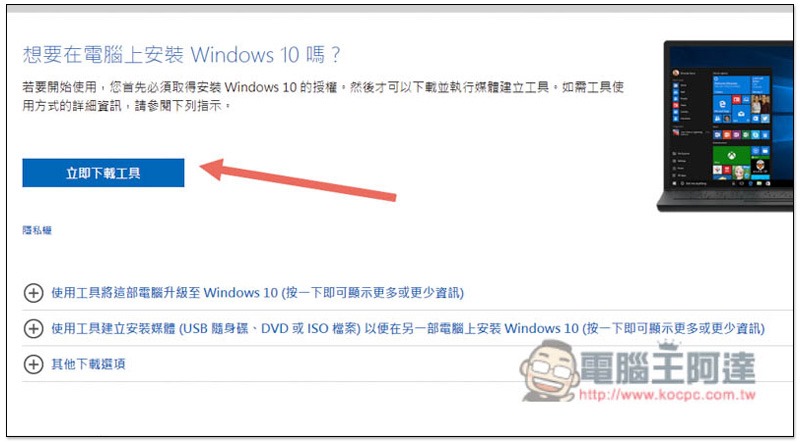
It can be executed without installation. After opening it, wait for the screen to finish. After accepting the terms, you will be asked to choose whether to “upgrade this computer now” or “create installation media for another computer”. Please choose the former. If you want to create a Windows 10 ISO file, please choose the latter:
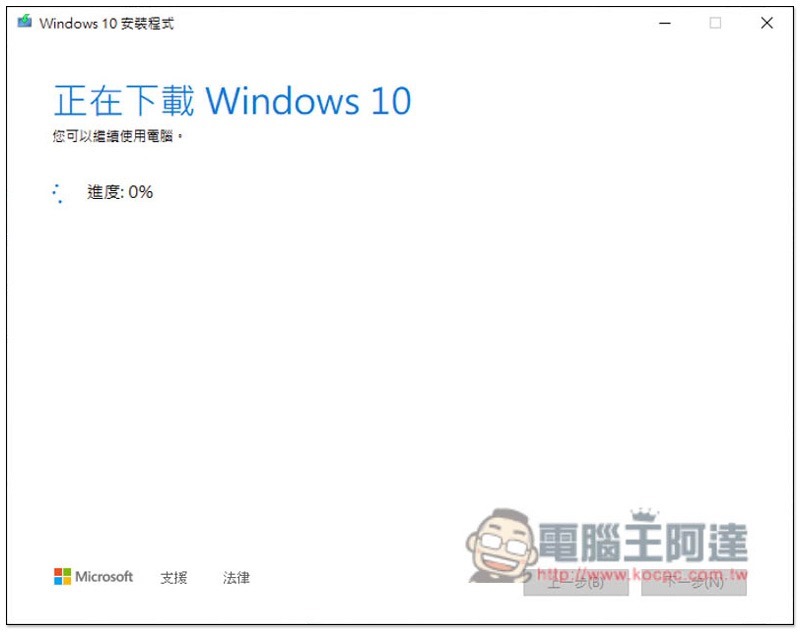
Then just follow the steps to install it. By default, personal files and applications will be retained and nothing will be deleted. Of course, you can also choose not to retain any files and perform a new installation.
Source: KOCPC Chinese