


Previously we have introduced a tool that can find large files on the hard drive with one click. Space Sniffer Free software, although modular display is good, not everyone likes it. Some people may think it is too fancy, so this article will recommend another TreeSize Free that can achieve the same effect and also supports Traditional Chinese language.
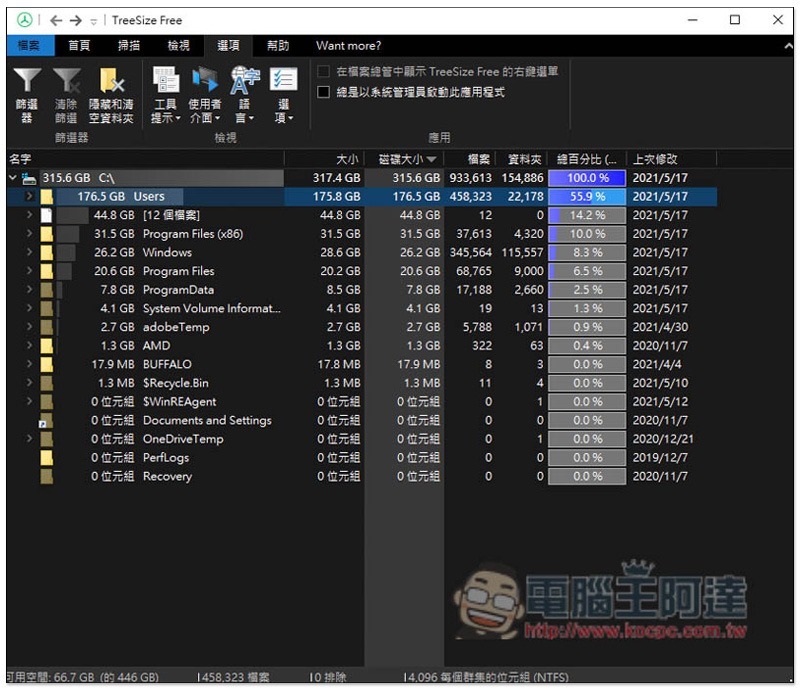
TreeSize Free scans the folders occupying the largest capacity on your hard drive with one click
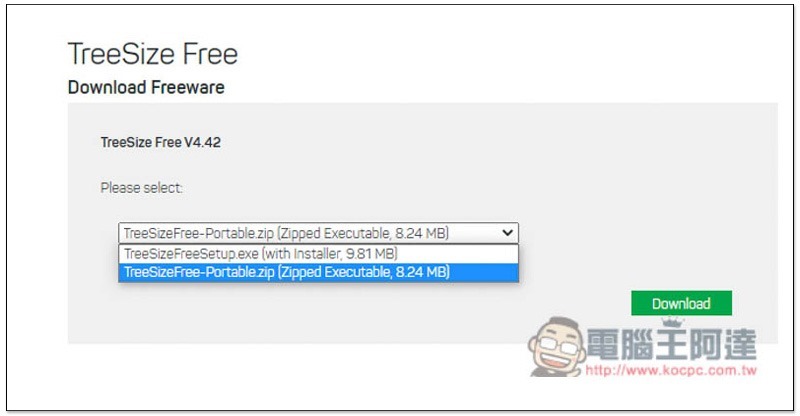
TreeSize Free official website provides two versions, .exe is an installation file, and ZIP is an installation-free file. It depends on which one you want to use:
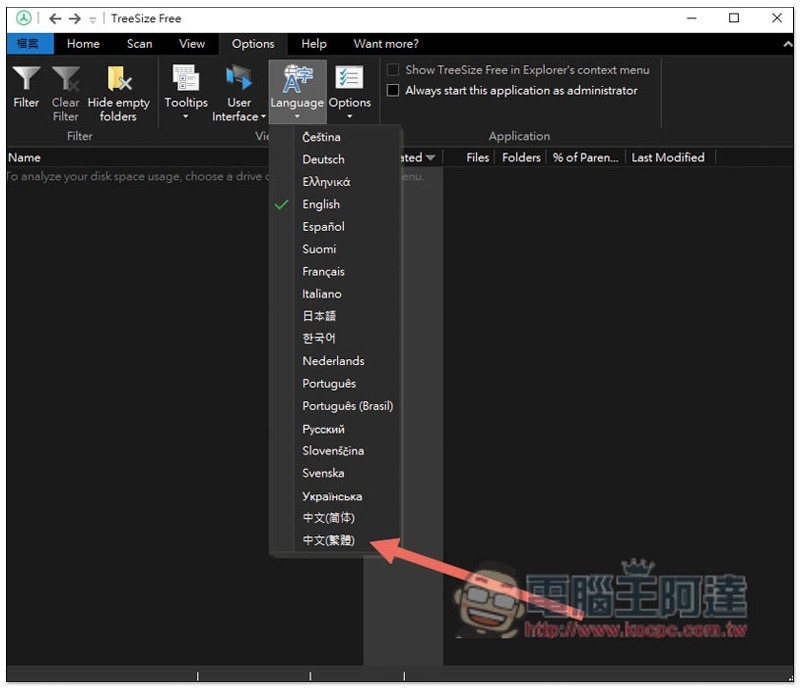
The default language is English. If you want to change it to Traditional Chinese, click the Options option above, you will see the Language setting, and then switch to Chinese (Traditional):
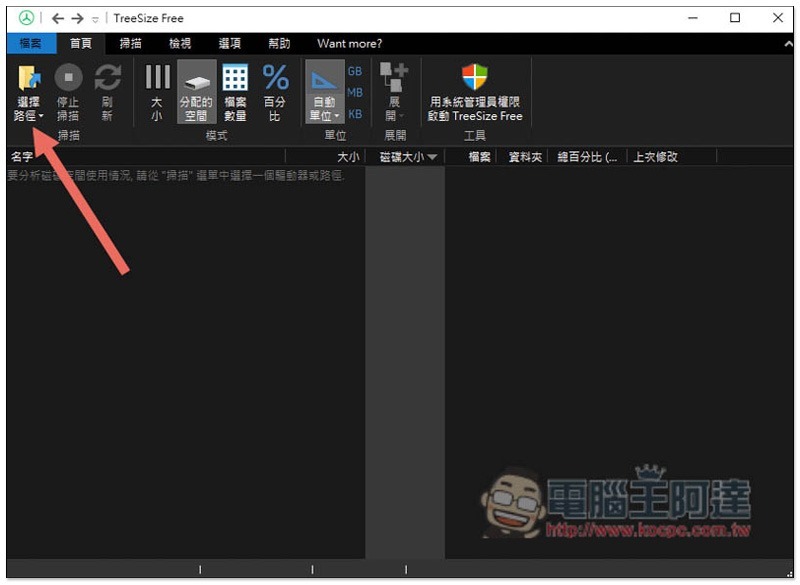
It will change to Chinese after reopening. The method of use is very simple, press “Select Path” on the upper left:
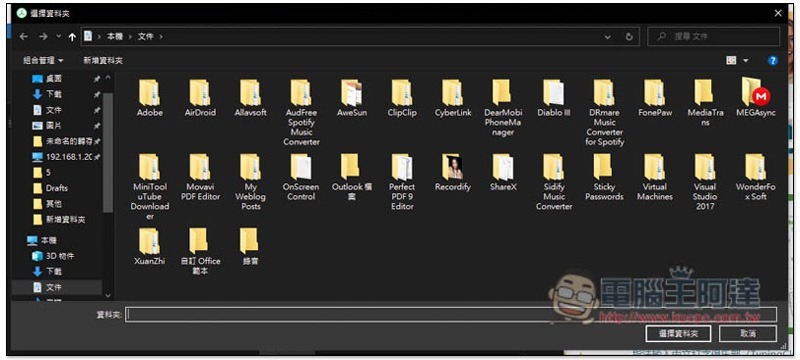
You can specify folders:
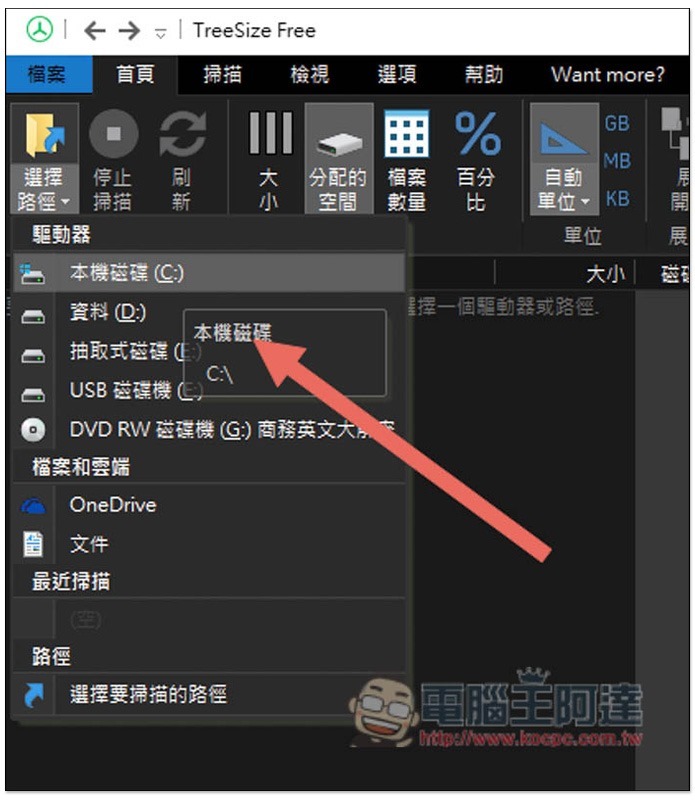
You can also select the hard drive from the menu. I personally recommend scanning the hard drive directly because the speed is quite fast. This way you can quickly find which folders in the hard drive take up too much capacity without having to search for each folder:
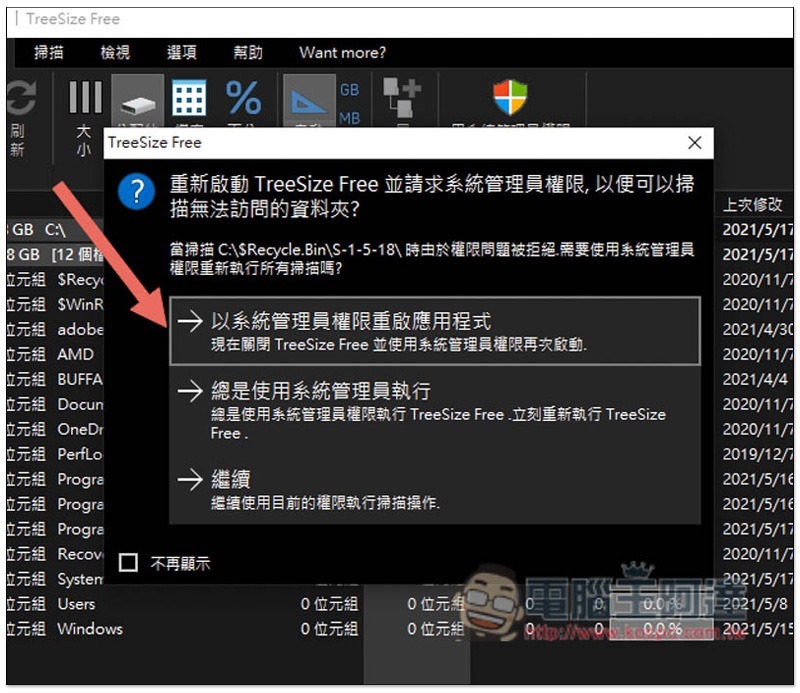
When scanning the hard disk, you will need system administrator permissions to scan some system files. Click “Restart application with original system administrator permissions” or “Always use system administrator permissions to execute”:
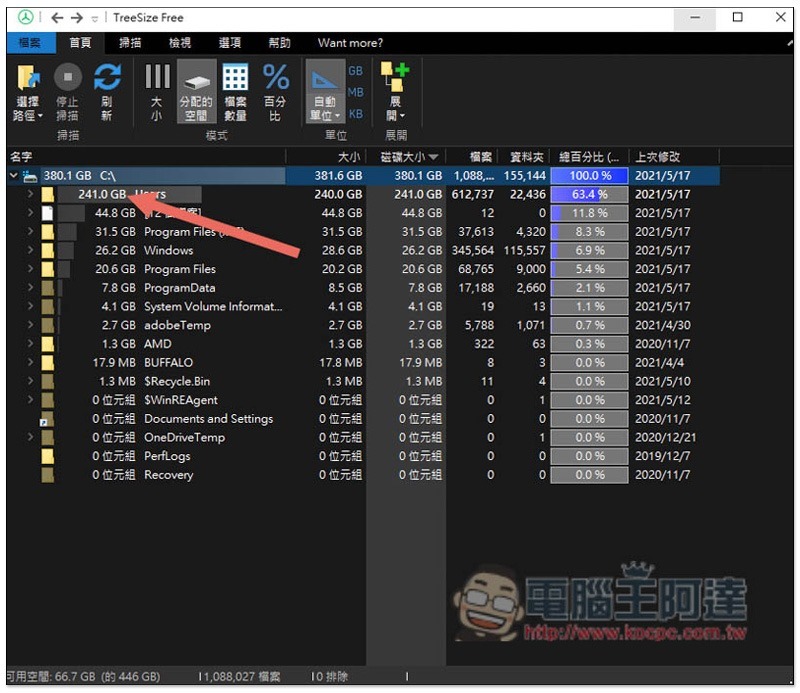
Wait a few seconds and the list will show how much hard drive capacity each folder in the hard drive takes up, sorted by size, with the largest at the top. In my case, Users took up a whopping 241 GB. There is also a total percentage number reference on the far right:
After expanding the arrow on the left, you can view all the folders under this directory and find out which ones take up a lot of hard drive space. For mine, iMyfone and Apple take up the most space. The two together account for almost 200GB:
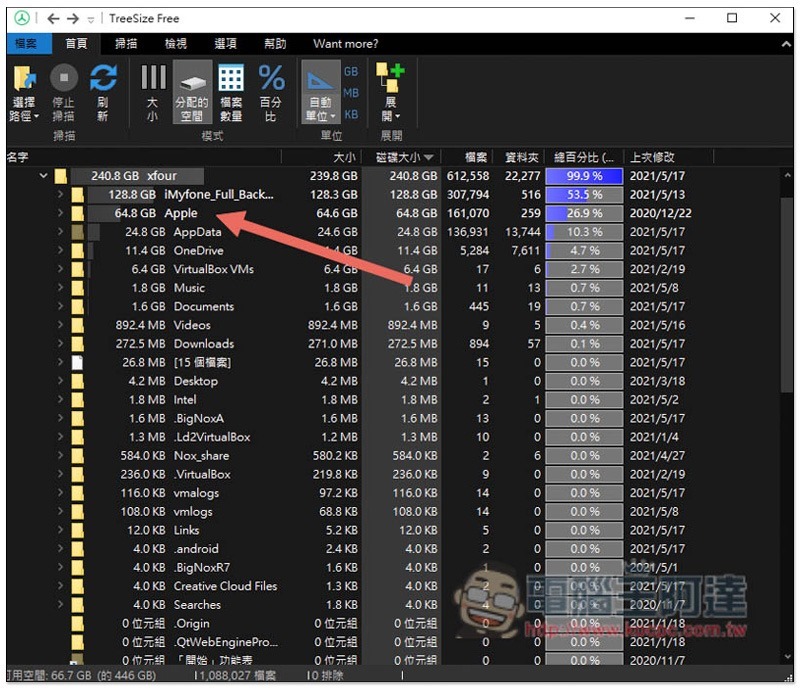
After finding a folder or file that is not in use, open the right-click menu to delete it. Remember to empty the data recycle bin after deletion:
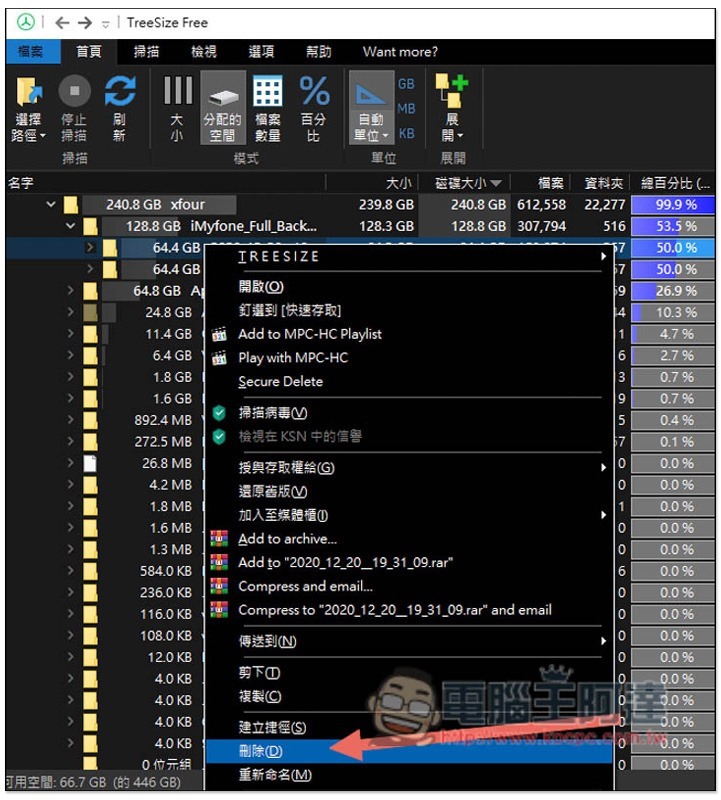
In addition, if you want to open the folder to check whether the file will be used, you can use the “Open” function of the right-click menu, which is more convenient than another set of Space Sniffer.
Source: KOCPC Chinese