


Although the widgets of iOS 14 follow the footsteps of Android, the entire layout design and iOS interface still look quite beautiful, and feel better than many Android interfaces. If you feel this way and want to try out the latest iOS 14 interface, you don’t need to buy an iPhone. Installing this free app “Launcher iOS 14” can instantly turn your Android into an iOS 14 interface.
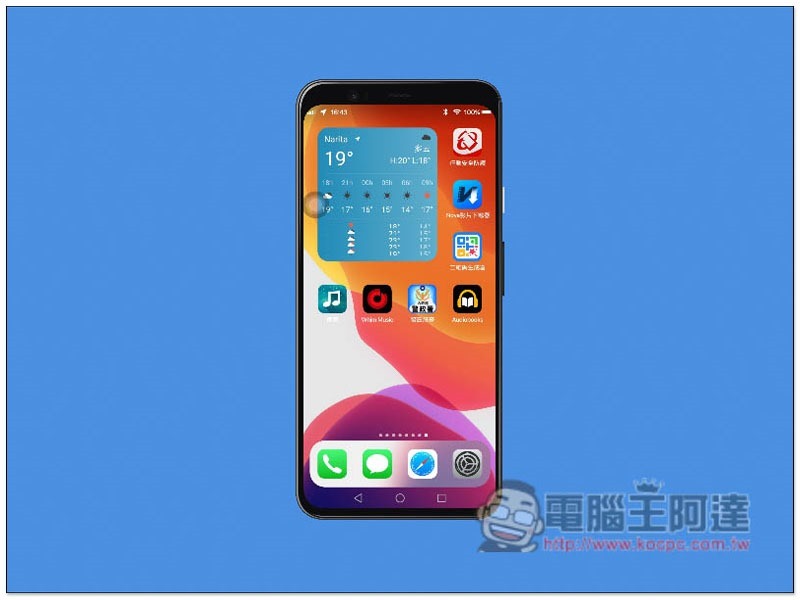
Launcher iOS 14 Introduction
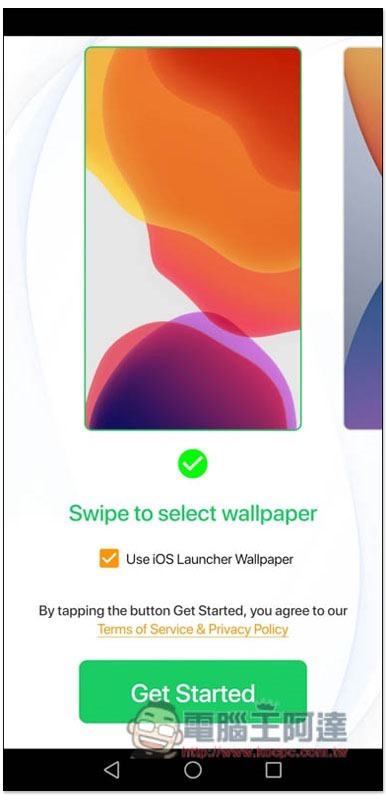
First select the wallpaper you like, and slide left or right to switch:
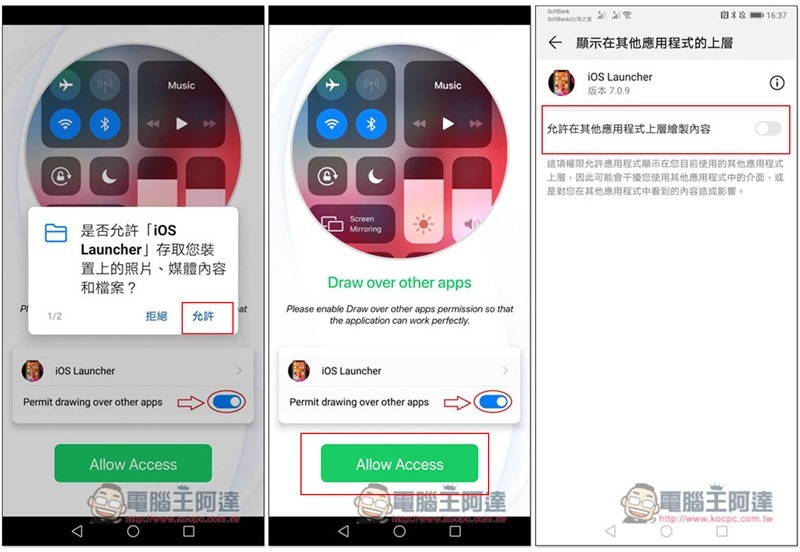
Then you will need to grant some permissions, such as accessing content on the device and allowing content to be drawn on top of other applications:
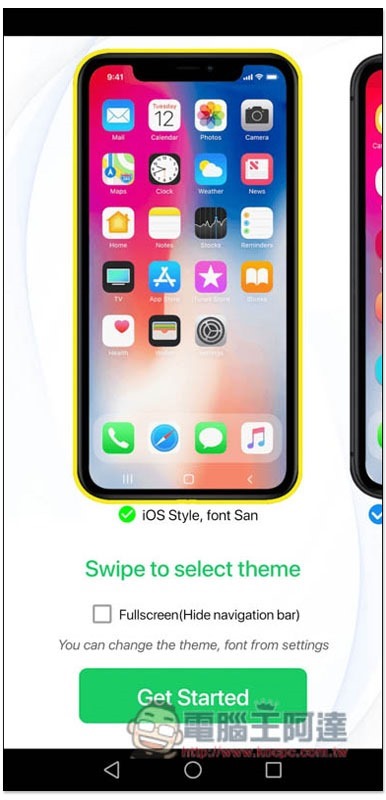
If you want to hide the bottom virtual keys of Android itself and make them exactly the same as iOS 14, just check FullScreen. If you are fine, just press the button below Get Started:
Then the interface will become iOS 14 style, and even the Control Center (Control Center) and Notification Center (Notification Center) are called in the same way:
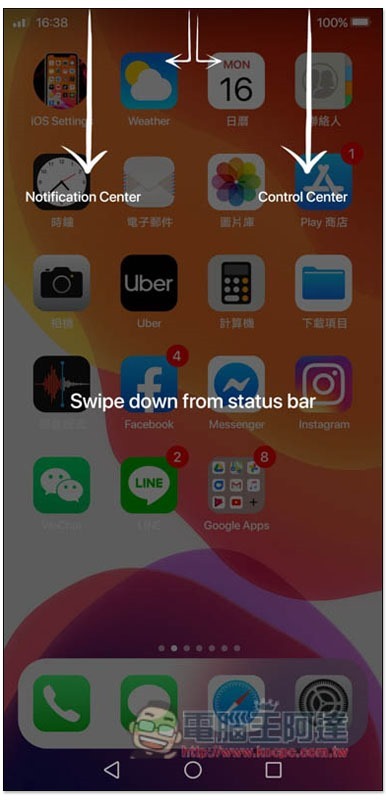
Before you start using it, you will be asked if you want to set it as the default home screen. The advantage is that the iOS 14 interface will be automatically displayed every time you turn on or restart the phone. If not, it will change back to the Android interface:
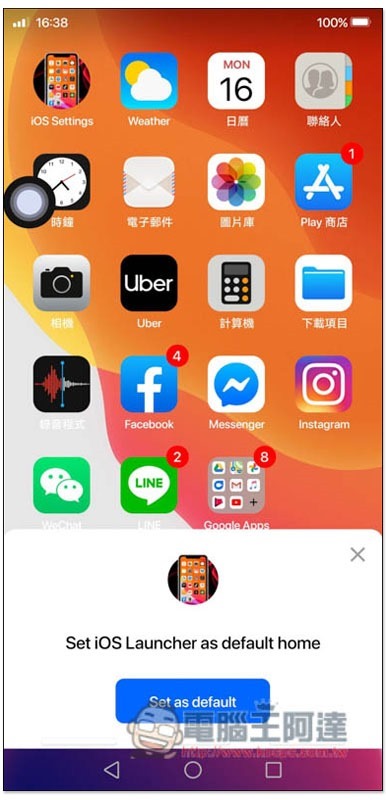
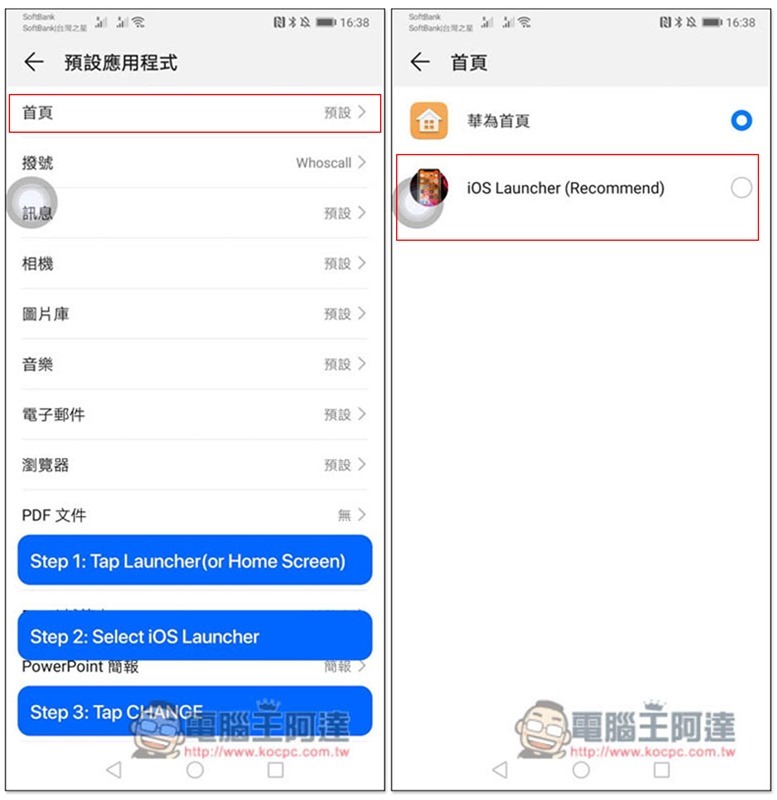
After clicking Set as default, you will jump to the default application menu. Click on the first homepage and change it to iOS Launcher:
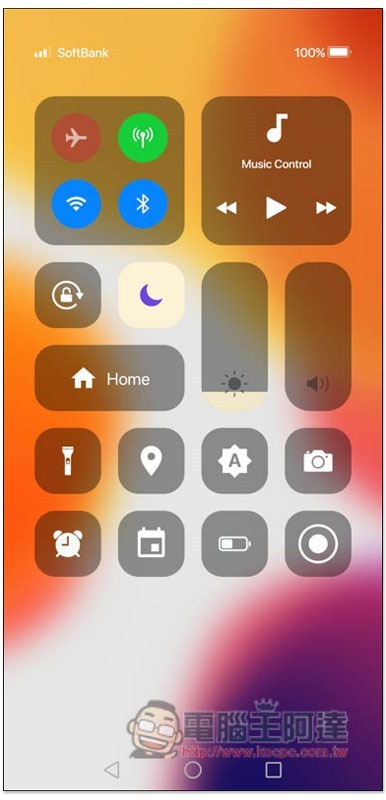
The interface of the Control Center is exactly the same as iOS 14:
The same goes for the Notification Center:
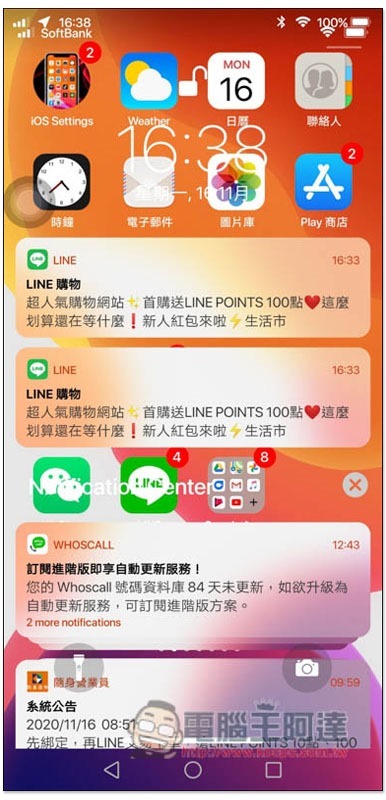
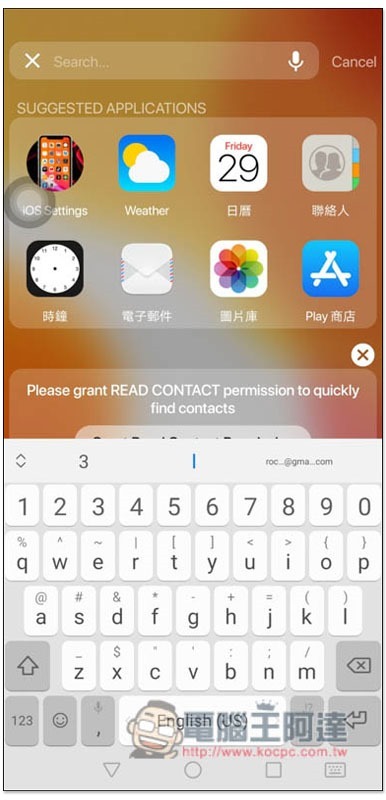
Search page:
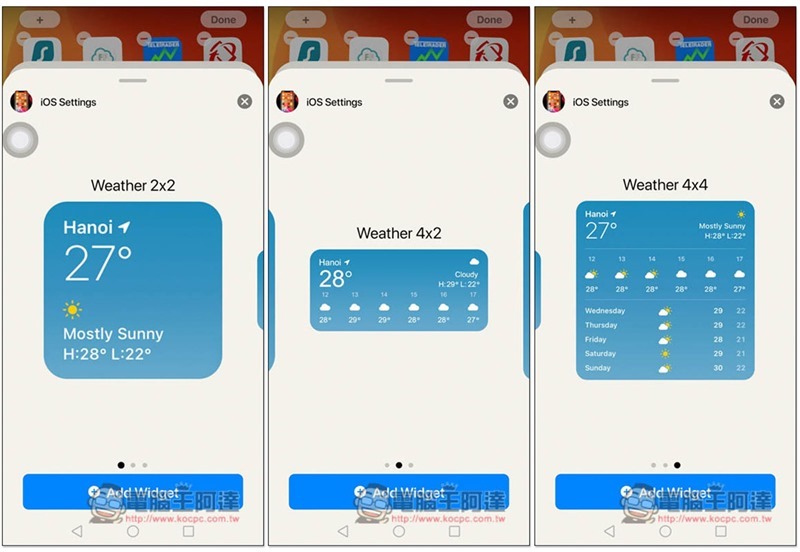
Long press on a blank space on the screen and the app will start to jump. You can delete or move the app position. In addition, you will also see the newly added + Widget function in the upper left corner:
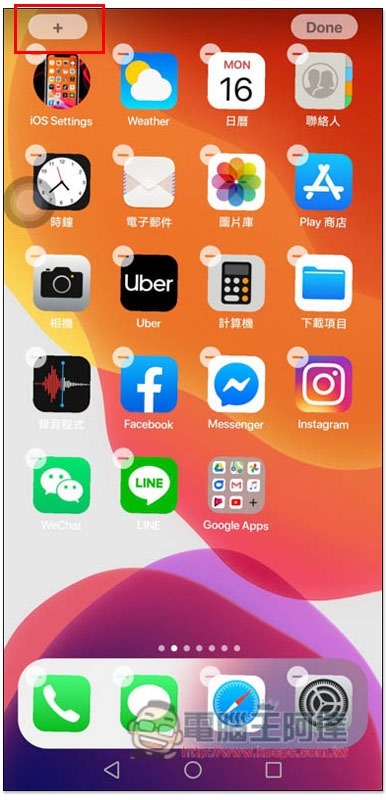
This picture is exactly the same, it’s really similar:
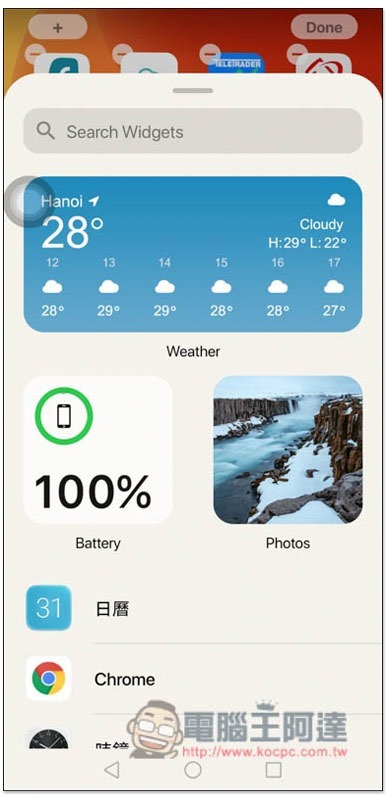
You can even choose the size:
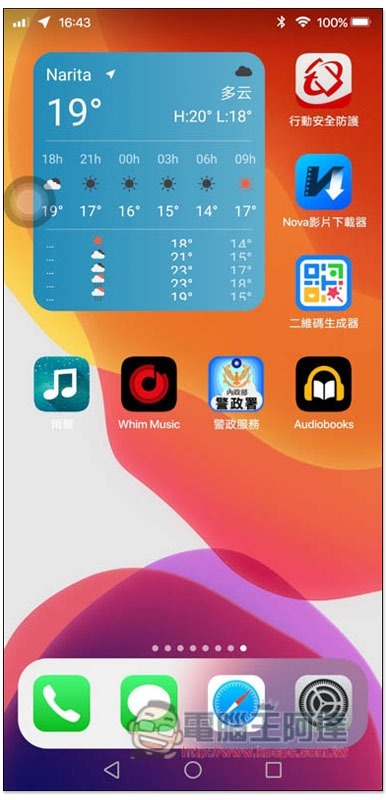
If you don’t check this picture carefully, you would really think it is an iOS screenshot:
There are also many setting options in the App that can be customized to meet your needs. I won’t introduce them here and let readers play with them on their own.
In addition, although this app is free, it does provide paid upgrade services. Most functions can be used in the free version. The main difference is whether there are ads.
Supplementary information
- App Name: Launcher iOS 14
- Nature: free, paid
- Google Play download page:Click here to go
Source: KOCPC Chinese