


Although Google has continuously raised security barriers for third-party app installation in recent years, thanks to Android’s openness, as long as you are determined enough, you can still break through the restrictions and install any software. However, “can install” does not mean “should install.” Sideloading technology itself is neutral, but when you decide to step outside the “walled garden” built by Google Play or phone brands, the risk of the device being exposed to malware and personal data leaks rises exponentially. Behind the freedom to install, the following four most common “high-risk sources” are exactly the digital traps hackers most like to use to lie in wait.

Don’t hand over your phone for a “free unlock”! The 4 most dangerous cybersecurity traps in Android sideloading.
The “disguised attachments” hidden in emails and messaging apps
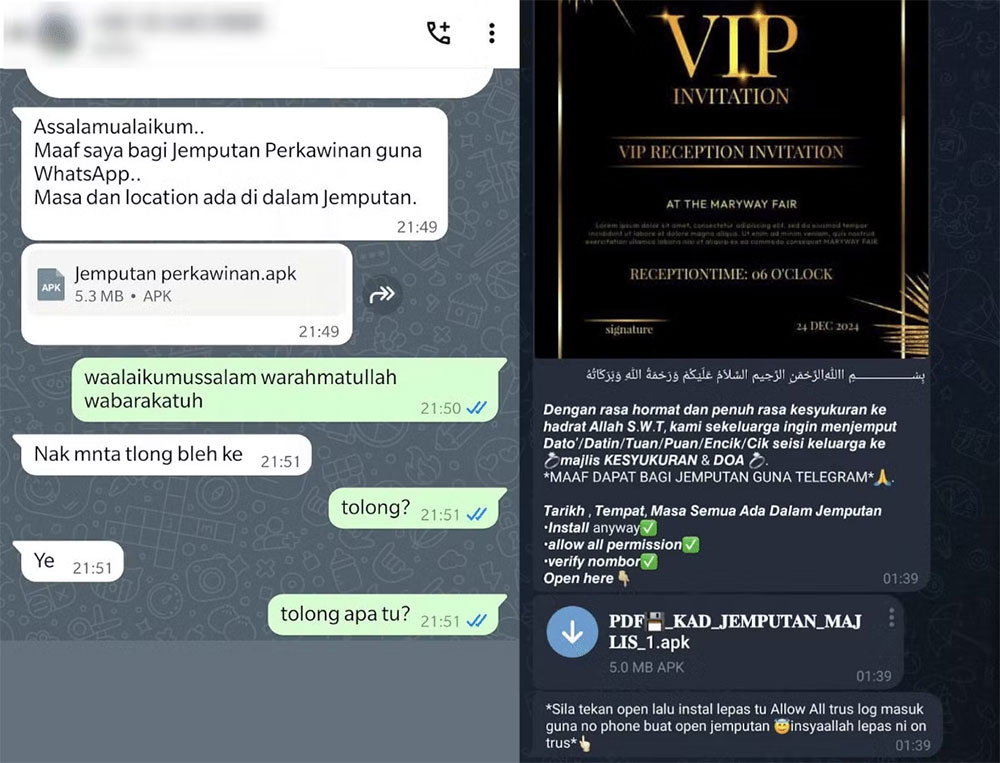
This may sound like old-hat cybersecurity common sense, but countless people are still falling victim to it today: never install any APK file sent via Email, text message, or messaging app.
Spreading viruses through attachments is a classic opening move in cyberattacks, and the tactics are constantly evolving; major cybersecurity vendorsKaspersky once revealedHacker groups are specifically sending malicious APKs on WhatsApp and Telegram. To lower users’ guard, attackers often play word games with “double extensions,” for example naming a file Bill Details.PDF.APK. Regular users often notice only the .PDF at the front and overlook that the operating system always executes the final .APK. If you tap any document or image attachment and the screen suddenly shows the “Android package installer,” immediately tap Cancel and completely delete the file.
APK websites that tout “cracked versions and free unlocks of premium features”
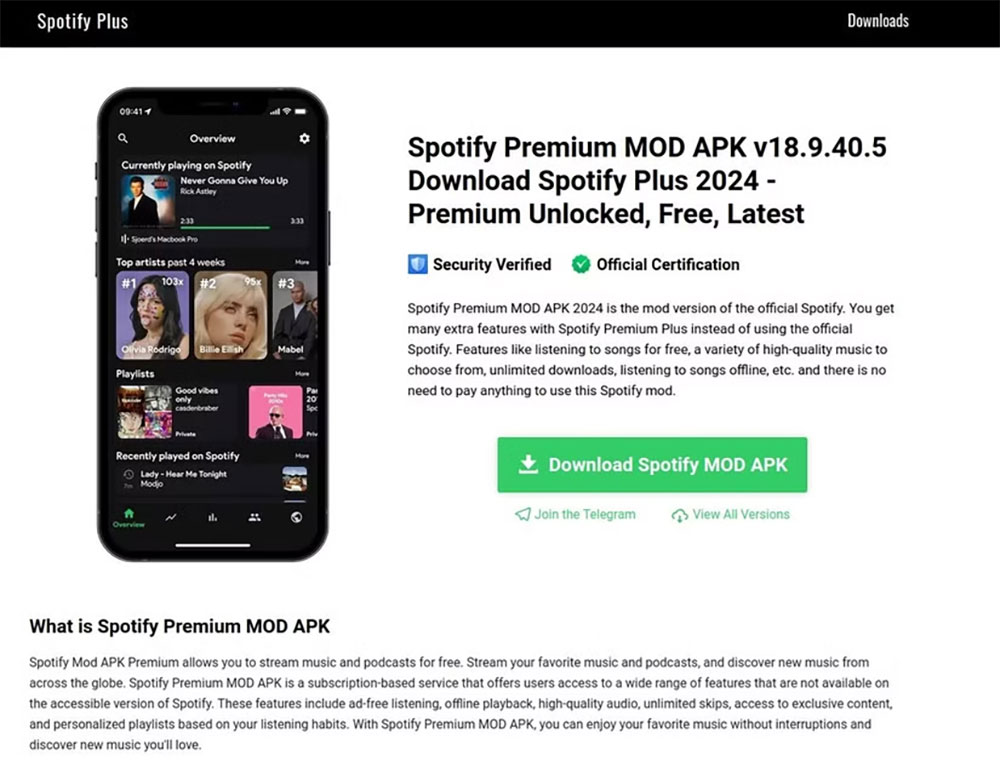
Admittedly, sideloading has long been a breeding ground for software piracy. Many gamers, in order to play paid games for free or bypass subscription paywalls in utility apps, habitually search online for so-called “cracked versions (Mod APK).”
The Kaspersky research team points outThese types of websites often promote highly enticing slogans such as “unlock Spotify Premium for free.” But anyone with a basic understanding of network architecture knows this is technically impossible: Spotify determines whether a user is a paid member by verifying account permissions on its cloud servers, not by which version of the App is installed on your phone. These modified apps that advertise themselves as free not only fail to unlock any features but may even hijack the legitimate app you originally downloaded from the official store and secretly implant a Trojan.
Precisely targeted “malicious installer ads” on social media
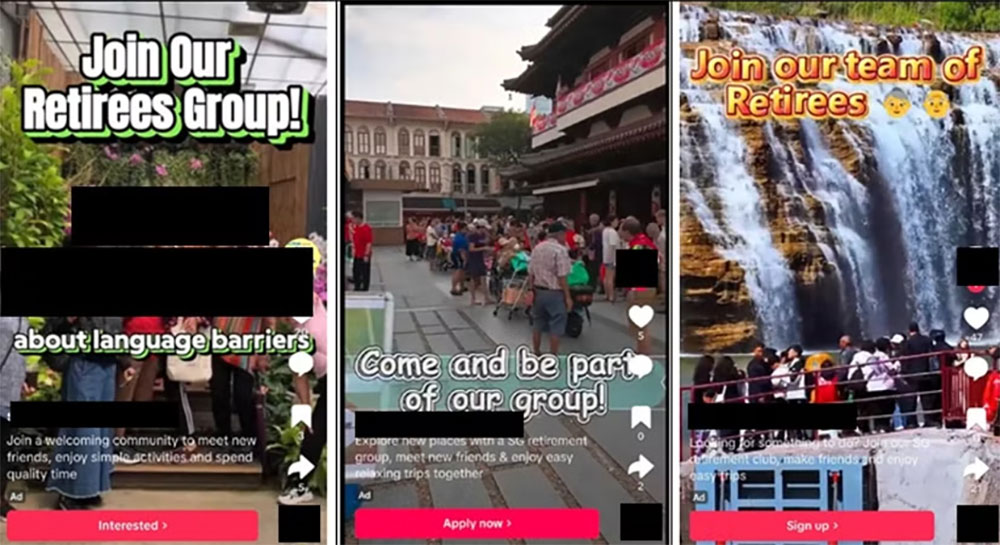
When people today scroll through social media, most are numb to the ads mixed in, often just zoning out and waiting for them to end. Yet these seemingly harmless pushed ads are sometimes cybersecurity traps tailor-made for specific groups.
Singapore PoliceAuthorities once busted a scam targeting seniors: hackers ran ads for “community senior activities” on social platforms, and once older adults clicked and left their contact information, the scammers would seize the opportunity to send an APK bundled with malicious code and trick them into installing it. The same playbook also appears frequently in various adult-oriented bait ads: one curious click and download, and control of the phone instantly changes hands.
A “counterfeit third-party app store” with a highly realistic interface.
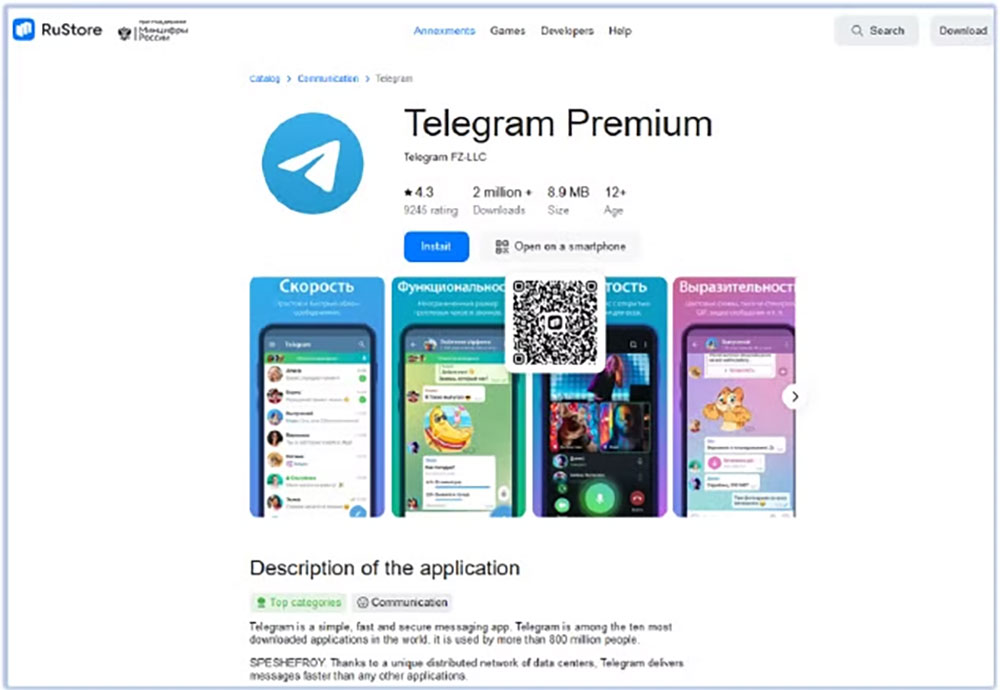
Open and diverse third-party app stores are good for promoting market competition and user choice, but this trend has also become a new opening for phishing. Just as hackers set up fake online banking websites, nowadays even “app stores” have counterfeit versions.
Cybersecurity organization Cyfirma Hackers were found to have perfectly cloned Russia’s legitimate third-party store RuStore and listed an app called “Telegram Premium” on the fake website, which was actually the notorious FireScam malware. Because many legitimate alternative stores themselves support direct downloads through a web browser, it is extremely difficult for ordinary users to tell the real from the fake. The safest approach is to always access such platforms through an officially certified standalone app, and avoid clicking unknown web links directly from search engines.
Admittedly, even mainstream official stores such as Google Play occasionally let something slip through. But thanks to strict automated review and Play Protect safeguards, the security risks of official channels remain far lower than those of external sources. In the digital world, the ironclad rule is that “deals that seem too good to be true are usually scams.” Android does give users a high degree of freedom, but before you press “Install,” make sure the source is 100% trustworthy—otherwise the few hundred dollars you save on a subscription could ultimately be paid for with the security of your entire digital identity.
Source: KOCPC Chinese