


Last week, Microsoft began rolling out Windows 11 26H2. Since this time it’s an enablement package update of only about 174KB, it shouldn’t bring major system changes, and there aren’t many new features either, including built-in Sysmon, the ability to move the taskbar to any of the four edges of the screen, and the ability to view NPU usage in Task Manager.
Unexpectedly, over the past few days, users have been discovering that Windows 11 26H2 seems to have quietly brought a wave of performance improvements, such as faster Start menu opening and noticeably lower memory usage after boot. The foreign media outlet Windows Latest subsequently conducted actual tests and observed a similar situation: memory usage that was originally around 10GB after boot dropped to about 7GB after the update.
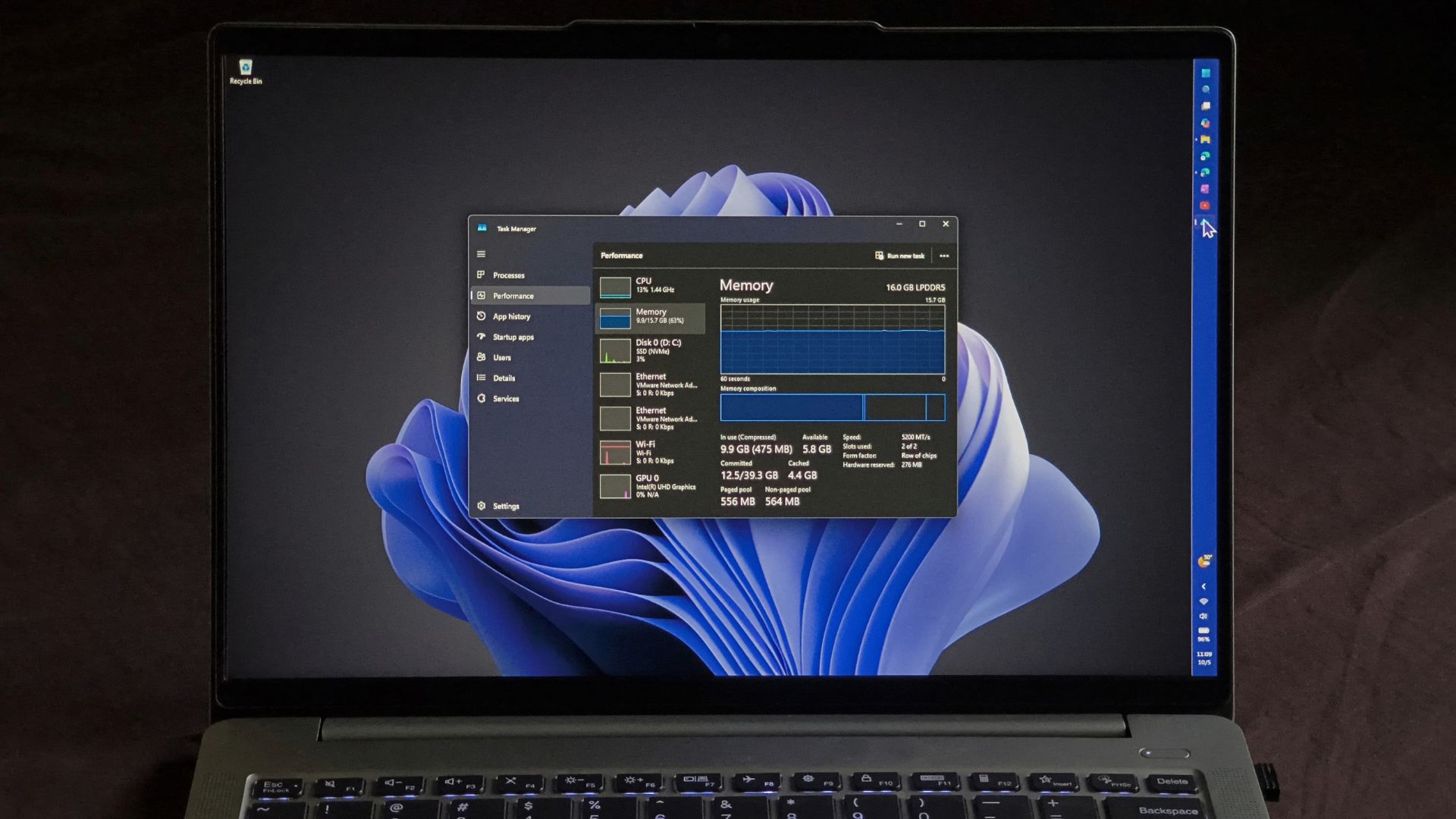
Image source: Windows Latest
Windows 11 26H2 quietly boosts performance: Low Latency Profile speeds up the system, and memory usage also drops significantly.
Windows 11 26H2 is the annual update Microsoft began rolling out on September 29 to all Windows 11 24H2 and 25H2 users. It is being rolled out in phases; PCs with detected driver or software compatibility issues will have the update paused and will not receive it until the issues are fixed.
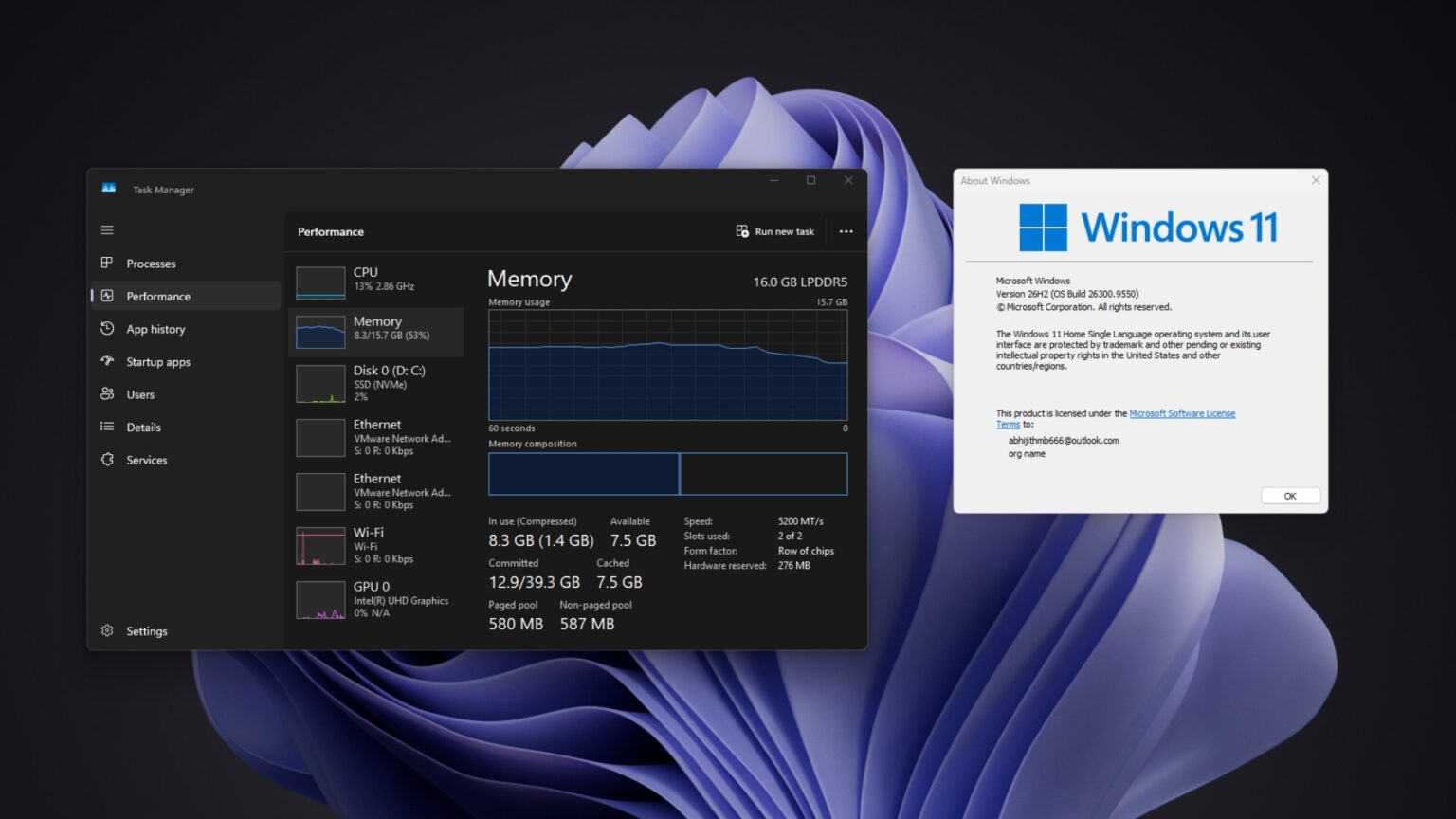
Image source: Windows Latest
This update is only about 174KB because the optimization is already on your computer, just not turned on yet. 26H2, 25H2, and 24H2 are the same underlying system, and Microsoft’s monthly routine updates install the code for new features on your computer along with them, but many features remain disabled after being installed and must wait for an enablement package or a later update to turn them on.
So what new things does 26H2 bring? According to Microsoft’s official explanation, these are probably the ones general users will notice the most.
- Start menu redesignThe All section is now scrollable, with two new view options—categorized and grid—and you can also choose the Start menu size yourself.
- More freedom for the taskbarIt can be placed on any side of the screen—top, bottom, left, or right—and there is also a smaller taskbar option, which reduces both the icons and the height.
- File ExplorerSupport for more archive formats (uu, cpio, xar, NuGet packages), voice input for renaming files, and the File Explorer home page opens faster too.
- Windows Search: Preview search results without opening them, and find an app even if you misspell its name or type only part of it.
- Task ManagerComputers with an NPU can show NPU utilization and memory usage.
- Safety and RecoveryBuilt-in system monitoring tool Sysmon (off by default), Smart App Control can be turned on or off without reinstalling, third-party password managers can access passkeys; new “Point-in-Time Restore” lets you roll the entire computer, including apps, settings, and personal files, back to the most recent automatic restore point.
- Windows UpdateWhenever possible, install other updates together with the monthly security updates to reduce the number of restarts.
Beyond all that, many people also found other more significant changes after installing it that weren’t mentioned officially, including Low Latency Profile and a noticeable drop in memory usage.
Low Latency Profile has been talked about since May, and 26H2 looks like it will be opened up to most people.
Lower memory usage alone makes upgrading appealing. Although Microsoft previously promised to reduce Windows 11’s memory usage, it didn’t give a timeline—I didn’t expect it to happen so soon.
A Reddit user shared that their computer has 48GB of RAM, and after upgrading to 26H2, memory usage at boot dropped by about 2GB:
On Boot RAM utilization went down by around 2GB after the 26H2 update!
byu/shutter_singh inWindows11
Someone on X also posted a comparison: on the same 32GB computer, 25H2 used 9.1GB after boot, and after upgrading to 26H2, that dropped to 7.5GB:
Consumo de memoria RAM en mi equipo con #Windows11. 25H2: 9.1GB 26H2: 7.5GB https://t.co/QMy4gvbKc4
— SoyITPro (@SoyITPro) September 29, 2026
Windows Latest The editor also checked on their own 16GB laptop. After upgrading to 26H2 and rebooting, baseline memory usage was about 7GB, roughly 45% usage; previously, booting the same laptop used about 10GB:
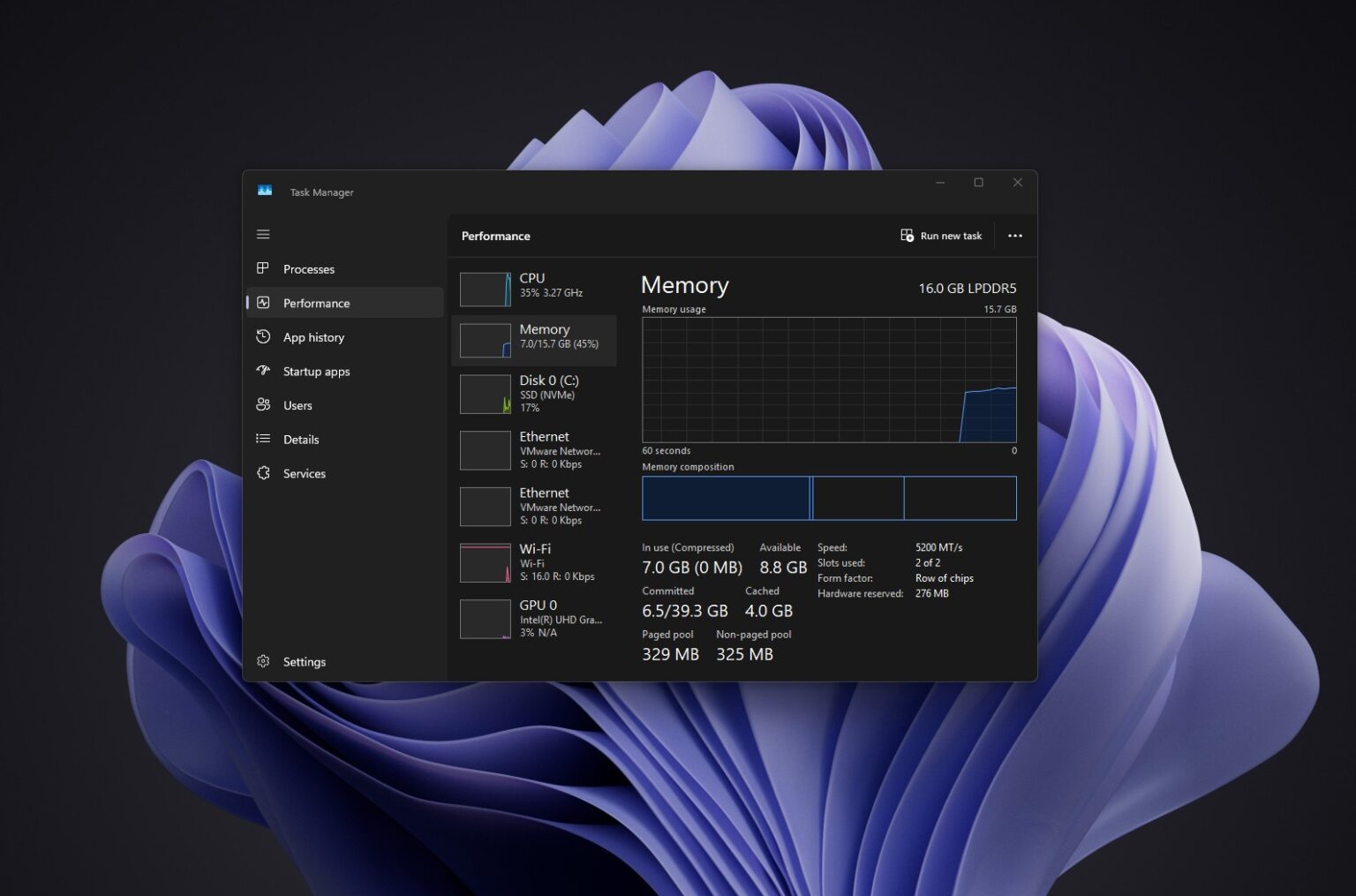
Image source: Windows Latest
Windows Latest also ran a round of stress testing: with WhatsApp, Teams, Outlook, Edge with a bunch of tabs, and a 4K 60fps YouTube video all open at the same time, memory usage was around 87%, not exceeding 90%. Previous versions would usually exceed 95% under the same conditions. Then with Microsoft Store, Paint, Lenovo Vantage, Notepad, Spotify, and the bookmarking tool Raindrop.io opened as well, it peaked at only 89%, around 14GB:
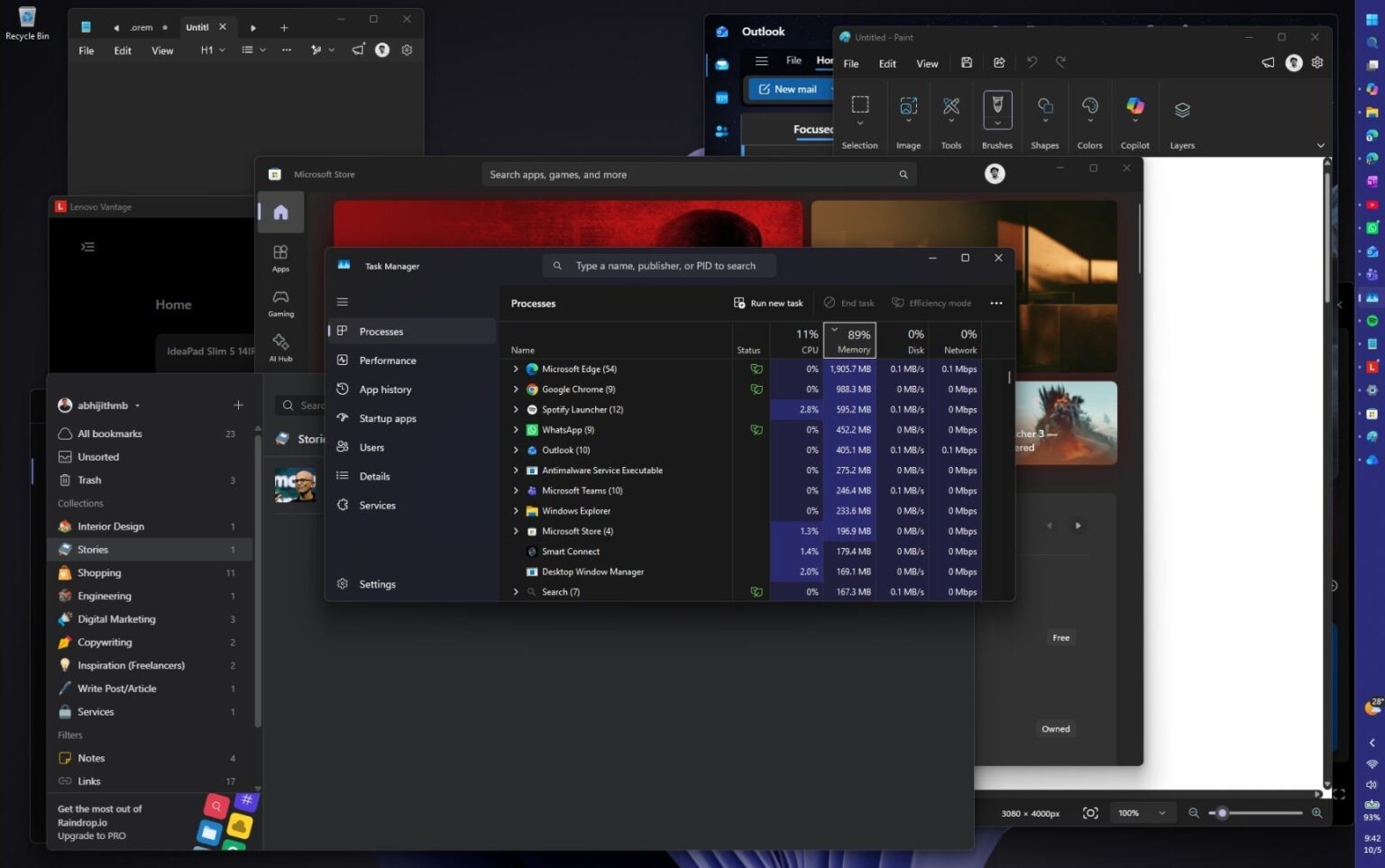
Image source: Windows Latest
However, not every computer will feel such a noticeable difference.
A user with an 8GB computer reported that after upgrading, memory usage is still stuck at 96%. Some people online also installed 26H2 and saw no change in memory usage at all:
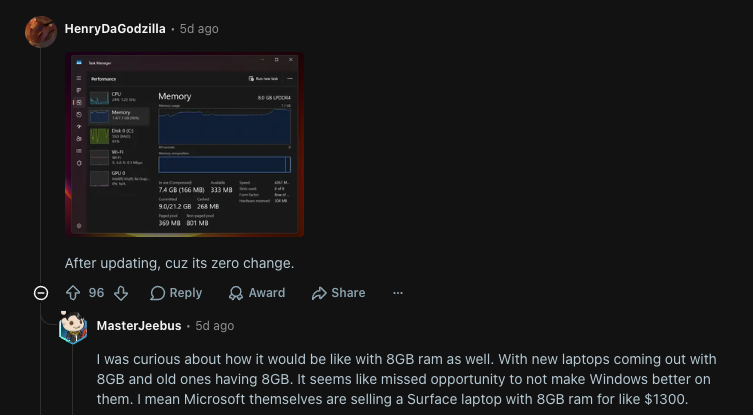
Microsoft did not include “lower memory usage” in the official changelog for 26H2, so these are just users’ own observations. Every computer differs in which programs launch automatically at startup, cache state, whether Edge tabs are sleeping, and app versions, all of which can affect the results, so at this stage it cannot be directly proven that 26H2 itself reduces RAM usage.
But at least it’s certain that the drop in Windows 11 memory usage is really happening now.
As for whether it’s worth updating? For now, it’s highly recommended to consider it, although some bugs have still been reported here and there, none of them are major disasters.
Source: KOCPC Chinese