


Although Windows 11 26H2 brings a highly noticeable update and significantly reduces memory usage, some users may still worry about bugs and the like, so they will avoid installing it if they can. But they may not be able to avoid it for much longer, because Microsoft recently announced that it will begin expanding the automatic rollout of Windows 11 26H2. Eligible computers will download and install it in the background on their own; users just need to wait for a restart and no longer need to update manually.
Image source: Windows Latest
Windows 11 26H2 begins automatic installation! Foreign media hands-on test: memory usage on an 8GB laptop drops from 5GB to 3.3GB after the update.
Microsoft recently updated Windows release health the 26H2 status page. Windows 11 26H2 (that is, the Windows 11 2026 Update) officially launched on September 29. Starting in late October, all devices eligible for Windows 11 could already get it by manually checking for updates. And starting November 18, Microsoft took the next step, gradually expanding automatic rollout, with the first wave targeting devices running Windows 11 24H2 and 25H2 that are not centrally managed by corporate IT departments.
Microsoft wrote in the announcement: “As the rollout progresses, more devices will automatically receive the update, with no need to manually check or initiate the download. This process depends on Windows Update settings and applies to personal devices and unmanaged enterprise devices.”
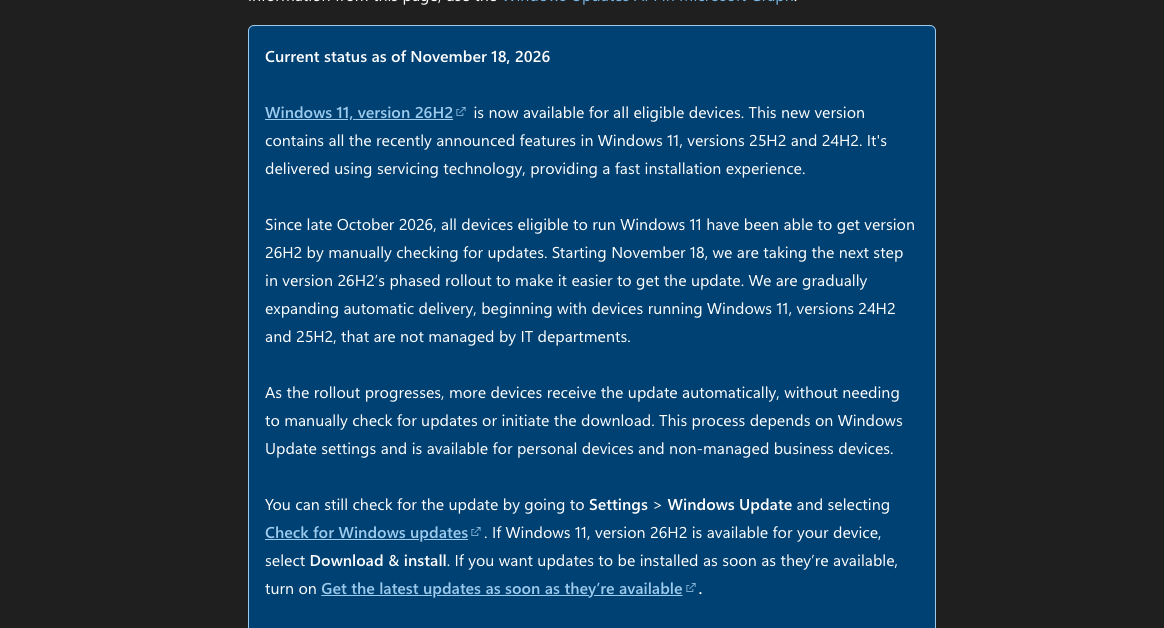
Image source: Windows Latest
Simply put, home computers, personally purchased laptops, and computers at small companies that have not implemented centralized management are all within the scope this time. Devices placed under a compatibility hold (that is, Microsoft determines that upgrading this computer may currently cause problems, so the rollout is temporarily paused), as well as company computers managed by IT departments, are not included.
However, this is also a phased rollout, which doesn’t mean every computer will receive it on the same day—it could take days or even weeks, and the restart will usually be scheduled outside the active hours you set.
In the Windows 11 26H2 update, what everyone loves most is undoubtedly the improved memory usage, foreign media Windows Latest Using a laptop with 8GB of memory for testing, after rebooting on 25H2, Task Manager showed memory usage of about 5GB. After updating to 26H2 and rebooting again, usage dropped to about 3.3GB. Microsoft also noted that after memory management optimizations, Windows 11 can keep up to an additional 2GB of active data in memory, reducing the movement of data to slower storage devices:
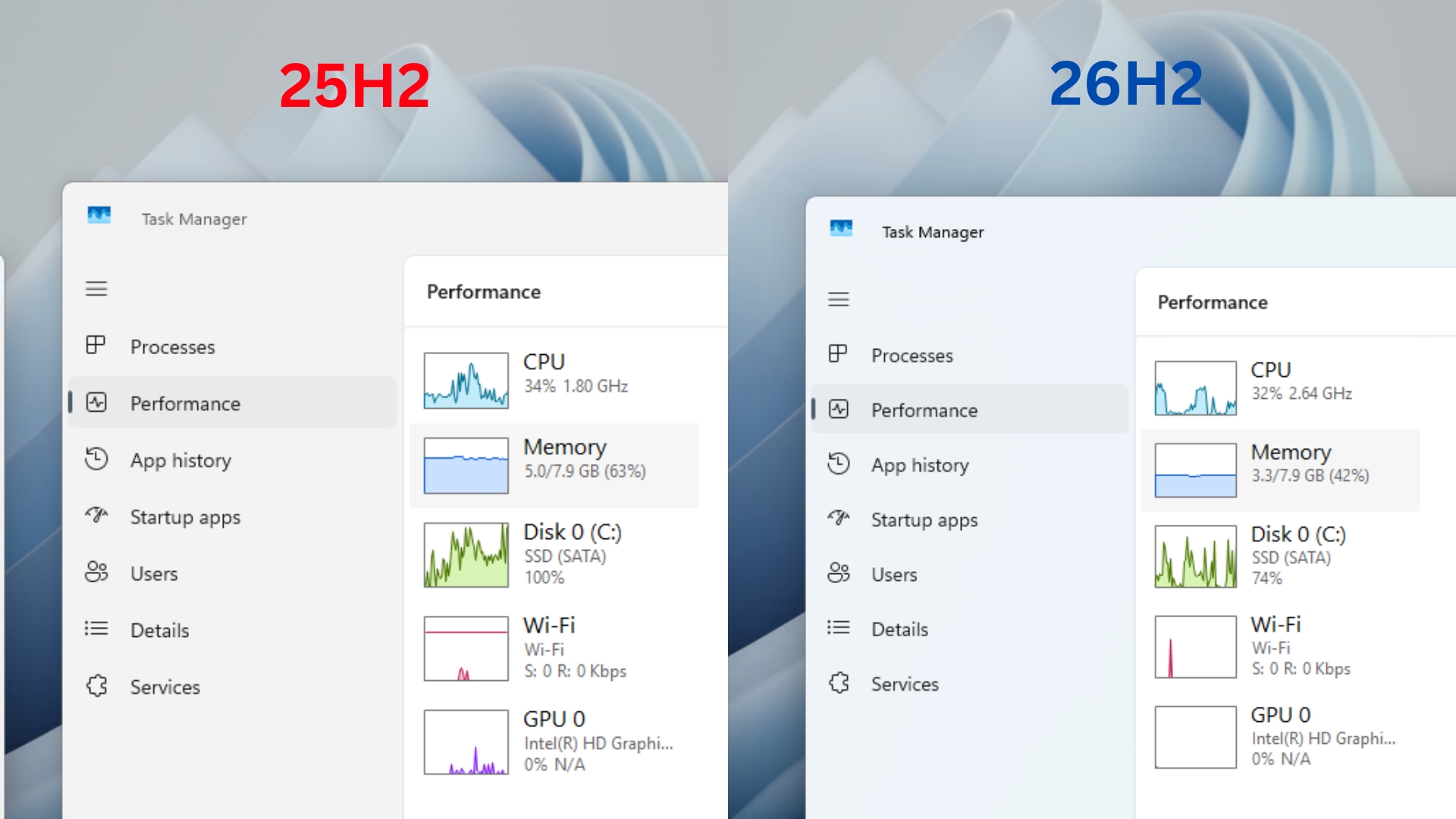
Image source: Windows Latest
Microsoft also provided test data: on 8GB computers, opening the Start menu, search, right-click menu, Settings, Snipping Tool, and File Explorer was up to 20% faster in response speed compared with the January 2026 version. In a lab multitasking test with 20 Edge tabs open, 4K video playing, and large Office files, Outlook, and File Explorer open, completion time was reduced by up to 40%.
26H2 currently has few issues. As of November 20, the official Microsoft page still lists one issue: “SQL Server linked server connections may remain open.”
When SQL Server connects to external databases such as Oracle and PostgreSQL via OLE DB, connections may not be closed after a query ends, and over time this can slow down server performance. This mainly affects specific environments that use SQL Server to connect to external databases; ordinary home computers usually will not encounter it, so most regular users do not need to worry too much. Microsoft has also provided a mitigation for enterprise customers and plans to release an out-of-band update to fix it.
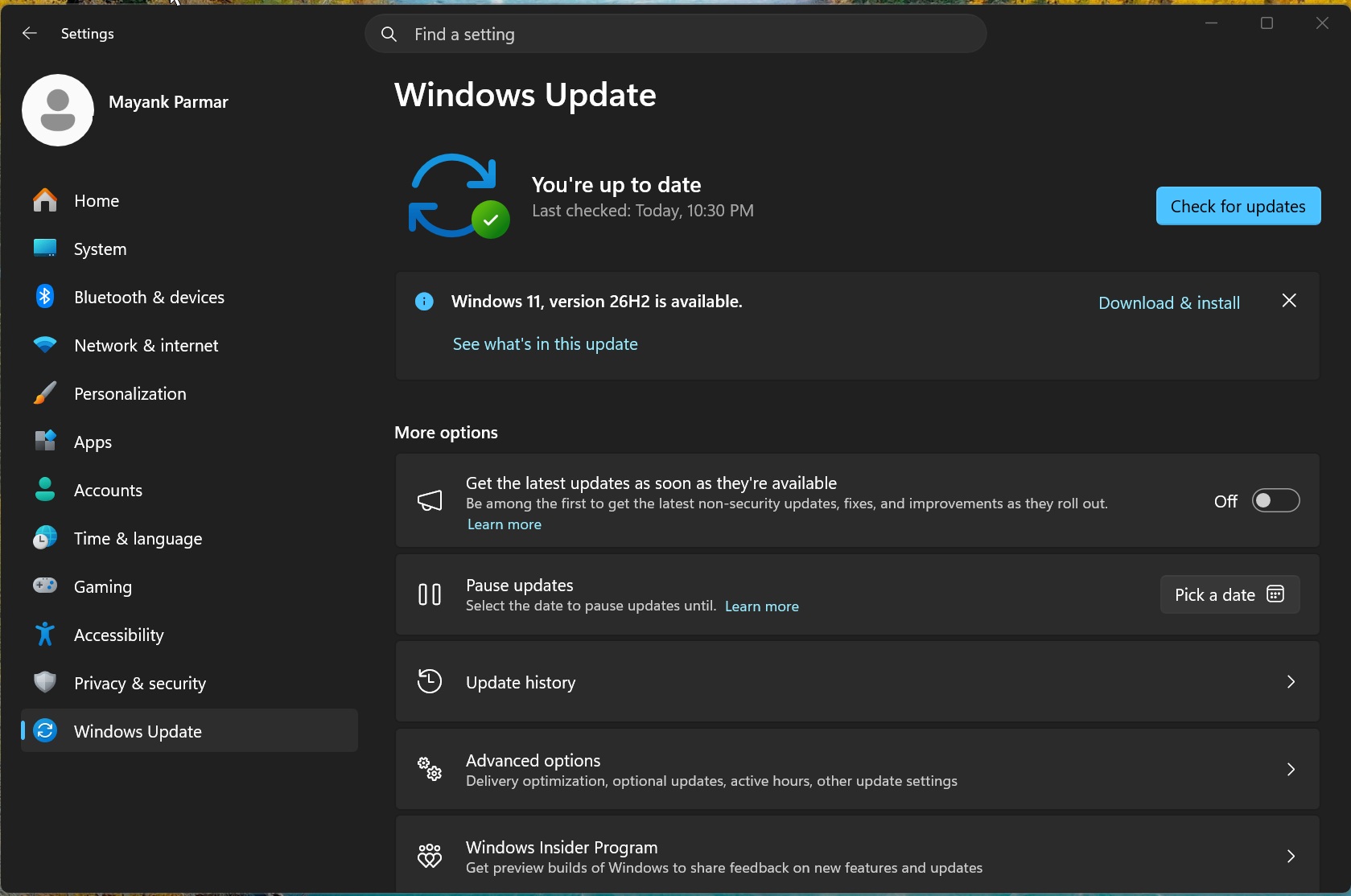
Image source: Windows Latest
Source: KOCPC Chinese