


After a long wait, Gemini finally officially supports computer control too! Recently Google has clearly been accelerating its pace in AI. Following yesterday’s launch of Gemini 4 Neon, it announced earlier today that the Mac version now also supports computer control, and it runs in the background without interrupting your screen. Unfortunately, the first wave is only open to English-speaking users in the US; users in Taiwan and Chinese-language users will have to wait a bit longer, but I suspect it won’t be too long (after all, Gemini is already way behind in this area).
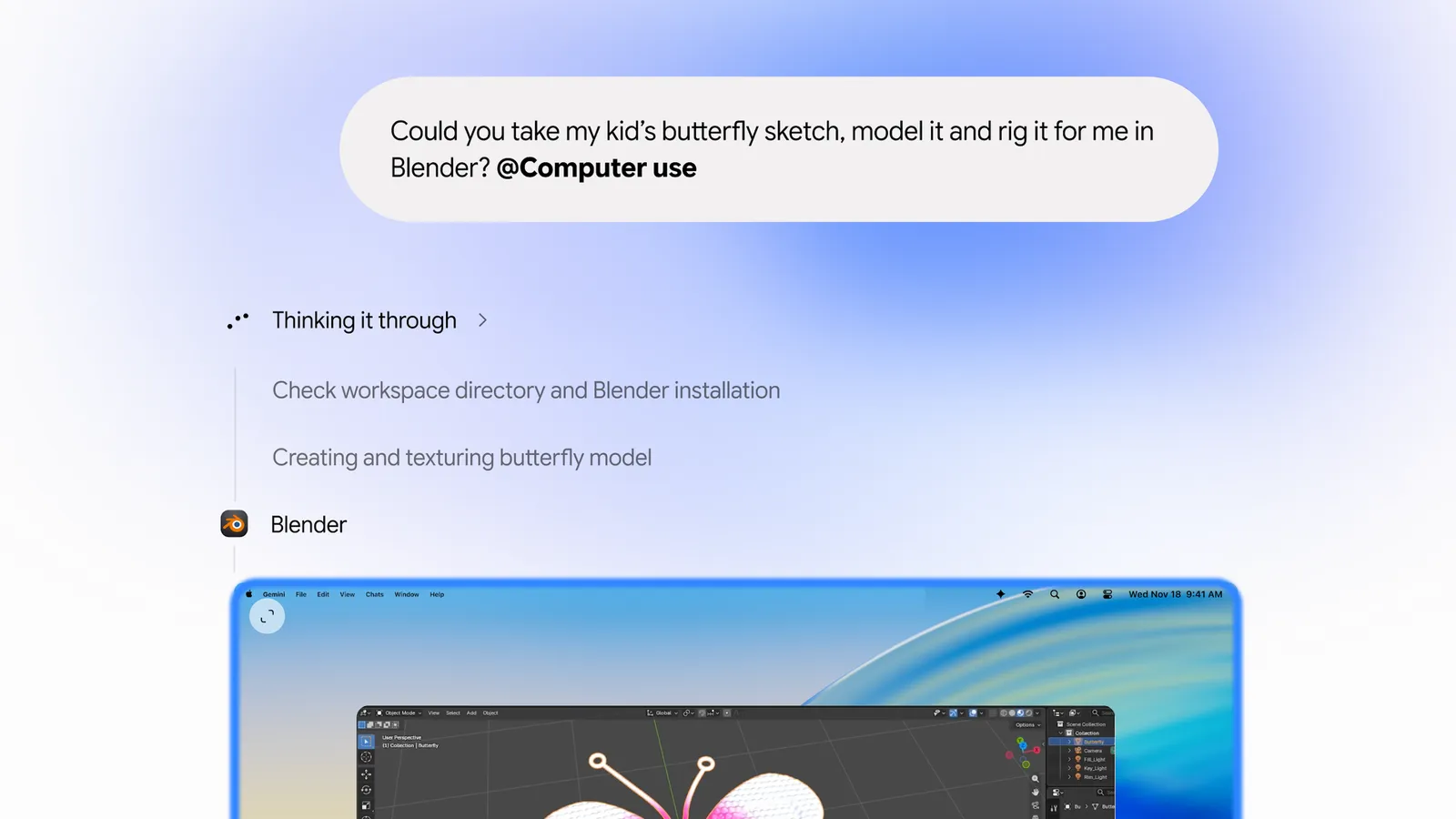
Gemini can now directly control your Mac! The Computer Use feature has arrived—click menus and fill out forms in background windows without taking over your mouse.
Google announced via its official blog, adding a Computer Use feature to the Mac version of the Gemini App. This feature can work across local files, desktop apps, and websites, helping users automate repetitive tasks that require multiple steps. It works much like other AI agents: just describe the process you want completed, and Gemini handles the mouse clicks, text input, menu selections, form filling, and other actions.
To actually invoke this feature, you first need to switch to “Tasks,” then add “@Computer use” to the prompt, and Gemini will know that this time it needs to operate the computer rather than just answer questions.

In addition, 9to5Google also noticed that a new “Desktop” category of app integrations has been added to Gemini’s “Customizations > Connectors” menu, with the first batch including 3D modeling software Blender and Autodesk Fusion, joining the existing Git and Obsidian integrations.
In this blog post, Google specifically emphasizes how Gemini executes tasks: it doesn’t take over control of your screen but works in an isolated, independent background window, so your main screen and mouse cursor are not occupied, and you can go about your work as usual—replying to emails, writing documents, and watching videos.
Of course, every step Gemini takes is displayed in the chat window, so you can see which menu it is currently clicking on and which field it is filling in. If you notice it is heading in the wrong direction, you can press pause at any time.
Google also demonstrated four use cases, covering creative work, document processing, and e-commerce.
First is “automatically editing photos and handling 3D work”: Gemini can batch color-grade photos within design software, or help you complete complex 3D scene setup. Take batch color grading: if you have 100 event photos whose tones need adjusting, in addition to using the software’s built-in batch editing feature, you can now directly instruct Gemini in natural language to have the AI automatically operate the design software and complete the specified workflow in the background. The official demo video goes further, having Gemini build a 3D model in Blender from a child’s butterfly sketch and rig it with a skeleton:

The second is “reading PDFs and automatically filling out forms”: Gemini can extract data such as weight, dimensions, and addresses from local PDFs and then enter it into logistics quote forms that require many fields. The third scenario is “making presentations”: Gemini can pull statistics and screenshots from real-time data dashboards in different regions and then compile them into a Google Slides presentation.
Lastly, for secondhand sales, Gemini can analyze photos of clothes stored in a local folder on your device, look up reference prices online, record each item’s details, and finally prepare the listing content on a secondhand marketplace.
9to5Google The report also adds that when it encounters steps requiring login or payment, Gemini will automatically pause, and sensitive operations must be confirmed by you before they are executed. In other words, it will not enter your password or complete a card payment on your behalf.
The Computer Use feature introduced this time has additional subscription, region, and device restrictions:
| Item | Conditions of Use |
|---|---|
| Launch regions | United States, gradually rolling out. |
| Supported languages | English |
| Operating system | macOS Sequoia 15.0 or later |
| Processor | Apple Silicon (M-series chips) does not support Intel Macs. |
| Age limit | 18 years and older |
| Google Account | Personal Google Account |
| Subscription plans | Google AI Plus、Pro、Ultra |
| Taiwan | It has not yet been announced as open. |
Google has not said when it will expand to other markets or platforms, so it is not yet available in Taiwan for now.
Source: KOCPC Chinese