


Microsoft’s Windows 11 September cumulative update KB5124008, released on September 8, was initially highly anticipated: it restored the movable taskbar and resizable Start menu that users had waited years for, and even emphasized not to delay updating. However, less than a week after the update rolled out, Microsoft publicly admitted that this update is causing multiple system functions to malfunction, affecting everything from Remote Desktop to WSL virtual machines, and even the AI tool Claude Cowork. The affected build number is Build 26200.9445; users can check whether this update is installed in “Settings → System → About.”
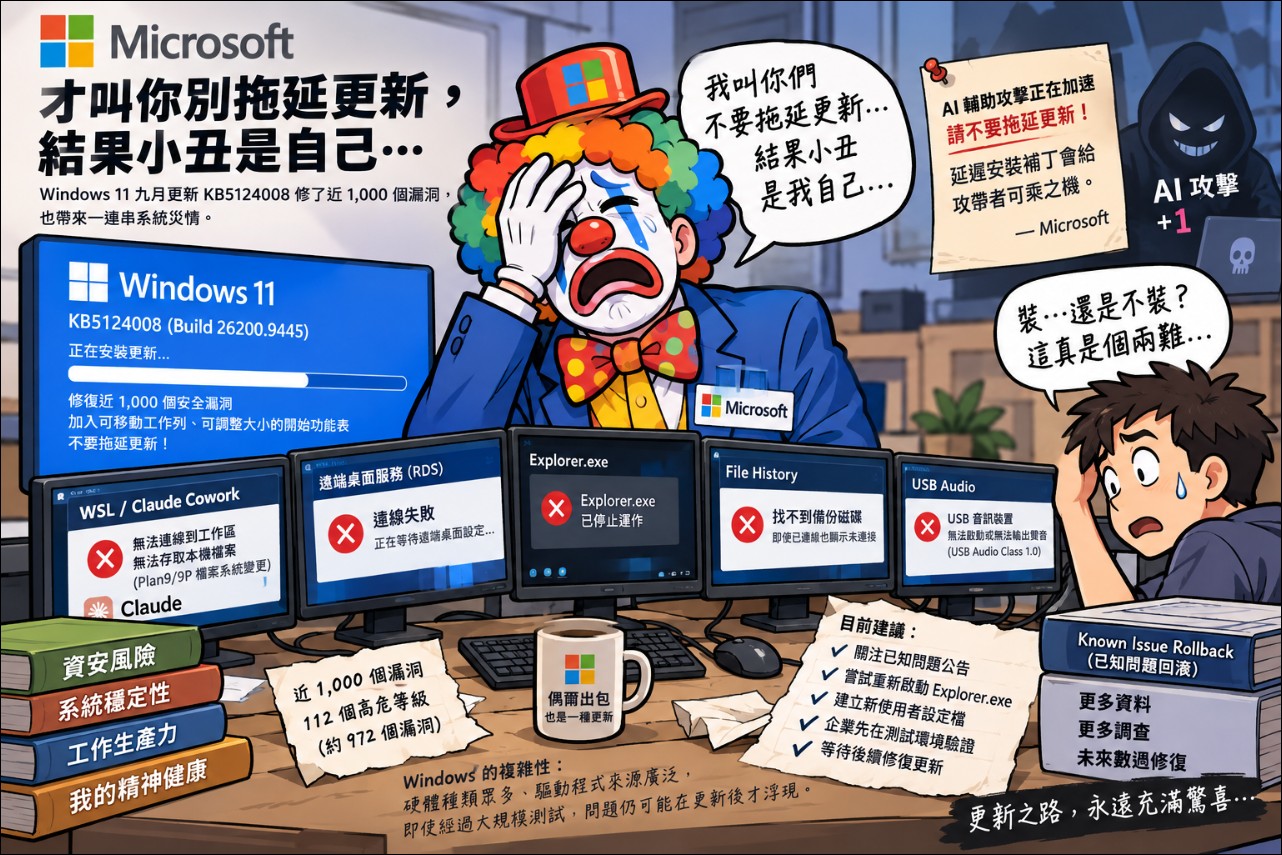
The funniest part is that just days earlier, Microsoft had publicly urged users not to put off system updates, arguing that AI-assisted cybersecurity threats were accelerating and that delaying patches would give attackers an opening—only for the clown to turn out to be Microsoft itself.
What did the KB5124008 update fix and what did it break?
KB5124008 (Build 26200.9445) is part of the September 2026 Patch Tuesday, fixing nearly 1,000 security vulnerabilities, making it one of the largest single patches in Microsoft history. In addition to security fixes, the update also adds long-awaited features such as a movable taskbar and a resizable Start menu.
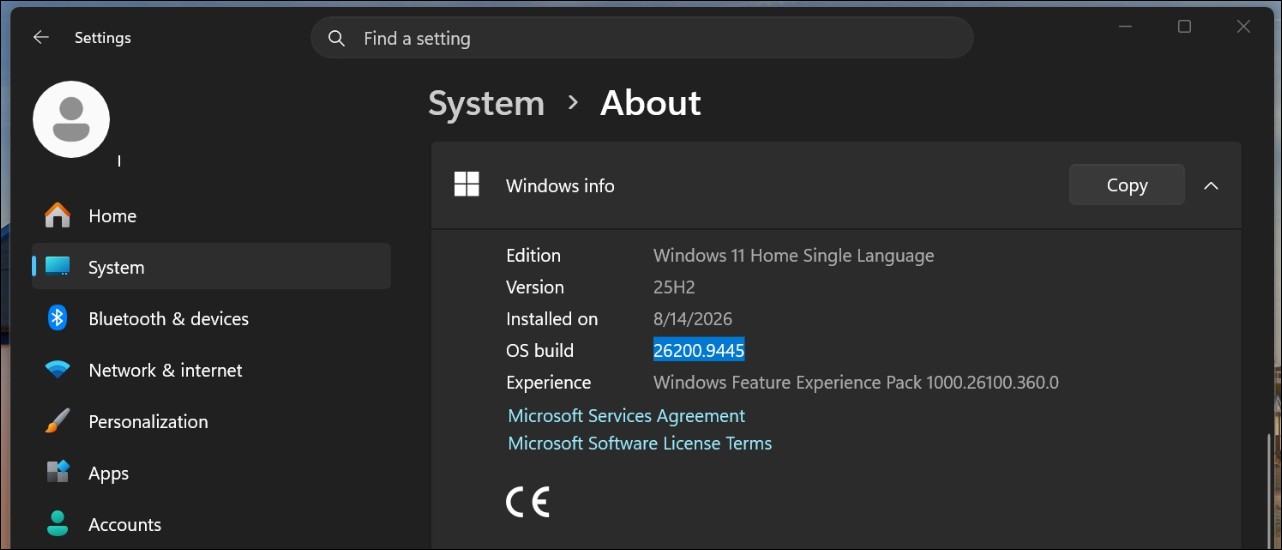
However, after installing the update, problems kept coming. The confirmed issues so far include:
- WSL and Claude Cowork failureThe update changed the implementation of Plan9/9P file system sharing around Hyper-V, causing applications that use HCS-managed Linux VMs to share folders with the host to fail. Anthropic’s Claude Cowork bore the brunt, as users found that the workspace could not connect and Claude could not access local files.
- Remote Desktop Services (RDS) is unstable.Frequent connection failures, sign-ins stuck on the “Waiting for Remote Desktop Configuration” screen, and File Explorer and Microsoft Management Console not responding. Enterprise users are the most severely affected.
- Explorer.exe crashedSome users see a black screen after signing in because Explorer.exe fails to start properly or crashes immediately. Since Explorer.exe handles the desktop, taskbar, and Start menu, when it malfunctions, users can barely operate. Microsoft employee Jason Parker confirmed on Reddit that it is being investigated, and those mainly affected are enterprises using virtual desktop environments such as Citrix UPM, FSLogix, and Horizon.
- File History backup failureMultiple users report that after the update, File History cannot detect external backup drives and shows them as not connected even when they are connected.[1]。
- USB Audio Class 1.0 device abnormalitySome USB audio devices fail to start or output sound after an update. Microsoft’s official documentation has recorded this on the known issues page for Windows 11 24H2 and 25H2.

How did Claude Cowork get caught in the crossfire?
Among all the issues, the Claude Cowork malfunction was the most talked about. Anthropic confirmed in the Claude Desktop update log that this was caused by a Windows update, not a defect in Claude itself.
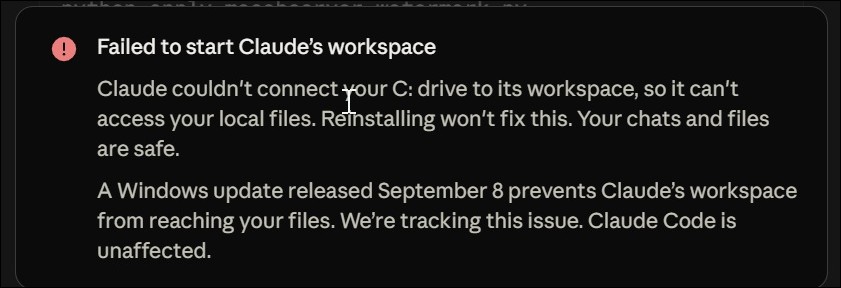
From a technical perspective, KB5124008 changed Hyper-V’s Plan9 file system sharing implementation, and the new version rejects Cowork’s previously valid token-backed Tattach requests with EINVAL. Put simply, Windows can still create the virtual machine that lets Cowork run and attempts to grant file system access permissions, but the Linux virtual machine guest can no longer actually mount the host’s file system.
Anthropic currently cannot fix this issue on its own, because the root cause is a system-level change on Microsoft’s end. The latest version of Claude Desktop correctly displays the error message: “The Windows update released on September 8 prevents Claude’s workspace from accessing your files. We are tracking this issue.”
Microsoft’s response and remediation progress
Microsoft has addressed some of the failures through its Known Issue Rollback mechanism, a technology that allows Microsoft to remotely disable the specific code paths causing the problems without requiring users to completely uninstall the update.
For enterprise and organizational users, Microsoft said fixes may need to be applied through Group Policy or a subsequent configuration update. As for the RDS and Explorer.exe crash issues, Microsoft said it is still collecting memory dump files to diagnose the root cause. Microsoft employee Parker admitted: “The September Windows update was massive, and more data is needed to understand and trace the root cause.”
Update anxiety: to install or not to install.
This incident highlights the long-standing dilemma faced by Windows users. In early September, Microsoft publicly warned that with the spread of AI-assisted attack tools, the risk of delaying the installation of security updates is rising sharply, and recommended shortening the deferral period for quality updates to within three days.[1]However, while this September update fixed nearly 1,000 vulnerabilities, it also introduced regressions severe enough to make the system unusable.
In a report, Ars Technica noted that the number of vulnerabilities patched in September was about 972, of which 112 were classified as high severity, a scale never seen before. Users are forced to choose between security risks and system stability.
Conclusion
Microsoft recommends that most users keep their systems updated, and says it is gradually resolving the related failures through subsequent updates. Currently, Microsoft has in some cases fixed the issues of mouse settings being reset and desktop settings being lost through “Known Issue Rollback.” For ordinary users, the most practical approach at present is to pay attention to Microsoft’s published known issue notices after installation, and if problems occur, try restarting Explorer.exe or creating a new user profile. As for users in enterprise environments who use Remote Desktop or virtual desktop infrastructure, it is recommended to first verify the update’s impact in a test environment before deciding whether to deploy it broadly. This incident once again reflects the complexity of the Windows ecosystem: with numerous hardware types and drivers from a wide range of sources, even after large-scale testing, some issues may still only gradually emerge after an update is rolled out. Microsoft says it will further address the compatibility and stability issues brought by this September update through subsequent cumulative updates in the coming weeks.
Source: KOCPC Chinese