


When it comes to online video download tools, many people have probably heard of yt-dlp. It not only supports YouTube but can also handle videos from various video and audio sites, and offers advanced features such as quality and format selection. However, yt-dlp is mainly operated through the command line and installed locally, so it is not very easy for general users to use.
Recently, I came across this online video downloader, ytdlp.online, which integrates yt-dlp’s functionality into a web interface. There’s no need to install any software on your computer—just open the website and paste the video URL to download directly. You can also choose the video quality and format according to your needs, and it even offers more advanced settings and supports various yt-dlp commands. It’s highly recommended for anyone who frequently needs to download online videos.
ReminderBefore use, please confirm for yourself whether content on YouTube or other websites is legally licensed, such as works you uploaded yourself, Creative Commons-licensed content, or public domain materials. If it is copyrighted music or audiovisual work, downloading or converting it without the rights holder’s consent may involve copyright risks and may also violate the original platform’s terms of service.
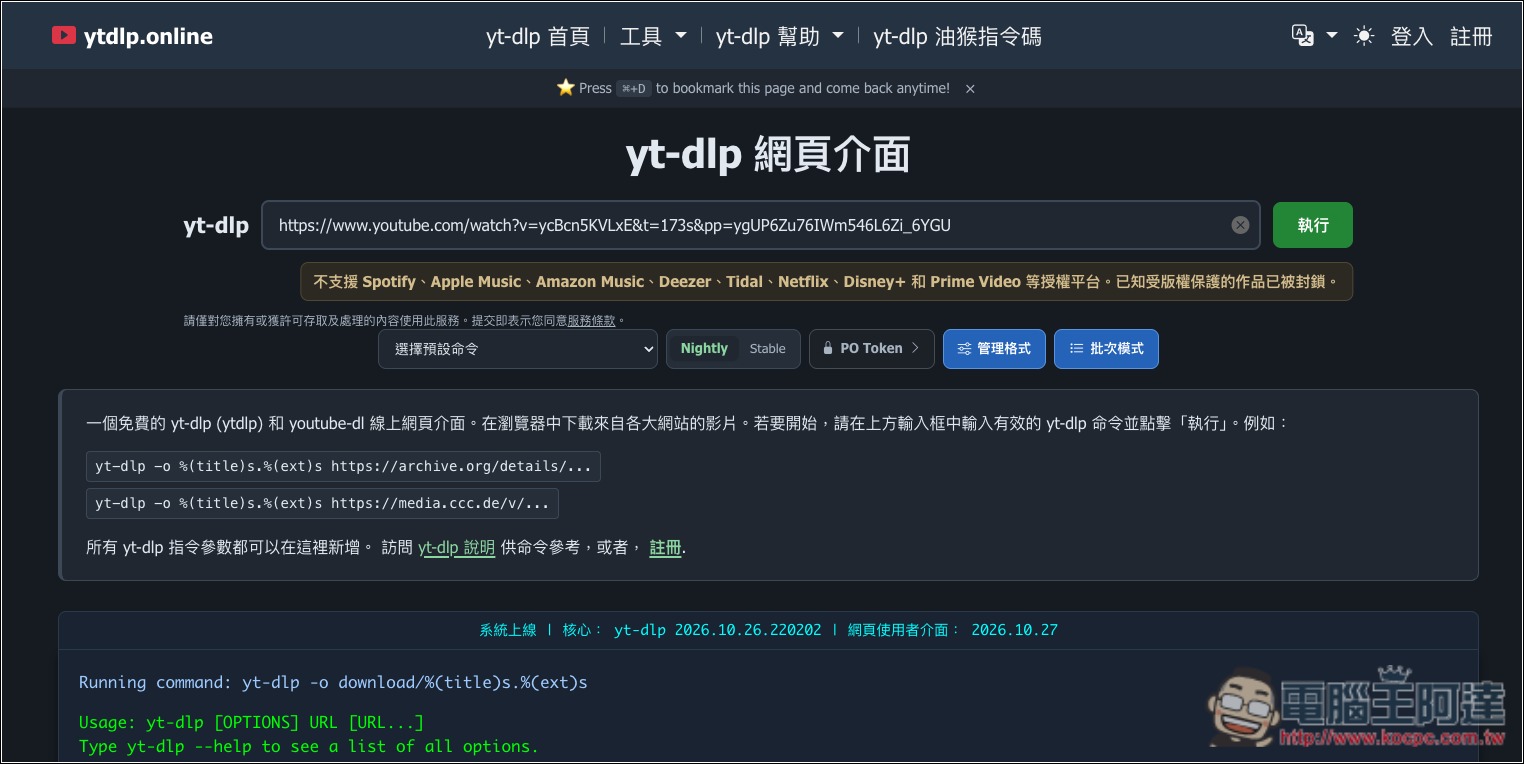
ytdlp.online is a free video download tool that supports YouTube, Facebook, TikTok, and more.
ytdlp.online is an online video downloader built around the well-known open-source tool yt-dlp. It requires no software installation, no separate Python setup, and no need to learn complex command-line commands—you can use it directly through your browser. Whether you’re on Windows, Mac, Android, or iPhone, you can open the website and use it, and it also offers a Traditional Chinese interface, making it very convenient for general users.
It’s very simple: just copy the URL of the video you want to download into the website’s input field, and the server will handle the processing. Once it’s done, download the file via the generated link. The site offers several common quality and format presets, including 4K, 1080p, 720p, WebM, etc., and you can also choose to extract audio only. However, which qualities and formats are actually available for download still depends on the video source.
Because it uses the yt-dlp engine behind the scenes, it supports a wide variety of video and audio sites. In addition to YouTube, it can also handle some video and audio content on platforms such as Vimeo, Twitch, and SoundCloud. However, this does not mean all videos can be downloaded. For example, content that requires special authorization, is protected by DRM, or is restricted by the website is noted by ytdlp.online as unsupported.
In addition to downloading single videos, it also integrates a playlist downloader that can analyze an entire playlist at once, letting you select the videos you need and specify the download format. There is also a subtitle downloader that can extract subtitles provided by the video or auto-generated subtitles and save them in SRT or VTT format.
More notably, the website also retains yt-dlp’s advanced capabilities. Users familiar with commands can directly enter yt-dlp parameters, or use the built-in command generator to select settings such as video quality, audio format, subtitles, and filenames, which are automatically combined into a complete command, so they do not have to remember every parameter.
Key Features
- Free to use online: No software installation required—download videos directly through your browser.
- Supports Traditional Chinese: Provides a multilingual interface including Traditional Chinese.
- Cross-platform operation: Windows, macOS, Linux, Android, and iOS can all be used through a browser.
- Multiple quality options: Presets for 4K, 1080p, 720p, and other formats are provided; actual quality depends on the video source.
- Audio extraction feature: Provides audio format options such as MP3 and M4A.
- Playlist download: Supports analyzing the entire playlist so you can choose the videos you want to download.
- Subtitle download: Export available subtitles in SRT or VTT format.
- Live recording feature: Provides an online live streaming recording tool.
- Custom download command: You can enter yt-dlp parameters directly, or use the command generator.
- Download file management: After registering for a free account, you can view completed downloads in one place.
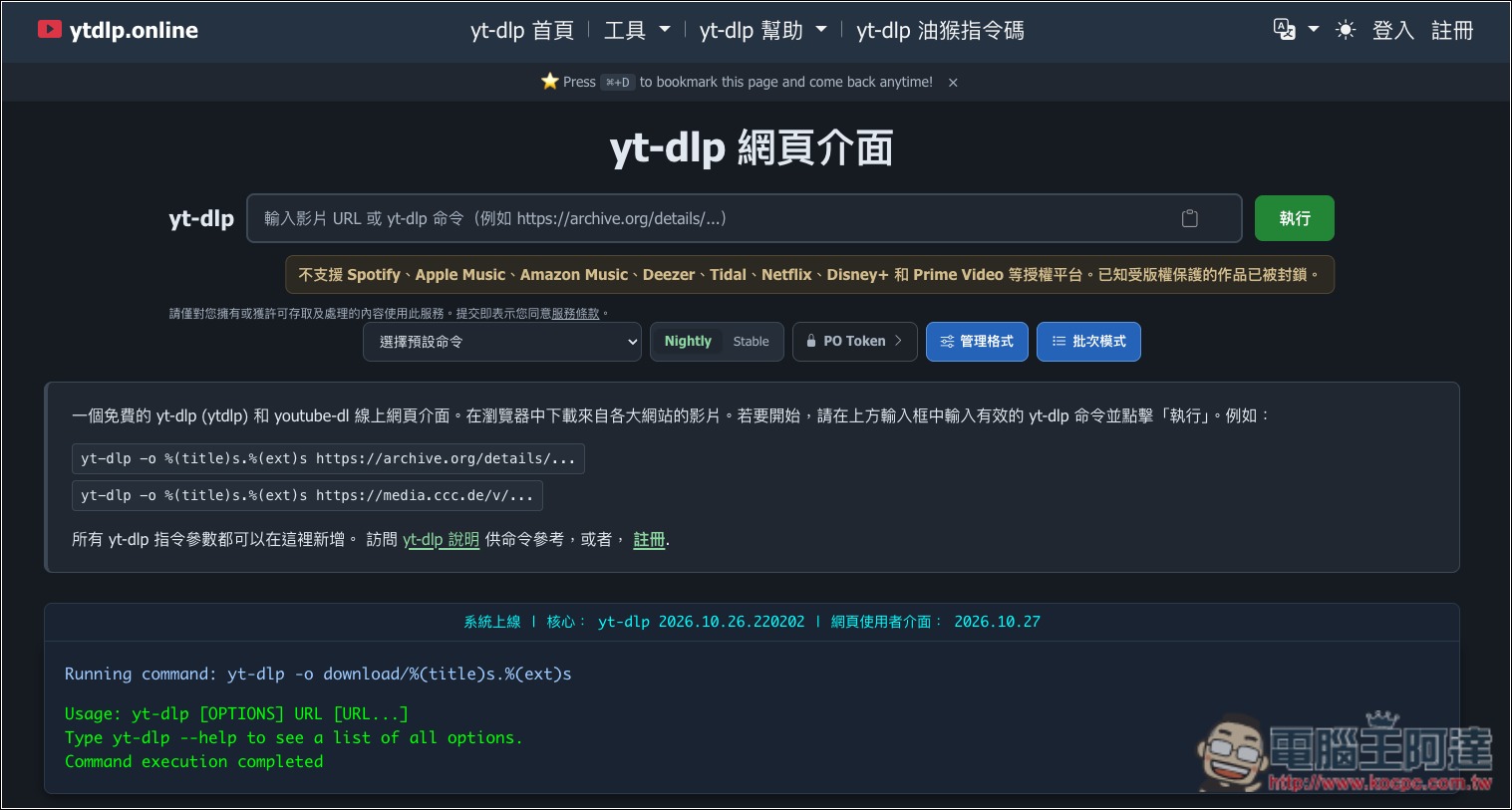
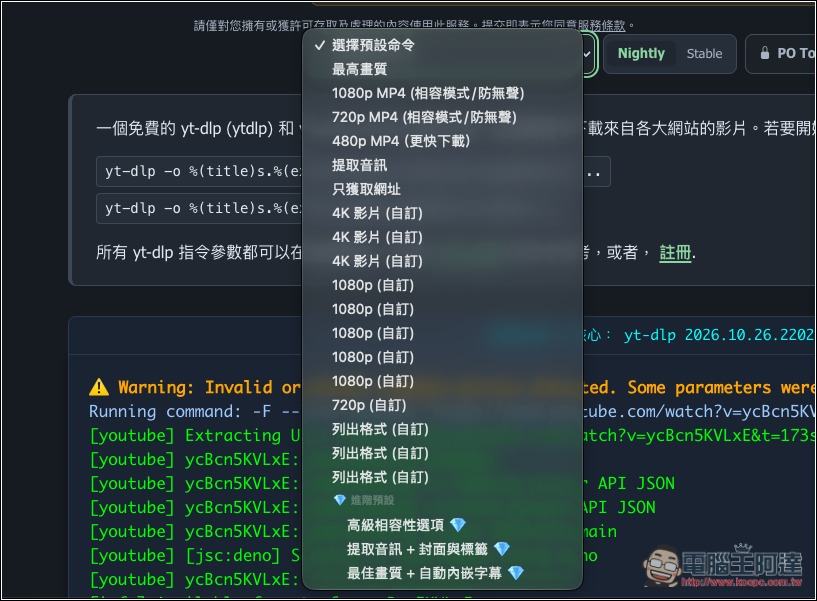
After going to ytdlp.online, you can paste the URL of the video you want to download and click Run. By default, it will download the highest-quality video. If you want to specify the quality, download audio only, or specify the format, remember not to paste the video URL first; open the “Select Default Command” menu first:
Here you have several preset command options to choose from:
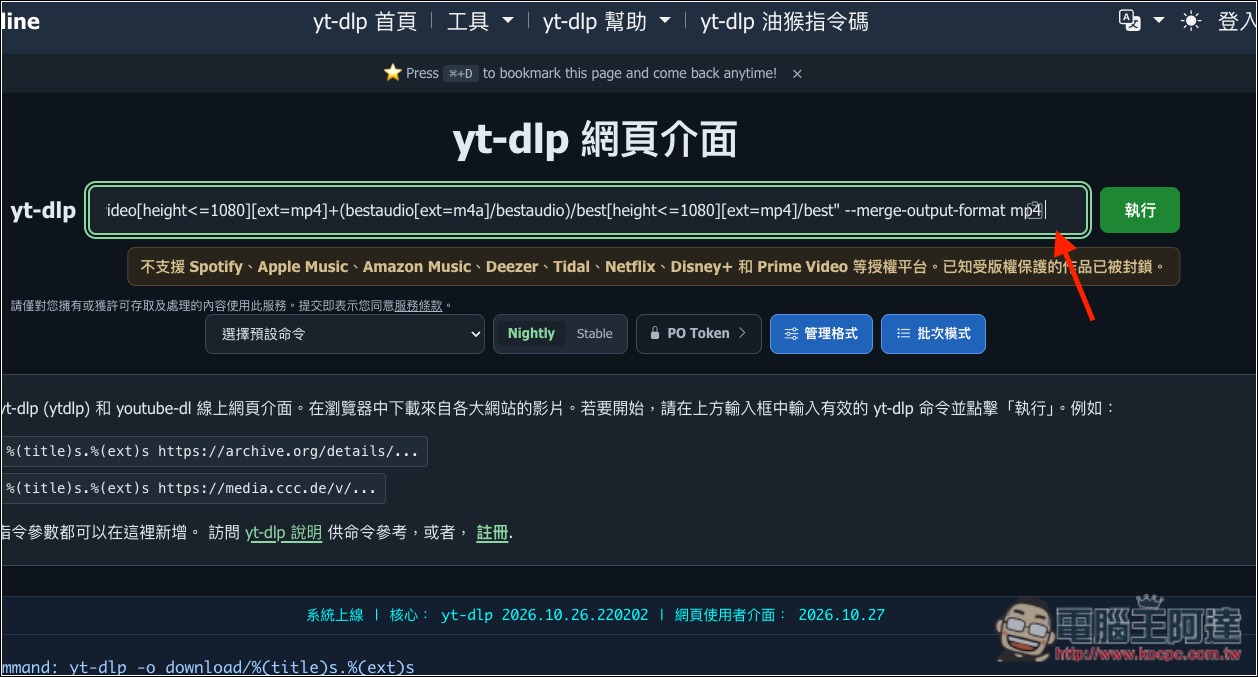
After selecting a command, a command line will appear in the input box; paste the video URL at the end:
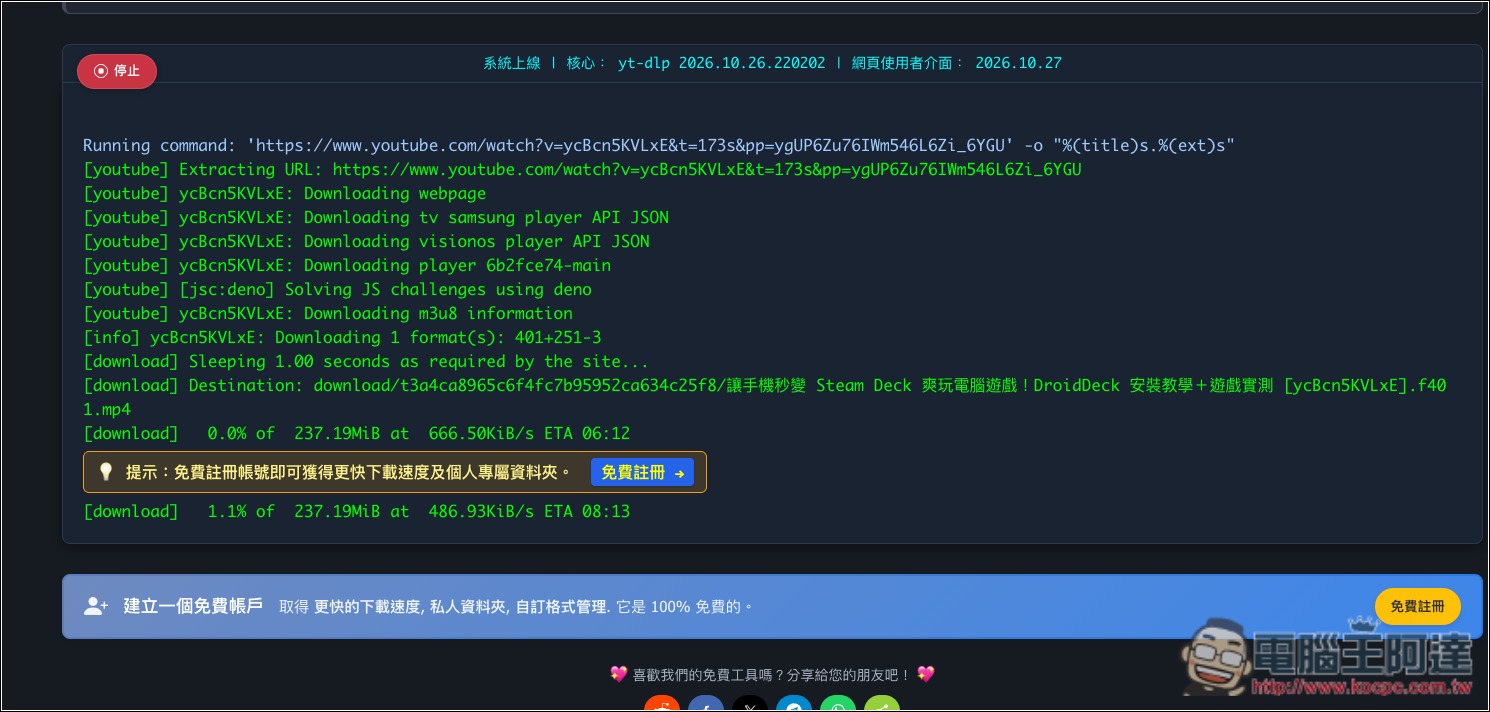
After you click Run, you’ll see it start running below; when the percentage reaches 100, the download link will appear. In addition, during the download it will prompt that you can register a free account for faster download speeds. I tested registering for this part and it actually didn’t increase it much, so you can skip registering too—it’s up to you:
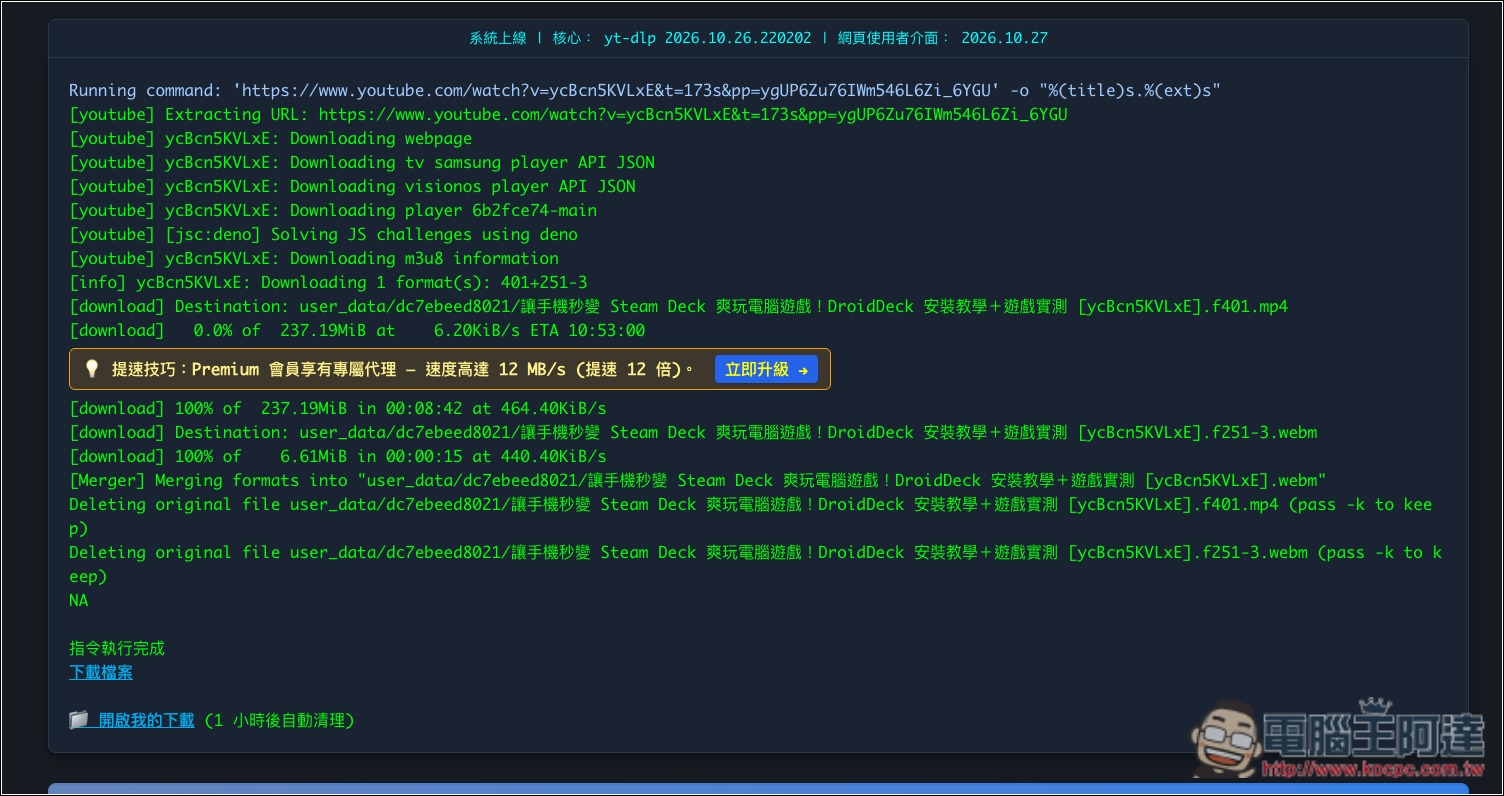
Once completed, you’ll see a button to download the file; click it to download it to your device. If you have registered an account, this file will be stored in the Downloads folder under your account:
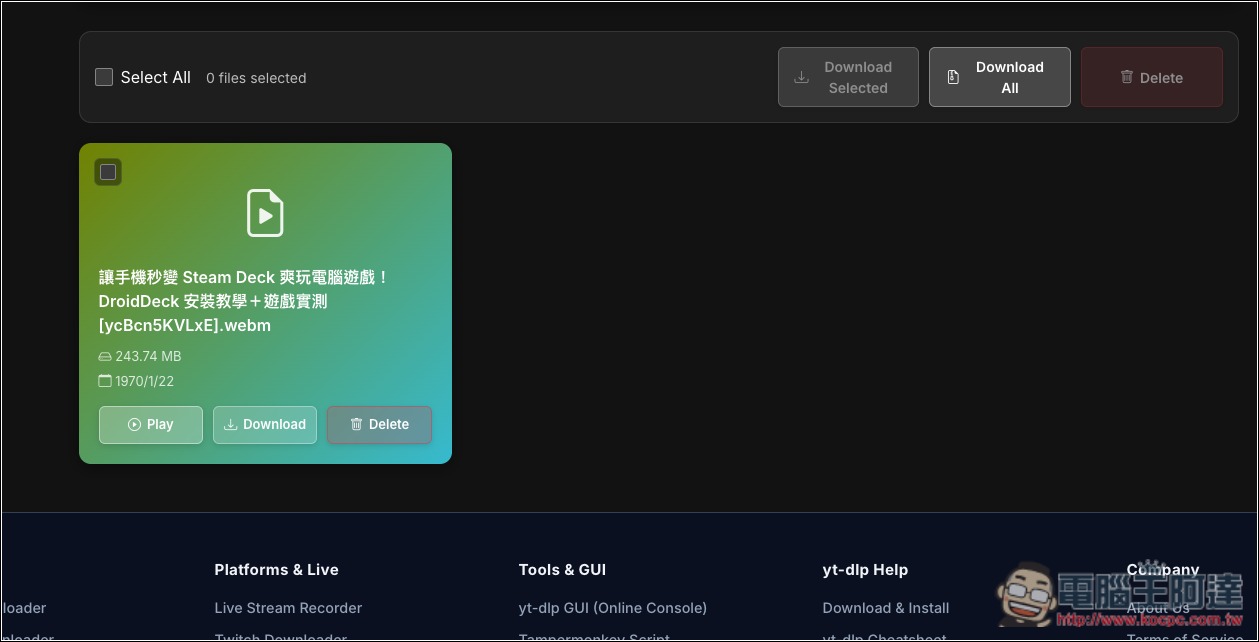
As shown in the image below, the default highest quality for downloading YouTube videos is the version with audio, but the format becomes webm. If you want to change it to MP4, you can do so with a command:
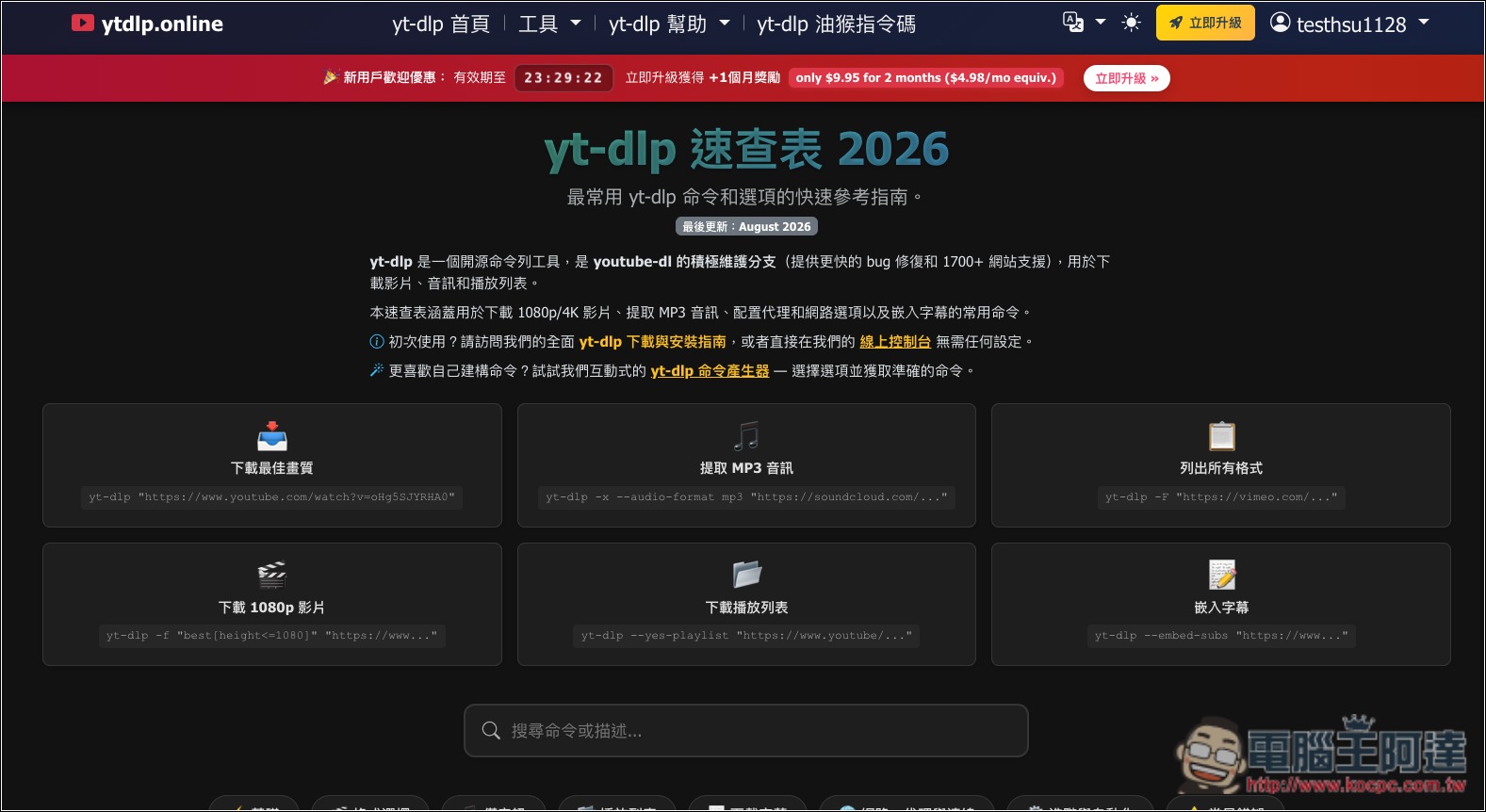
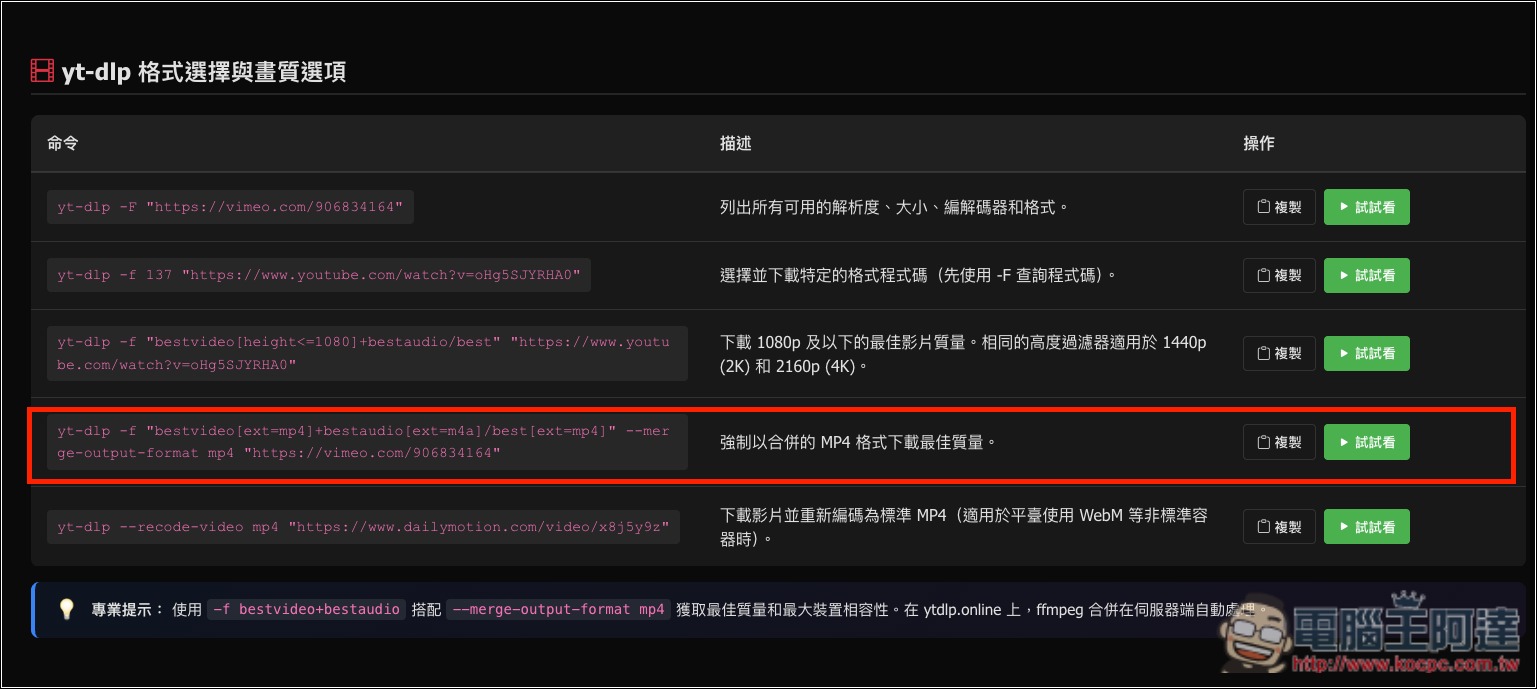
For those who aren’t very familiar with commands, this website also provides a yt-dlp cheat sheet page, where you can find many useful commands:
For example, this one can force-download the highest-quality MP4 format; you can copy it:
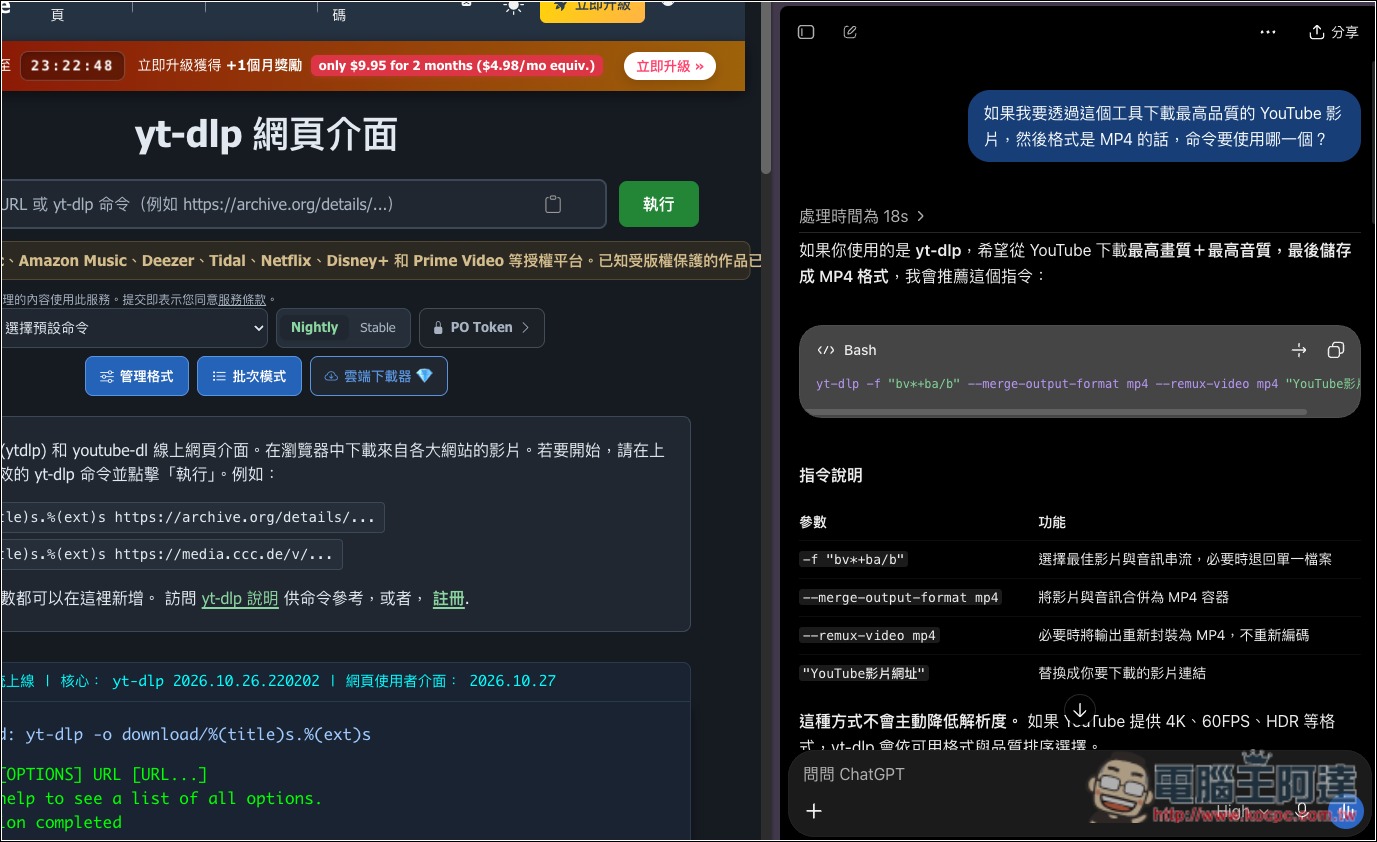
Of course, you can also just ask AI how to enter it:
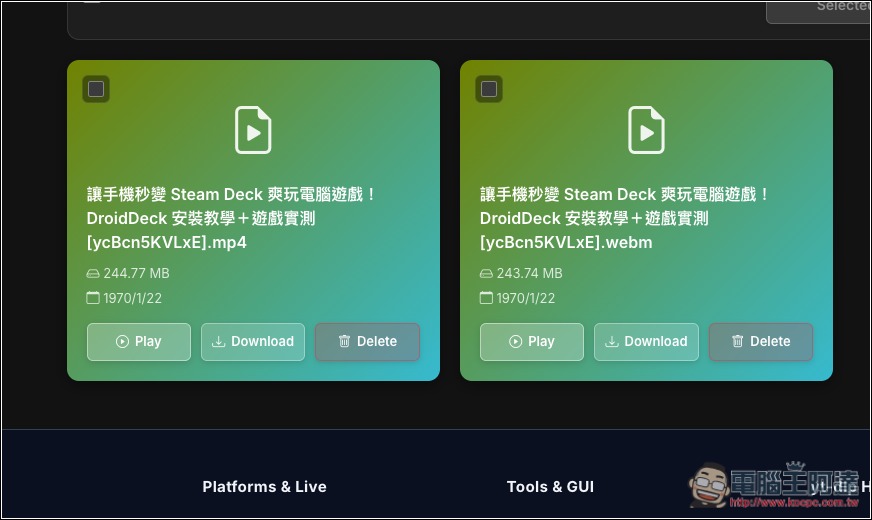
After I re-downloaded using this command, I got the Mp4 format:
Source: KOCPC Chinese