


When you’re in a meeting, listening to a lecture, having an important discussion with friends, or even when inspiration suddenly strikes, many people want to convert the content into text. If you don’t have a good option on hand, or you’re looking for an app that can transcribe offline, there’s an app on the App Store that supports AI offline transcription and also includes built-in AI analysis: Live Transcriber: Recorder is currently available for free for a limited time. Originally a paid app, it was priced at $0.99, and now you can get it for free. However, note that the developer hasn’t specified when this free promotion will end, so it could end at any time. If you see a price on the screen, that means the promotion has already ended.
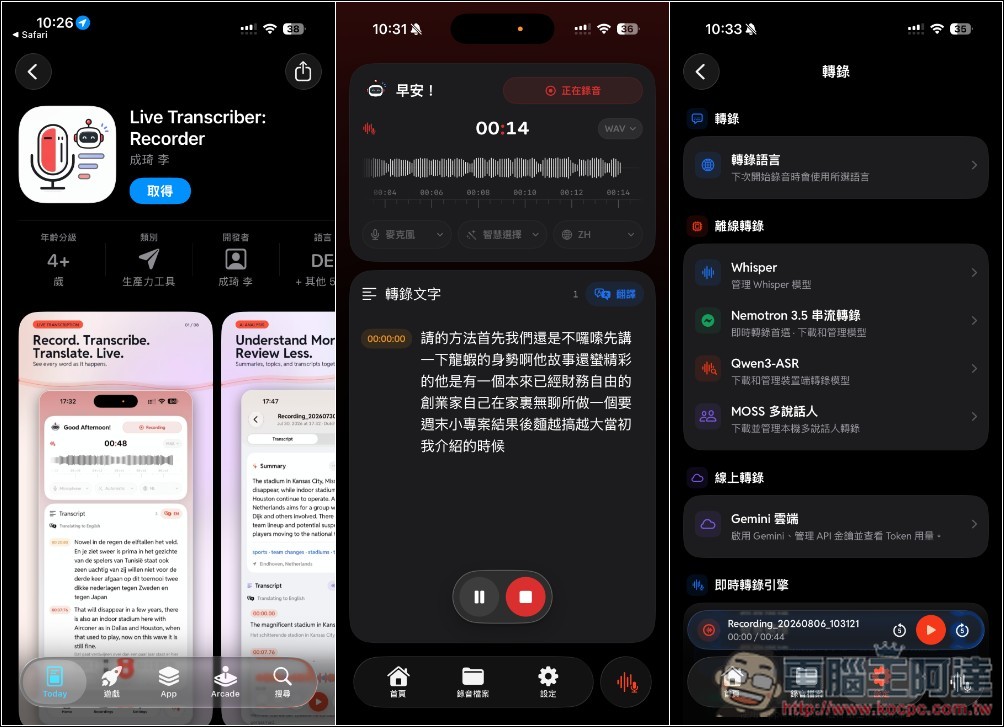
Live Transcriber: Recorder – App Introduction: Supports Offline Real-Time Speech-to-Text and Features Built-in AI Analysis (Free for a Limited Time)
Live Transcriber: Recorder is a powerful productivity tool built specifically for the Apple ecosystem, supporting iPhone, iPad, and Macs with M1 chips or later. Its core design philosophy is to “capture every conversation moment and turn it into an easily searchable knowledge base.” Whether it’s meeting notes, classroom lectures, interviews, or everyday language learning and voice journals, this app’s powerful real-time speech-to-text and translation features make recording effortless.
Compared to traditional recording software, Live Transcriber’s biggest advantages lie in its highly integrated AI processing capabilities and its relentless focus on privacy. Not only does it display real-time transcripts and translations while recording, but the latest version (1.1) further enhances on-device processing performance. Its built-in streaming engine supports over 75 language locales (including Traditional Chinese, Japanese, English, and more) and offers automatic punctuation and capitalization correction. For users who prioritize data security, the privacy policy of “fully processed on-device by default” is undoubtedly a major selling point.
Key Features:
- Supports real-time speech-to-text and simultaneous bilingual translation.
- Provides multiple offline transcription modes to meet different needs.
- Automatically generate summaries and tags for easy record searching.
- Click the transcript to jump to the corresponding audio, with adjustable playback speed.
- Audio recordings are saved locally on your device by default, ensuring maximum privacy protection.
Get Live Transcriber: Recorder
Live Transcriber: Recorder was originally a paid app, but it’s now free for a limited time, so the button becomes “Get.” This app has no in-app purchases; once you download it, you can use all features:
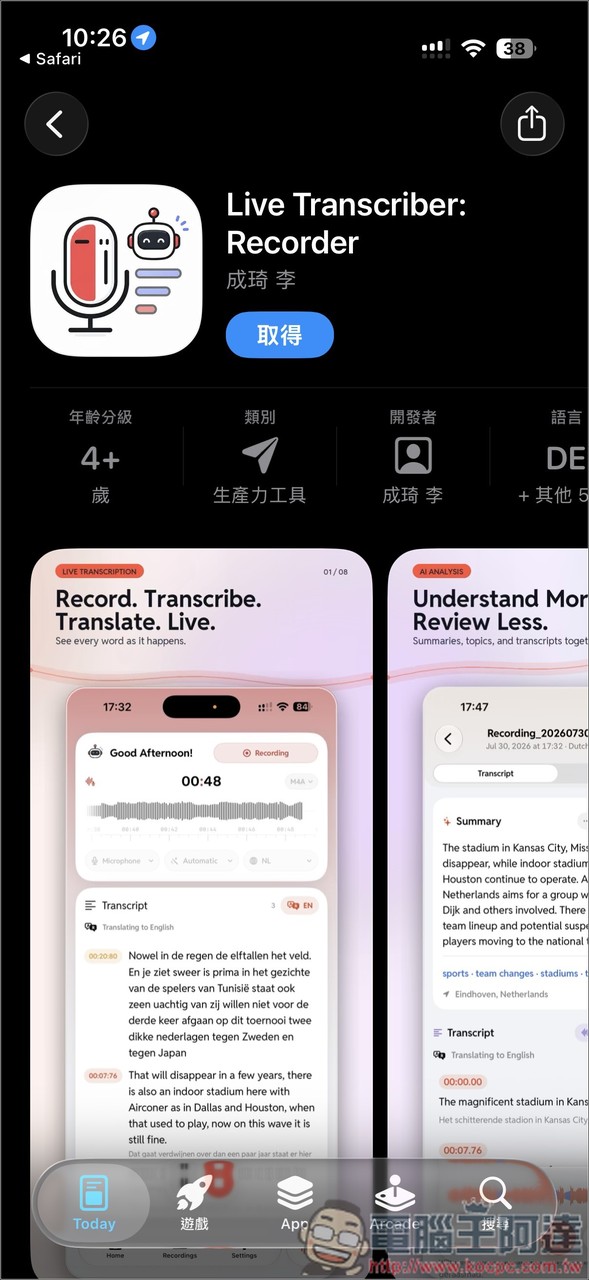
On first launch, a quick setup will let you adjust settings. The default transcription language is “Chinese (Mainland China)”, which can be changed to “Chinese (Taiwan)”. During transcription, it also supports speaker separation, but you need to download the MOSS model; those who need it can download it. The summarization model uses Apple Intelligence or Qwen3 1.7B Q4_K_M:
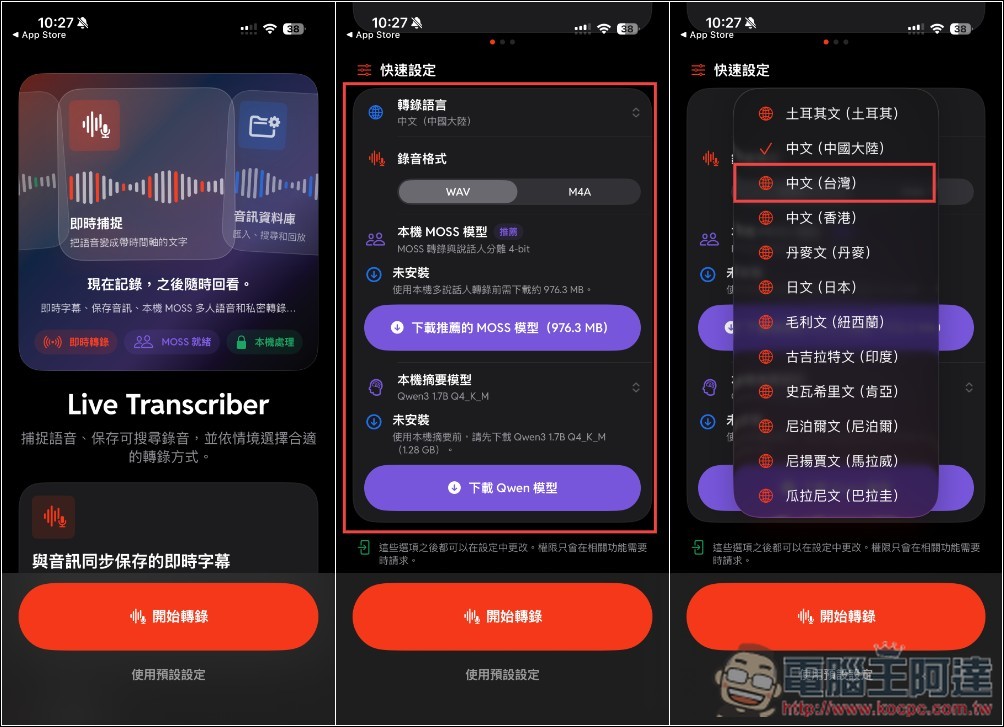
After setting both the model and language, press “Start Transcription” below:
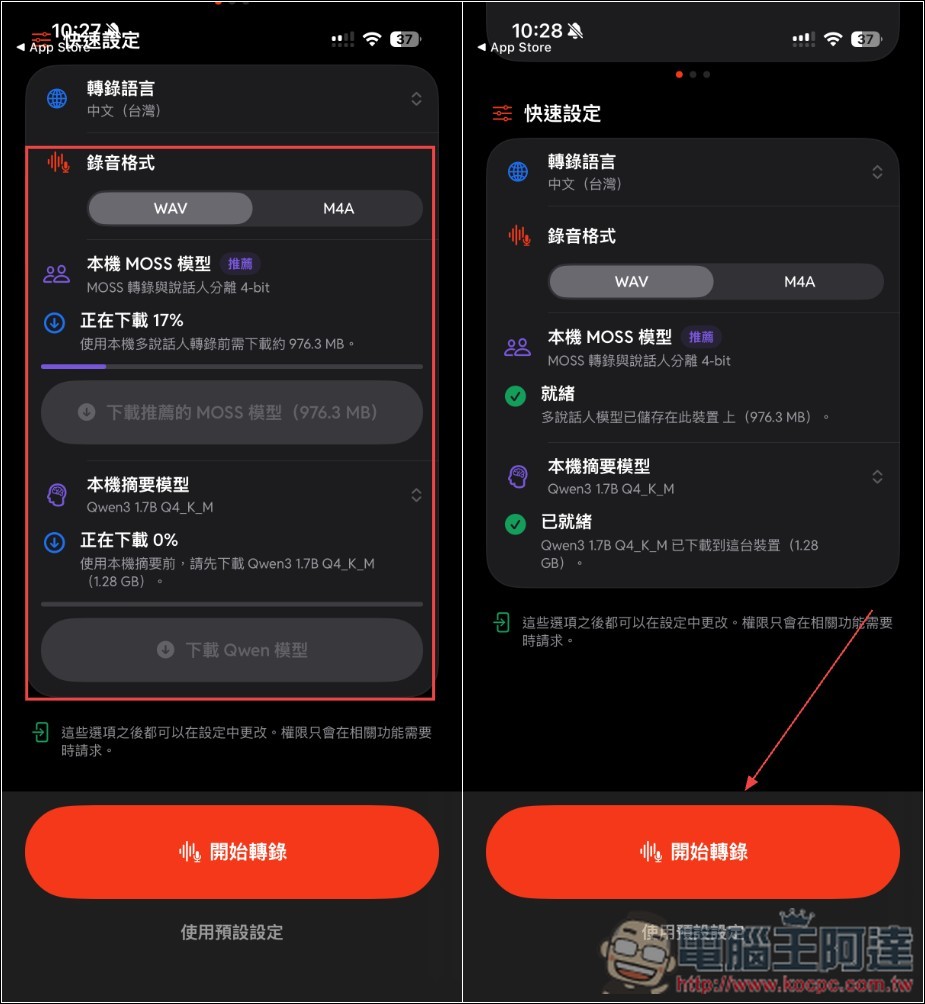
The homepage will show your transcription-related records, such as transcription duration, activity level, recording location, and more. Tap the icon in the bottom right corner to activate the transcription feature:
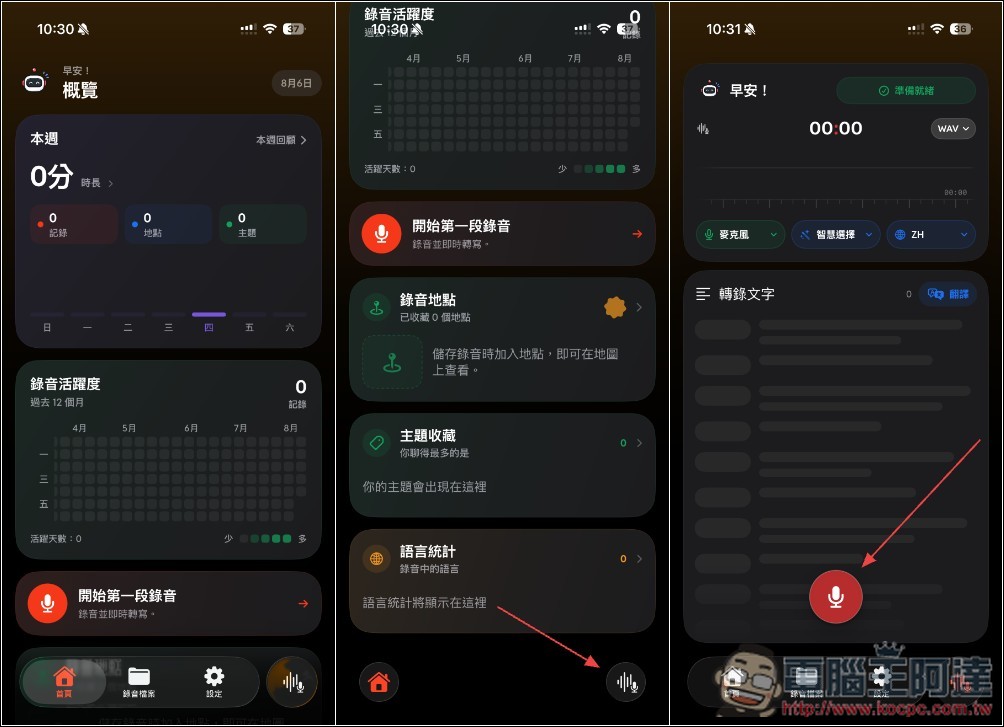
It will first request microphone permission, and then you’ll see transcription begin! After transcription finishes, if you want to record the location where transcription took place, allow location access permission:
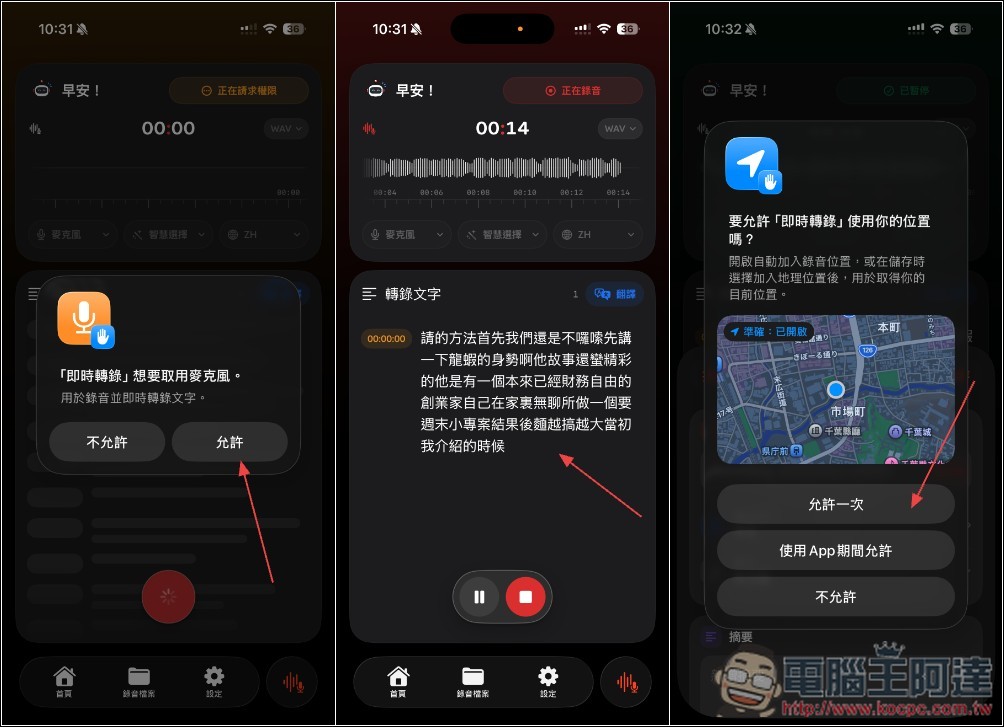
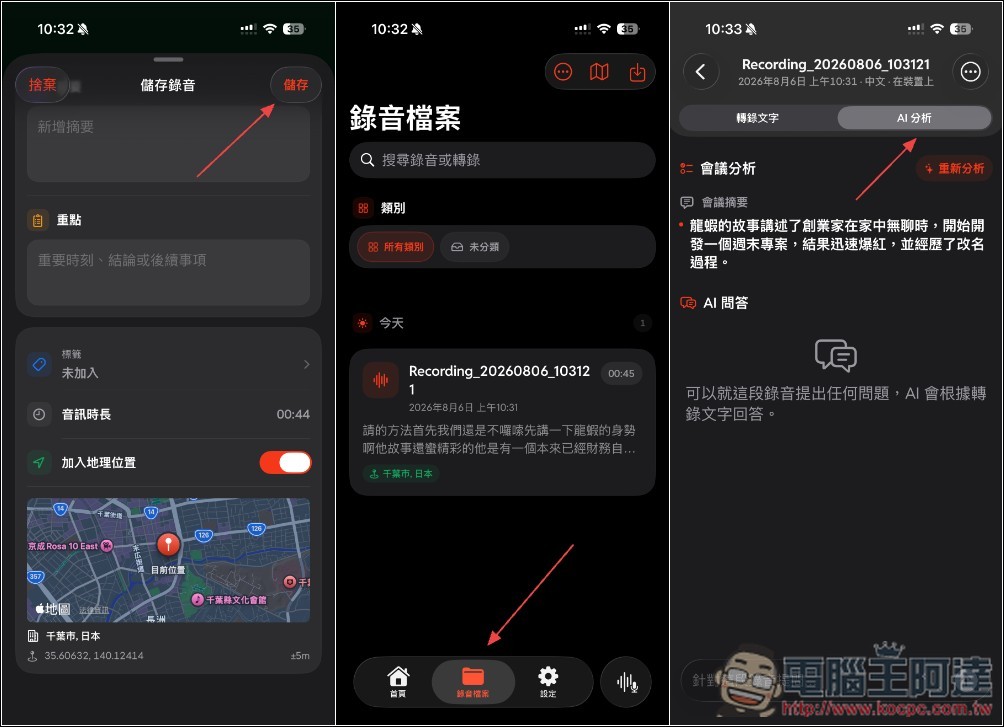
When saving a recording, you can also enter a summary, key points, and tags. The recording file can be found in the “Recording Files” menu, and if needed, you can also let the AI analyze the key points of this recording:
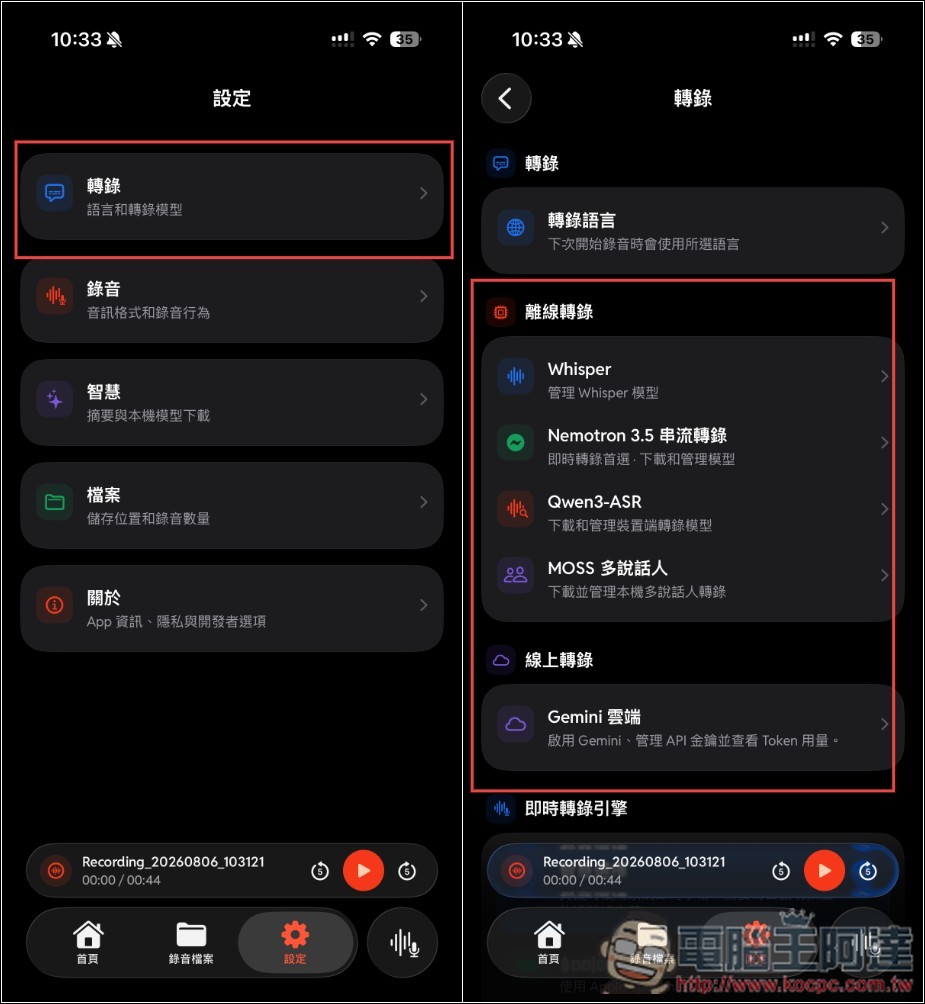
Actually, this app supports quite a few transcription models, including Whisper, Nemotron 3.5, and Qwen3-ASR. If you feel the default transcription model isn’t accurate enough, you can try switching to another model:
All Whisper models can be downloaded:
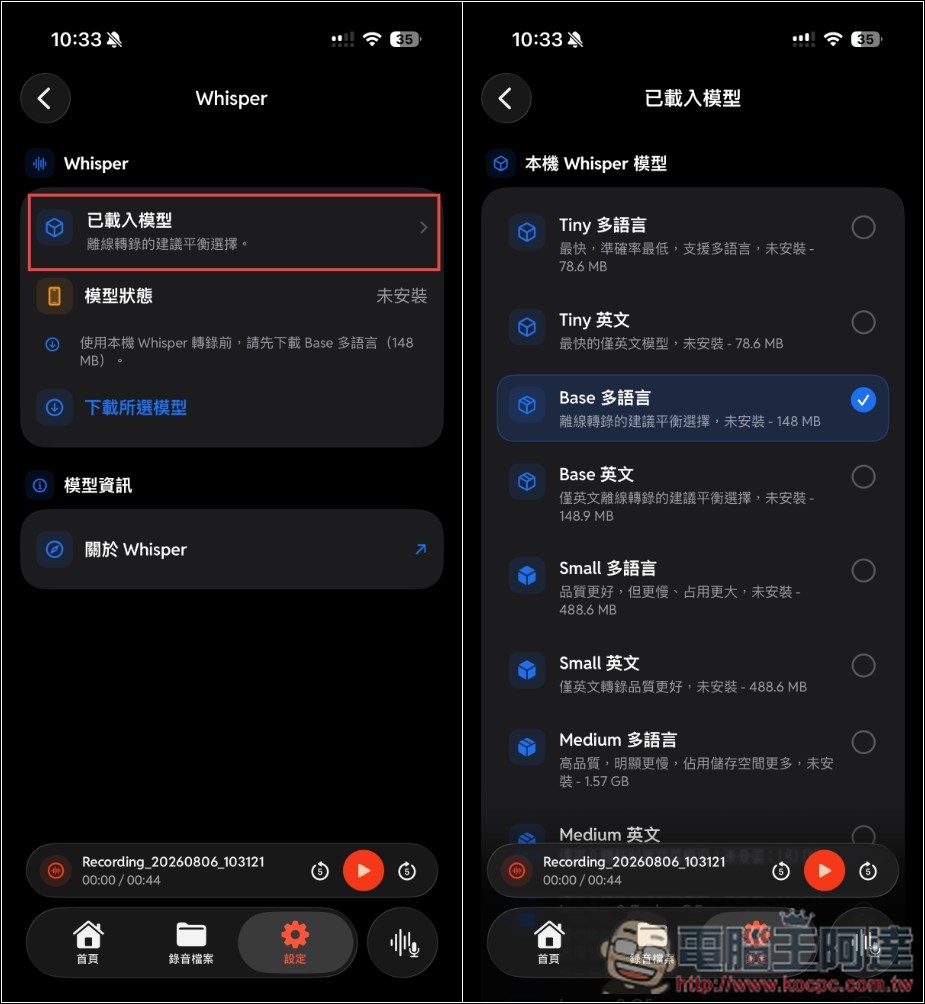
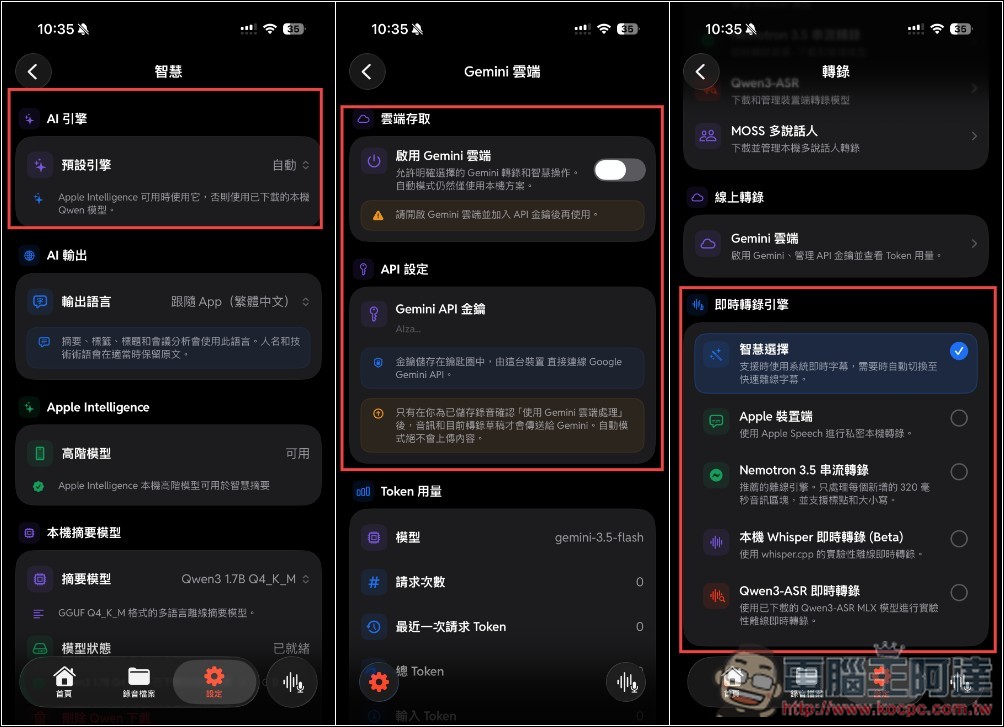
It also supports transcription via Gemini cloud models, but you’ll need to manually enter the Gemini API Key. The AI engine and real-time transcription engine both default to smart model selection—if you want to specify a particular model, remember to adjust them manually:
Source: KOCPC Chinese