


along with iOS 26 Officially launched, I believe many people have already updated it. In addition to the biggest change in the Liquid Glass design interface, there are also many new features and improvements. The total number of large and small exceeds 200, which is really amazing. If you don’t know any useful new features, MacRumors, a well-known Apple foreign media, recently compiled 10 new features that they believe are useful in iOS 26 that everyone must know. I will share them with you below.
Image source: MacRumors
Foreign media: These 10 are the most useful new features of iOS 26
The 10 practical functions shared by MacRumors are:
- Spam filtering
- Call filtering
- Lock screen adjustable widgets
- Navigation bar automatically hides
- Visual intelligence on the screen
- Voicemail summary
- Copy part of message text
- Customize snooze time
- Messages support real-time translation
- Messages can set background
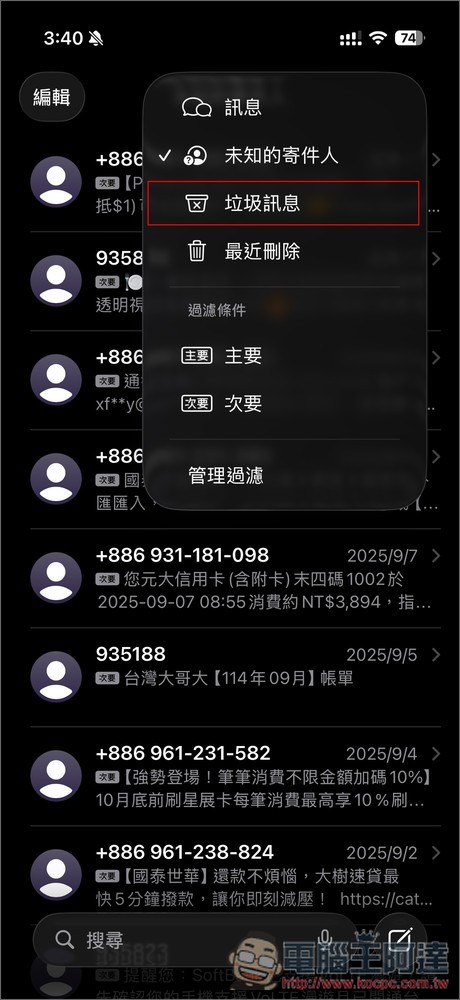
The first is “Spam Filtering”. After upgrading to iOS 26, the system will automatically filter out spam messages, which means that if you receive some fake text messages, such as bills, express delivery scams, tax refund scams, etc., they will automatically be placed in spam messages. Not only that, it will also block scam calls, and even spam in voicemails will be filtered out:
“Call filtering” is also quite good. When an unknown caller calls, the system will ask the caller to state their name and reason for the call, and will display this information to you in real time, allowing you to decide whether to answer:
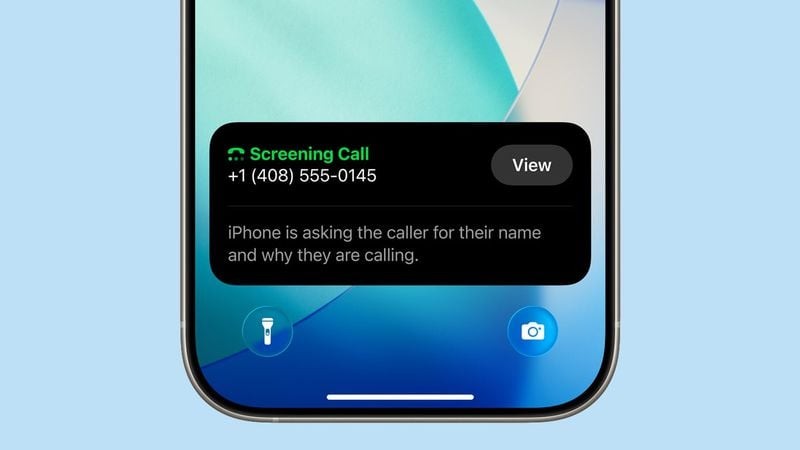
Image source: MacRumors
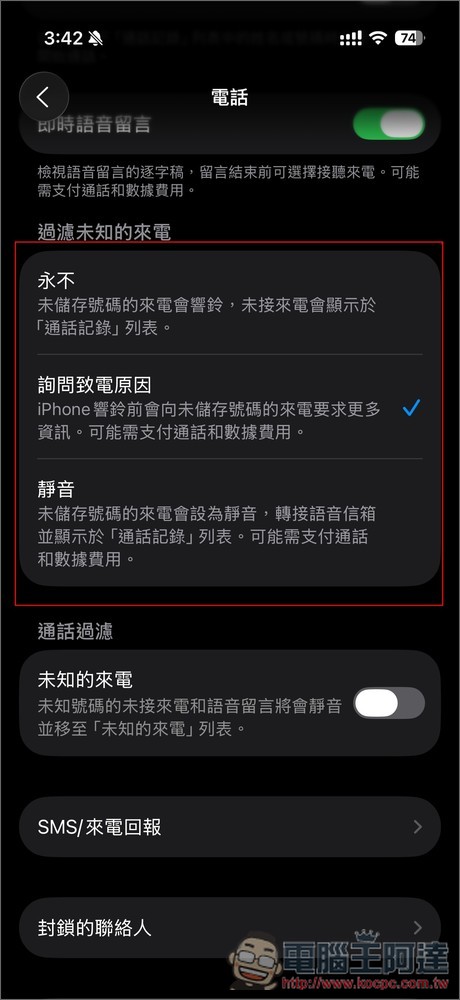
However, please note that this feature may require payment of call and data charges. The relevant settings can be found in the phone:
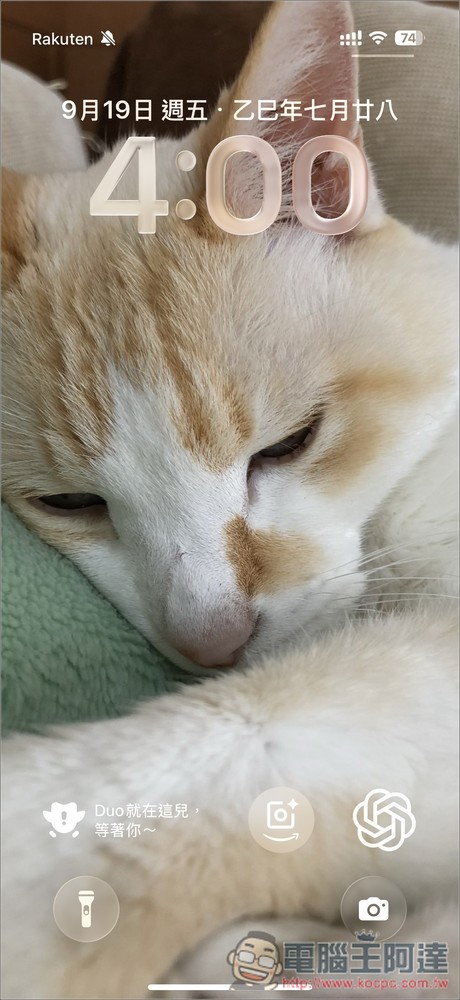
There is also the “Lock Screen Adjustable Widget” that many people should be aware of. Now you can place the widget below the screen instead of just below the time. This allows the desktop to be displayed more completely and will not be blocked:
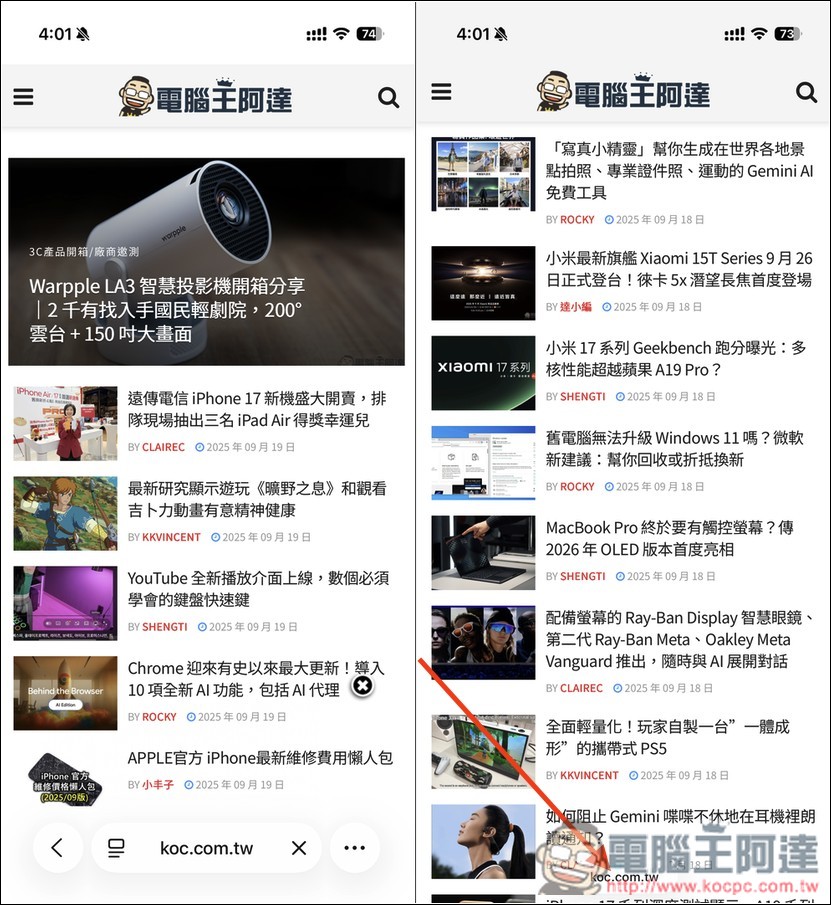
Apps such as Safari, Apple Music, and Podcasts all support “auto-hide navigation bar.” As long as you scroll down, the navigation bar (address bar) will automatically shrink, allowing you to see more content. This is really good:
Next, it needs to be paired with Apple Intelligence’s “on-screen visual intelligence” function, which can use visual intelligence directly on the content on the screen. This means that after taking a screenshot, you can ask AI to summarize the content, translate it, or even read it aloud. You can also ask ChatGPT or search for products on platforms such as Google and Etsy:
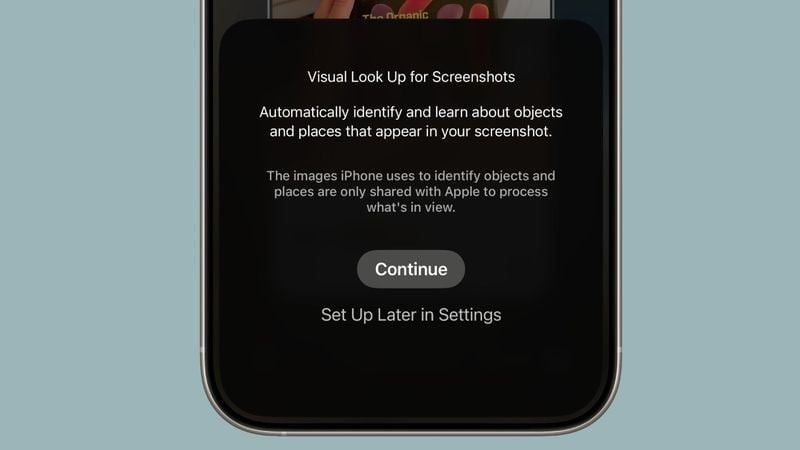
Image source: MacRumors
In addition, Apple Intelligence can also perform “Voicemail Summary” to help you automatically organize your voicemail and display key summaries and transcripts, so you don’t have to play them again to listen, which is more trouble-free:
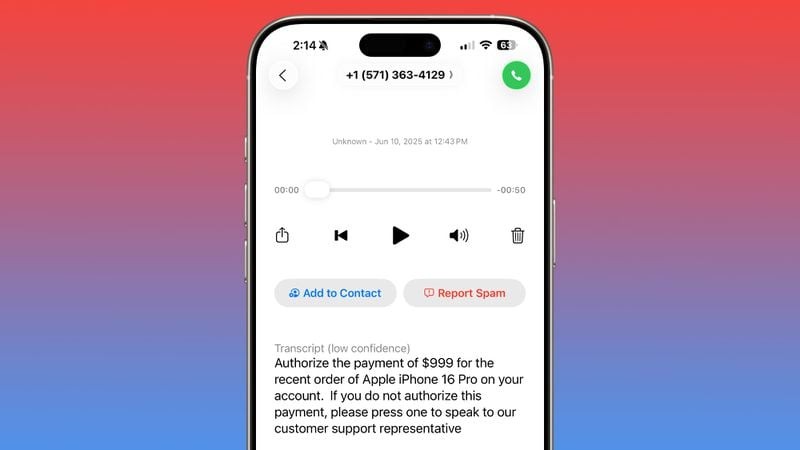
Image source: MacRumors
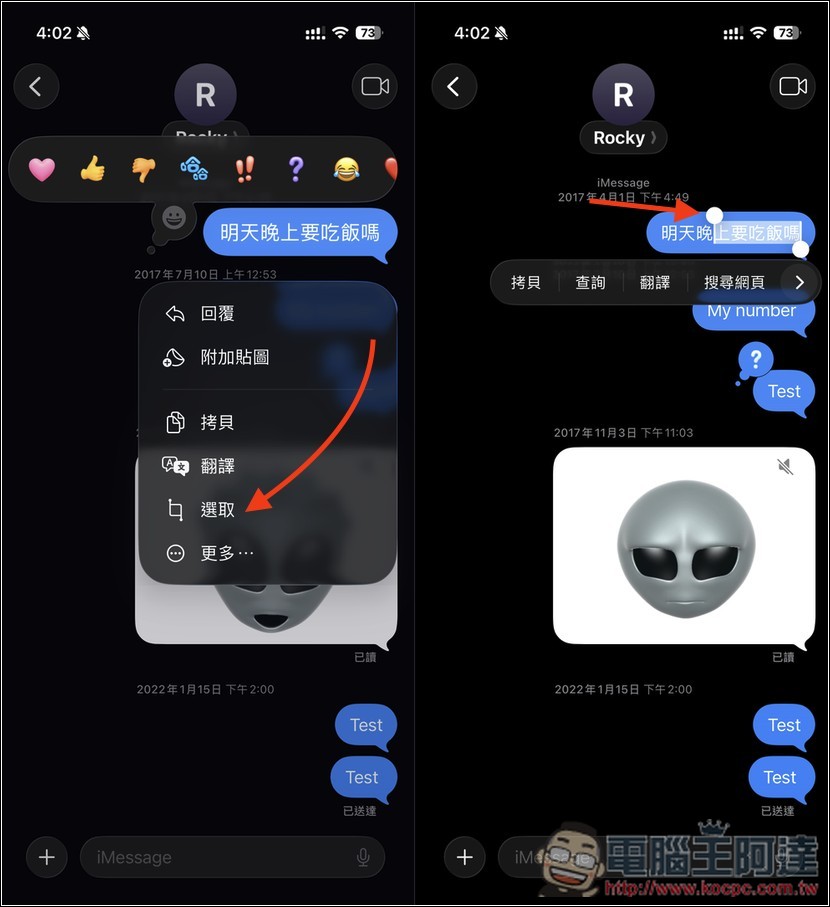
In the past, iPhone messages could only copy the entire message, which was quite troublesome. After upgrading to iOS 26, you can finally “copy part of the message text”, but the operation is not intuitive yet:
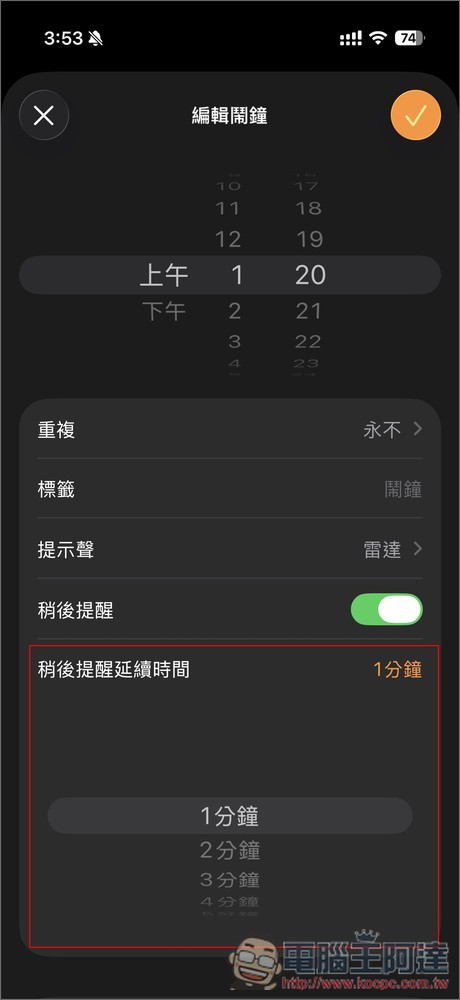
Now in the alarm settings of the Clock App, you can customize your snooze time from 1 minute to 15 minutes, no longer restricted by the fixed 9 minutes:
If you are someone who often communicates with people from other countries through messages, the good news is that messages also support “real-time translation”! After turning it on, the system will automatically translate the conversation into a language you can understand:
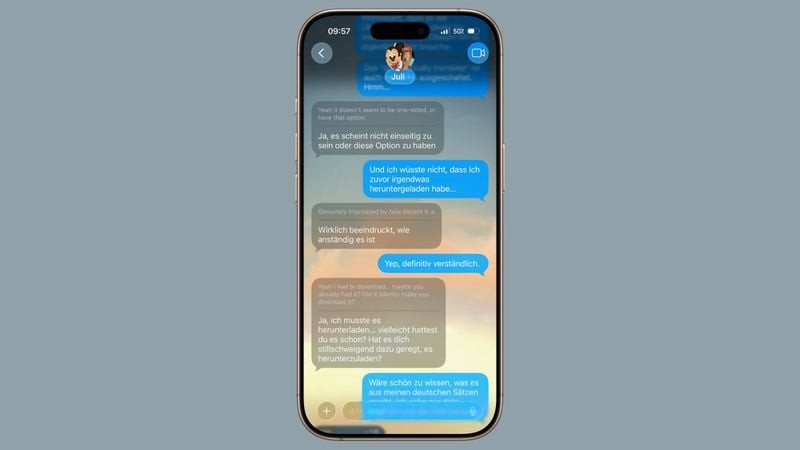
Image source: MacRumors
In addition to real-time translation, you can now customize the “message background” you like, and it can be seen by both parties, not just your iPhone:
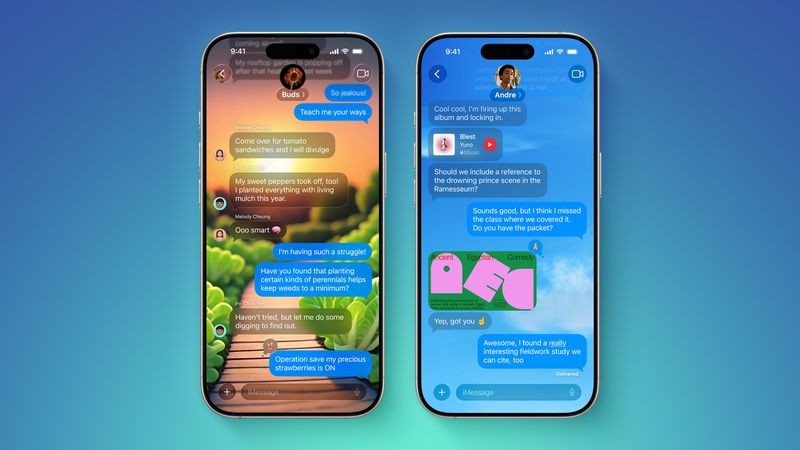
Image source: MacRumors
In addition to the above,MacRumors ArticlesThere are also other small functions that are also good to share. Readers who are interested in learning more about it can go and read it.
Source: KOCPC Chinese