


every time LINE When I see a friend’s message in a chat room, it feels a bit awkward to “read it and can’t reply”. So I often want to express something, but “like” it feels too insincere? don’t worry,LINE The newly launched “emoticon response” function is officially launched! Not only are there six preset emoticons, but now even the super cute “emoticons” in your collection can be used to directly respond to messages, greatly upgrading the level of chat interaction!
From the funny Rabbit, to the super popular Kapo, PP mini penguin, and even DINOTAENG, you can join in. Whether you are chatting or communicating at work, you can express your mood more accurately, and you can respond to the other party’s message without skipping notifications. It is really considerate. I’ll show you how to use this new feature right away, and what other super funny and practical stickers you can use with it!
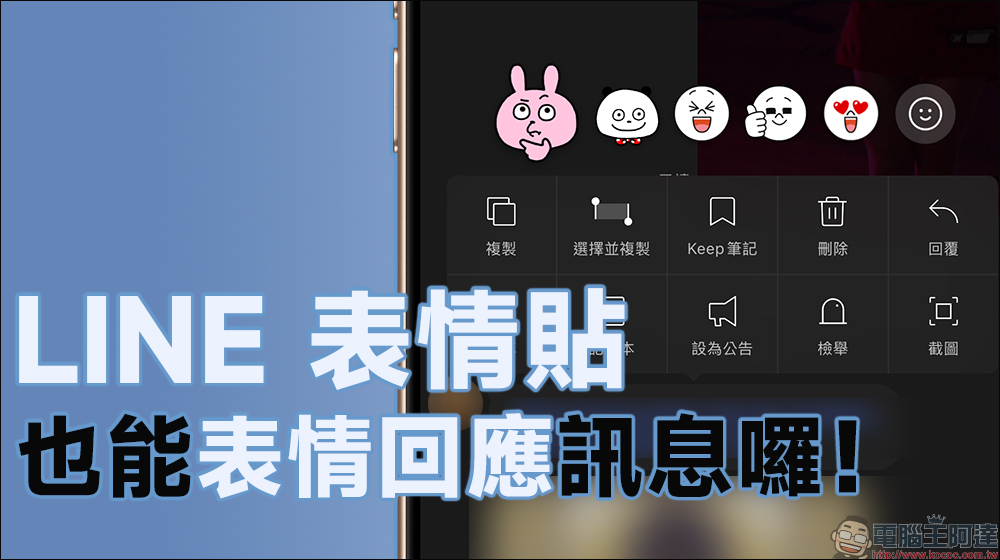
LINE emoticon stickers also support the “emoticon response” function! Don’t be afraid of embarrassment after reading, and respond to personal emotions easily
LINE has launched “chat room emoticons” before. I believe everyone has used them, right? Originally there were only a few basic plot choices. However, this time “emoticon response” is its evolved version. Not only has the name been changed, but its functions have also been upgraded! Now you can respond to messages with your own emoticons, instead of being limited to the six preset emoticons (like, heart, surprise, haha, etc.).
Whether you are chatting with friends, chatting in a group, or discussing business with colleagues, you can use your collection of emoticons to respond to each other’s messages, pictures, or videos. This feature is currently available to users of iOS and Android versions LINE v15.5.0 (inclusive) and above, and will be expanded to the PC version of LINE in the future.
How to use “emoticon response”?
The operation method of emoticon response is very simple. First, long press any text, sticker, picture or video message in the chat room, and then the emoticon menu will appear. Now as long as iOS or Android users update to the latest version, they can support the new “emoticon response” by clicking on the smile icon on the far right:
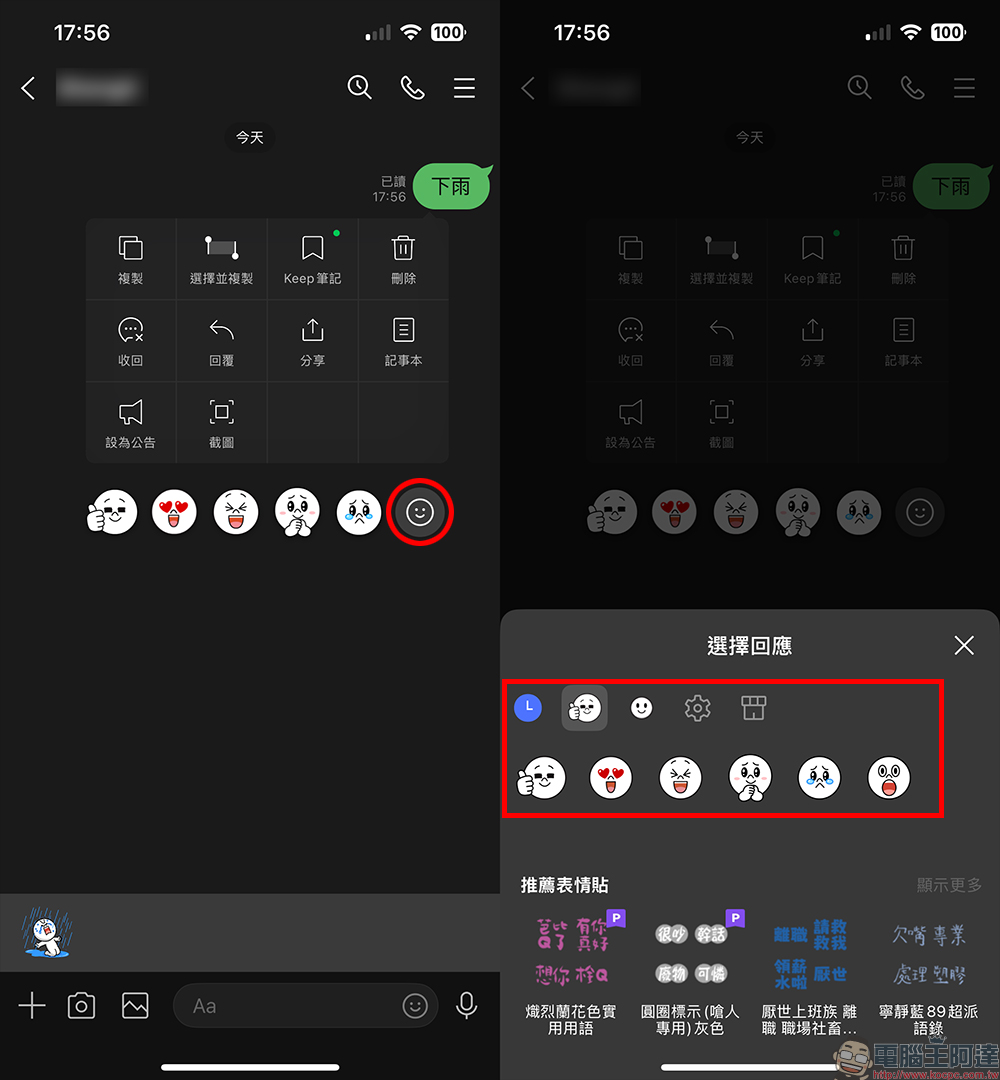
Users can then choose any emoticon sticker they own, including free stickers, paid stickers, and even LINE premium plan stickers exclusive to subscribers! Once selected, the sticker will appear below the message and become a record of responses. If you want to know which stickers people used to respond to a certain message, just click on the sticker response to see everyone’s reactions to the message.
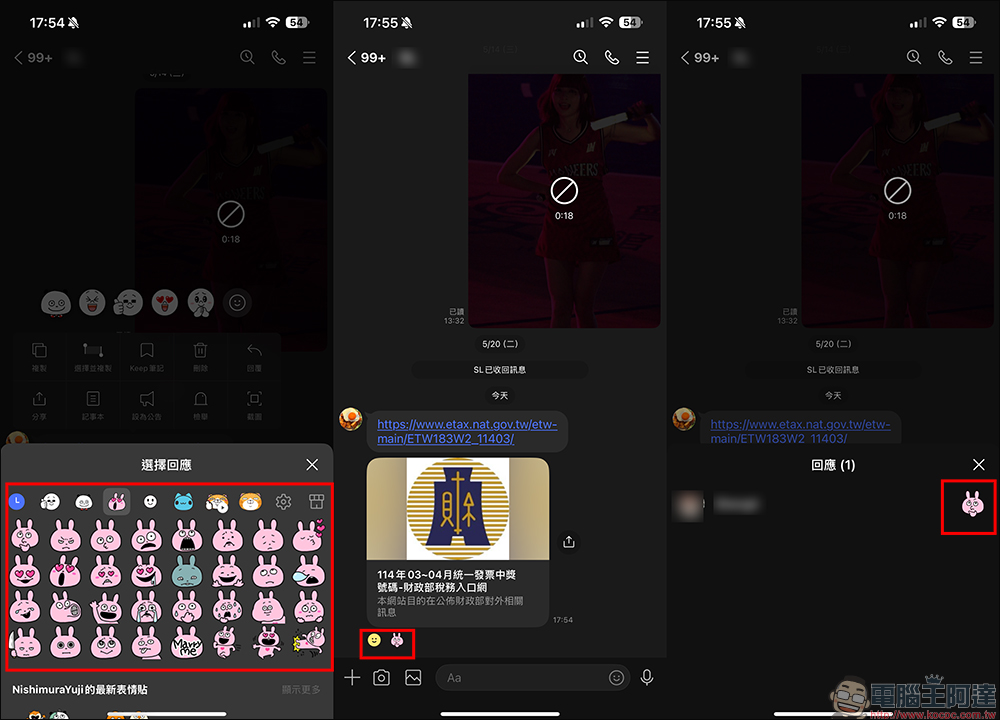
If you want to change the default emoticon response, just perform the same operation again, click the icon on the far right of the emoticon response, and then you can choose other emoticons to reply!
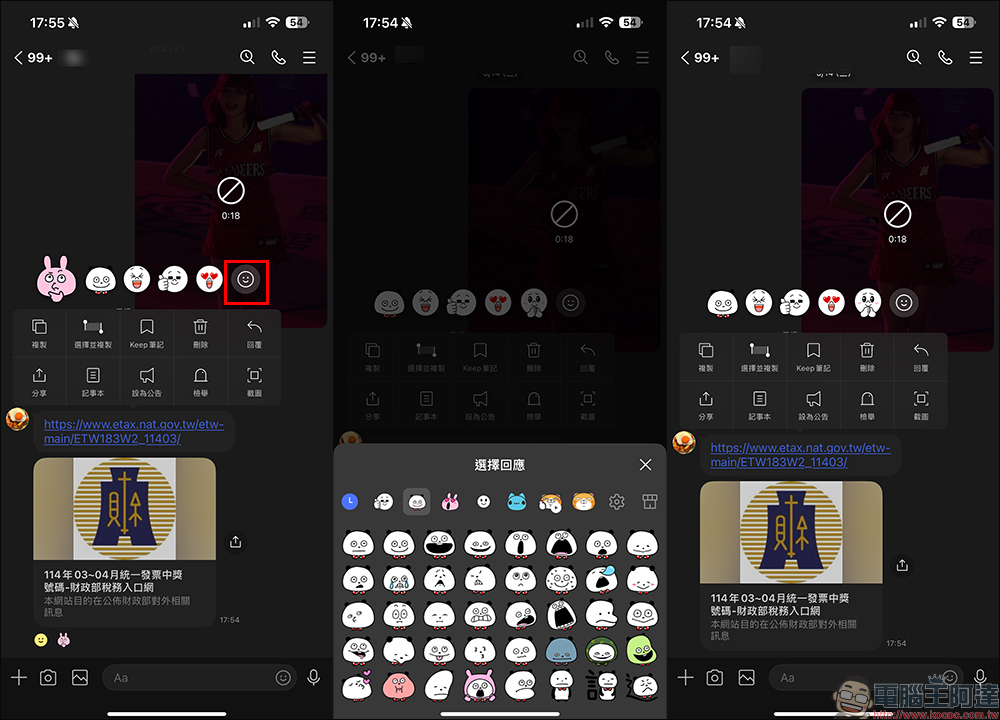
The highlight of this feature is that “all the emoticons you own can be used!” Whether they are funny stickers for daily chats, emoticons for expressing emotions, the “received” and “OK” series dedicated to workplace communication, or the “read stickers” that are tactful and non-intrusive, all of them can be directly used as “response emoticons”. In other words, you can now select corresponding stickers in more detail according to different scenes and different emotions. There are no longer only six expressions available, which is very suitable for you and me who like to use stickers to communicate!
In order to match this new feature, LINE has also launched a new wave of emoticon characters to make “emoticon responses” more interesting and varied! The stickers of these characters are specially designed to perfectly match the use situation of “expression response”. Not only are chat content more lively, but group conversations have also become more interesting and interactive.
If you still don’t know how to choose emoticons, LINE has officially compiled a collection of editor recommendations for your reference: Recommended LINE emoticons
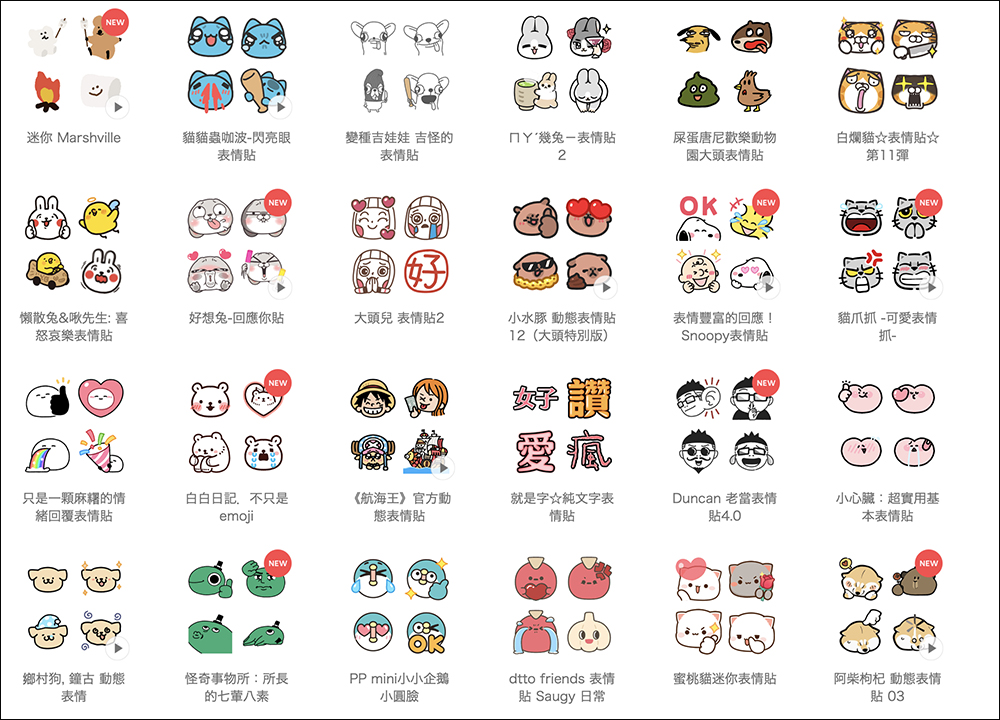
▲Picture source:LINE
Further reading:
Source: KOCPC Chinese