


Hanami is not only available in Japan and South Korea, but LINE can also rain cherry blossoms that never fade! Every spring, the cherry blossoms in full bloom in Japan always make people excited, but in reality, not everyone can take time off to fly abroad and see the sea of pink flowers with their own eyes. Fortunately, LINE has thought up another way to “view cherry blossoms” for everyone. Now, as long as you open the LINE chat room, you can see cherry blossoms falling all over the screen, making every message you send seem to be quietly conveyed under the romantic rain of flowers.
No need to go out to chase cherry blossoms! LINE’s cherry blossom rain chat room special effects are available for a limited time, spring romance is blooming at your fingertips
The “Sakura Rain Chat Room Background Special Effect” launched by LINE this time is not only a visual healing, but also has a sense of spring-only ritual. Whether you are about to confess your feelings to the person you love, gossip with friends, or just send an emoji, this flower meeting exclusively for LINE will quietly shed a pink rain behind you to accompany you through the most atmospheric spring time.
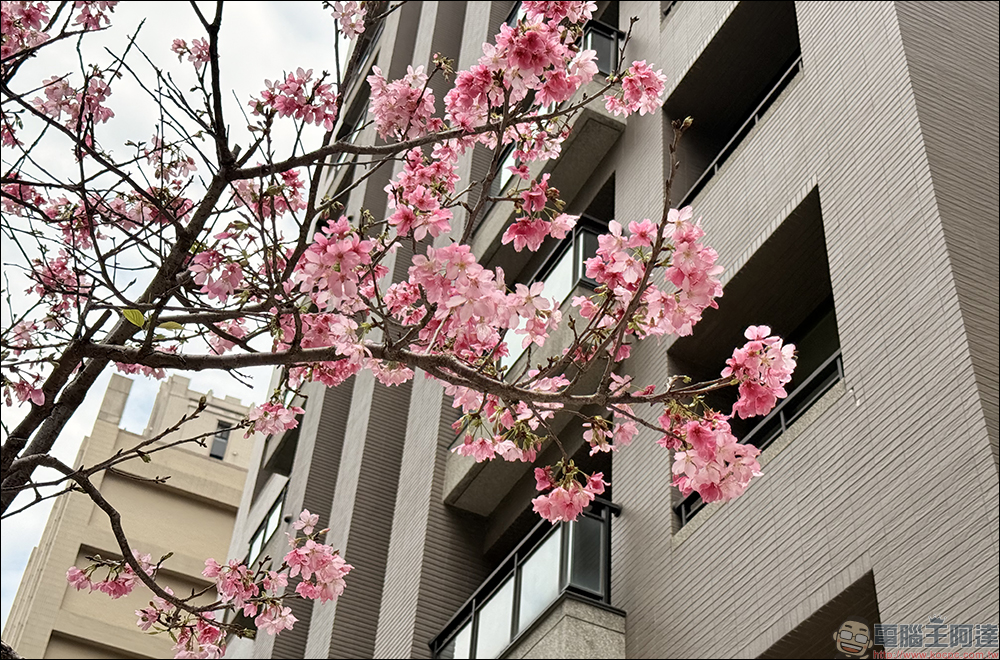
This special effect is not a permanent function, but is available for a limited time. If you also want to feel the gentle attack of cherry blossom rain on your mobile phone, then remember to grasp the time, update your LINE during the event period, and open the chat room!
How to enable LINE Sakura Chat Room special effects? See here for details
This cherry blossom rain special effect carefully designed by LINE is an annual visual feast and the “ritual” that many users are most looking forward to in spring. Let’s take a look at the time and applicable conditions of this event now, and don’t miss a second of romance.
That is, there will be a full five-day flowering period from the 2nd to 10:00 on April 7, 2025 (Monday). You don’t have to worry about missing the best viewing opportunity if it blooms too late. LINE has thoughtfully extended the flower rain time. As long as you open the chat room during the event period, you can enjoy the romantic scene of the slowly falling cherry blossoms.

Although this cherry blossom rain is as beautiful as a dream, some people always prefer a clean interface without special effects. LINE also considers the needs of these users and provides a manual shutdown function. If you want to turn off the cherry blossom effects in the chat room first, just go to settings and turn off the “Chat Room Background Effects”. But be careful, if you forget to reopen it after closing it, you will miss the first-hand experience of the next special effects event!
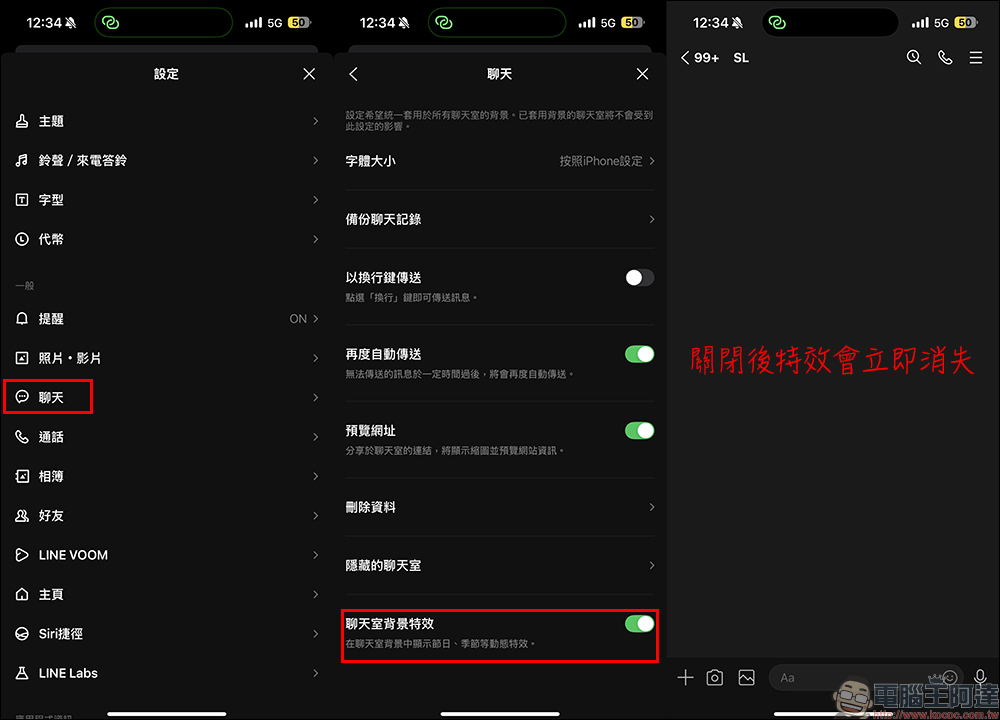
*Tips: After turning off “Chat Room Background Special Effects”, the special effects will disappear immediately. It can be re-enabled at any time during the event and will not affect the activation of special effects.
List of supported platforms and versions
In order to allow more users to seamlessly experience this cherry blossom rain, LINE has also done a very thoughtful job in supporting various platforms. The following is the LINE version where you can enjoy cherry blossom special effects:
- iOS devices: need to update to LINE 9.15.0 or above
- Android device: needs to be updated to LINE 10.2.0 or above, and equipped with Android OS 7.1 or above
- PC version of LINE: needs to be updated to LINE 8.7.0 or above
If you open a chat room but don’t see Huayu, don’t worry, check whether the version number meets the conditions first, or restart the app, maybe the cherry blossoms will slowly fall!
Conclusion
Although the physical cherry blossoms are fleeting, LINE’s cherry blossom chat room special effects can make the romance stay longer and make every conversation more worth looking forward to. Whether you want to add a bit of spring flavor to yourself, or want to use special effects to convey more emotions, you might as well take advantage of this limited time opening and feel the cherry blossom rain at your fingertips! Remember, the event is only from 4/2 to 4/7, update your LINE quickly, open the chat room, and let the pink petals fall in the wind, as if spring has come to live in your mobile phone.
Further reading:
Tips for hiding locked wallpapers on iPhone: Don’t want to hide your favorite wallpapers from being seen? It’s super easy to switch with just one click!

Source: KOCPC Chinese