


What’s most impressive about Google’s mobile operating system Android is its adorable, rounded iconic green robot mascot. Initially, Google launched an app for it, and this app, first released in 2016, was officially removed from the Play Store in 2020. In 2024, Google unveiledWeb version。 Now, Google has even released an AI-powered Androidify app and website.
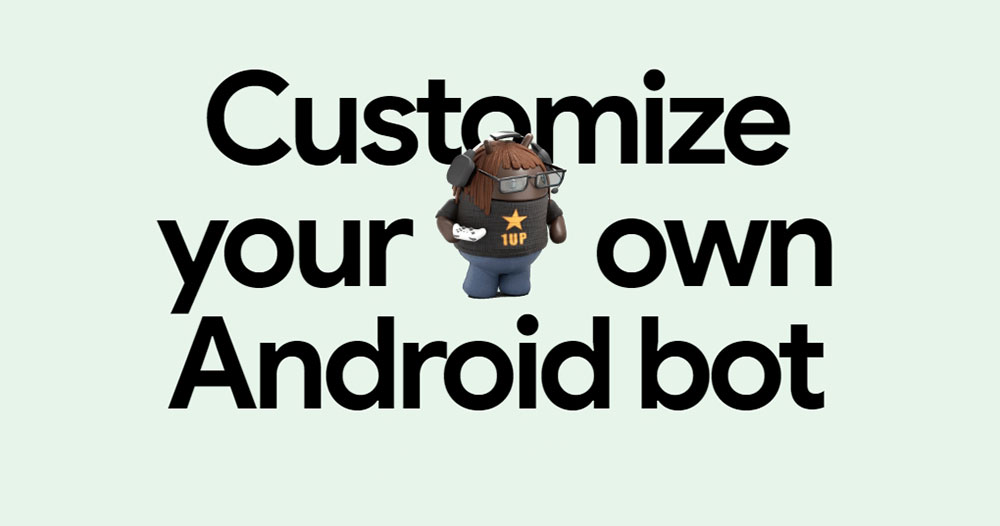
Google’s Androidify robot maker is back with an AI core.
The new robot builder is powered by Gemini 2.5 Flash for generating detailed image content, and you can also use text prompts to specify the design or accessories. In fact, the new Androidify is built using a fine-tuned version of Imagen 3, grounded in a playful and stylized aesthetic. You can choose from 1:1, wallpaper, large widescreen wallpaper, banner, 3:1, or stickers and backgrounds.
Additionally, Androidify will also support Veo 3 for generating an 8-second short video featuring a generated robot as the protagonist. More broadly, the app serves as a demo and guide for developers. It makes extensive use of Material 3 Expressive components, including new shapes, motion schemes, and custom animations. The real-time camera feed uses the ML Kit pose detection API, and there is also desktop mode on foldable devices, among other features. Developers who need more details canGet it here.。
How to use Androidify to generate personalized robots
- Androidify is availableOfficial websiteand Play StoreDownloading.
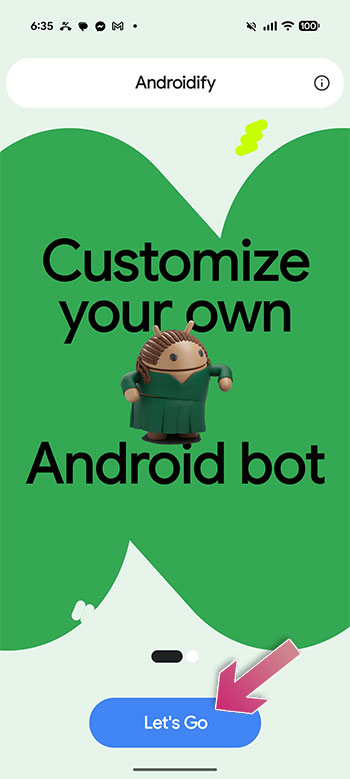
- After installing, open the app and click “Let’s Go” on the page.
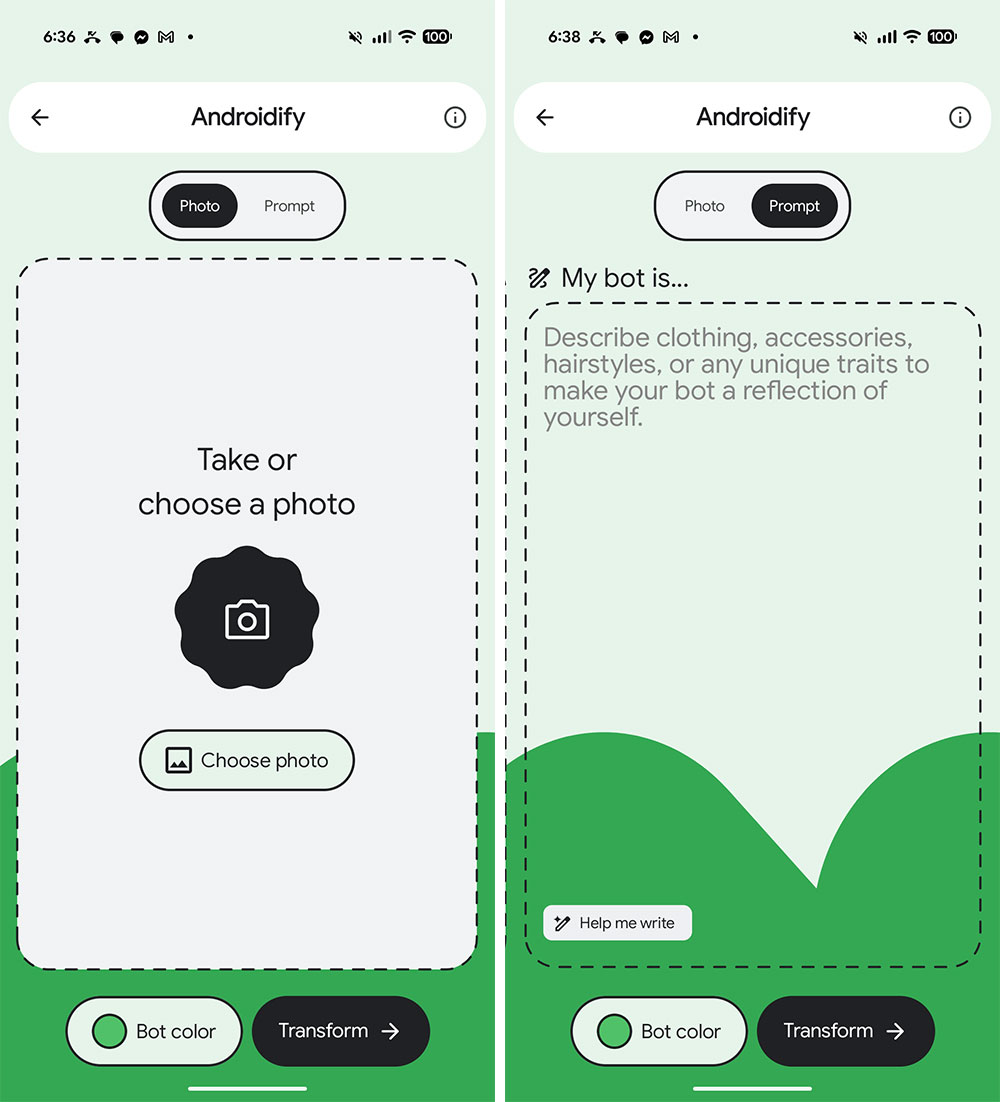
- You can upload photos from your album on the “Photo” page, and the system will automatically generate a robot using elements from the photos. Switch to the “Prompt” page to describe what clothes, accessories, hairstyle, and any other elements you want the robot to have.
- After setting it up, you can adjust the robot’s color at the bottom, then click “Transform”.
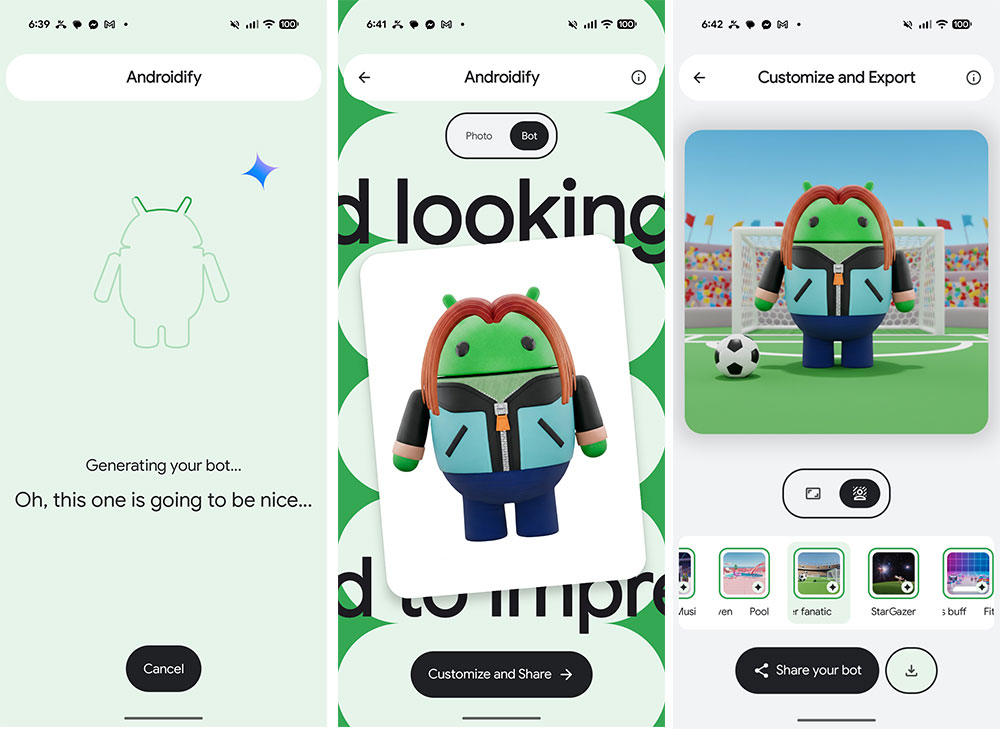
- Wait a bit, for the bot to generate.
- Next, customize the size, proportion, and background, then choose to download or share.
Source: KOCPC Chinese