


Earlier this month, we reported that Google Photosnew AI function, originally thought it would take a while, but unexpectedly it happened earlier. Google The official blog officially announced the launch, and both “photo to video” and “change photo style” are included. Judging from the official sample video, the photo-to-video effect looks quite good. From now on, if you want to make a photo move, you can just do it directly in Google Photos.
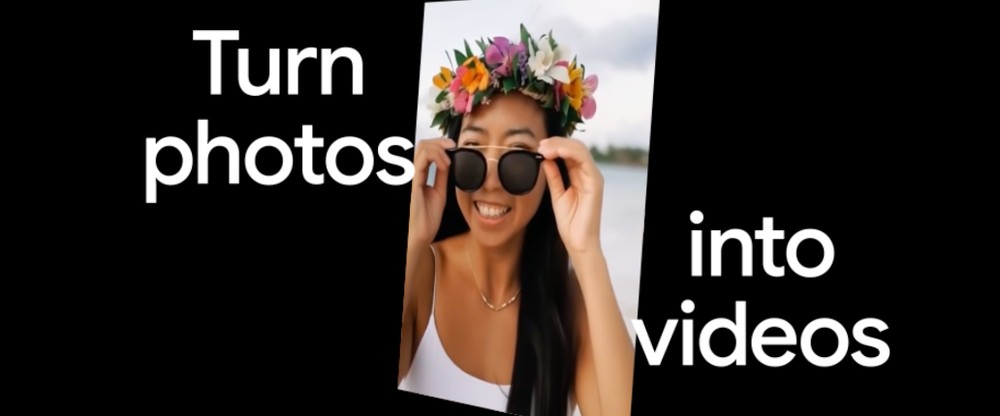 Image source: Google
Google Photos officially launches two new AI features: turning photos into videos and transforming photo styles.
Earlier, the official Google blog announced several new features added to Google Photos, the most notable of which are, unsurprisingly, two new AI features.
First is the photo-to-video feature that brings photos to life. This feature is powered by Veo—unfortunately not the latest Veo 3 model, but Veo 2. That said, Veo 2 still produces impressive results, generating 6-second short videos.
From the operation video shared by Google, you first pick the photos you want to turn into a video from your album, then choose between “Subtle movements” or “I’m feeling lucky” mode. The AI then starts generating, meaning there’s no need to enter any prompts—the AI creates on its own.
Although this approach is simple, it offers relatively low controllability and may not be able to generate the image you want.
In the video, Google uses “I’m feeling lucky,” and the effect is quite good, with natural movements. However, I noticed that this man’s movements are the same as the demo video shown in the photo-to-video introduction earlier. I hope it’s not that every “I’m feeling lucky” result has the exact same movements, because that would be a bit boring.
Subtle movements, barring any surprises, should just be to make the picture move slightly.
The new “photo-to-video” AI feature has started rolling out on Android and iOS devices in the US; other countries will have to wait.
Next is “Change Photo Style,” the actual feature name is Remix. It can turn photos of yourself, friends, family, or pets into anime, comic, sketch, or 3D animation styles. But note that this feature changes the look of the photo, not just a simple style conversion.
Below is Google’s demo video. After entering the Remix feature, select the style you want to convert at the top, and the photo is at the bottom. Then press the Generate button below, wait a few seconds, and you’ll get the result:
The Remix feature is being released later, and will be available on Android and iOS devices in the US in the coming weeks.
In addition to the two mentioned above, Google Photos also has a “Create” page where you can find all creative tools, such as photo-to-video, Remix, collage, featured videos, and more, making it easy for users to quickly access them. This feature will launch in the US in August.
Regarding safety and transparency, Google also added that all images and videos generated with “Photo to Video” and Remix will carry an invisible SynthID digital watermark, and videos will also have a visible watermark to ensure transparency.
Source: KOCPC Chinese