


Previously OpenAI The announced ChatGPT Record real-time voice recording mode has finally been officially launched a short while ago, and the usage instructions have also been revealed. What many people are concerned about is whether it will generate…Verbatim transcript, the answer is yes, and even multiple people talking at once is no problem.ChatGPT It can identify and transcribe voices from multiple different speakers. However, the initial rollout is currently only open to Mac users on Pro, Enterprise, and Edu plans. According to the ChatGPT help page, it looks like in the future, besides Plus users, the free version may also be able to use it.
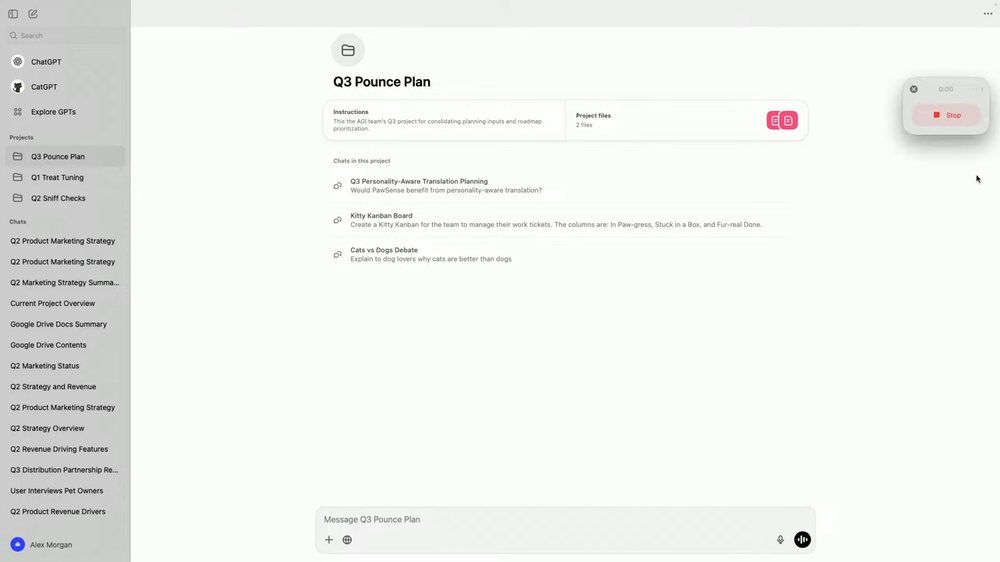
ChatGPT Record voice recording mode is now available for Mac users on Pro, Enterprise, and Edu plans.
Earlier, OpenAI announced on its official social media platforms that ChatGPT Record’s real-time recording mode is now officially available to Pro, Enterprise, and Edu users. It can already be found in the macOS desktop application, while the Windows version was not released at the same time. Based on past experience, it usually arrives a bit later:
Record mode is rolling out today in ChatGPT to Pro, Enterprise, and Edu users.
Available on macOS desktop app. https://t.co/xmReUOx473
— OpenAI (@OpenAI) June 18, 2025
To this end, OpenAI has also created a dedicated webpage explaining how to use ChatGPT Record and its details, which essentially comes down to four steps:
- You can tap the “Record” button at the bottom of any chat window to see and use it.
- As you speak, ChatGPT will perform real-time voice transcription, and a timer will appear on the screen showing the recording time, allowing you to pause and resume at any time.
- After finishing, click “Send” and ChatGPT will upload the “transcript,” then open a private canvas and provide a well-organized summary.
- You can manually fine-tune the summary content on the whiteboard, or directly ask ChatGPT to perform other actions, such as rewriting it into an email, a project plan, or even the basic structure of code.
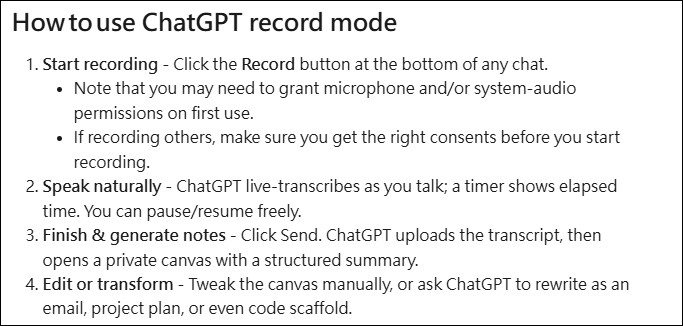
This also means that you will get the transcript of the recording, not just a summary.
However, there is a limit on recording length, with a maximum of 120 minutes per session. If the time is exceeded, ChatGPT will automatically stop recording and start generating a summary.
Regarding the privacy and security that many people care about, the recording files are automatically deleted after transcription is completed and are not used to train OpenAI’s models. However, for Pro, Plus, or free-tier users, if the “Improve the model for everyone” option is enabled in settings, OpenAI may use the verbatim transcripts and whiteboard content generated by Recording Mode to train their models — this is something to keep in mind.
Additionally, from this statement, it can also be inferred that recording mode will be made available to free users in the future.
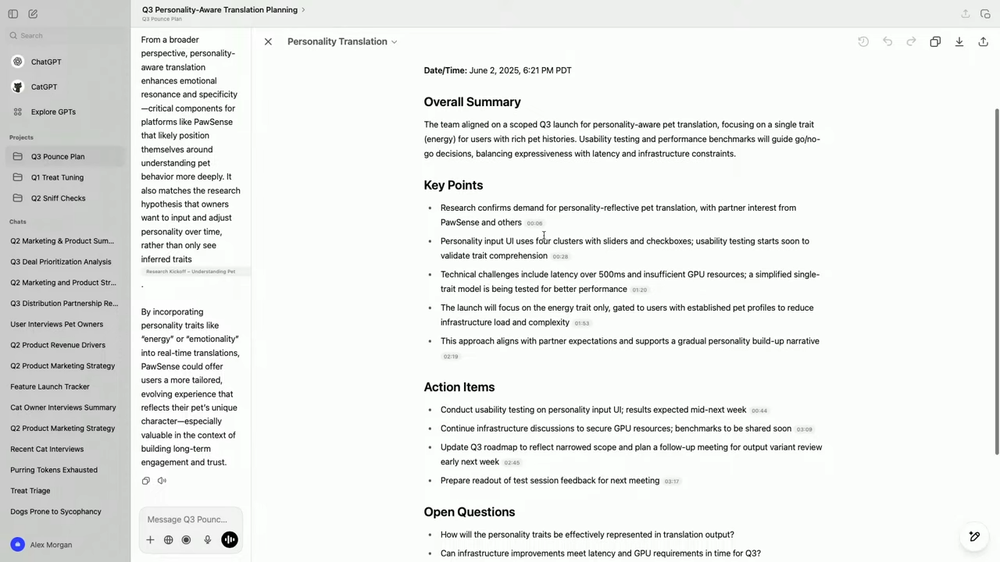
The canvas and related transcript data are handled exactly like other conversations and canvases in the workspace—once you delete a conversation, the canvas and transcripts will be removed from the system within 30 days.
OpenAI also added that although ChatGPT’s voice mode supports multiple languages, it performs best in English. Other languages may not be as accurate as English at this stage, and it is still being improved.
So the safest approach is to record an audio file yourself, so that when you feel something might be wrong, you have the audio to confirm.
Source:OpenAI
Source: KOCPC Chinese