


Today xAI added new language support for Grok Voice Mode on iOS, with Japanese, Spanish, French, Turkish, and Hindi now all supported. On top of that, Grok has also launched its new Grok Vision feature, so users can now use Grok for visual recognition. Today I’d like to share what Grok Vision can do—if you’re interested, keep reading!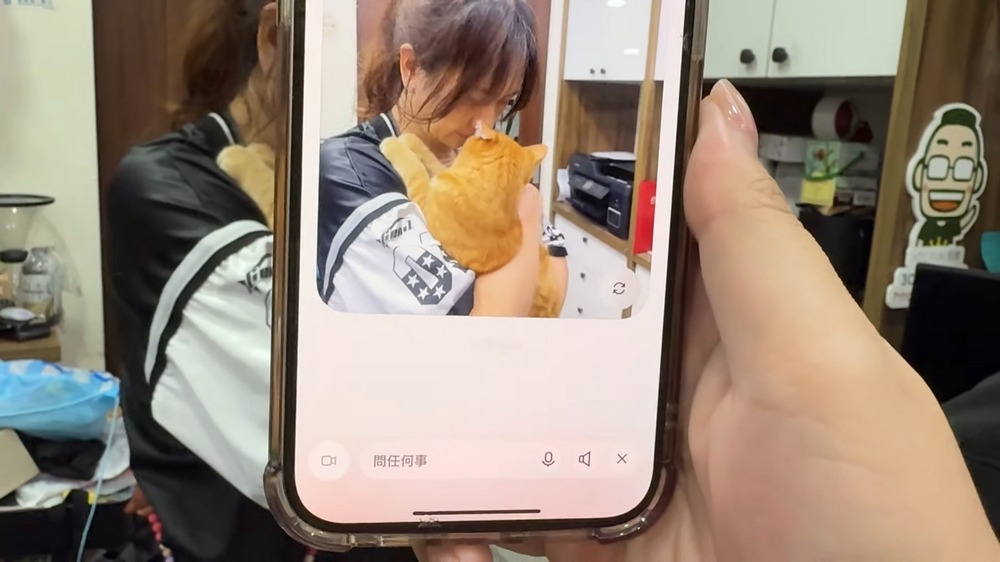
Major Grok update! iOS users can now use Grok Vision’s visual recognition feature, with support for Chinese voice and multilingual Voice Mode.
Today Grok announced that Grok Voice now supports new languages, along with the rollout of the new Grok Vision feature. iOS users can now simply open the Grok app to experience the multilingual Grok Voice and the visual recognition capabilities of Grok Vision (which supports Chinese directly).
Introducing Grok Vision, multilingual audio, and realtime search in Voice Mode. Available now.
Grok habla español
Grok parle français
Grok Türkçe konuşuyor
グロクは日本語を話す
ग्रोक हिंदी बोलता है pic.twitter.com/lcaSyty2n5— Ebby Amir (@ebbyamir) April 22, 2025
First, everyone should make sure their Grok app is updated to the latest version. If you haven’t updated yet, please…Go to the App Store to update the Grok app.。
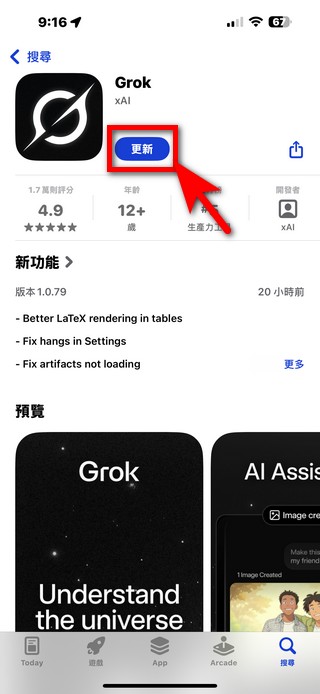
After updating, you can directly use Grok’s new Grok Vision visual recognition feature without changing your region or system language. Open the Grok app, tap Grok Voice, and a camcorder option will appear in the bottom left corner. Tap it to enable the Grok Vision feature. Then just point the camera at the object or building you want to identify and speak in Chinese—Grok will use Grok Vision to recognize what you’re aiming at and answer your questions. (Note: responses are currently primarily in Simplified Chinese.)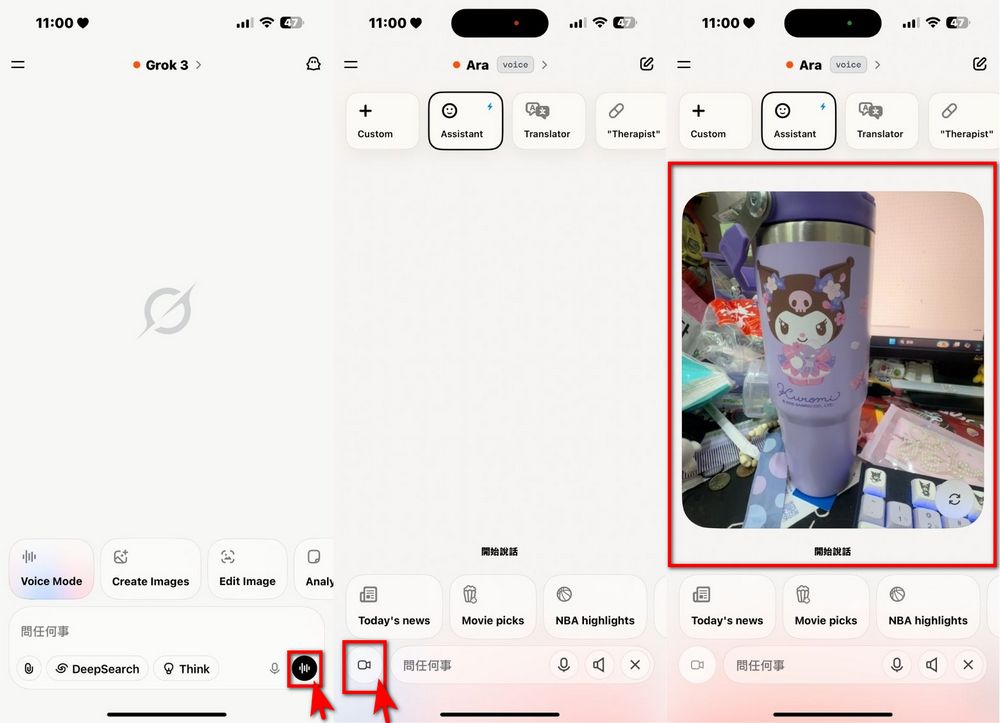
The editor tested Grok Vision, which can recognize and describe scenes, people, and animals seen through the camera. You can also use Grok Vision to recognize buildings.
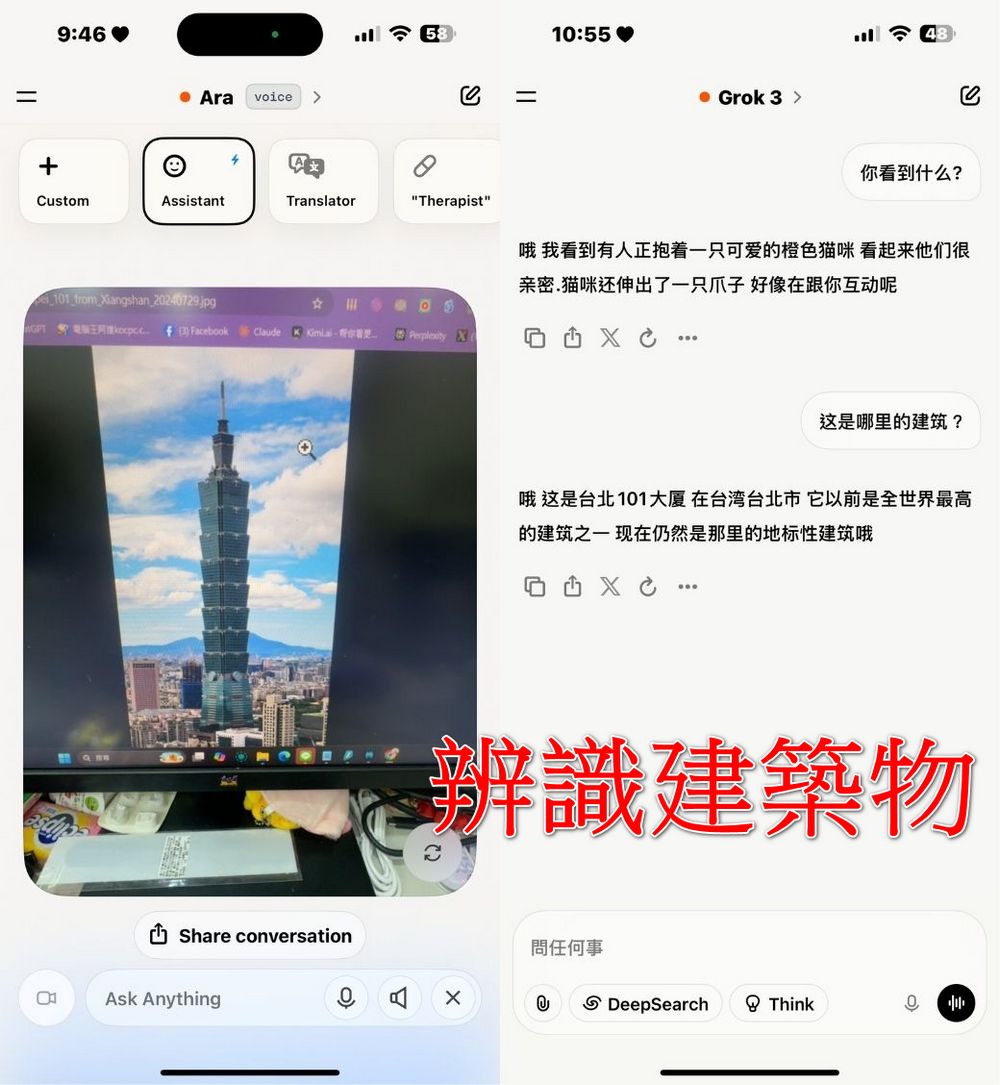
If it freezes while you’re trying it out, just click x to restart Grok Vision mode. That wraps up this introduction to Grok’s new visual recognition feature, Grok Vision. If you’re interested, go ahead and update the Grok app and try it out for yourself!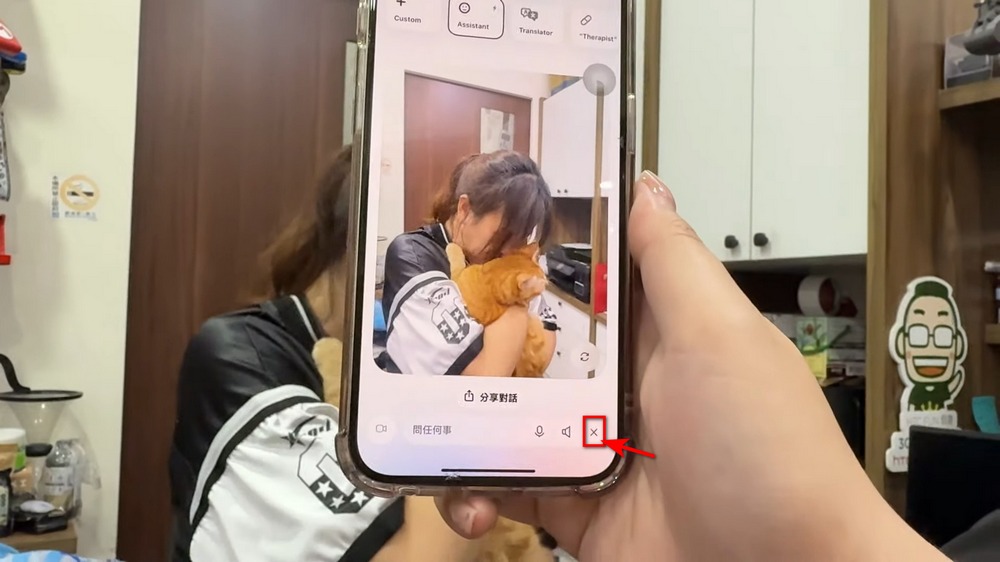
Source: KOCPC Chinese