


After about 9 months, Google’s open-source Gemma model series has finally seen its next generation, Gemma 3. This time, it not only offers out-of-the-box support for over 35 languages, but also boasts state-of-the-art performance, allowing even devices with a single GPU or TPU to run Gemma 3 effortlessly.
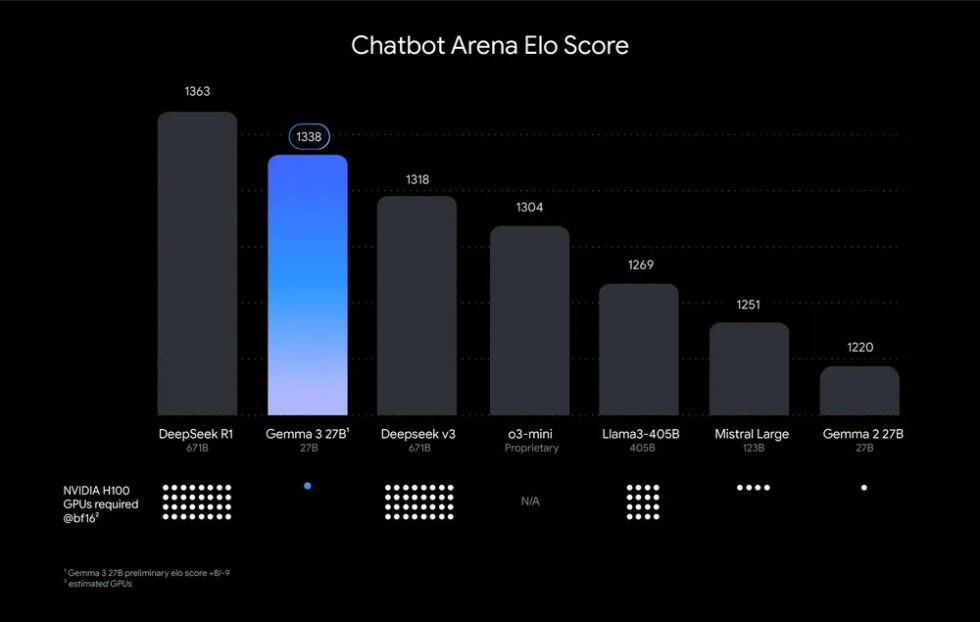
Google also offers Chatbot Arena Elo score comparisons, and Gemma 3 27B beats Deepseek v3 671B, o3-mini, and Llama 3 405B, which is quite impressive. Below, I’ll also show you how to try it locally or online.
Google’s new generation Gemma 3 open-source model officially debuts
According to Google,Gemma 3 It is an open-source model built for various development environments, with suitable model versions for both data centers and smartphones.
Gemma 3 comes in four versions, which are:
- Gemma 3 1B (lightweight, runs on almost any device)
- Gemma 3 4B
- Gemma 3 12B
- Gemma 3 27B
In lower precision modes, the smallest Gemma 3 model may use less than 1GB of memory, but the larger versions, even with 4-bit quantization, may still require 20GB–30GB of memory to run. I’ve tested that a 12GB VRAM graphics card can indeed run Gemma 3 12B smoothly.
Compared to past Google open-source AI models, there are many new features, such as the context expanding from 8,192 tokens to 128,000 tokens, greatly increasing the amount of input data that can be processed, and it still supports multimodal processing, handling text, images, and even video.
In addition, Google also introduced ShieldGemma 2 for image safety, a powerful 4B image safety checker built on Gemma 3, which can block inappropriate image content, including dangerous, pornographic, and violent content.
The chart below shows Elo test data released by Google. In conversational ability, Gemma 3 27B not only significantly surpasses the previous generation Gemma 2, but also leads models such as Meta Llama 3, OpenAI o3-mini, and Deepseek v3 671B. However, it still trails DeepSeek R1 671B by a small margin.
Of course, in the end, you still have to test it yourself to know whether Gemma 3 is really that powerful.
Gemma 3 is now available to try online on Google AI Studio, Hugging Face, and other platforms, or it can be deployed locally.
How to try the Gemma 3 open-source model?
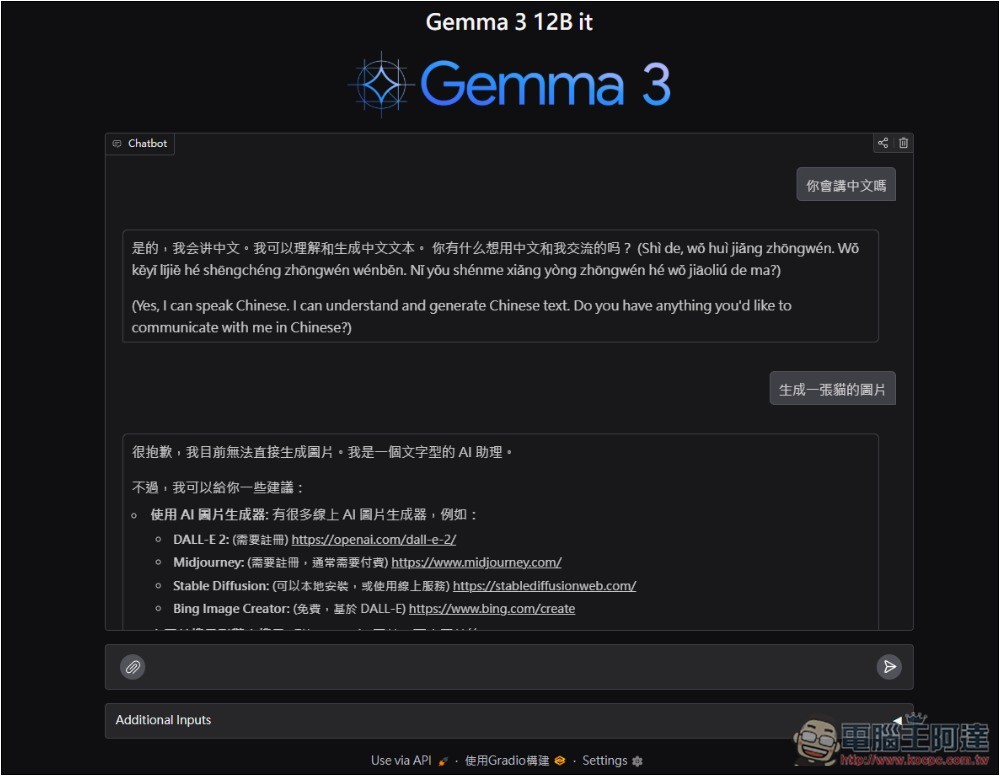
If you want to try it online first,Gemma 3 12B You can try the model on the Hugging Face website:
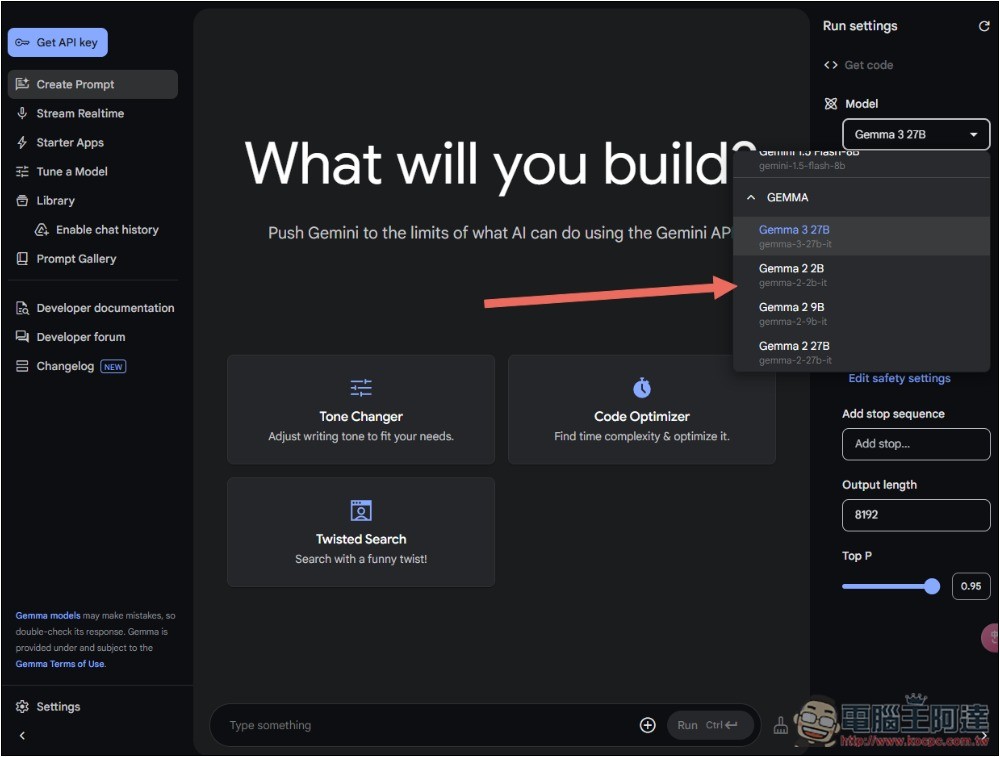
Google AI Studio Then you can experience all models:
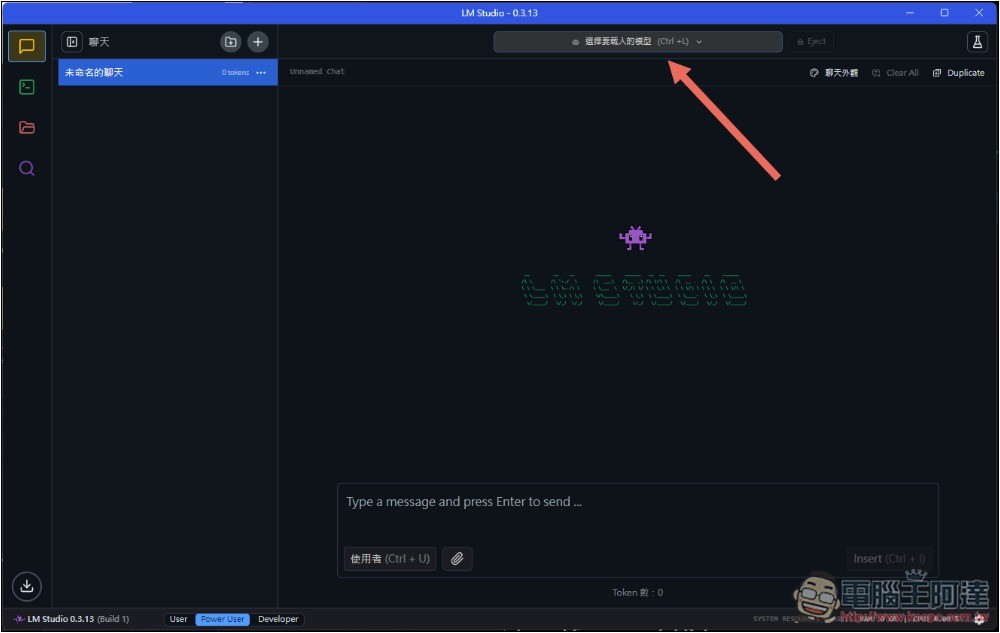
If you want to install locally, you can through LM Studio This free tool supports Traditional Chinese; you can adjust the language in the settings. After opening it, click “Load Model” at the top.
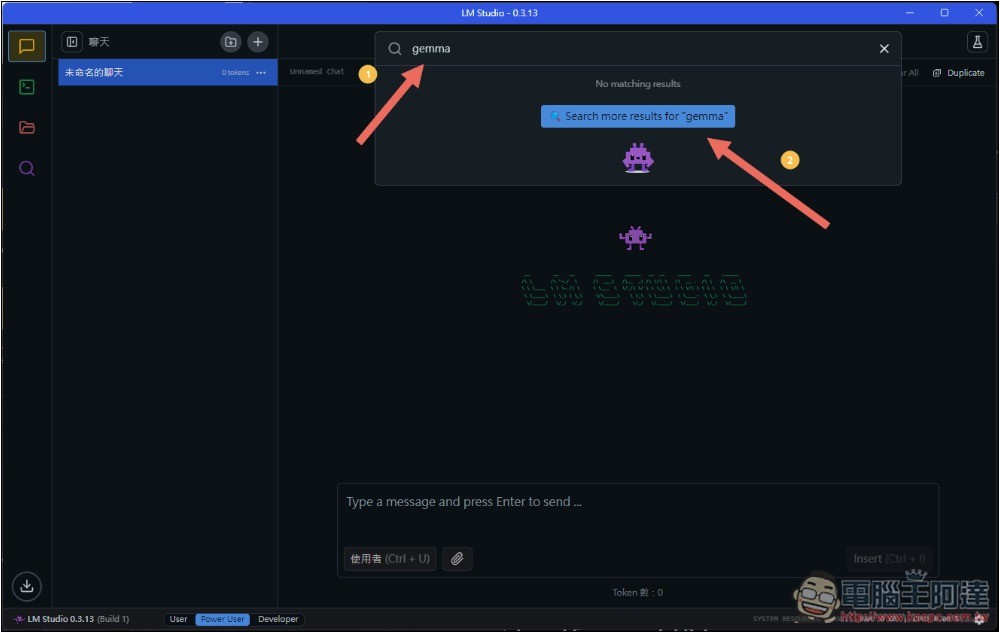
Enter gemma and search:
Then you’ll find the latest Gemma 3 model, see which one you want to install:
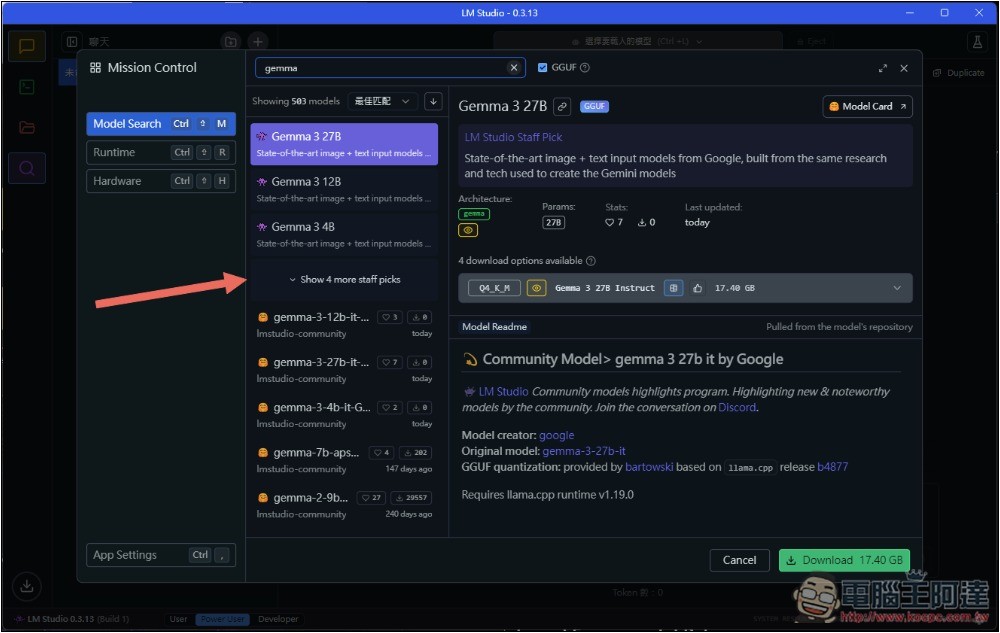
Click Download in the bottom-right corner to start downloading:
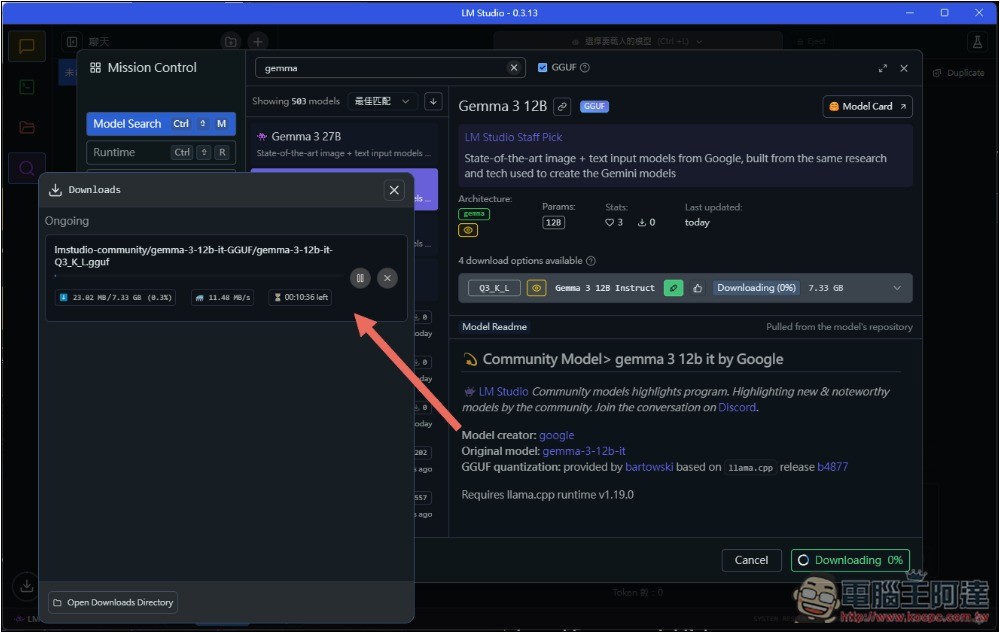
After the download is complete, press Load Model:
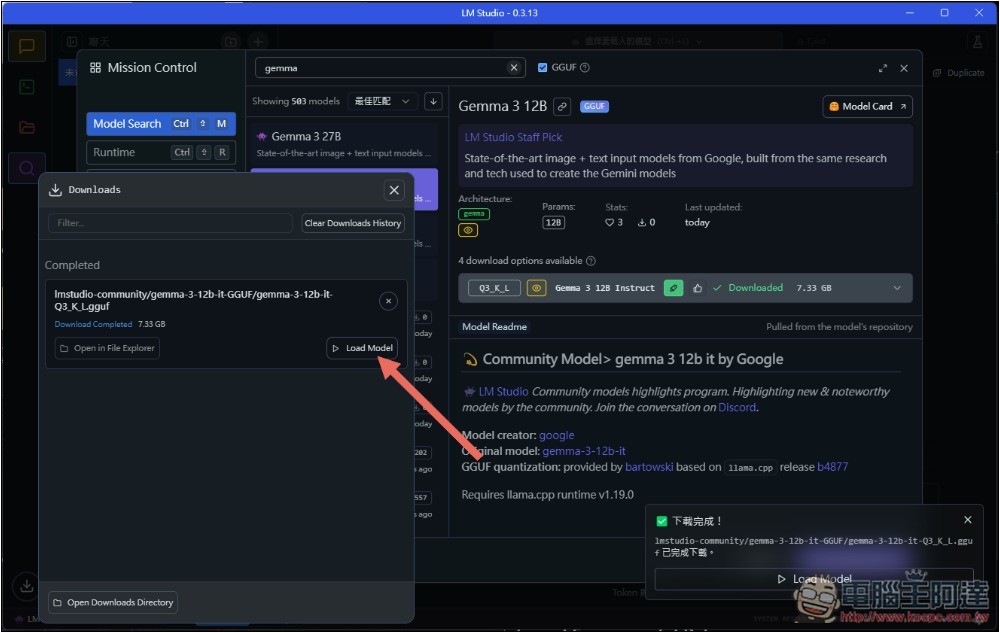
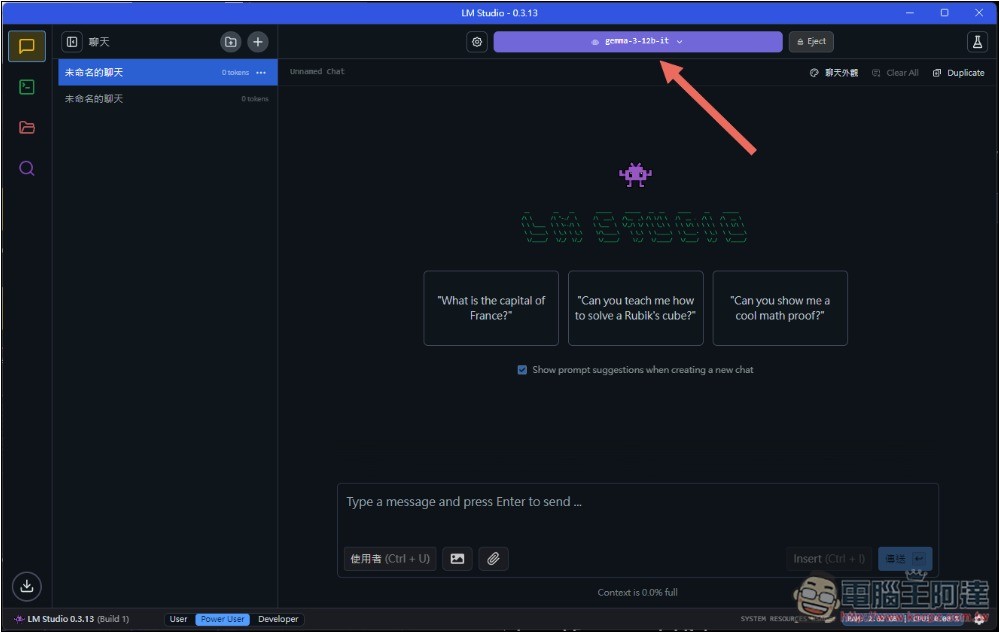
It will then redirect to the chat interface, where you can start chatting with Gemma 3 AI:
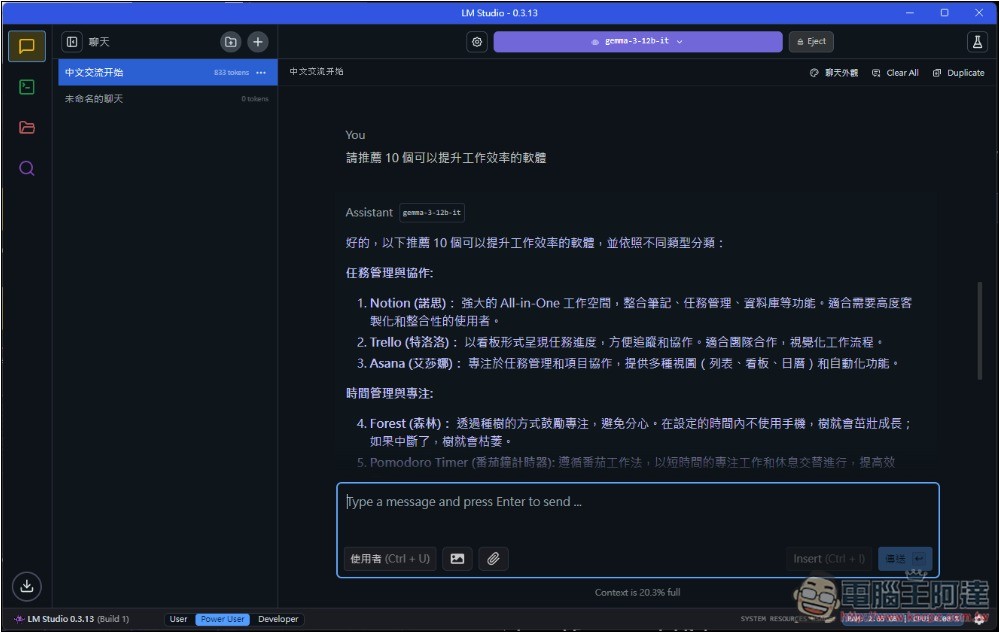
Real-world test: running 12B on a 12GB VRAM graphics card is quite smooth, with fast output and also long responses:
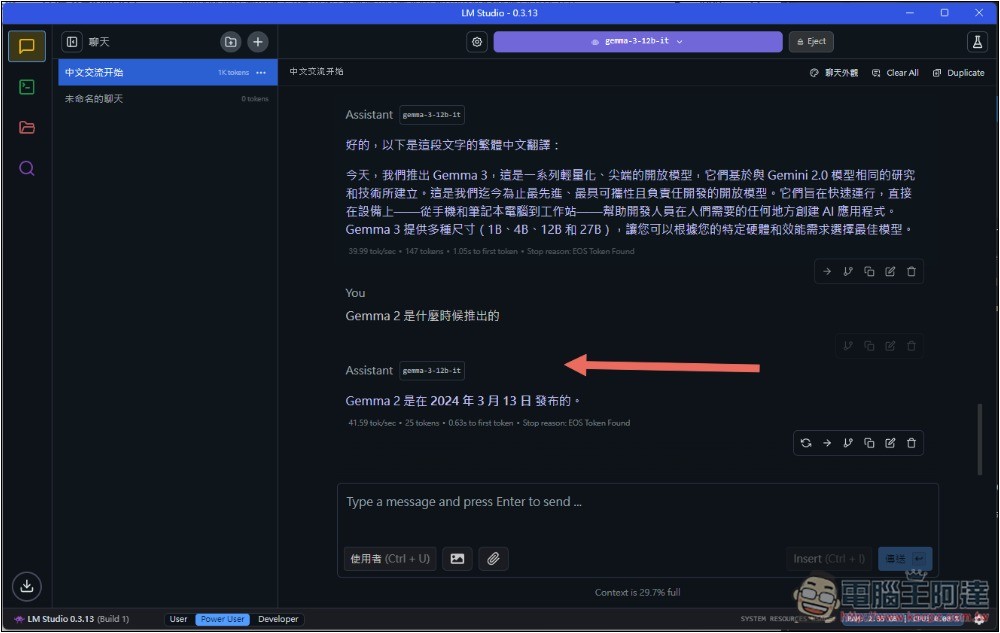
However, if you’re asking for precise answers, I’d still recommend double-checking. For example, when I asked Gemma 2 about its release date, it gave a wrong answer (March 13, 2024)—the correct answer is June 27, 2024.
Source: KOCPC Chinese