• About Us
King of Computer Media
  • Home
  • Tech News
  • AI News
  • Apps & Tutorials
  • Mobile & Telecom
  • Lifestyle
  • About Us
No Result
View All Result
  • Home
  • Tech News
  • AI News
  • Apps & Tutorials
  • Mobile & Telecom
  • Lifestyle
  • About Us
No Result
View All Result
King of Computer Media
No Result
View All Result

Home - AI News and Tutorials - AI helps seniors read menus and labels! The “Life Magnifying Glass” LINE photo recognition bot is super easy to use.

AI helps seniors read menus and labels! The “Life Magnifying Glass” LINE photo recognition bot is super easy to use.

KOCPC Editor by KOCPC Editor
March 3, 2025 - Updated on August 4, 2026
in AI News and Tutorials, AI Tools and Tutorials

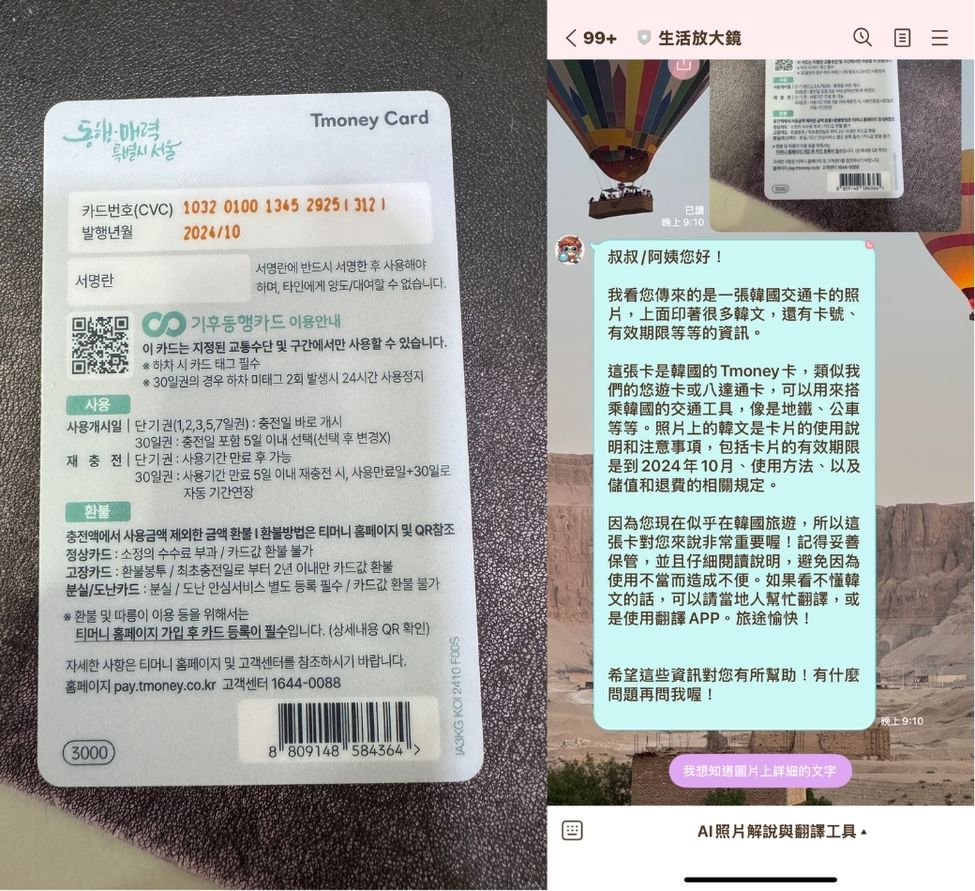
Friends who live with elderly family members can probably relate—sometimes the text on product labels is too small for the elders to read, and other times they might have trouble understanding foreign restaurant menus when traveling abroad. Taiwanese netizens To solve this problem, Leo Yeh developed an AI photo recognition bot on LINE called “Life Magnifier.” Just send a photo, and the bot will quickly identify the image content and explain it to the elderly through text and voice. It’s very simple to use. If you think your elderly family members have similar needs, keep reading to see how to use it!

AI helps elders read menus and labels! The “Life Magnifying Glass” LINE photo recognition bot is super easy to use.

Elderly family members may sometimes have trouble understanding menus abroad or reading food (medicine) labels with print too small to see clearly. Although AI chatbots like ChatGPT can now use image recognition, these AI tools are still a bit too difficult for older adults to use.Taiwanese netizens Leo Yeh, in order to solve the problem of the elders at home,Developed an AI photo recognition robot called “Life Magnifier.” Simply add Life Magnifier as a friend on LINE to use AI image translation and recognition features. Friends who want to use it can click the link below to go to LINE and add it as a friend, or you can directly use the phones of the elders at home who need AI photo recognition to add it!

Go to LINE and add Life Magnifying Glass as a friend.

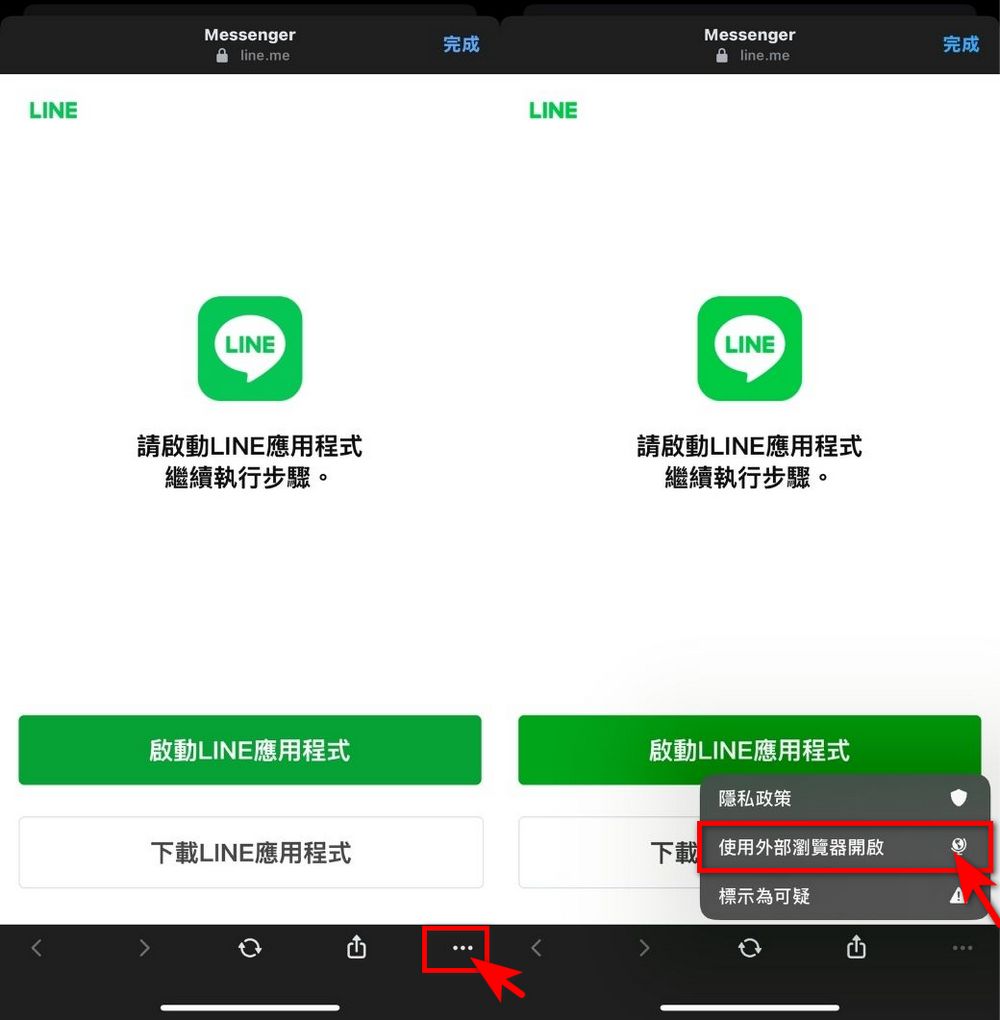
After clicking the link above, you will see the screen below. Click the “…” in the lower-right corner of the screen → Open in external browser, and you will be redirected to LINE.
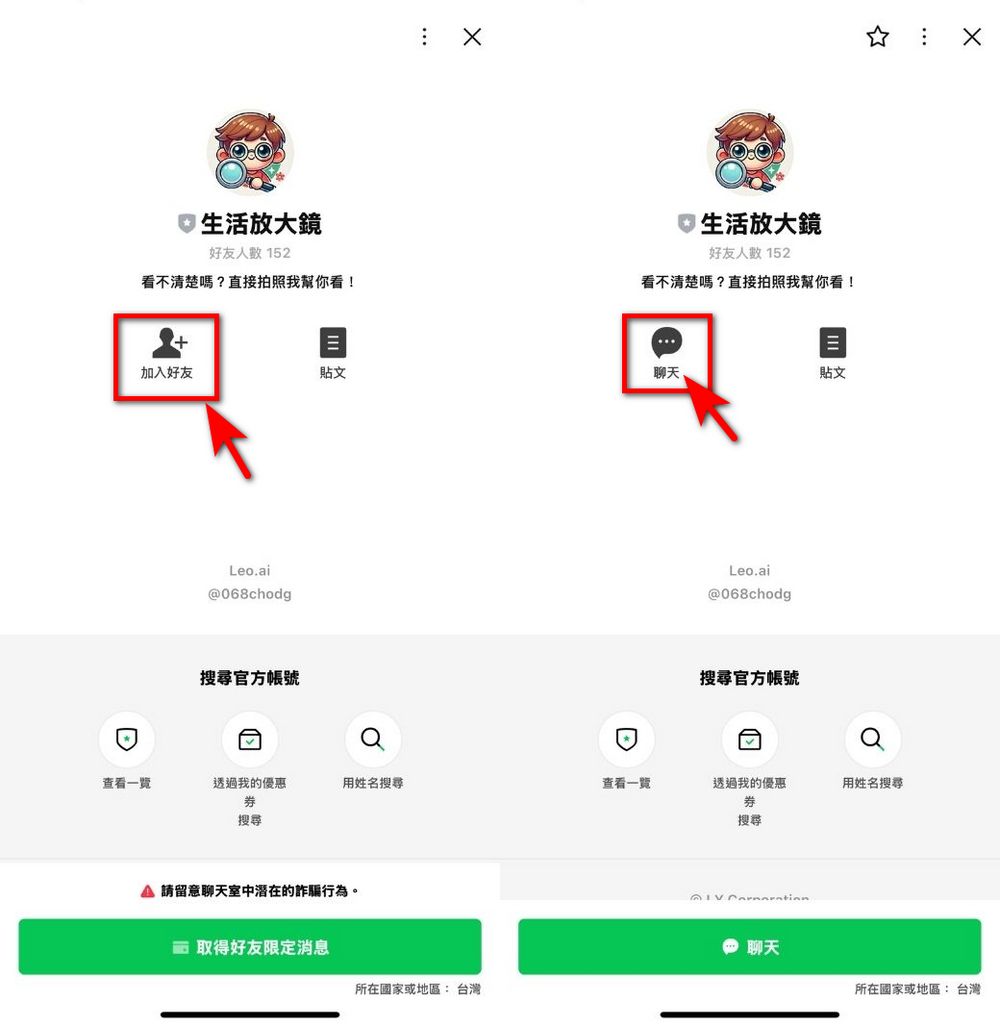
After tapping Forward, click ‘Add Friend’ to become a friend of Life Magnifier, then you can tap Chat to use the AI image recognition feature.
The usage is very simple; you just need to upload an image, and 生活放大鏡 will identify the text content in the image, organize it, and then tell you the outline of the image content. 生活放大鏡 provides text and voice message functions, so the generated content can be presented in both text and voice.
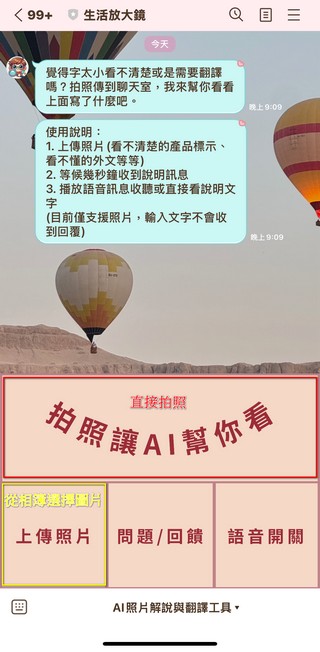
If you want to understand the full text content of the image, you can also click “I want to know the detailed text on the image,” and Life Magnifying Glass will fully translate the text on the image for you.
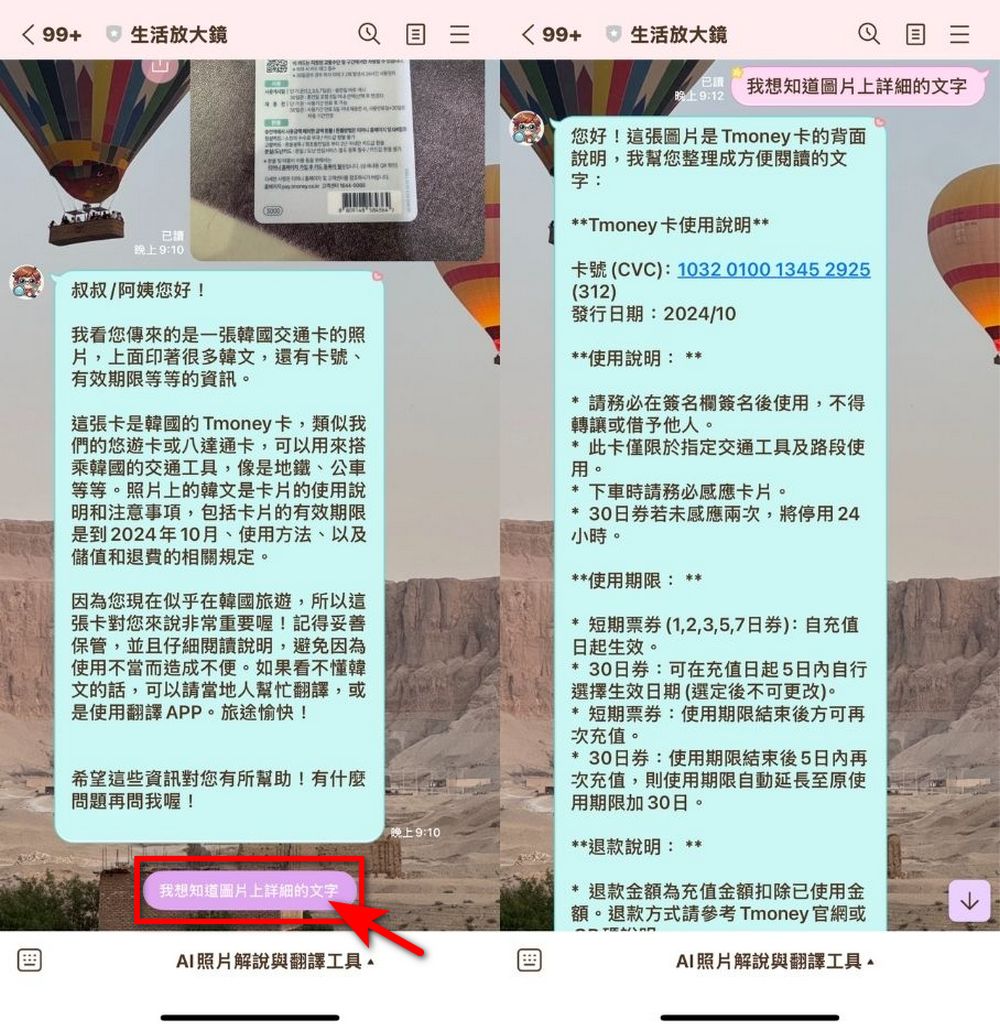
The editor tested it a bit, and the life magnifier effect is quite good. It works in Korean, Japanese, English, and Chinese.
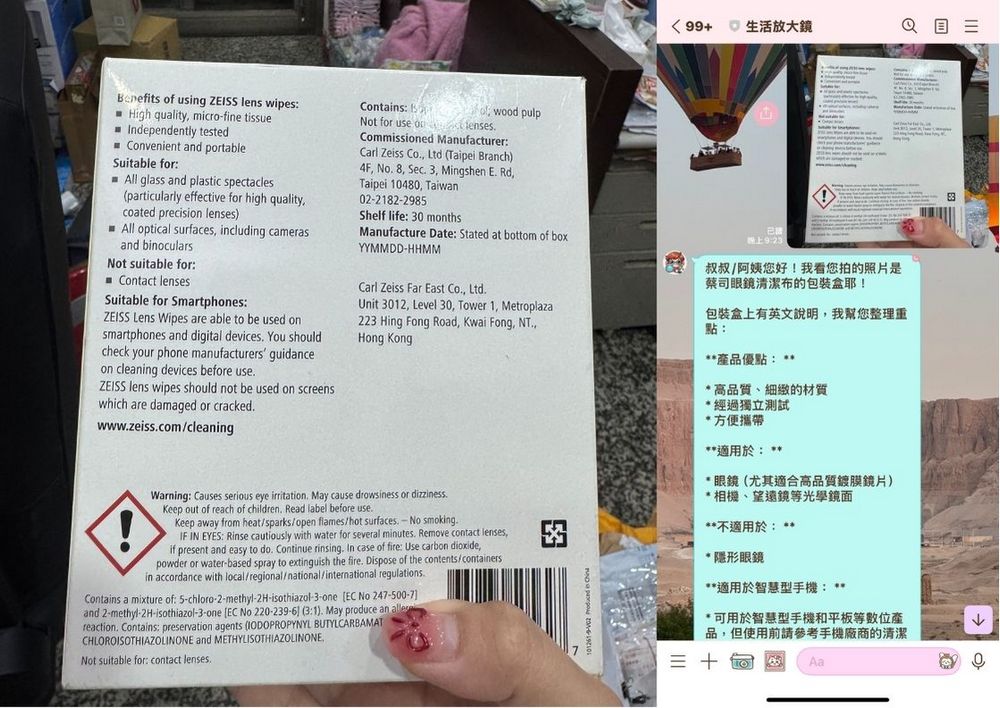
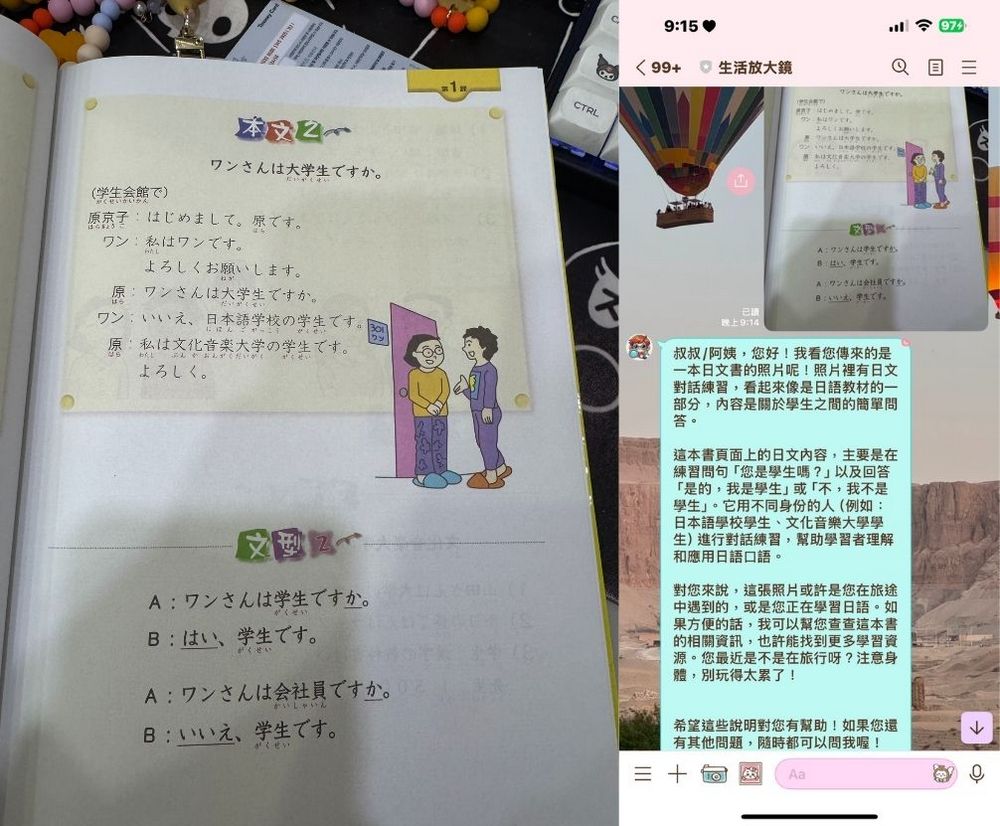
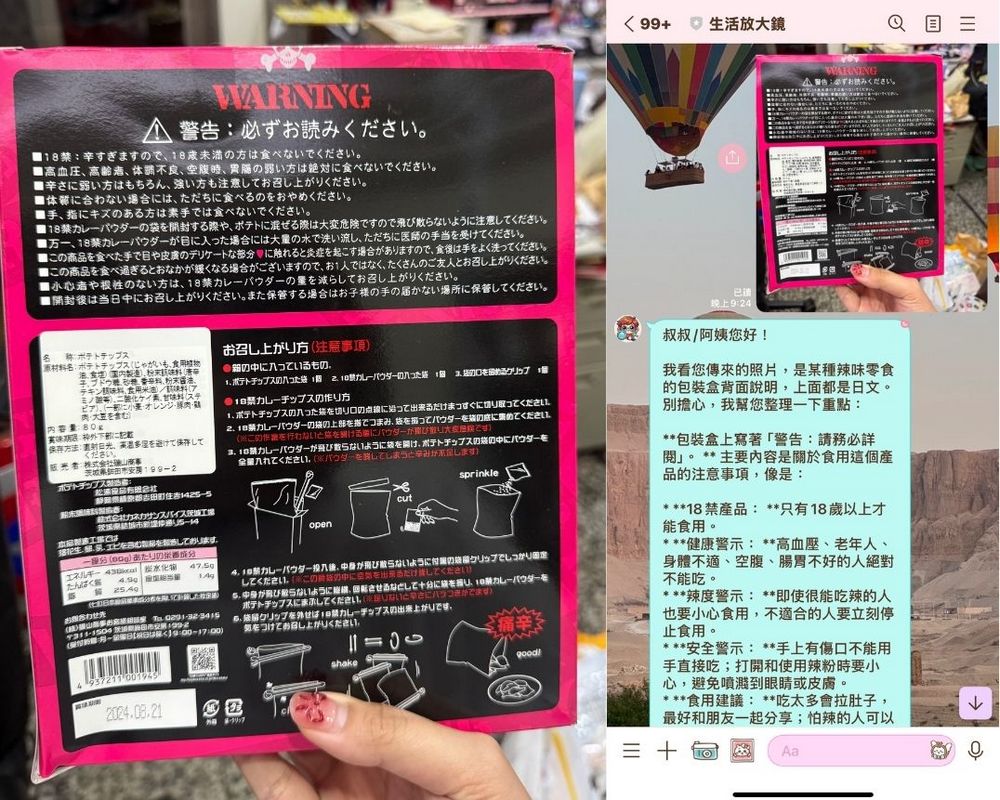
However, sometimes there may still be some discrepancies in image details. For example, when I asked 生活放大鏡 to look at the instructions on Korea’s climate transportation card, it stated the card’s issuance date as the expiration date. Everyone should pay attention to this part. After all, when using AI, there may still occasionally be recognition errors or nonsense. When teaching elderly family members to use it, you can remind them that if they feel something seems off, they can ask you, to avoid problems.

Source: KOCPC Chinese

Tags: aiImage recognitionLine

Recent Posts

  • The Xiaomi Pad 8S Pro has passed network access certification and will debut with the self-developed XRING O3 chip.
  • The entire Google Pixel 11 lineup has been leaked! Official promotional renders of the Pixel 11 Pro XL have also surfaced
  • Are Chinese phone battery capacities falsely labeled? A brief look at the “capacity locking” phenomenon in Chinese silicon-carbon batteries.
  • NCC is leaderless, recklessly sending out national-level alert messages!?
  • What does “QR” in QR Code mean?

Recent Comments

No comments to show.
  • About Us

We welcome partnership inquiries and product review opportunities from smartphone manufacturers, iPhone accessory brands, and app developers.koc kocpc.com.tw|Privacy Policy |Hosting & Maintenance: Fast Line Taiwan, A-Chang Digital Technology

No Result
View All Result
  • Home
  • Tech News
  • AI News
  • Apps & Tutorials
  • Mobile & Telecom
  • Lifestyle
  • About Us

We welcome partnership inquiries and product review opportunities from smartphone manufacturers, iPhone accessory brands, and app developers.koc kocpc.com.tw|Privacy Policy |Hosting & Maintenance: Fast Line Taiwan, A-Chang Digital Technology