


Google CEO Sundar Pichai officially announced on X that Gemini’s new voice features are starting to roll out to Google AI subscribers. Users can now use natural voice conversations to directly search their Gmail inbox, organize notes in Google Keep, and create new Google Docs documents—all without typing. These features, named Gmail Live, Docs Live, and Keep Live, mark the first time Google has deployed the Gemini 3.5 Live native audio engine at scale across its productivity apps.
Three voice features: search, create, and organize, all in one go.
This round of updates includes three independent yet interconnected features, each corresponding to different work scenarios:
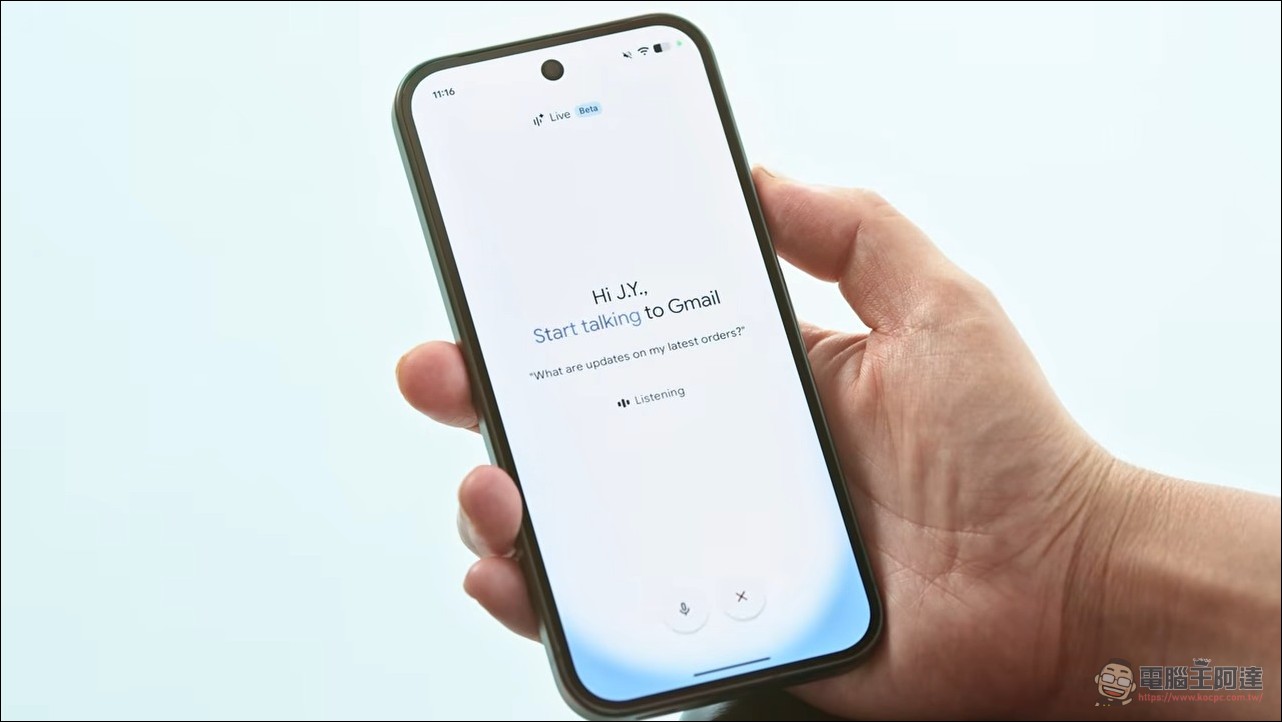
Gmail Live Enable users to query their inbox directly by voice. Ask, “Which gate is my flight?” or “What activities does my child’s school have this week?” Gmail Live will scan emails in the inbox and give the answer right away, without needing to manually enter search keywords or dig through email threads one by one. This is essentially a voice-driven retrieval feature, and on mobile the experience is far better than typing with a keyboard.
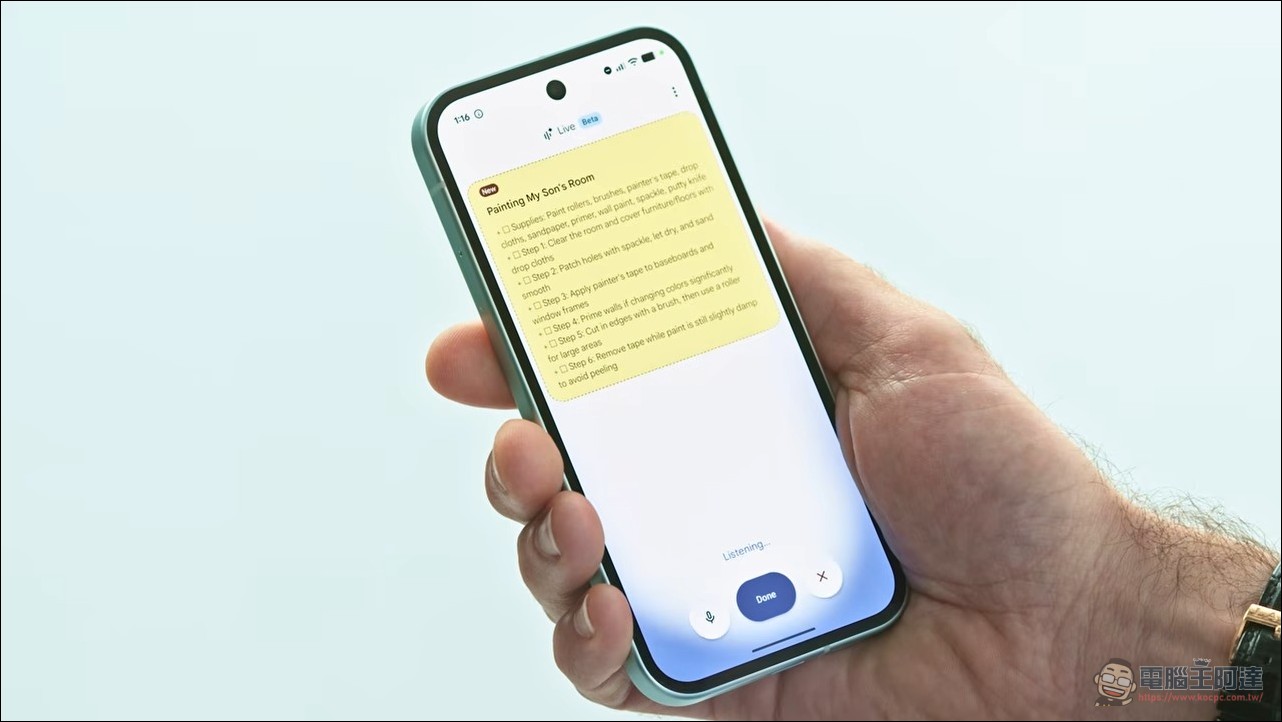
Keep Live It focuses on voice notes and thought organization. Users can continuously speak out to-do items, shopping lists, project ideas, or reminders in natural speech, and Keep Live will automatically parse this continuous voice stream in the background, breaking scattered thoughts into structured notes and lists without the need for manual categorization. This “stream-of-consciousness” style of voice input is especially well-suited for quickly capturing inspiration.
Docs Live Among the three features, this one is the most generative. Users simply speak their thoughts, and Docs Live organizes ideas in real time, builds the document structure, and—with the user’s permission—pulls relevant content from Gmail, Google Drive, and Keep to produce a well-structured document draft. The core of Docs Live lies in the complete flow from an oral brainstorm to a structured document, rather than being a mere speech-to-text tool.
Subscription threshold: Docs Live is 4 times more expensive than Gmail Live.
These three features have different subscription requirements. Gmail Live and Keep Live are available to subscribers of all three tiers: AI Plus ($4.99/month), AI Pro ($19.99), and AI Ultra. Docs Live, however, is limited to AI Pro and Ultra, because it is a generative feature that needs to integrate data across applications and produce entirely new content, requiring far more computing power per interaction than retrieval and curation features. This also makes Docs Live’s actual usage cost roughly four times that of Gmail Live.
Google Workspace enterprise customers will need to wait for a subsequent separate rollout, currently marked as “coming soon.” Enterprise users will need to access these features by adding the Gemini add-on to their existing Workspace subscription.
Market strategy: Prioritize mobile, with voice as the breakthrough in productivity scenarios.
This time Google chose mobile devices as the launch platform, a strategy to first establish a foothold on the medium where voice use cases feel most natural. On phones, voice is a natural primary input method (while walking through an airport, asking aloud for gate information from your inbox is indeed far more convenient than typing). But in desktop environments, the keyboard remains the default input tool for most users. After first previewing these features at Google I/O 2026, Google opted to start with mobile and then gradually expand to desktop. Whether these features can truly make voice a habitual way of interacting at work—rather than an occasional complement to the keyboard—will determine the ultimate success or failure of this product ambition.
In his tweet, Pichai specifically highlighted Docs Live as “extremely useful” and attached a hands-on demo video. From its first preview at Google I/O 2026 to the official rollout, it took about three and a half months. These features have been validated in beta for several months, and this release marks the full rollout to paid subscribers. This also signals that Google’s strategy in the AI voice assistant market has officially expanded from simple Q&A and conversation into core productivity, directly competing with Microsoft Copilot’s voice capabilities. According to Google’s official blog, Gmail Live and Keep Live will roll out gradually this week starting today, while Docs Live is also launching this week, with initial support for English and several other languages, and more languages to follow. In terms of supported devices, the initial rollout focuses on Android phones and iPhones, with desktop versions expected to arrive in a subsequent update. In practice, users need to install the Google app on their mobile device and enable the corresponding extension in Gemini Live mode to start using it—no additional software installation required.
New Gemini voice capabilities are rolling out so you can search your Gmail inbox, organize thoughts and tasks in Keep, and create new Docs, all conversationally. Rolling out now for Google AI subscribers!
Docs Live going to be super helpful in particular – see it in action… pic.twitter.com/huj6RMj8k7
— Sundar Pichai (@sundarpichai) September 3, 2026
The key difference between this batch of voice features and traditional voice input lies in the bidirectional conversation capability. Users can engage in back-and-forth discussions with Gemini: first saying “Help me draft an outline for a Q3 marketing report,” and after Docs Live produces the draft, the user can follow up with “Change the third section to focus more on e-commerce customers,” and Docs Live will modify it in real time based on the context. This collaborative model elevates the role of voice beyond being a mere input tool. In terms of privacy, Google has stated that all voice queries and document generation adhere to existing Workspace data processing standards, and users can manage voice records in their settings. For enterprise customers, IT administrators can centrally control the enablement scope of Gemini’s voice features through the Workspace admin console to ensure compliance with regulatory requirements.
Source: KOCPC Chinese