


The convenience of online shopping allows everyone to buy all kinds of things they need online. Many people will choose convenience stores near their home or work to pick up packages. However, when people choose to pick up goods from supermarkets, they often encounter a large number of packages from supermarkets, which causes hard-working clerks to spend a lot of time looking for packages. Recently, FamilyMart App has become even more powerful! The “FamilyMart Pickup” function is now launched. When the package is delivered to the designated FamilyMart store, consumers can make an appointment to pick up the package from the App first, and go to pick it up during the designated time period to reduce the time waiting for the package!
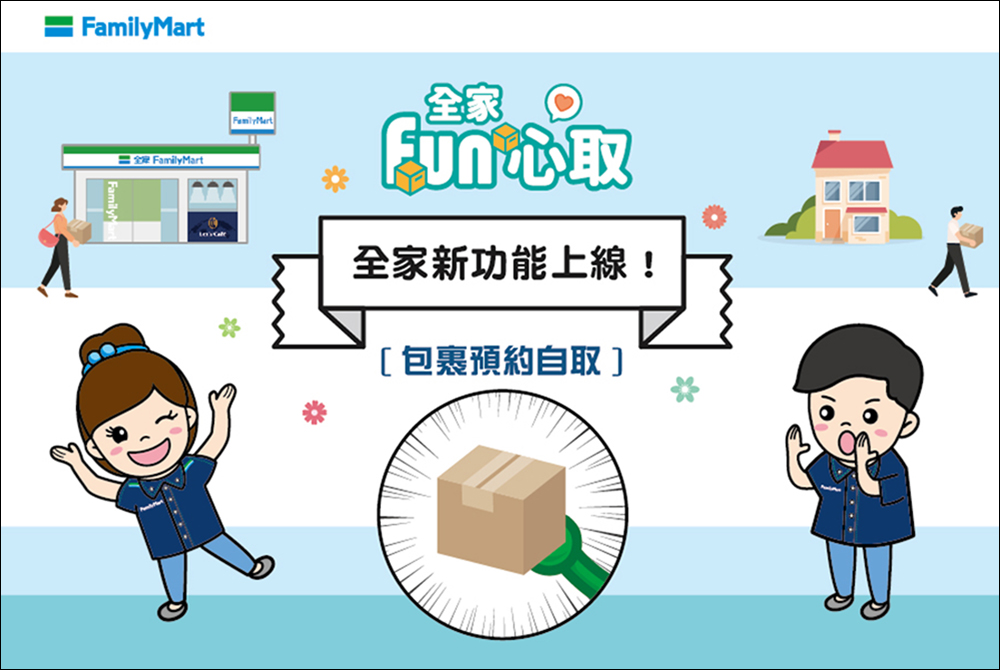
FamilyMart launches the “FamilyMart Pickup” service, making it easy to reserve packages for self-pickup via mobile phone
For those who live in apartments where it is inconvenient to receive packages, or who live in Tuotian homes where no one can usually pick up packages at home, consumers choose convenience stores that are convenient for their living areas and are open 24 hours a day and can be picked up at any time. After many consumers order goods through online shopping e-commerce platforms such as Momo Shopping and Shopee, many choose to pick up the goods at FamilyMart stores. Picking up goods at convenience stores is relatively convenient for most people. Whether students or office workers, they have more flexibility and can choose to pick up packages at a time that is convenient for them.
However, when you go to a supermarket to pick up a package after get off work or get out of class, you often encounter a large number of other customers waiting to check out. At the same time, the store staff also needs to help consumers find online shopping packages, which often wastes a lot of time just to pick up a package. To solve this problem, if you also go to FamilyMart convenience stores to pick up packages during peak hours, you may wish to consider the recently launched new service – “FamilyMart Fun Pickup”.
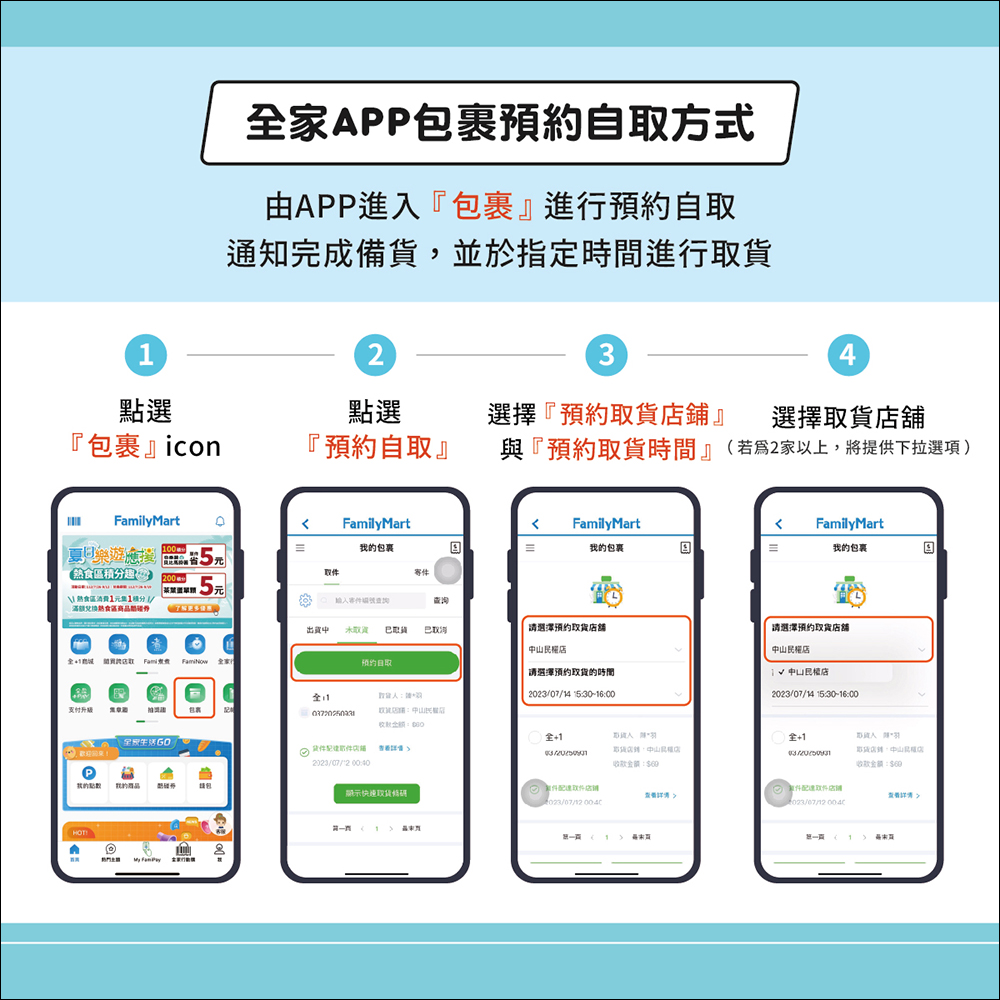
So, how do you use this new service? First, open the FamilyMart App and select the “Package” icon on the home screen, and then select “Reservation for Self-Pickup”. Then select the pickup store and pickup time on the screen, and then select the pickup store. If there are more than 2 FamilyMart stores, you can choose from the drop-down menu on the FamilyMart App.
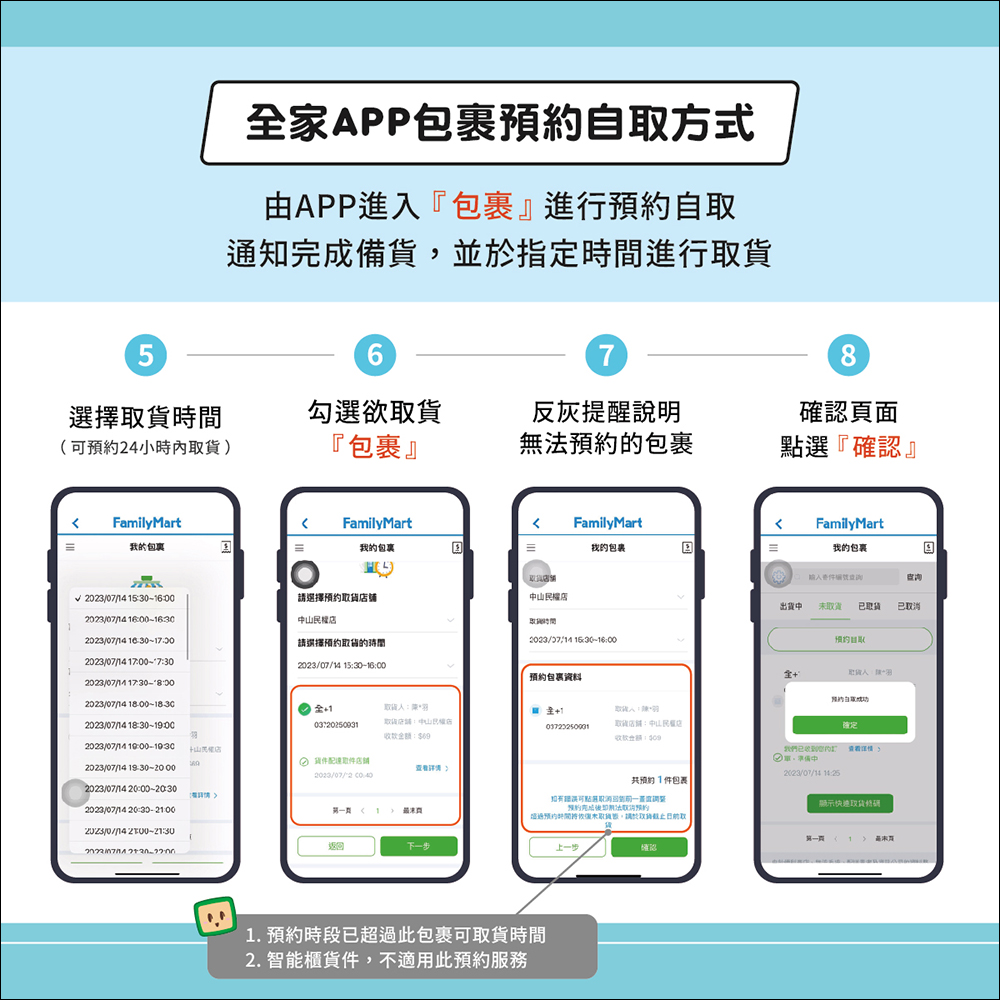
Next, consumers can choose the pick-up time, and they can make an appointment to pick up the goods within up to 24 hours, so you can make an appointment on the way to work and stop by to pick up the package before returning home from get off work! After selecting the pickup time, check the package you want to pick up. If you encounter a package that cannot be reserved for pickup, a gray reminder will appear and a description will be provided in the App. Finally, click “Confirm” on the confirmation page to complete the package reservation for self-pickup.
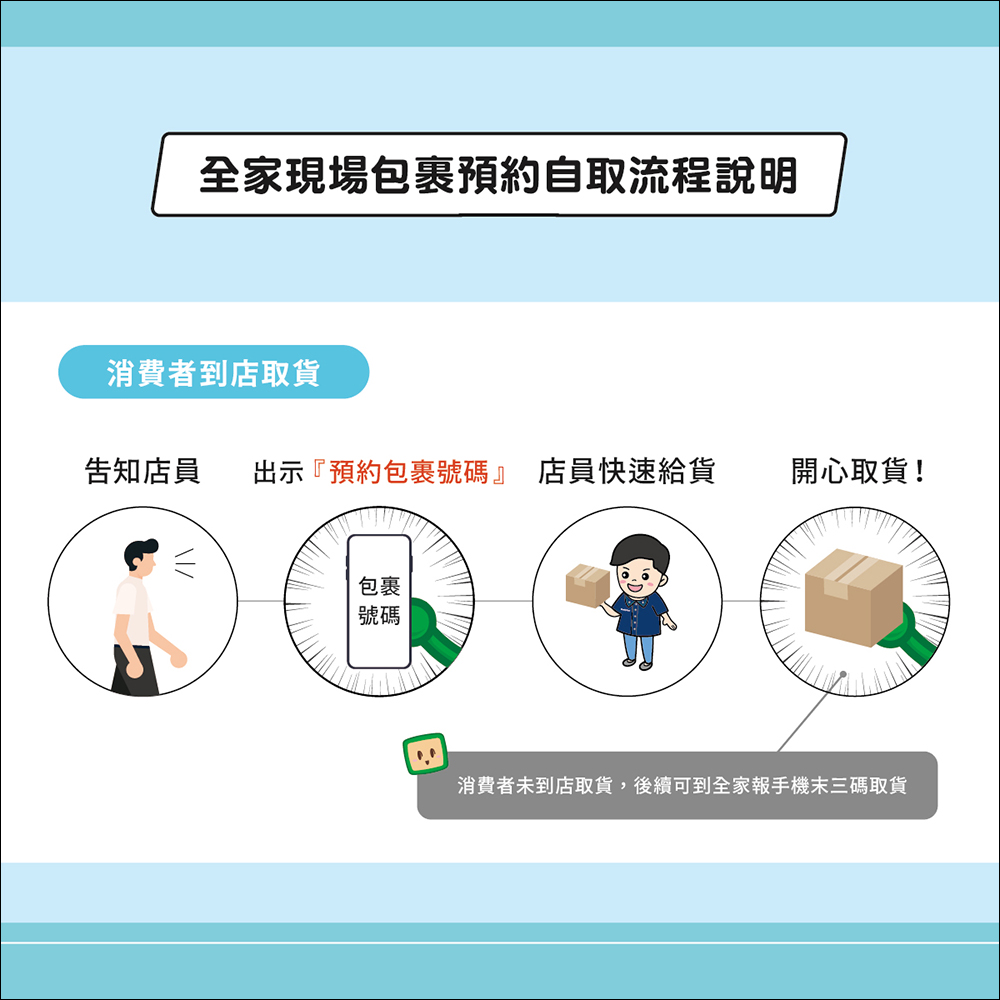
When consumers have made an appointment for package pickup on the FamilyMart App, they only need to go to the FamilyMart store during the scheduled pickup period, tell the clerk that they want to pick up the goods and show the “reservation package number”, then the clerk can quickly find your package from the prepared packages! In this way, it will speed up the time for everyone to pick up the goods at the supermarket, and it will also save time for store clerks and other consumers. Everyone will be happy!
Source: KOCPC Chinese