


In the latest LINE 12.10.0 update, a total of 4 new functions have been added: “Mobile account with mobile barcode”, optimization of pinning service, optimization of graffiti function for sharing screen, and “blocking reported users from rejoining” added to the LINE community. Among them, the “blocking reported users from rejoining” function allows community administrators to blacklist these harassing accounts that come and go, making it easier for administrators to manage chat rooms more effectively.
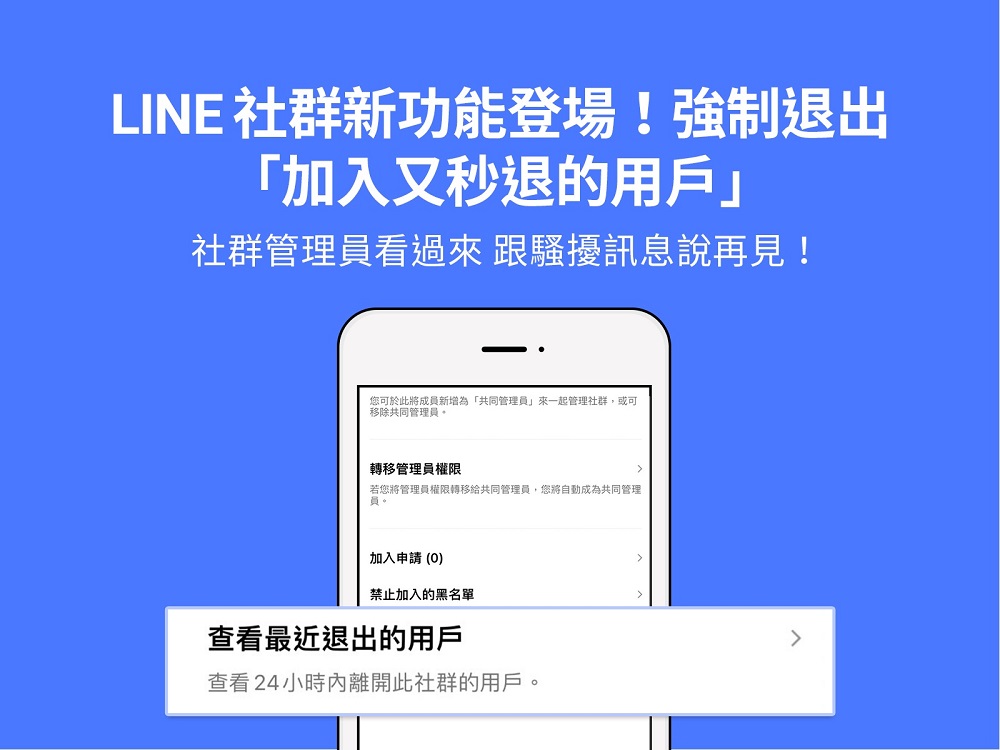
LINE’s new community function can force you to exit “users who join a community and then quickly leave” and add them to the blacklist
The LINE community is a function officially launched on June 23, 2020. The LINE community can cover various topics such as food, pets, video games, fashion, and sharing the lunch we had today, so that “people with common interests or topics” can communicate. In each community, you can set up an exclusive personal profile (nickname and photo), and the maximum number of people can be up to 5,000 people. There is also an administrator mechanism, which can be used for various purposes such as sharing information in professional fields, temporary use during events, etc.
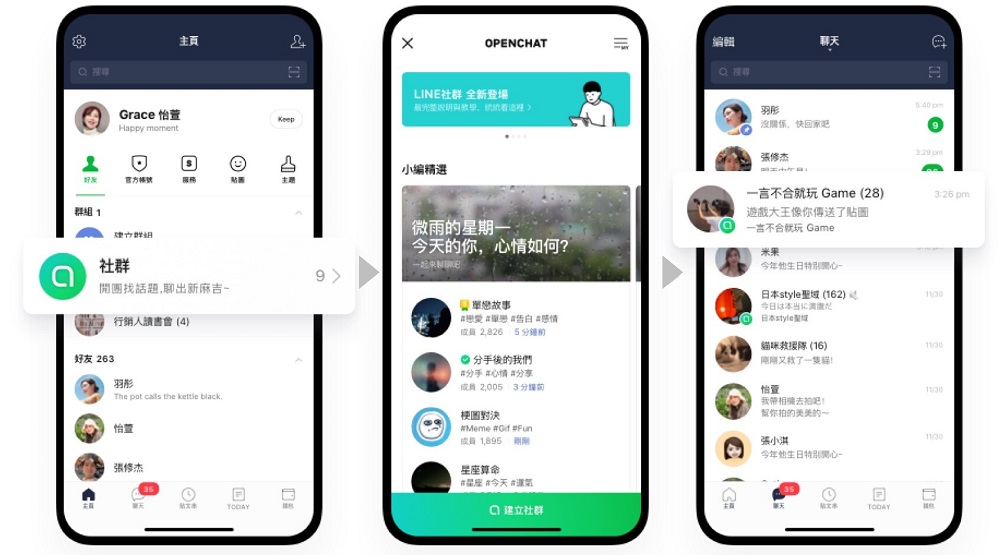
However, with the widespread use of LINE communities, although there are administrators to ensure that the discussion content conforms to the originally established topics, it is also common for uninvited guests to interrupt and share irrelevant advertising content to ruin the interest of the chat. In this regard, LINE has also added a forced exit function of “joining the community and leaving the user quickly” for the LINE community. By “viewing recently exited users” from the management member, you can “force exit”, or select people from the social chat room and directly add them to the blacklist, so that you can avoid harassing accounts and then joining the chat room.
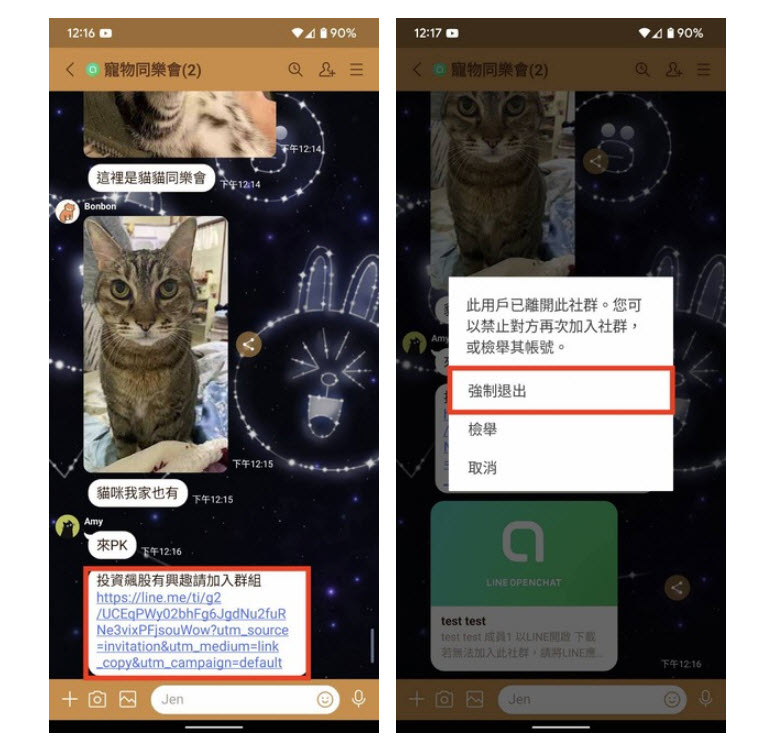
Now if you want to prevent harassing accounts from joining the group, there are two methods available. One is to “select objects from the social chat room and add them directly to the blacklist.” When an account leaves the chat room after leaving a harassing message, the “administrator” or “co-administrator” can click on his avatar to handle it through the “force exit” option.
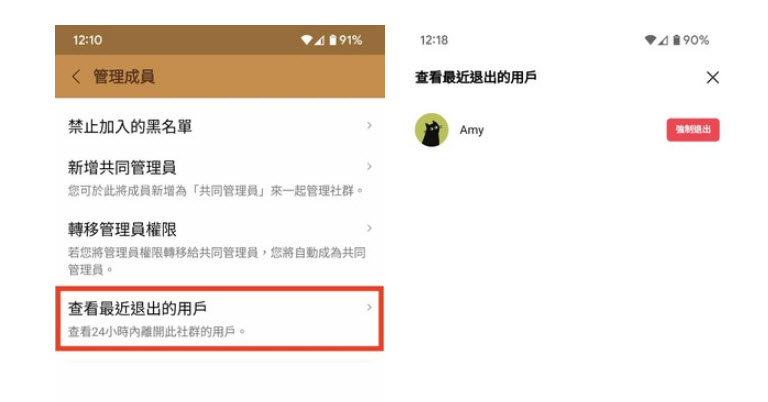
The other is to set it from “View recently exited users” in the management members. Click Settings >> Other Settings >> Manage members >> View recently exited users in the upper right corner of the social chat room to confirm who has joined and exited in a flash, and then “force exit” for the specified user.
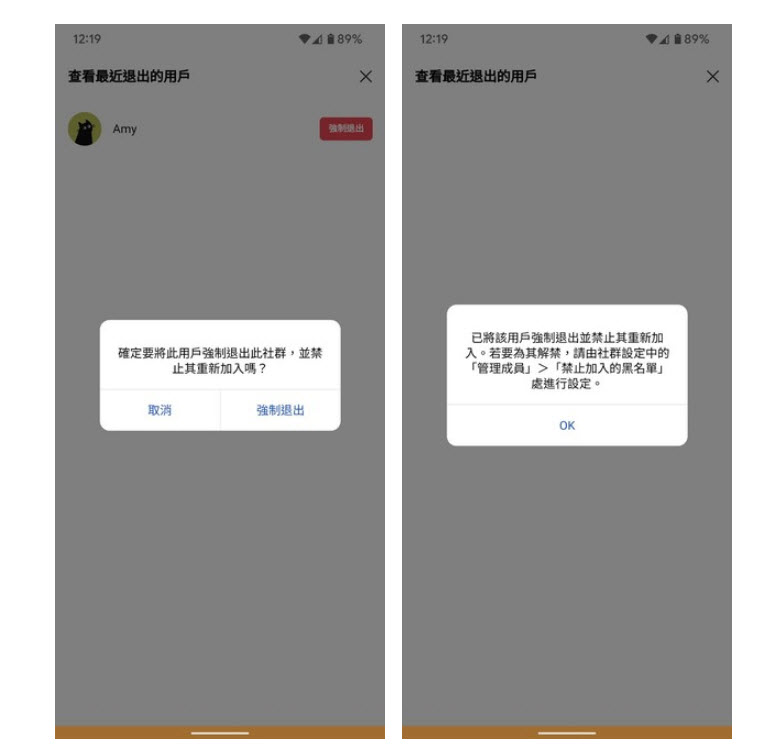
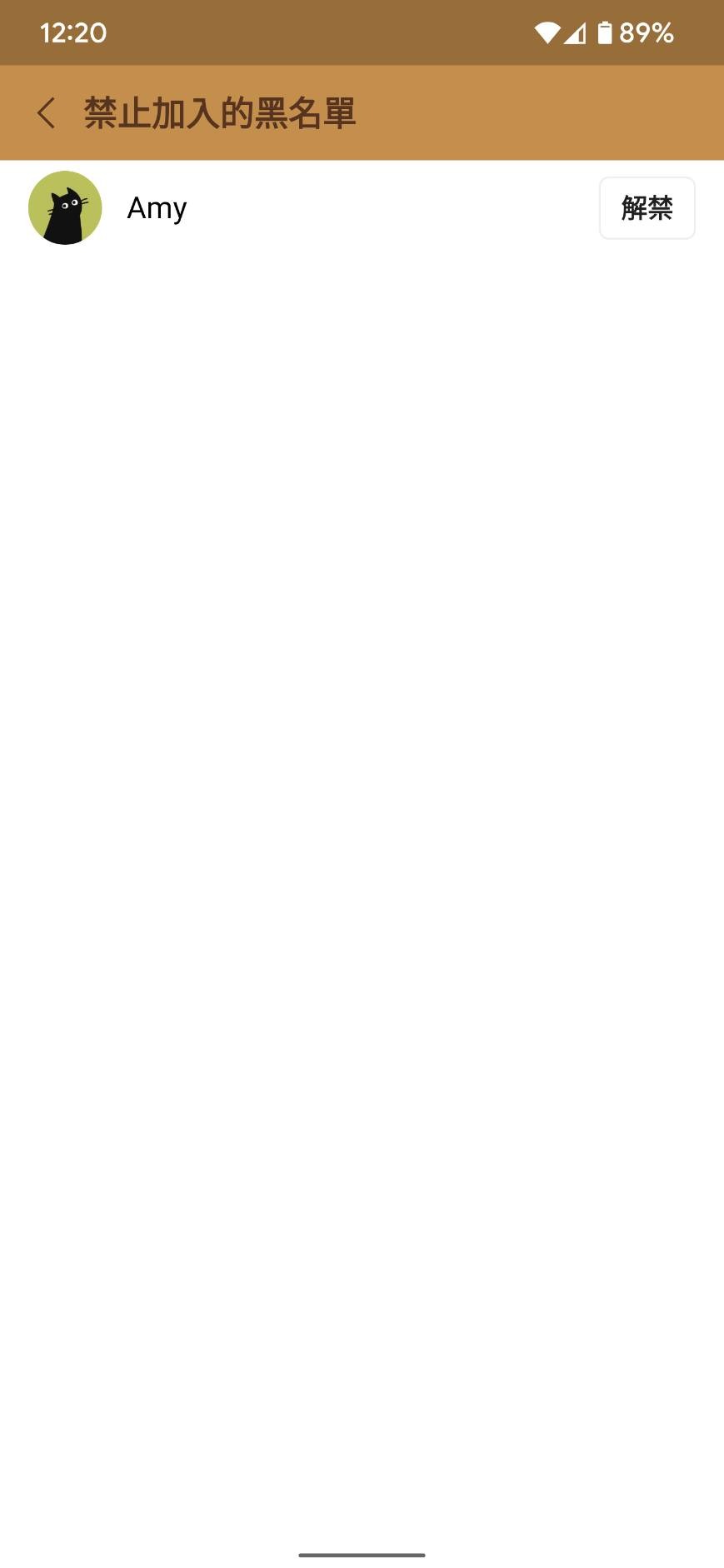
If you want to unblock the blacklist, the administrator can check the “Prohibited Blacklist” in the management members and click “Unblock” to unblock. It should be noted that if the administrator wants to unblock, he must unblock all the nicknames that have been blocked on this account to completely unblock the account.
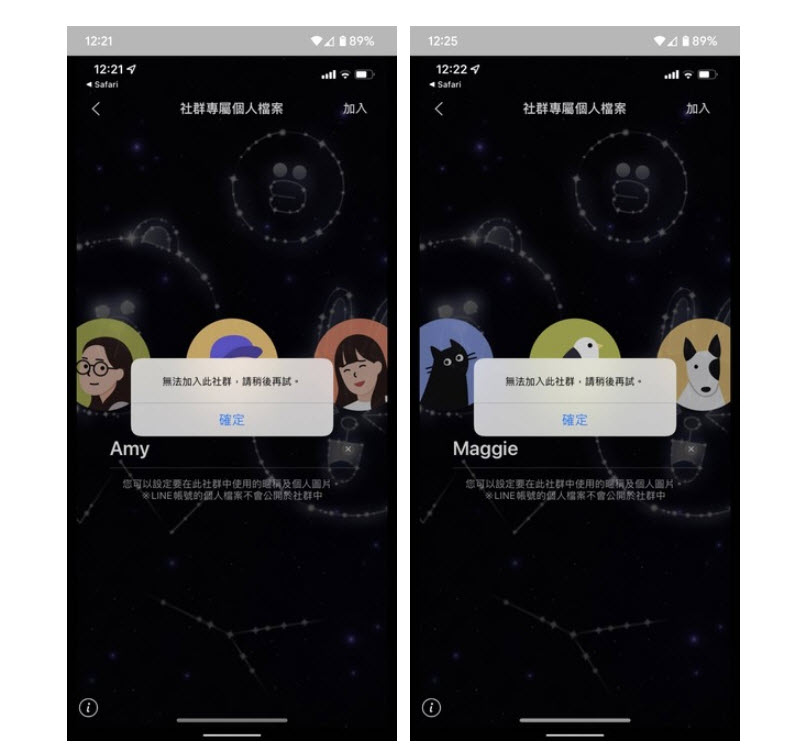
Harassing accounts or spam messages have always been a problem encountered by various social software or functions. The latest update of LINE community provides administrators with a more convenient way to prevent harassing accounts from interfering with operations. People who use LINE community may wish to pay attention to these management tips.
Source: KOCPC Chinese