


In the early morning of today (14th), Apple finally officially pushed the update to the official version of iOS 15.2! This update is considered to be the most significant version update so far for iOS 15. It includes updates such as the Apple Music voice control solution, the macro function control of iPhone 13 Pro / iPhone 13 Pro Max, etc. It also corrects the overexposure of ProRAW photos when viewing ProRAW photos on third-party photo editing apps on iPhone. There are as many as 15 new features, large and small, and about 6 bug fixes.
▲Picture source:9to5Mac
iOS 15.2 update officially launched: supports Apple Music voice control solution, iPhone 13 Pro / 13 Pro Max adds “macro” button and many other updates
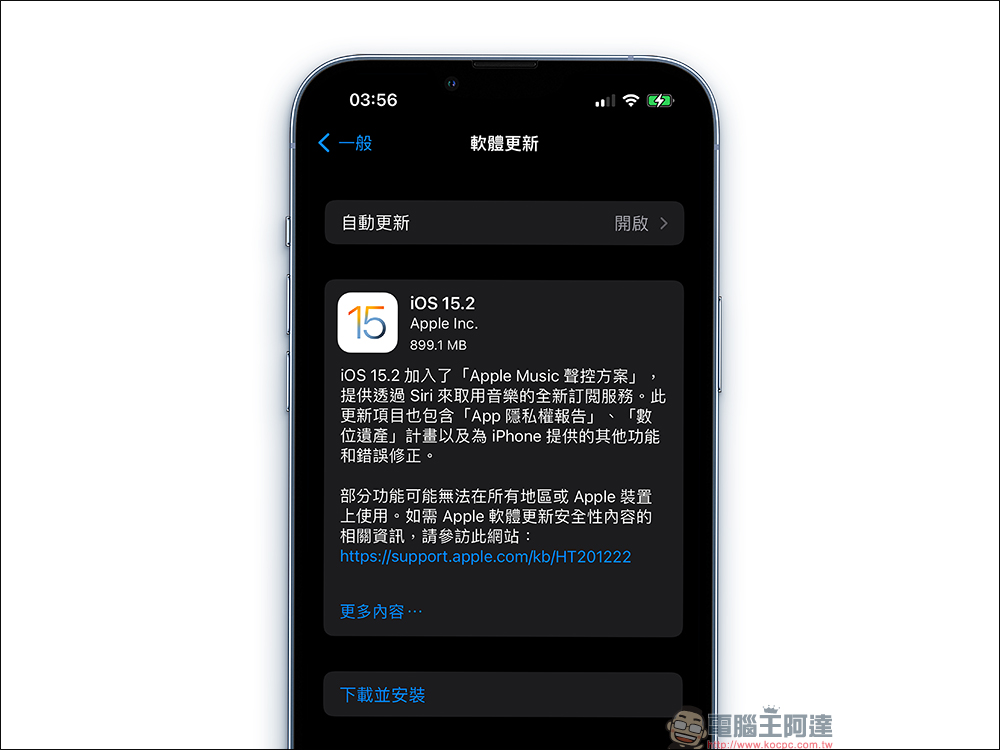
The iOS 15.2 system update released early this morning is considered to be the largest system update in recent times. The update file is approximately 899.1MB. Since there are quite a lot of updates, here is a brief list of 6 new features worth upgrading to iOS 15.2.
1. The camera has a new “Macro” button, which can manually turn off the macro shooting mode
The macro photo control button can be enabled in the “Settings” of iPhone 13 Pro and iPhone 13 Pro Max, allowing users to switch to the ultra-wide-angle lens to take macro photos and videos when shooting. After adding this function, it can solve the previous problem of screen flickering caused by users automatically detecting and switching to macro mode when taking pictures.
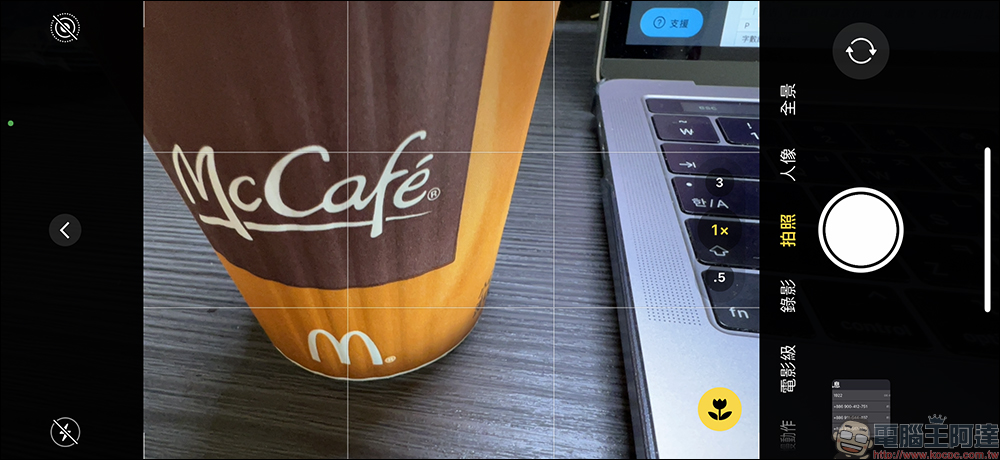
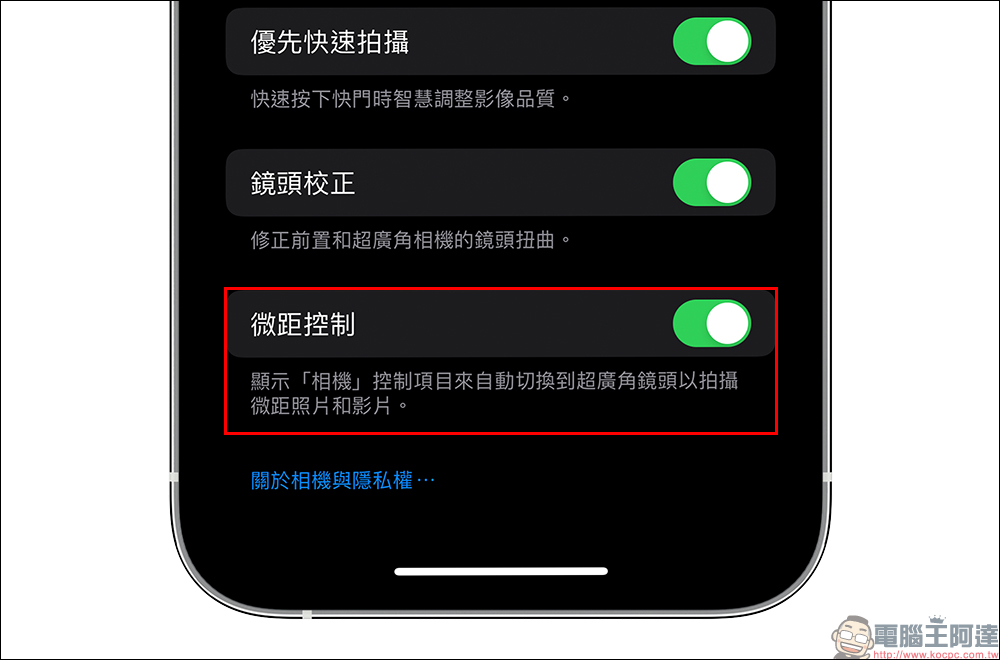
To turn on the “Macro Control” function, just go to the system “Settings” > “Camera” and turn on the “Macro Control” function. After turning it on, when the screen detects that the screen is too close, a macro button with a “little flower” icon will appear. At this time, the user can decide whether to turn off the macro function.
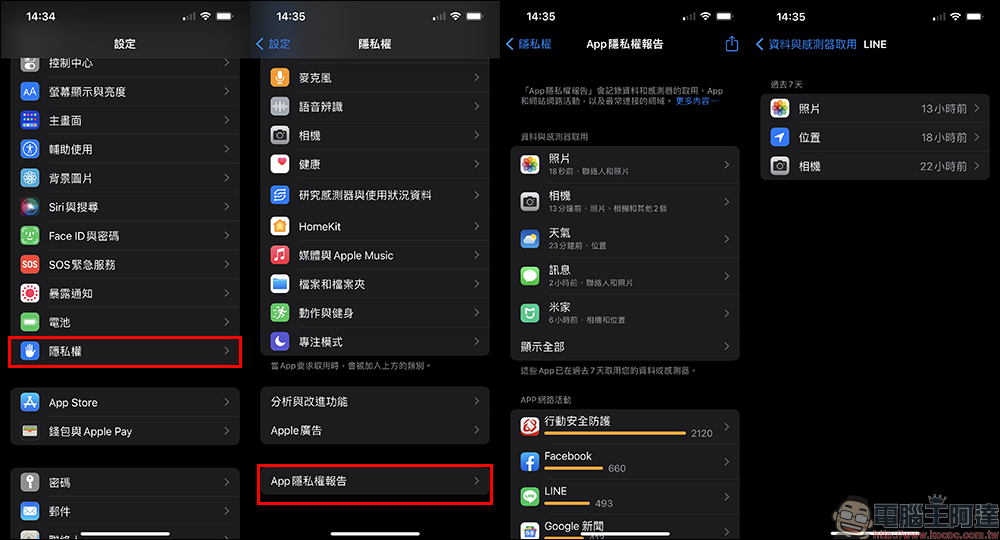
2. Independent and complete App privacy report
After the iOS 15.2 update, users can view various privacy-designed activities performed by the App in the past 7 days, including the frequency of location, photos, cameras, microphones, contacts and other items, as well as their network activities. It also allows privacy-conscious users to take the time to check whether a specific app is secretly using confidential information behind the scenes.
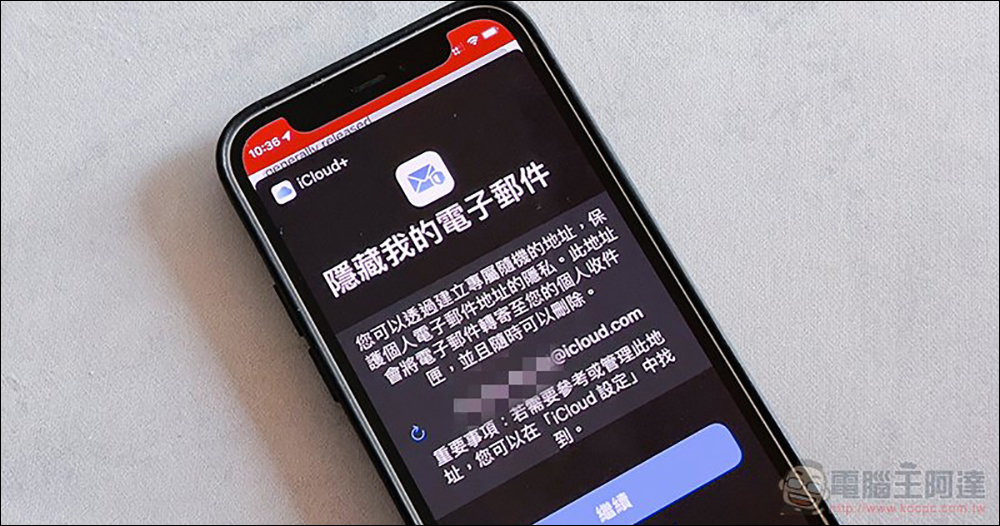
3. Hide sender Email
To prevent strangers from easily seeing their original email address, iCloud+ subscribers can now use Hide My Email in the Mail app to create a unique, randomized email address. (Further reading:An end to annoying spam! How to use “Hide My Email” in iOS 15, this article will teach you!)
4. iPhone parts and repair records
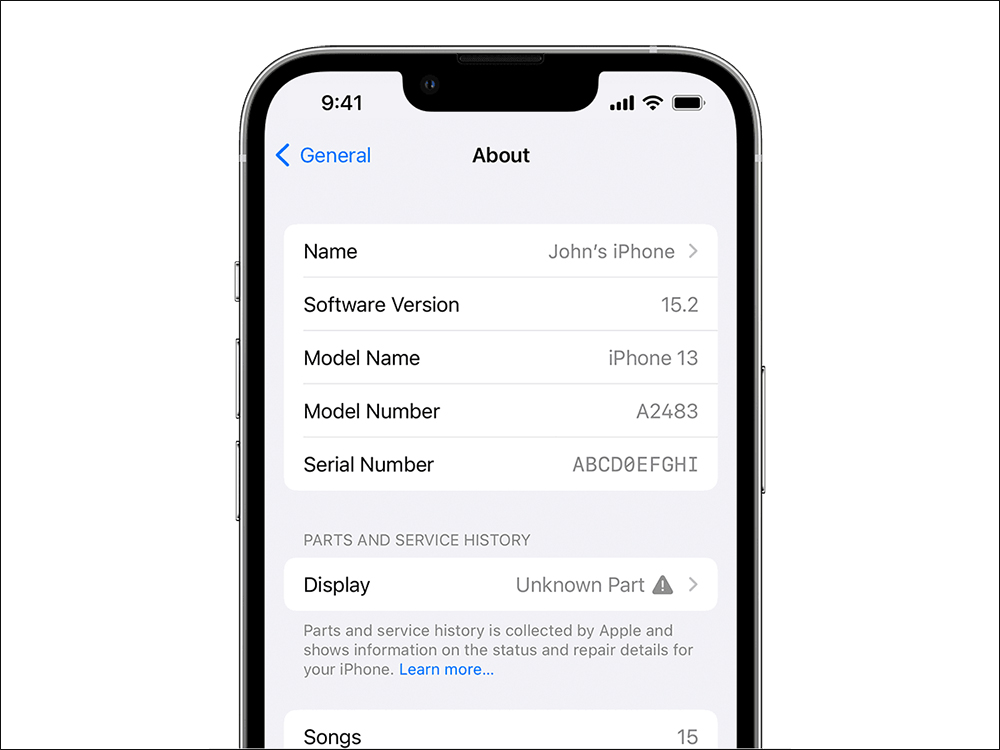
The latest iOS 15.2 version also adds parts and repair record functions, allowing users to directly view all repair records of the phone on the iPhone, including information such as whether the replacement parts are original. If parts have been replaced, you can view “Parts and Maintenance Records” in “About This Machine”. If the replacement part is not original, “Unknown Part” will be displayed.
▲Picture source:Apple
5. The “Find” function can find suspicious objects around you
After the iOS 15.2 update, users can use the “Find” app to detect suspicious items that may be tracking us. If there are other accessories such as AirPods Pro or AirTag that are not your own, iOS 15.2 will also pop up a notification in time. Users can also use “accurate search” or Bluetooth to find the location of the item and close it. This function is also very useful for self-defense. If it is updated by suspicious items, it will be easier to detect.
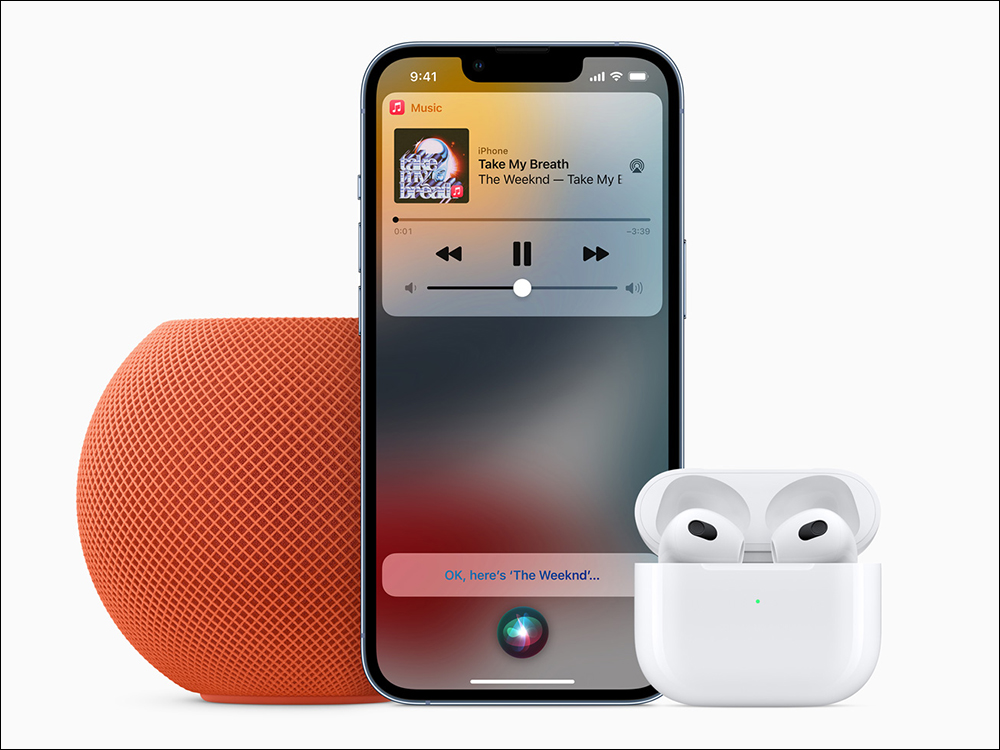
6. Apple Music voice control solution
The iOS 15.2 update also simultaneously launched the “Apple Music Voice Control Plan”, a new subscription service, which allows users to use Siri to voice-controlled playback of songs, playlists, and radio stations in Apple Music.
▲Picture source:Apple
More iOS 15.2 updates
Apple ID:
Digital Estate lets you designate others as “Legacy Contacts” who can access your iCloud account and personal information after you pass away
TV App:
The Store tab lets you browse, buy, and rent movies in one place
CarPlay:
Apple Maps provides enhanced city maps for supported cities, including detailed information such as turn lanes, center lanes, bike lanes, and pedestrian crossings
This release also includes the following iPhone enhancements:
- Find can locate iPhone for up to five hours when it is in Power Save Mode
- Stocks lets you view a stock’s currency and see year-to-date performance when viewing a chart
- Reminders and Notes now let you delete or rename labels
This release also contains iPhone bugfixes:
- Siri may not respond when performing VoiceOver and iPhone is locked
- ProRAW photos may appear overexposed when viewed on third-party photo editing apps
- HomeKit scenarios that include a garage door may not be executed from CarPlay when iPhone is locked
- CarPlay may not be able to update the “Playing” information for some apps
- Video streaming app may not load content on iPhone 13 models
- Microsoft Exchange users’ Calendar schedules may appear on the wrong dates
- Some features may not be available in all regions or on Apple devices. For information about the security content of Apple software updates, please visit this website:
https://support.apple.com/kb/HT201222
Source: KOCPC Chinese