


LINE has become an indispensable social and office software for everyone in Taiwan, but it is inevitable to encounter glitches such as a blank screen or the inability to display pictures properly. LINE officials also provide several basic troubleshooting methods. If you encounter usage problems, you can try to solve them yourself first.
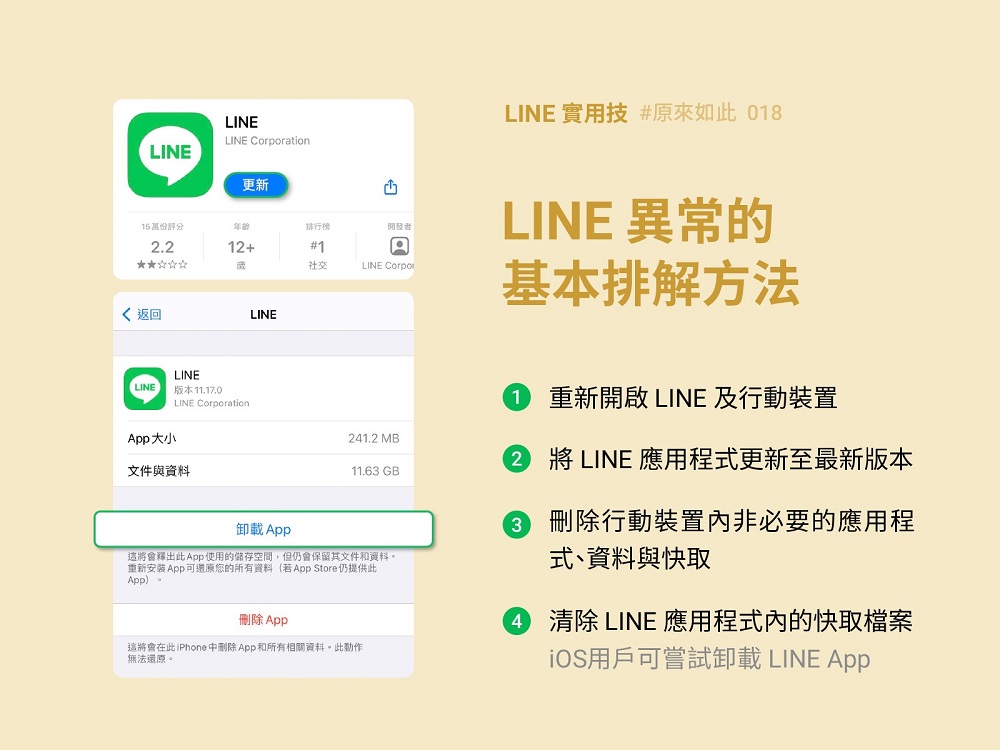
Officially released basic troubleshooting methods for LINE screen to be blank or unable to display images properly
First of all, for the situation that “LINE is stuck and not smooth to use, and the screen stays for a long time without moving”, LINE provides two methods. One is to “end all the applications in use and restart LINE and the mobile device.” That is, first try closing all the applications in use and reopening LINE. If there is no improvement, it is recommended to restart the mobile device, such as a mobile phone, tablet, etc., which is the concept of restarting; or go to the App Store / Google store to update to the latest version of LINE.
And if “there is a problem such as a network connection error or the inability to display pictures properly,” LINE officials also provide two methods. One is to delete unnecessary applications, data and cache files in the mobile device. This problem may occur because the mobile device has insufficient capacity, so you can re-examine and delete unnecessary data to free up more space.
The second is to clear the cache files in the LINE application. iOS users can go to “Settings” (small gear icon) > Chat > Delete data > Cache data in the upper right corner of the LINE homepage to delete the cache with one click. After deleting the cache, text messages in the chat room, LINE notes, photo albums and Keep content will not be affected and will still be retained; Android users can go to the settings in LINE to “delete files in the chat room” or go to the “Settings” on the phone to “clear the cache.”
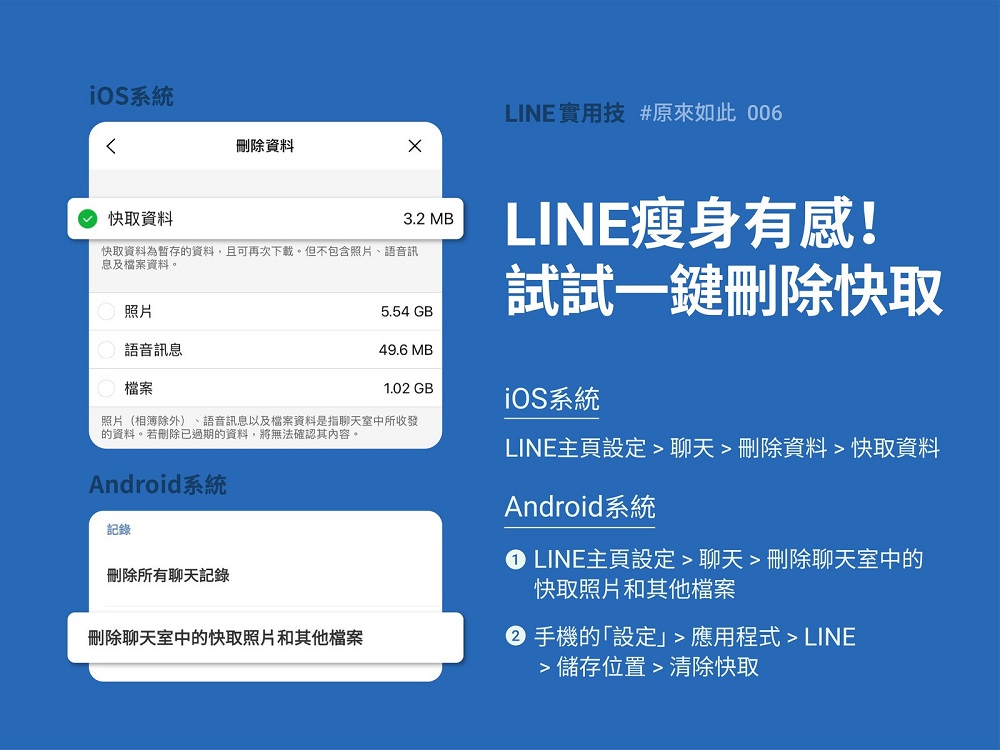
If Android users encounter abnormalities when using LINE, they can also try to update Android System WebView to the latest version in the Google Store. If they still encounter problems after updating to the latest version, it is recommended to update the Chrome browser version as well.

It may be inevitable to encounter difficulties or failures when using the software. If LINE users encounter a blank screen or the inability to display pictures properly, they can refer to the official recommendations for basic troubleshooting.
Picture source:[I see] LINE practical skills: Try LINE’s basic troubleshooting methods to make the operation more smooth!
Source: KOCPC Chinese