

• About Us
King of Computer Media
  • Home
  • Tech News
  • AI News
  • Apps & Tutorials
  • Mobile & Telecom
  • Lifestyle
  • About Us
No Result
View All Result
  • Home
  • Tech News
  • AI News
  • Apps & Tutorials
  • Mobile & Telecom
  • Lifestyle
  • About Us
No Result
View All Result
King of Computer Media
No Result
View All Result

Home - Internet and software applications - Teach you how to make a Windows 11 USB bootable disk without TPM requirements. You don’t need to modify it anymore, and it can be easily installed on old computers.

Teach you how to make a Windows 11 USB bootable disk without TPM requirements. You don’t need to modify it anymore, and it can be easily installed on old computers.

Rocky by Rocky
October 12, 2021 - Updated on August 4, 2026
in Internet and software applications

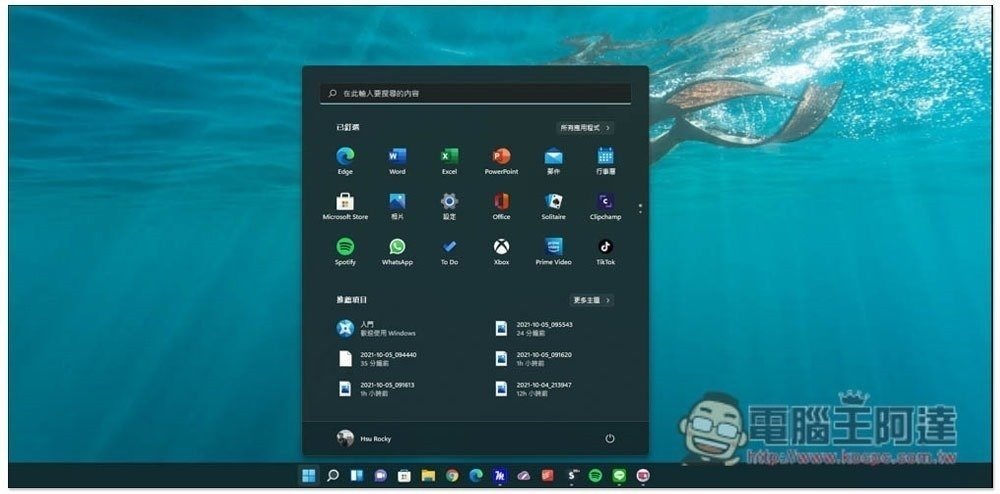
With the launch of Windows 11, many people will definitely want to install it on their old computers. Although there were ways to remove TPM 2.0 restrictions in the past, it required modifications, which was very troublesome, especially for people who are not familiar with computers. This article will teach you a super simple method to directly make a Windows 11 bootable disk without TPM requirements. It is no longer difficult for old computers to install Windows 11.
1633661247-f4c7babfff216631b778b083bf278c3f

How to create a Windows 11 USB bootable disk without TPM requirements

The following tutorial will teach you how to use a Windows 11 boot disk without TPM requirements. You need to prepare three things:

  • USB flash drive at least 8GB
  • Download the Windows 11 ISO file from Microsoft’s official website
  • Download Rufus latest 3.16 BETA2 version

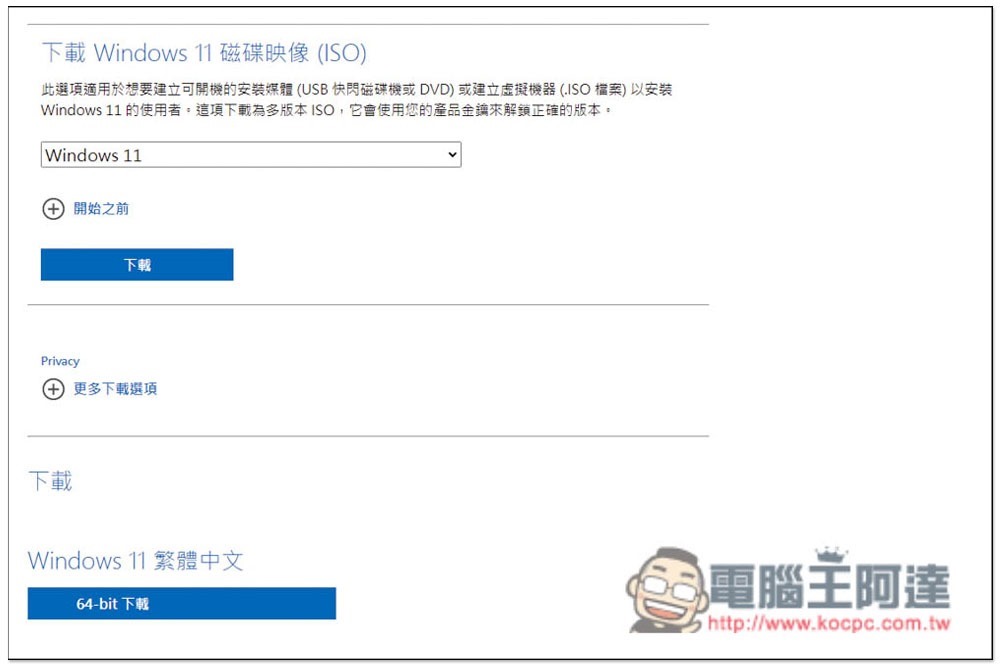
Click here to go to Microsoft Windows 11 official website, scroll down the page and you will find the option to download the Windows 11 ISO file. It is only 64-bit. The language depends on which one you use. I chose Traditional Chinese:
2021-10-12_155703

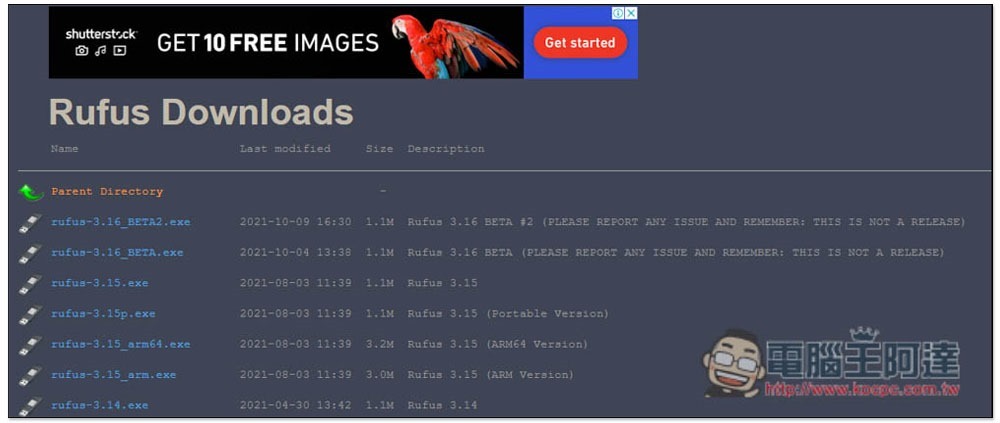
Then download the Rufus Beta version. The official website only has the official version 3.15, so you need to enter the Rufus GitHub page, to find the 3.16 Beta version, please download “rufus-3.16_BETA2.exe”. It is speculated that the official version of 3.16 should be launched soon. If you are not in a hurry and are worried about the unstable version, you can also wait and see:
2021-10-12_164218


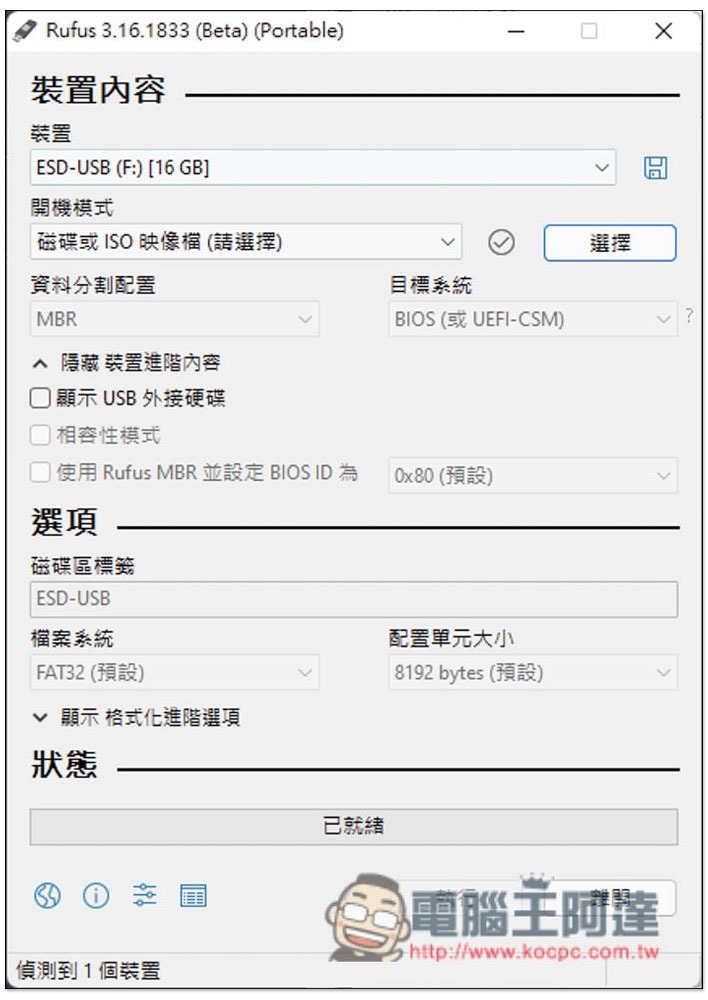
After all three things are ready, open the Rufus 3.16 Beta version (no installation required), click “Select” on the right side of the boot mode (the boot mode is disk or ISO image file), and read in the Windows 11 ISO file you just downloaded:
2021-10-12_164229

As shown in the figure below, then open the menu of image file options:
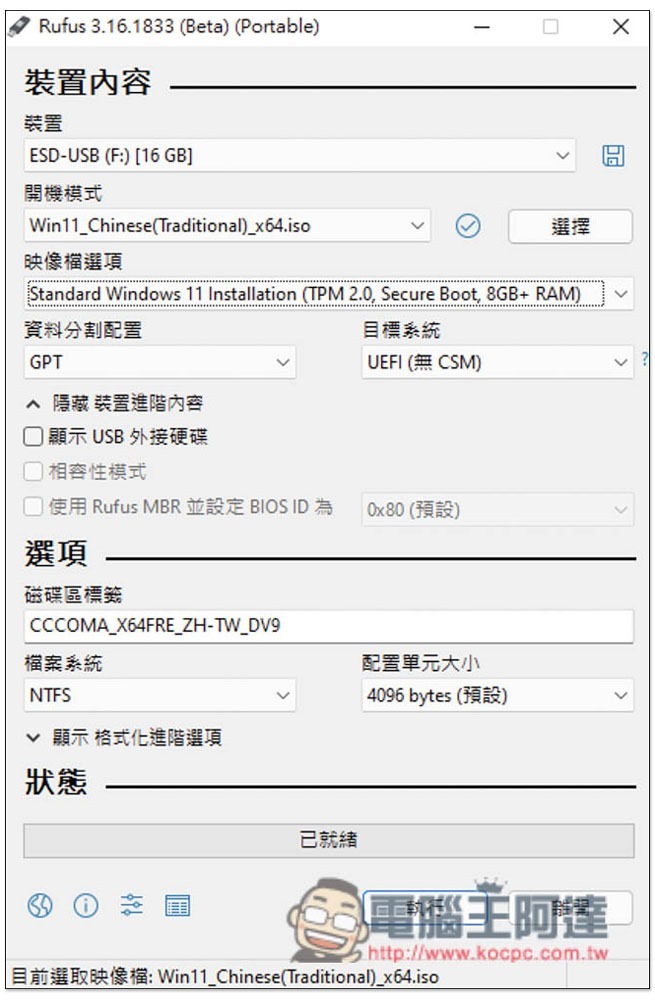
2021-10-12_164242

The second “Extended Windows 11 Installation (no TPM/ no Secure Boot/ 8GB- RAM” is the version without TPM restrictions:
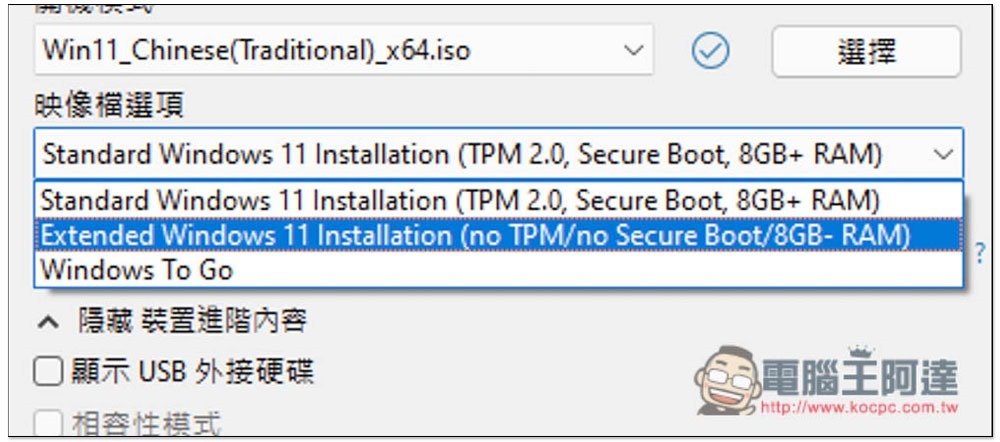
2021-10-12_165318

It depends on whether you want to modify the USB name. Basically, no other adjustments are needed. Then press the following to execute:
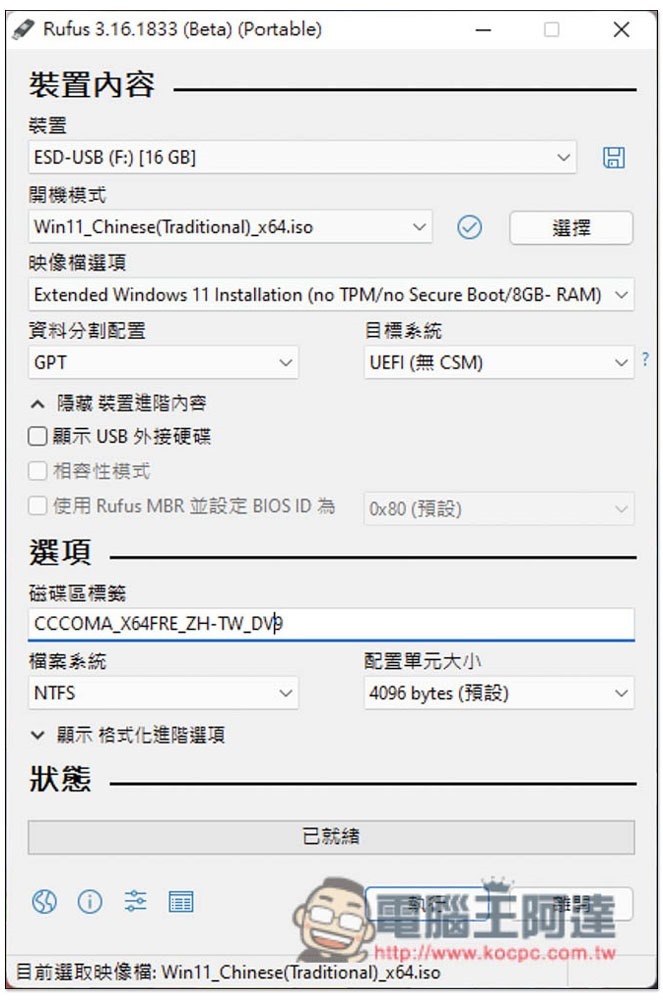
2021-10-12_165331

You will be reminded that this USB data will be deleted:
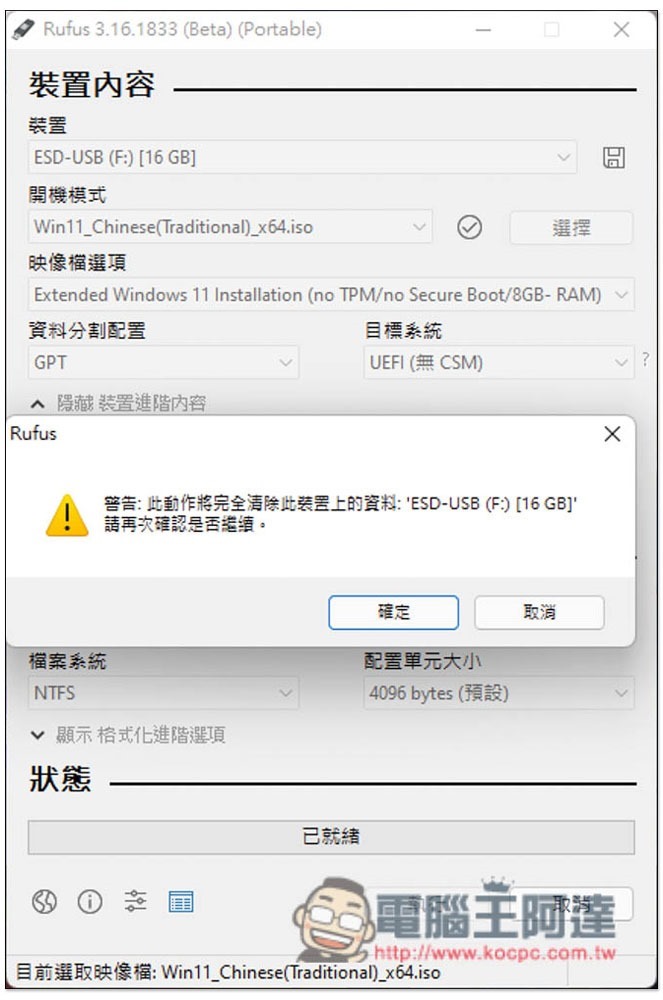
2021-10-12_165359

It takes a lot of time to wait for the status column to finish running, and it will be completed in about a few minutes:
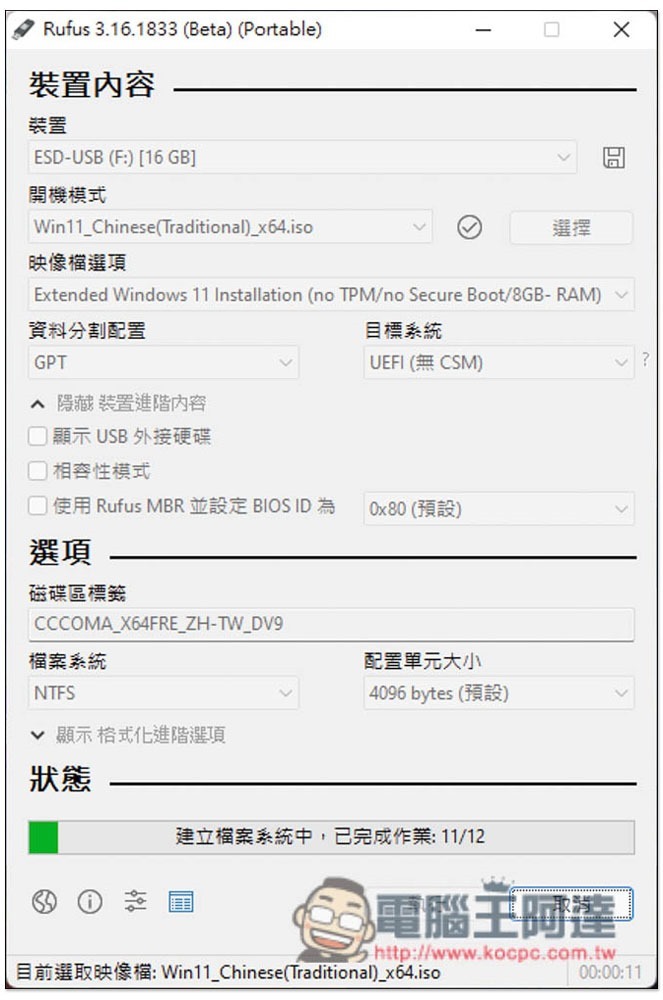
2021-10-12_165415

Displaying this message means you are done! Windows 11 USB bootable disk without TPM requirement, you can then install it directly on your old computer:
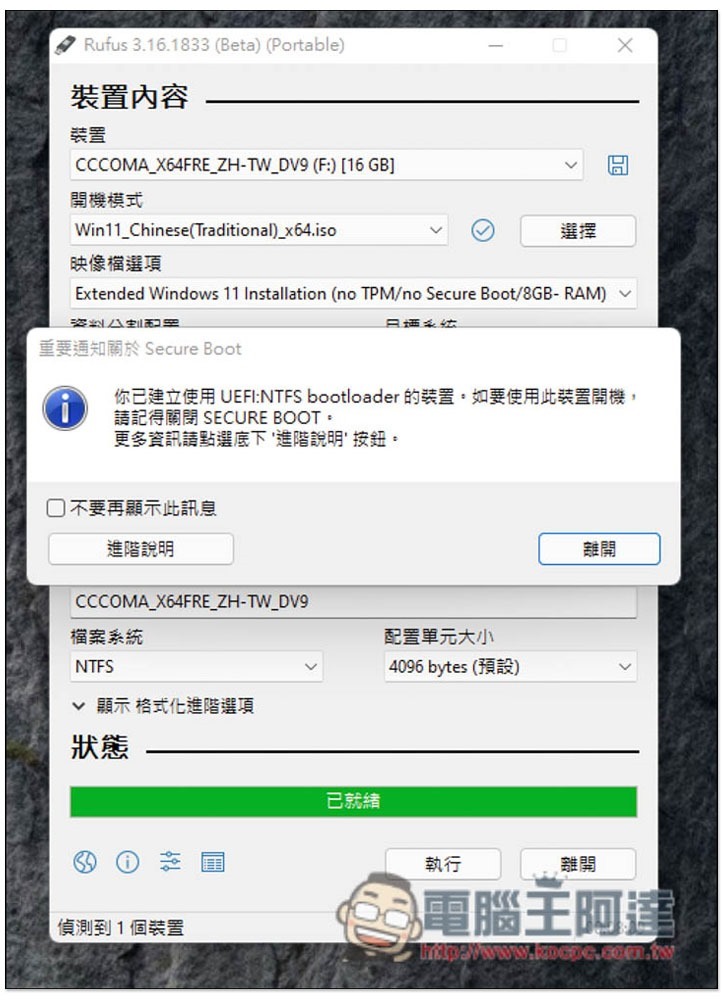
2021-10-12_170243

Windows 11 降低 AMD CPU 效能達 15%,微軟與 AMD 建議用戶先繼續用 Windows 10

Source: KOCPC Chinese

Tags: Windows 11

Recent Posts

  • MSI Double 11 Shopping Festival kicks off on 11/6: Cyborg 15 Max, Prestige 16 AI+, and Claw A8 now save nearly NT$10,000; select models get a free upgrade to 24GB memory.
  • realme C01 launches in Taiwan: 6500mAh large battery + military-grade shock resistance, entry-level 4G phone for under NT$6,500
  • A critical *sshole vulnerability has emerged in Alpine Linux systems: entering an extremely long password is enough to log in to accounts with no password.
  • Atmanity releases Atmee v2: one image plus ten seconds of audio generates an AI character capable of real-time video conversation.
  • SpaceX teams up with Qualcomm to build Starlink Mobile nationwide 5G in the US: Dragonwing platform, 64T64R massive MIMO, tens of thousands of sites starting in 2027

Recent Comments

No comments to show.
  • About Us

We welcome partnership inquiries and product review opportunities from smartphone manufacturers, iPhone accessory brands, and app developers.koc kocpc.com.tw|Privacy Policy |Hosting & Maintenance: Fast Line Taiwan, A-Chang Digital Technology

No Result
View All Result
  • Home
  • Tech News
  • AI News
  • Apps & Tutorials
  • Mobile & Telecom
  • Lifestyle
  • About Us

We welcome partnership inquiries and product review opportunities from smartphone manufacturers, iPhone accessory brands, and app developers.koc kocpc.com.tw|Privacy Policy |Hosting & Maintenance: Fast Line Taiwan, A-Chang Digital Technology