


Today, let me introduce a free AI-assisted illustration service website called “copainter”. copainter’s automatic line tracing AI can help you automatically tidy up rough lines in your drafts into clean lines. You can also use copainter to help you color. Let’s take a look at what the free website copainter can do!

“copainter”, a free AI-assisted illustration creation service website, offers AI-powered automatic line tracing and coloring features.
Japanese company RADIUS 5 has launched a free AI-assisted illustration service called “copainter.” Now you can visit the copainter website to try out various AI features for illustration. Currently, copainter offers “simplify sketch” and “coloring” features. Let’s take a look.
Currently, copainter provides a sketch simplification feature. Simply upload your sketch, and copainter will automatically clean up the rough lines into neat ones, saving you time. Here are examples of users using copainter to simplify sketches:
こうなっちゃうのぉ!? pic.twitter.com/74WZnNdYA3
— ネコと和解せよ (@nekotowakaisita) June 24, 2024
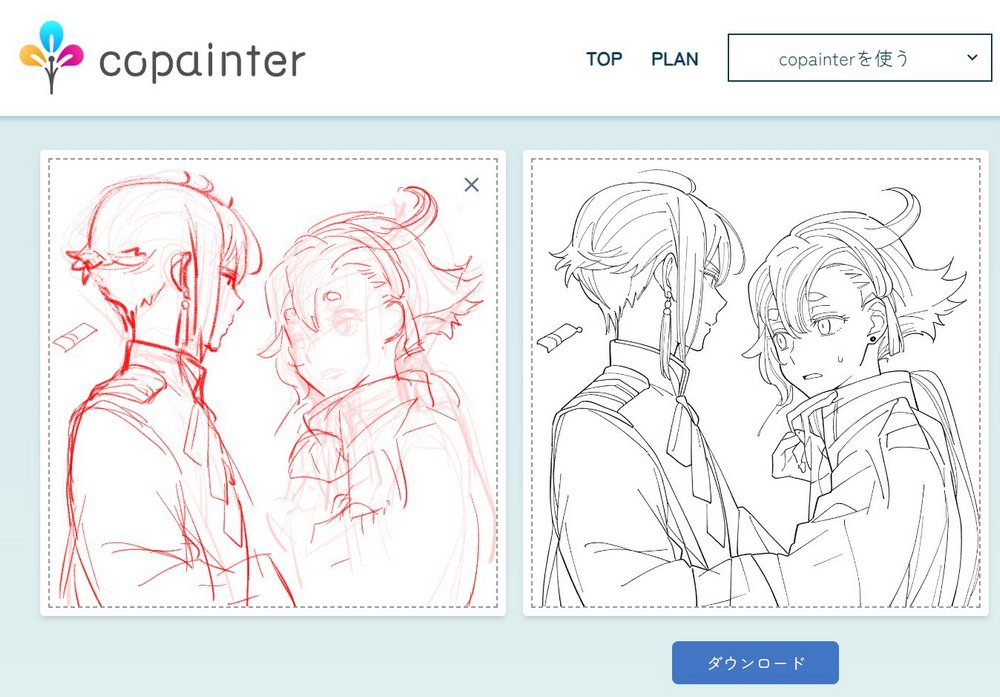
Go experience copainter, the AI service that assists with illustration creation.
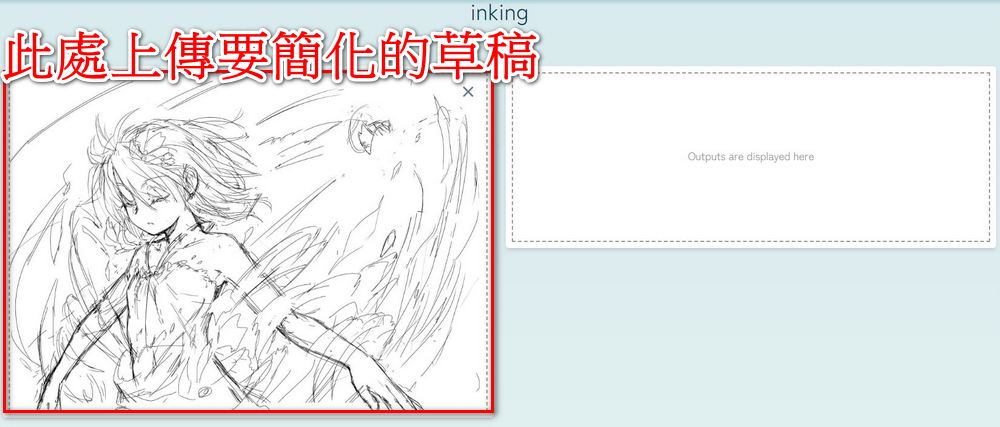
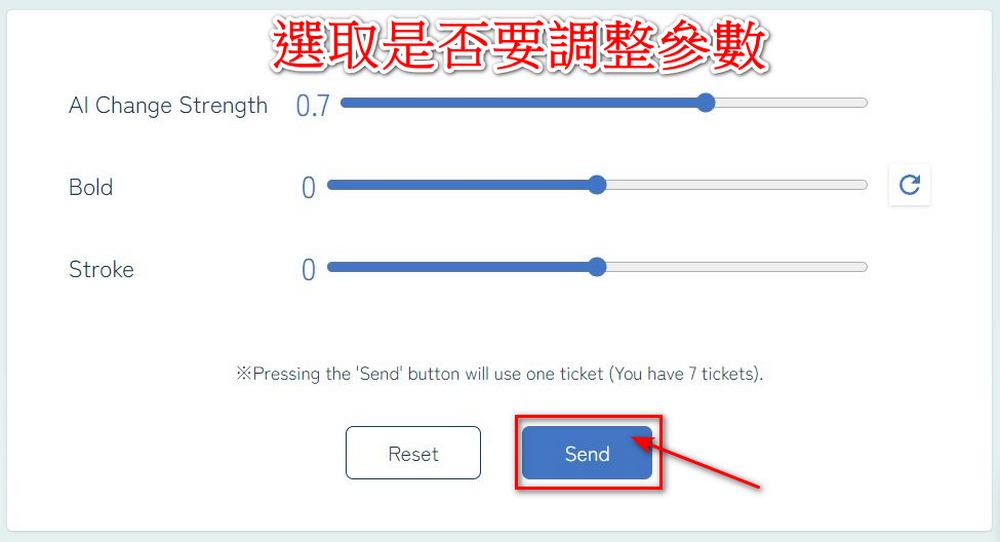
To use Copainter, click the link above to go to the Copainter official website and sign in with your Google account. After signing in, you can start using it. Click “Use Copainter,” then click “Inking.” In the box on the left, upload the draft you want to simplify, then choose whether to adjust line thickness and brush stroke. After making your selections, click “Send,” and Copainter will automatically adjust it for you.

Here’s the before-and-after comparison for your reference:

In addition to providing a simplified draft function, copainter also offers an “AI coloring” feature that goes from base color to coloring. The AI coloring feature requires uploading two images: the line art and the base color. After uploading, copainter will automatically color based on the content you provide:
AI着彩では線画と下塗りからリッチな影付けをします。 塗りの種類にはブラシ塗り、アニメ塗り、水彩塗りがあり、塗りのレイヤーが分かれた psd ファイルもご利用いただけます。 線画と下塗りをアップロードするだけで簡単にご利用いただけますのでぜひお試しください! https://t.co/T22MNJNyM6 pic.twitter.com/OJtT7gNB0R
— copainter (@copainter_info) May 15, 2024
Here’s an example of netizens using the Copainter AI coloring feature:
そして着彩してもらったらいいんやろ…
わずか20分程度の作業(うち2分ほどがcopainterの線画と着彩の時間)
早い… pic.twitter.com/KcX7s0VClw— ネコと和解せよ (@nekotowakaisita) June 24, 2024
copainterのAIさんにペン入れと着彩をまかせてみたよ!!!!すげえ!!!! #copainter pic.twitter.com/Khi1cLuHSJ
— ねこたいようネロ🔅Vtuber (@nero_nekotaiyo) June 24, 2024
Friends who are interested canGo and experience copainter, the AI service for illustration creation assistance. Currently, Copainter is giving each user 10 free trial vouchers. However, note that the use of AI is still in a highly controversial stage. Everyone should be mindful of copyright issues to avoid unnecessary disputes.
Source: KOCPC Chinese