


The mobile version of LINE has supported dark themes for a while, but the computer version of LINE has always had the original white theme. Now more and more systems are moving towards dark theme modes. Of course, LINE should also go a step further. For people who use LINE communication software for a long time, the theme of dark screen display mode can really reduce eye fatigue, and will not look at bright color themes for a long time, making the eyes feel uncomfortable. Today’s launch of dark screen display mode You can enable it directly in the settings.
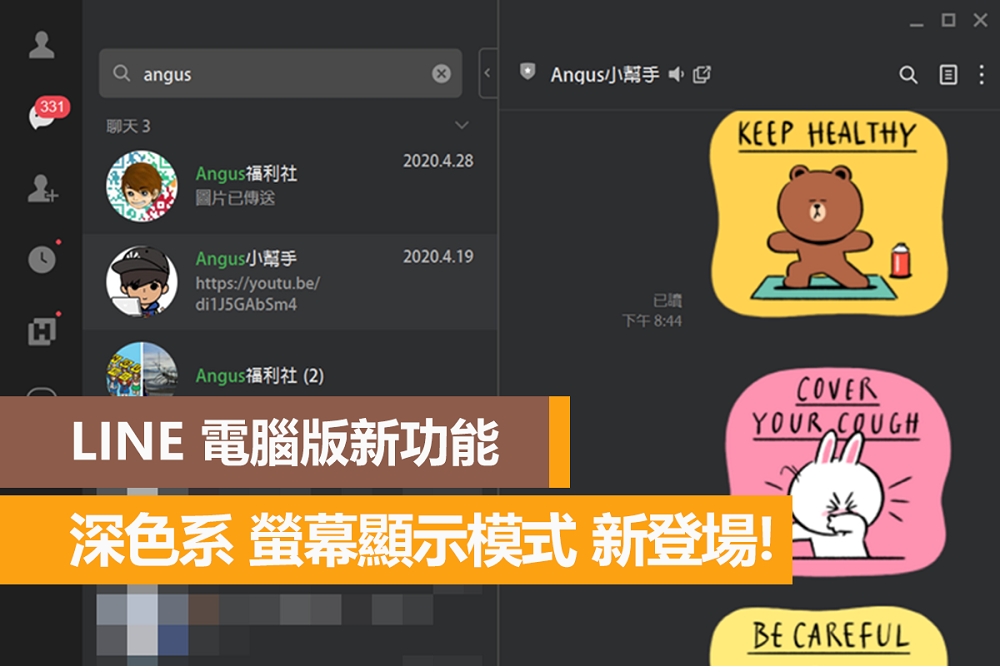
LINE PC version dark screen display mode
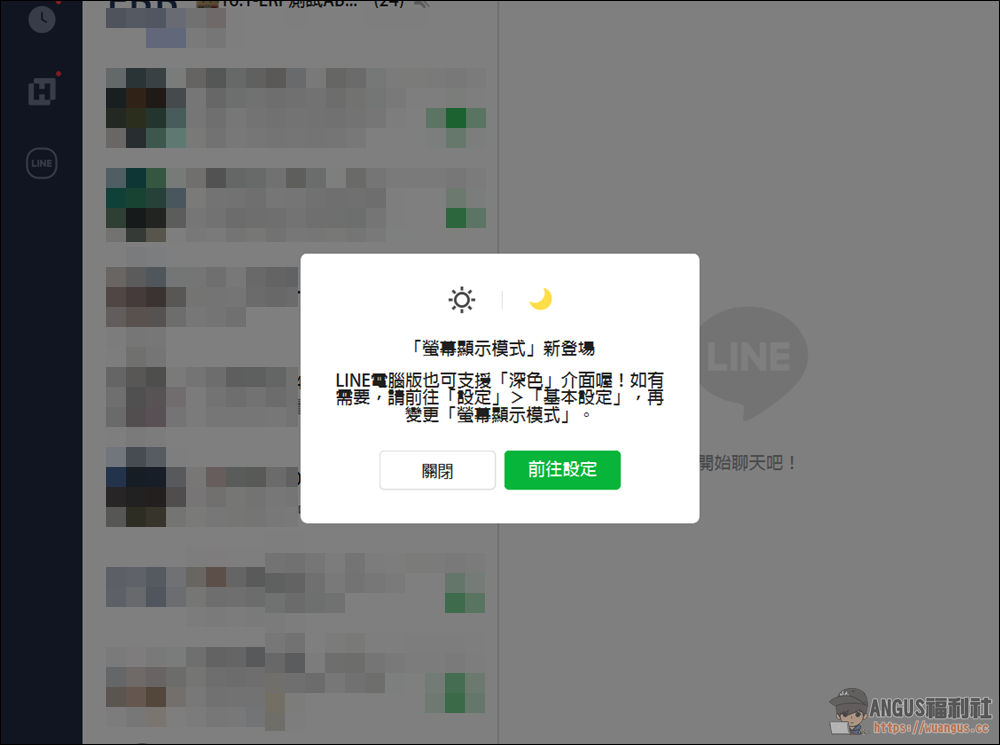
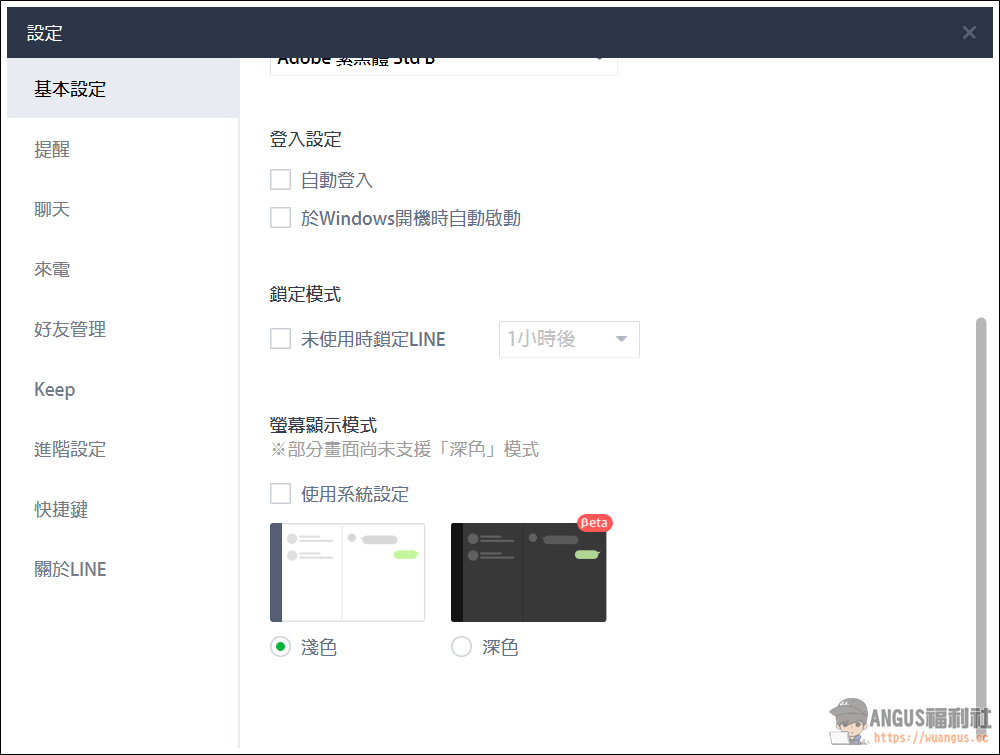
▼ Friends who received the LINE update for their computers today, as soon as the update is completed, the “Screen Display Mode” setting instructions will pop up. Just click “Go to Settings” or go to “Settings” > “Basic Settings” > Select “Screen Display Mode” to change the dark theme.
▼ After unchecking the default “Use system settings”, you can select the “Dark” mode below and apply it.
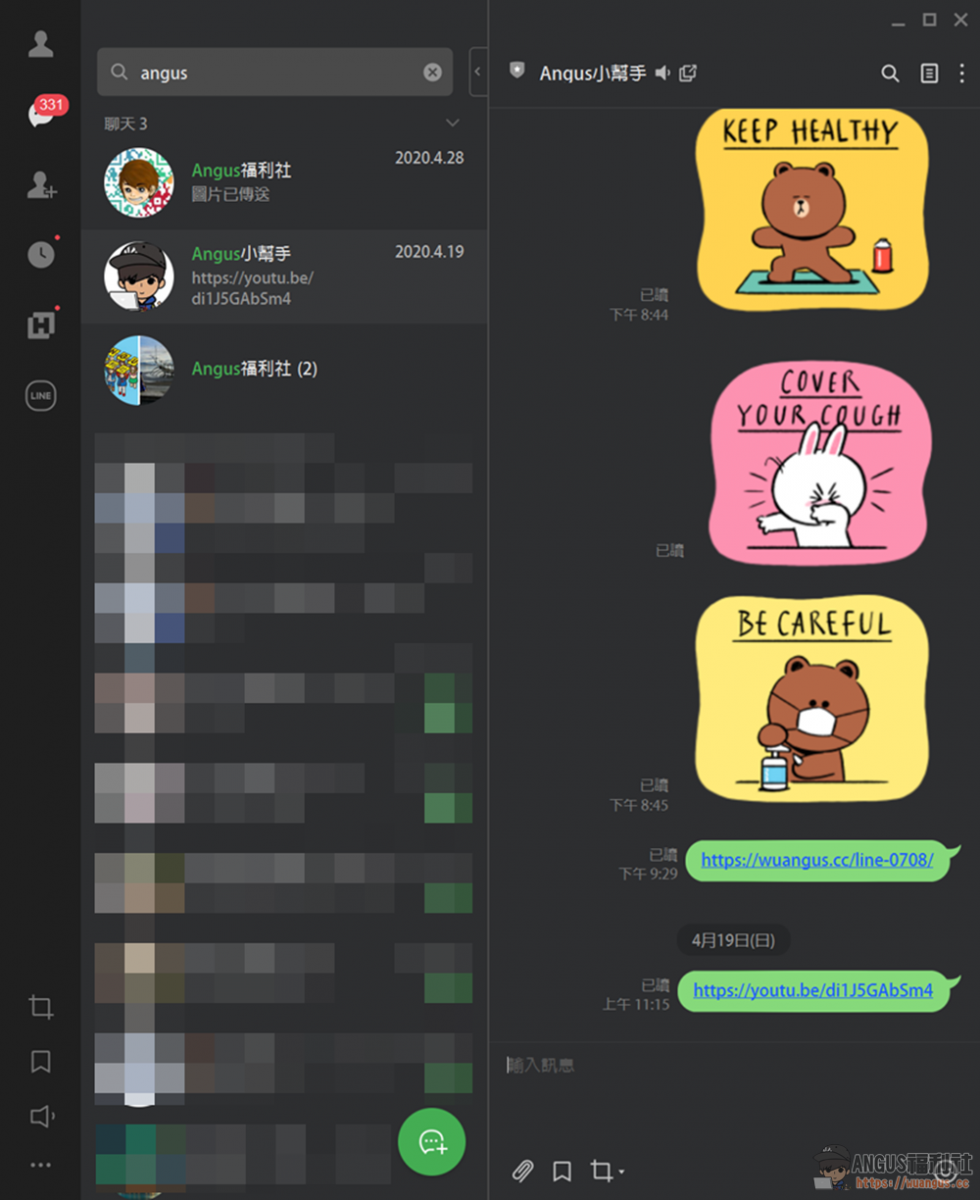
▼ After applying the “Dark” theme, you can see that the PC version of LINE has turned into a dark background. It will be more comfortable to use at night and will not tire your eyes after long-term use.
More articles related to LINE
- [Teaching] How to quickly and easily change LINE subthemes (400 paid themes)
- LINE chat room classification new feature, separate friends, groups, and official accounts!
- Free LINE Xiongda epidemic prevention stickers download, super cute bear and rabbit wearing a mask!
- LINE sticker package, download official dynamic stickers, emoticons, and themes at once!
- LINE Chatbot Lazy Pack, more than 15 kinds of super practical tools!
- LINE PAY Life payment, just scan the bill and pay with one click!
Source: KOCPC Chinese