


After being rumored for a while, the Gemini Omni series model finally made its official debut at Google I/O 2026. The first release is Gemini Omni Flash, which focuses on native multimodal capabilities. It can take different materials like images, audio, video, and text as inputs and directly generate a complete video. What’s more, after generation, you can use conversational editing—basically talking to it and asking it to modify details in the video. AI video tools really are evolving at an incredible speed.
Google Launches Gemini Omni Flash: Multimodal Native Video Model That Lets You Edit Videos Through Conversation
The Veo 3.1 model primarily generates videos through a “text-to-video” approach, whereas Omni Flash works differently—it simultaneously ingests four types of input: images, audio, video, and text. It then has the model understand the relationships between all these materials and generate an integrated video. In other words, instead of processing materials from different sources separately and then stitching them together, the model understands all input materials at once and reasons out how to synthesize them in a single pass.
The official article demonstrated an example: feed in a reference image, a camera movement video, and a piece of background music, and Omni Flash produces output where the style follows the image, the camera movement follows the video, and the beat syncs with the music. For audio input, Google will initially only allow voice files as references, with other audio types to be added gradually.
Prompt: Dynamic sci-fi film style video based on image_0.png. Elements light up similar to video_0.mp4 synchronized to the beat of the music from audio_0.wav
Next up is Omni Flash’s biggest highlight: conversational editing.
Traditional AI video tools typically follow a workflow of “prompt → see unsatisfactory results → retype prompt → generate again” — every small tweak requires running through the entire cycle, making it slow and wasteful of your credits.
Omni Flash evolves to enable editing while chatting. After filming or generating a video, wherever you want to make changes, you simply type and tell it what to do, for example, “Make the violin invisible,” “Change the camera angle to be over the violinist’s shoulder,” “Dim the lights in the room,” and the next version is ready.
First Film:
Make the violin transparent
This is also pretty impressive—after uploading a selfie video, input “When the person touches the mirror, make the mirror ripple beautifully like liquid,” and when the finger touches the mirror, the mirror surface ripples out like water.
Google has also enhanced Omni Flash’s understanding of gravity, kinetic energy, and fluid dynamics, making the generated scenes more closely resemble real physical laws.
Omni Flash also has a notable feature called “Avatars,” which allows users to create a digital version of themselves to produce videos that closely resemble them in appearance and voice. The ability to further edit videos to modify audio and speech is currently in internal testing and will be released responsibly.
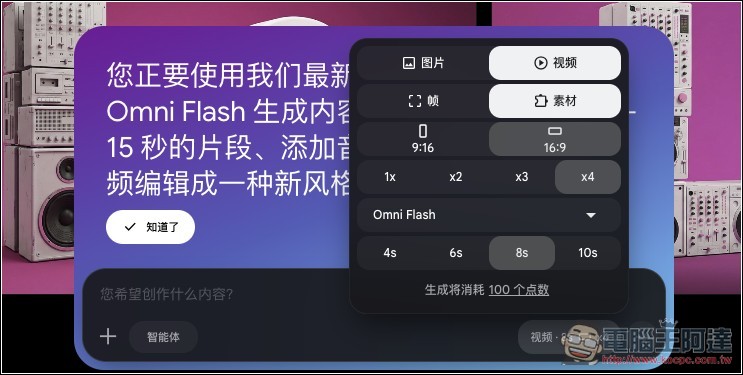
Starting today, Google AI Plus, Pro, and Ultra subscribers can get early access to try it in the Gemini App and Google Flow. Starting this week, YouTube Shorts and YouTube Create App will also be available for free trial. Note that currently, generating just one video will consume a significant portion of your daily quota, so users should use it sparingly.
Source: KOCPC Chinese