


I recently came across this free open-source third-party YouTube Music player called Metrolist online. It supports almost all mainstream platforms, including Windows, Mac, Android, and iOS. Its biggest features are ad removal and background playback, meaning you won’t hear ads when listening to YouTube Music, and you can listen in the background. It even offers a download feature. There are also useful features like a sleep timer and lyrics display.
However, note that Android users need to download and install the APK file themselves, while iPhone and iPad users have a more troublesome time: since it is not available on the App Store, they need to download the IPA installation file and then use third-party tools such as AltStore, SideStore, TrollStore, or Sideloadly to sideload and install it.
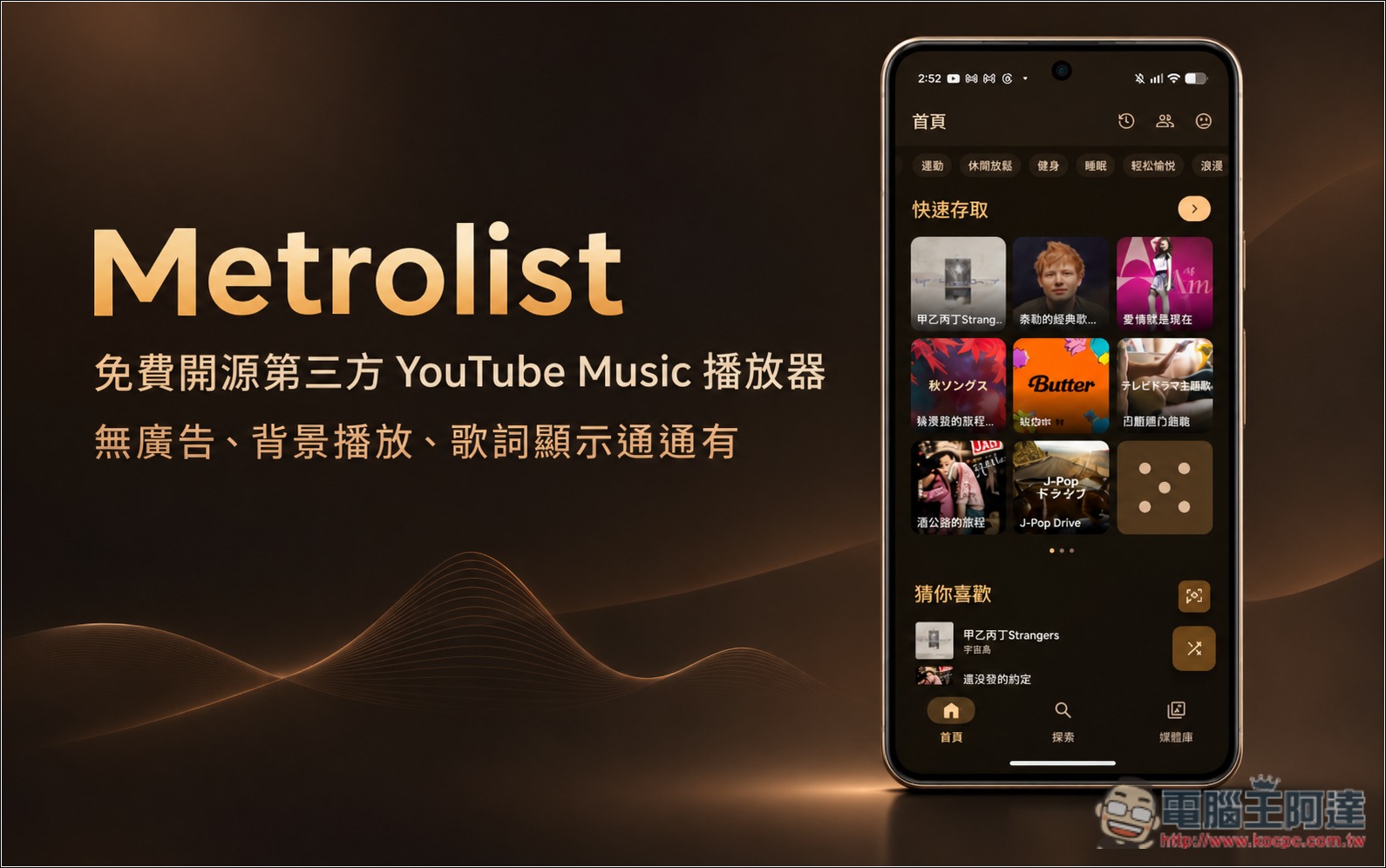
Introduction to Metrolist, a Free and Open-Source Third-Party YouTube Music Player
Metrolist is a free, open-source third-party YouTube Music player that uses the Material 3 Expressive design style. In addition to a clean and attractive interface, it includes a rich set of music playback features such as ad-free playback, background playback, lyrics display, lyrics translation, music recognition, and playlist import, and it does not necessarily require signing in with a Google account. In addition to Android and iOS mobile versions, it also offers Windows, macOS, and Linux desktop versions, providing quite comprehensive cross-platform support.
Its operation is similar to typical streaming music services. You can use the search function to find your favorite artists, songs, albums, and playlists, and when music is playing, it also displays information such as the album cover, song title, and playback progress. If you sign in with a Google account, you can also use some account-related features.
The lyrics feature is also a major highlight of this tool. In addition to displaying lyrics, it also supports lyric translation and romanization, which is quite useful for people who enjoy listening to foreign-language songs such as Japanese and Korean. It also integrates Shazam music recognition, which can help users identify the music currently playing.
Metrolist also offers a shared listening feature called Listen Together, allowing users to listen to music in sync with friends. The Android and desktop versions also support music casting via Google Cast, F-Cast, SONOS, and DLNA, making it easy to send music to compatible devices for playback. In addition, playlists from other music players and streaming services can be imported, so you don’t have to recreate them all.
It is important to note that Metrolist is not an official tool launched or authorized by Google or YouTube. The developer also explicitly warns that accessing YouTube Music through Metrolist may violate YouTube’s Terms of Service, so users should assess the relevant risks themselves before use and comply with copyright and applicable laws and regulations.
Key Features
- Supports use without signing in to a Google account.
- Supports ad-free and background playback.
- Uses a Material 3 Expressive interface design
- Supports song downloads, caching, and offline playback.
- Provides lyrics display, translation, and romanization features.
- Integrate Shazam music recognition
- Supports Listen Together synchronized group listening
- Supports importing playlists from other music players and streaming services.
- Supports AI-generated content and explicit content filtering.
- Provides translations in more than 15 languages.
- Supports Android, iOS, Windows, macOS, and Linux
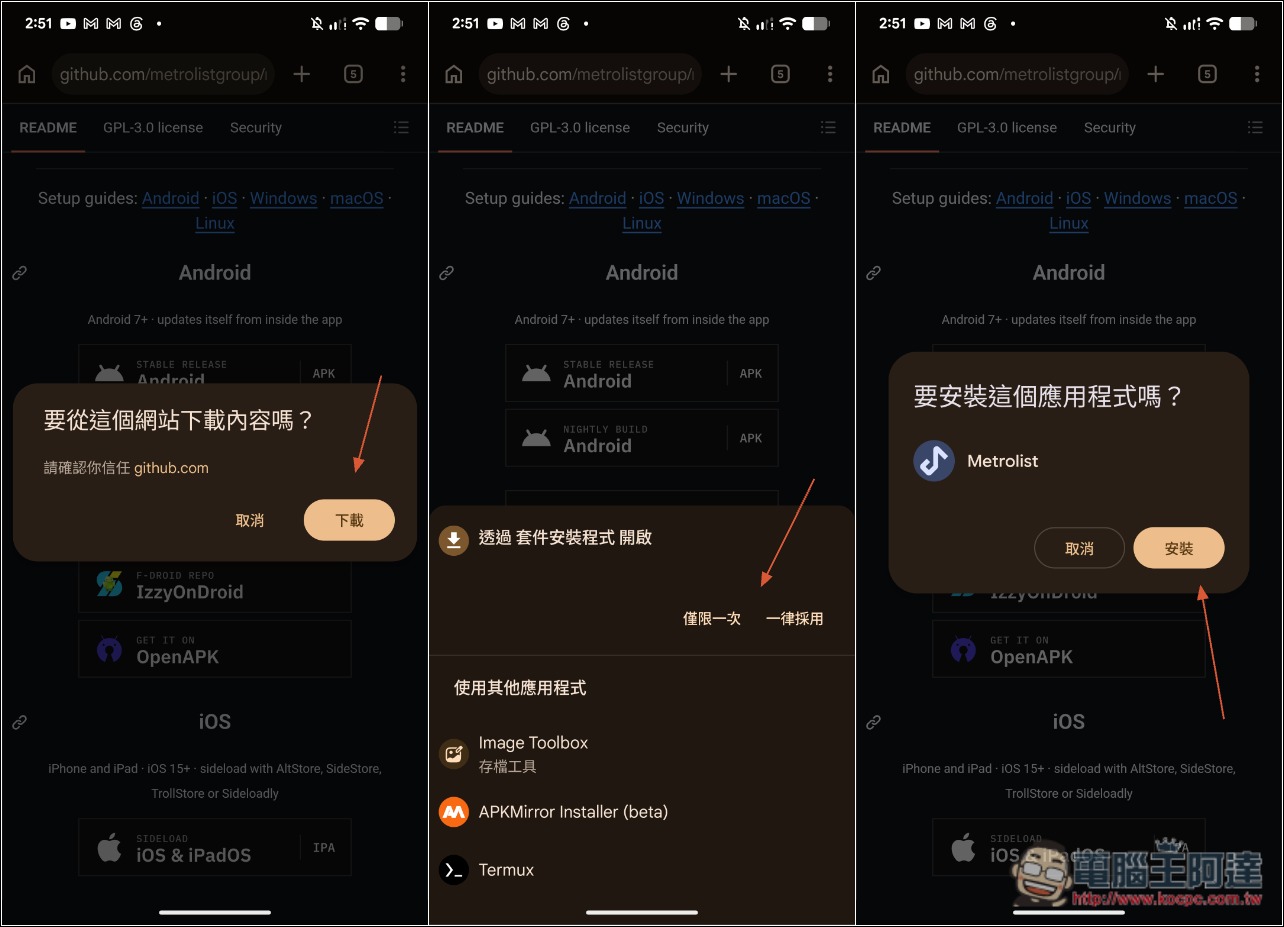
Here I’ll demonstrate the Android version. After using the link above to go to the Metrolist project, click the APK version you want to download—the STABLE version is recommended—and then simply follow the on-screen steps one by one:
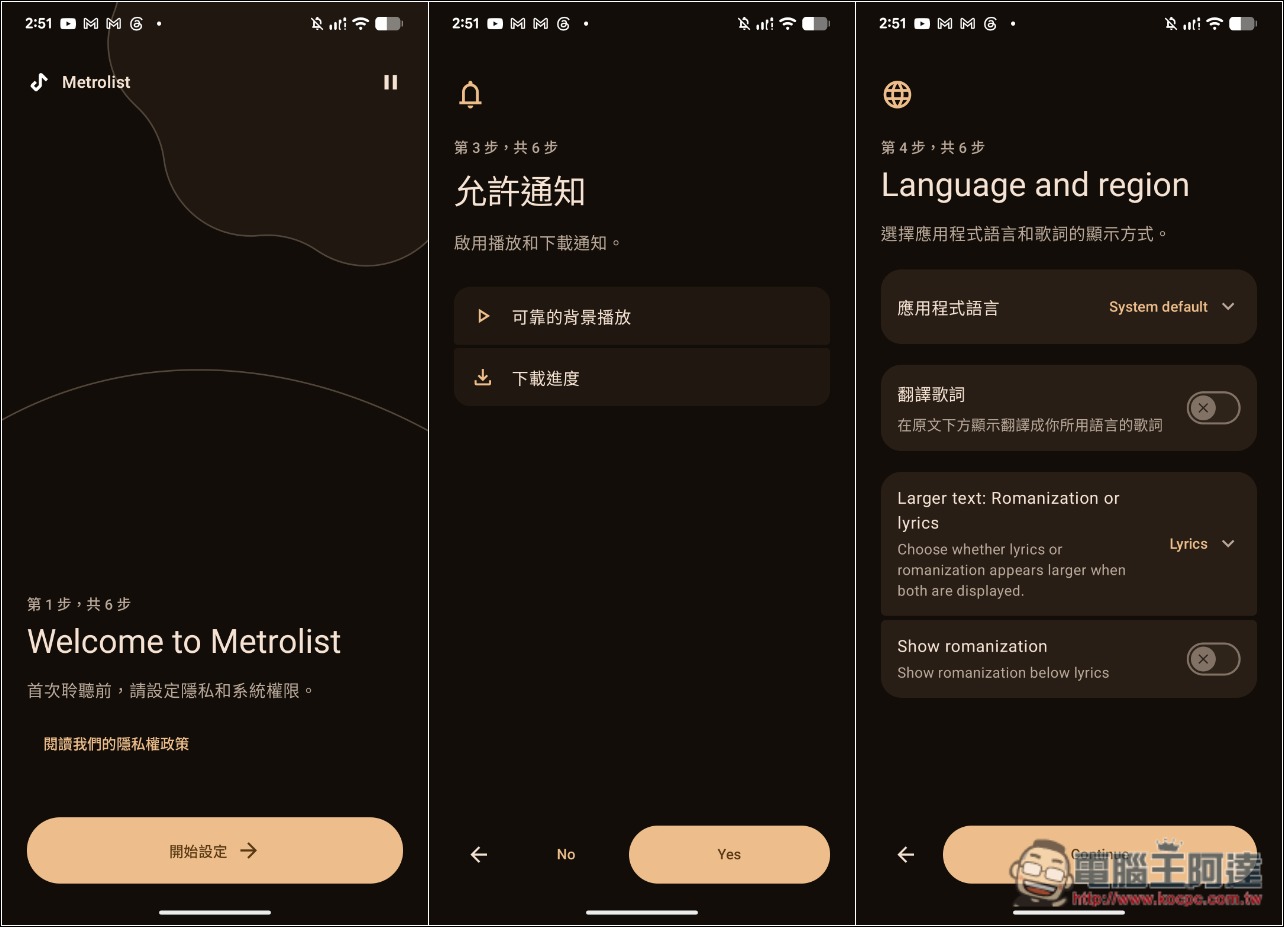
After installation, open it and you’ll see a brief introduction and permission activation. This app also supports lyric translation, so you can translate lyrics in other languages:
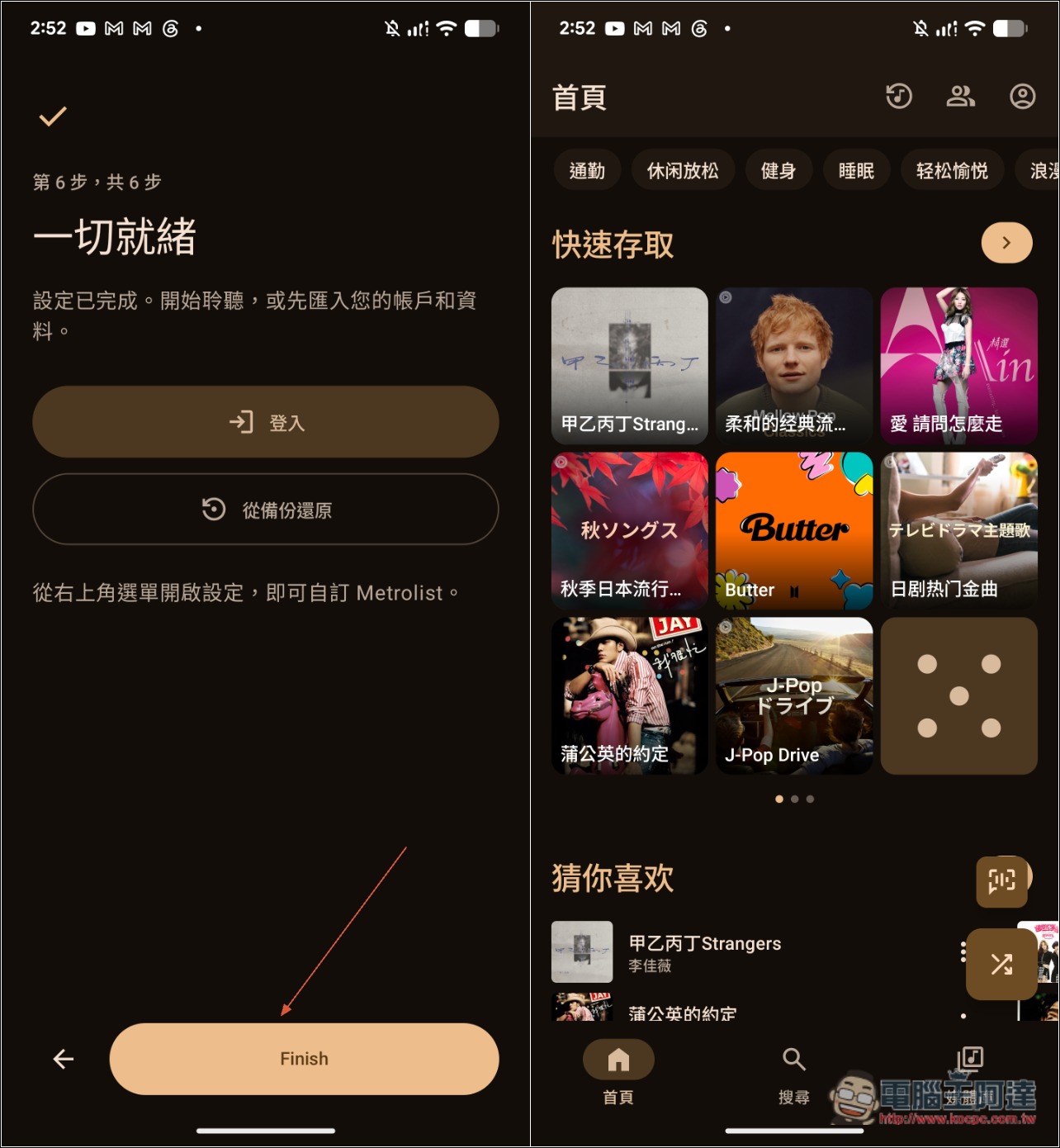
Logging in is optional—you can use it without logging in. Once you reach the home page, you’ll see a rich selection of music playlists, and search is supported too, so you can quickly find the music you want to listen to. All sources are YouTube Music:
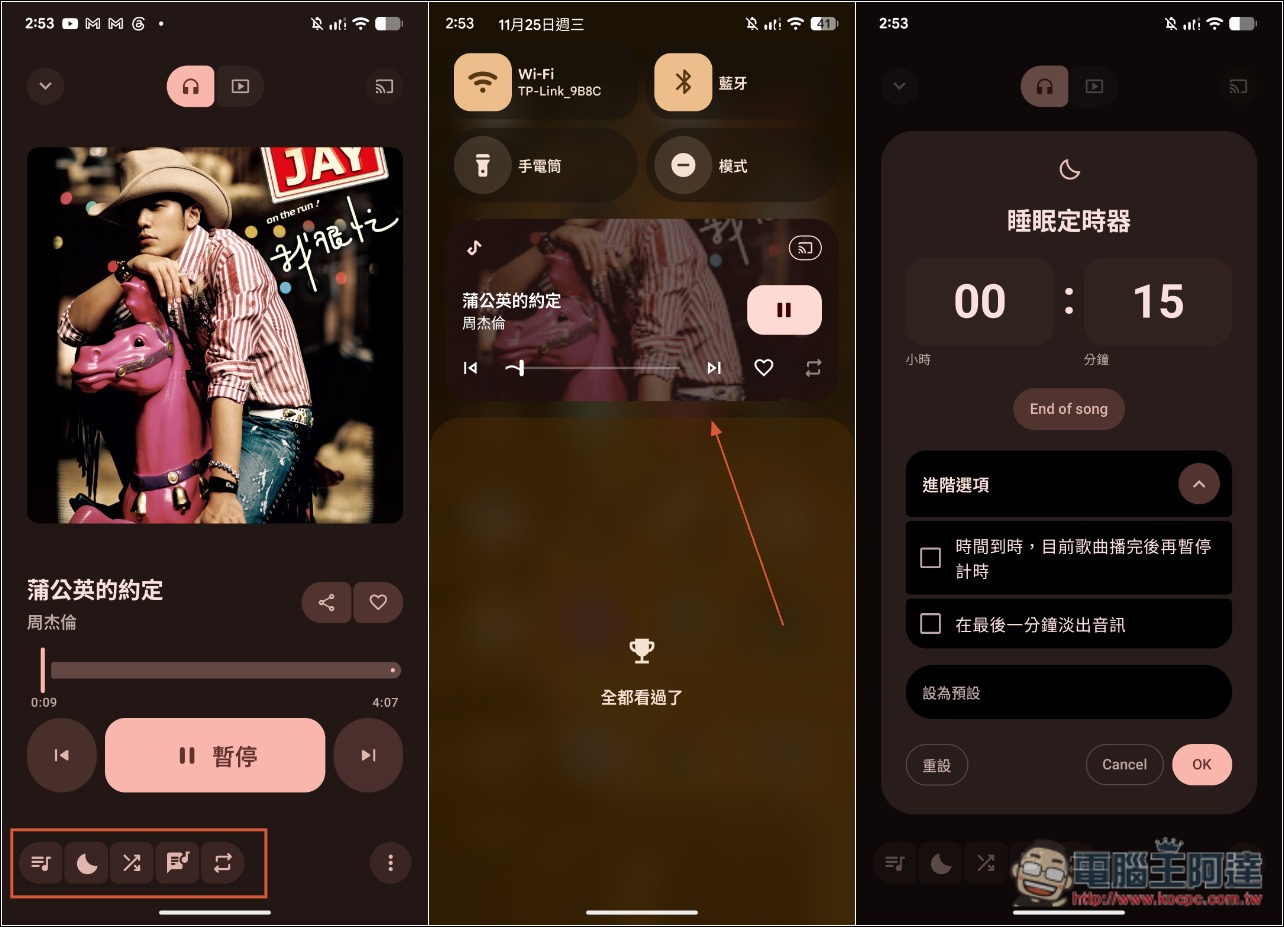
The playback interface has many features, including a sleep timer, lyrics, and more. I actually tested background playback and it really worked:
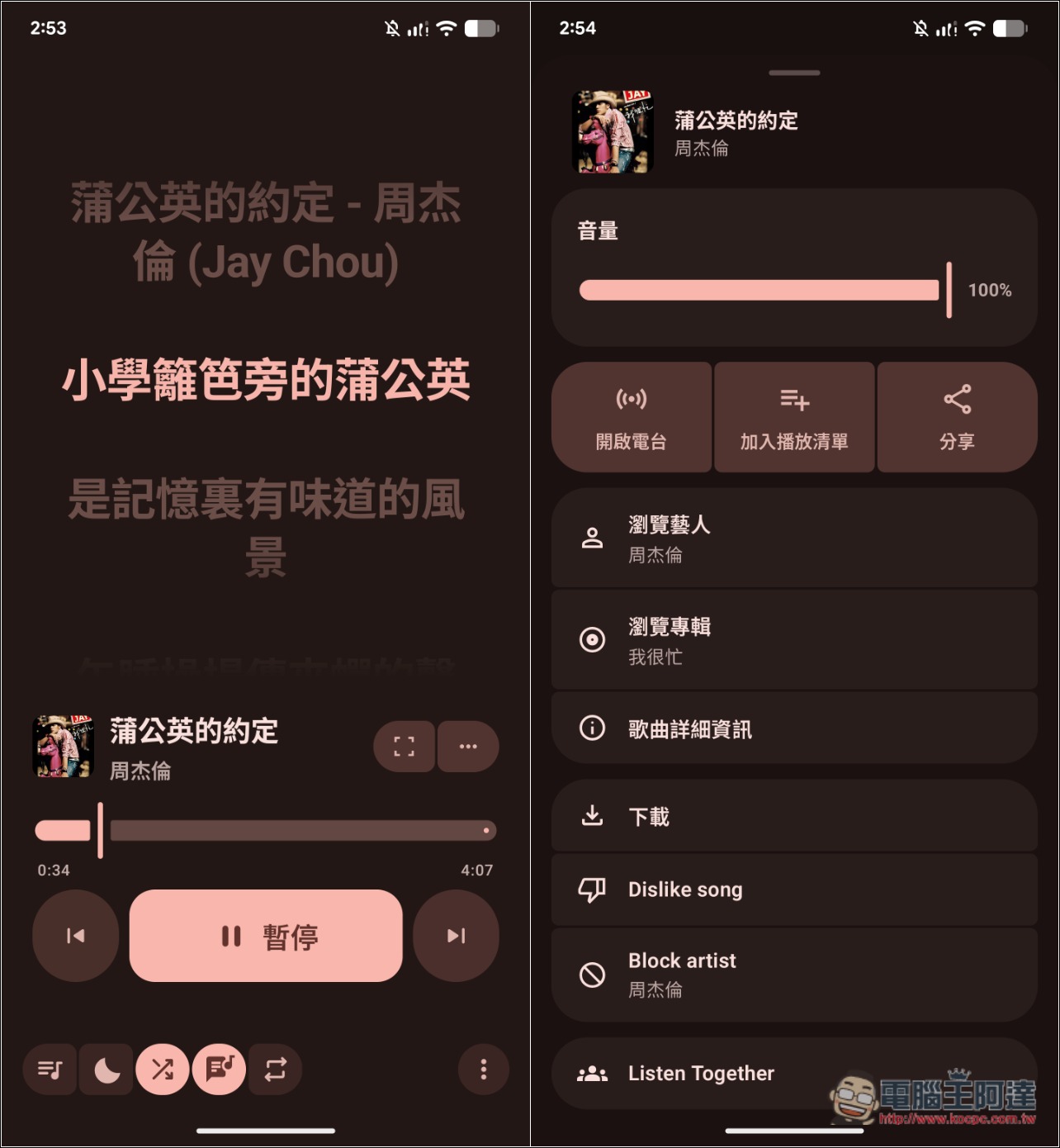
It also offers radio and add-to-playlist features, along with built-in song download and caching capabilities that support offline playback. However, since this is an unofficial YouTube Music client, using the related features may violate YouTube’s Terms of Service, and you should also be mindful of music copyright and relevant legal regulations when using it:
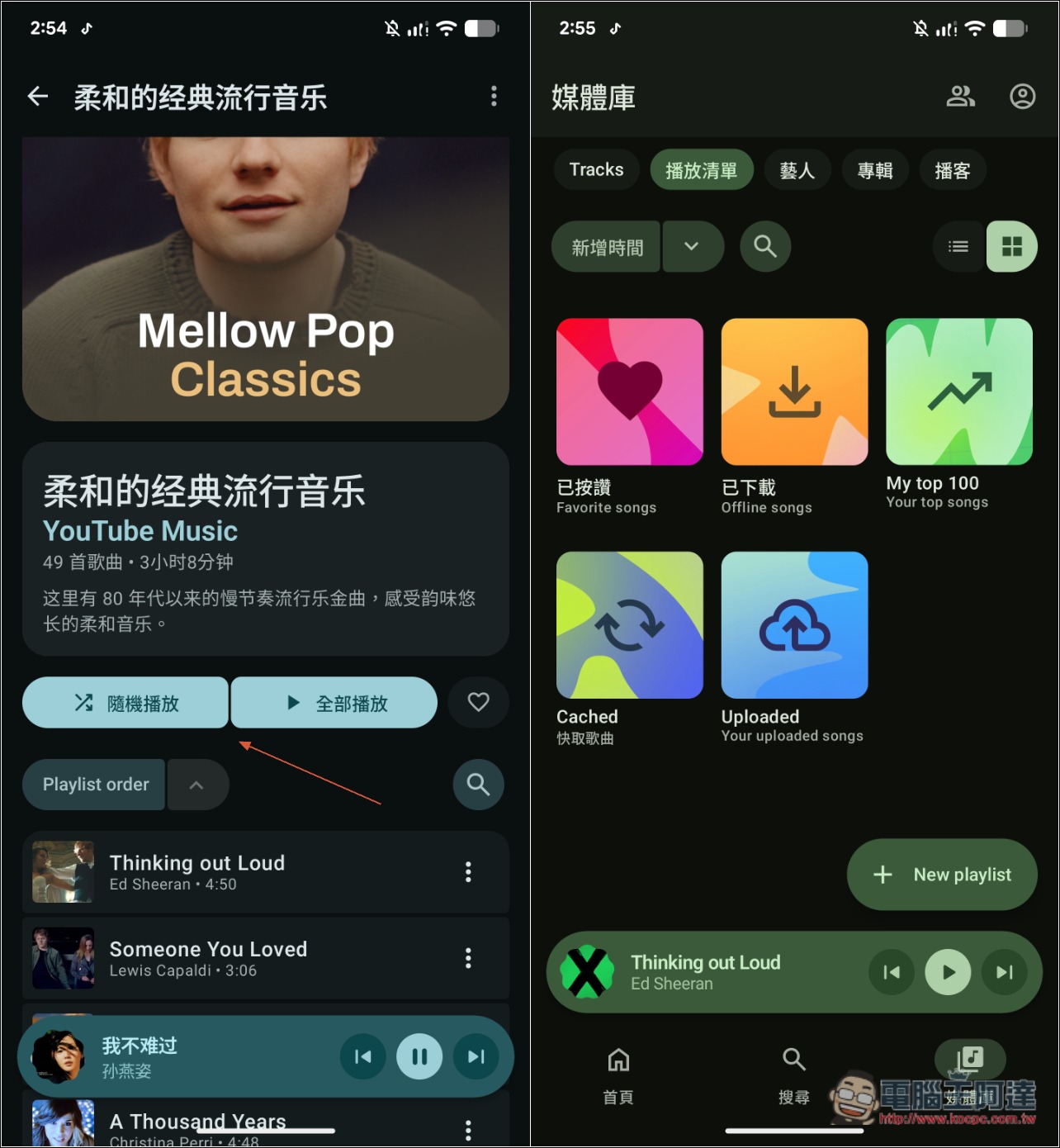
Downloaded music and liked content can all be found in your library:
Source: KOCPC Chinese