


Many people probably have an old iPhone on hand that can’t be upgraded to a new version of iOS. Although the hardware still works fine, since apps no longer support it, they don’t know what to use the old iPhone for—but there may be hope for it in the future.
The iPhone 6 Plus, released in 2014, was declared unsupported by Apple as early as iOS 12, so it should no longer have been possible to upgrade to new versions. Unexpectedly, a Chinese developer recently overcame this limitation and successfully installed iOS 14.8—and it doesn’t just boot: touch, camera, and Wi-Fi all work normally, and even Touch ID and Apple Pay can be used.
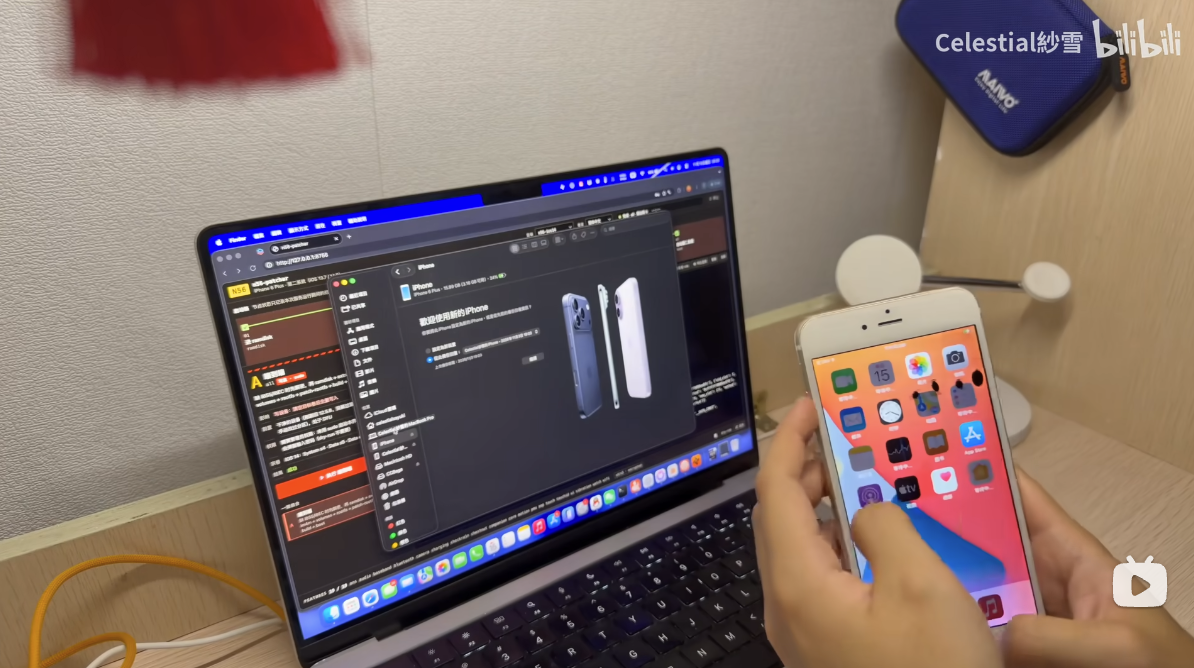
iPhone 6 Plus can also run iOS 14.8! A developer completed the port using the iPad mini 4 system, and both Touch ID and Apple Pay work.
Chinese developer “Celestial 紗雪” recently posted a video on Bilibili, claiming to be the first in the world to run iOS 14.8 on an iPhone 6 Plus, with iCloud syncing and Apple Watch pairing working normally.
He named the tool n56-patcher (N56 is the internal codename for the iPhone 6 Plus) and open-sourced it on GitHub under the GPL-3.0 license. Unsurprisingly, the development process used a large number of AI tools, including multiple models such as Claude Fable 5.2, Opus 5.5, Sonnet 5.5, Haiku 5.5, Opus 4.8, and Sonnet 4.6.
According to the explanation, he didn’t modify iOS 12; instead, he took a part from the system on each of three different devices and put them together:
| Source device | Chip | What did you take? |
|---|---|---|
| iPad mini 4(iPadOS 14.8) | A8 | The core of the system and the system as a whole |
| iPhone 6s Plus(iOS 14.8) | A9 | Drivers, interface assets exclusively for iPhone |
| iPhone 6 Plus (this device, iOS 12.5.8) | A8 | Secure Enclave firmware, communication components, and calibration data specific to each phone |
Simply put, the frame comes from the iPad mini 4, which uses the same A8 chip, while the iPhone-like parts are borrowed from the 5.5-inch iPhone 6s Plus, and each phone’s unique security key and calibration information are provided by the 6 Plus itself.
During installation, n56-patcher will create a separate, standalone APFS volume on the phone for this iOS 14.8, while the original iOS 12.5.8 is retained, resulting in an unofficial dual-boot system.
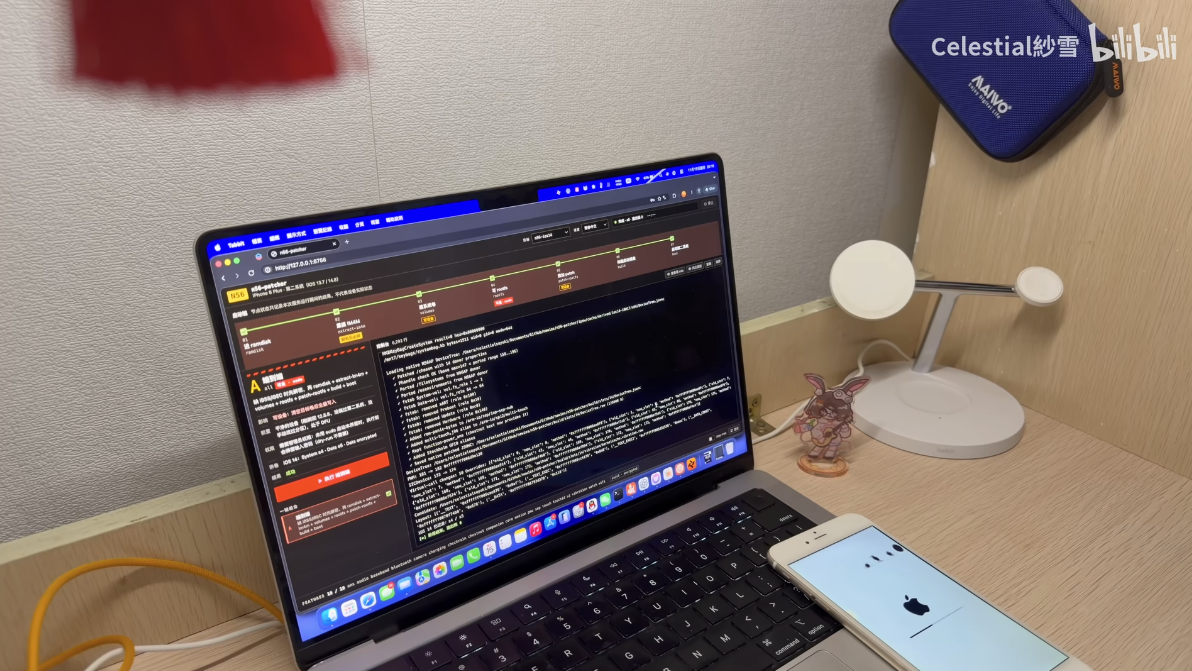
Being able to boot an iPhone 6 Plus of course also requires jailbreaking; the tool includes an integrated jailbreak tool, checkra1n, which exploits the checkm8 vulnerability.
This vulnerability is burned directly into the chip’s boot program, and Apple can’t fix it through a software update; iPhone 5s through iPhone X are all affected.
Therefore, iOS 14.8 uses a “tethered boot”: every time the phone reboots, you need to put it into DFU mode, and then a Mac with Xcode installed must send the boot command. If the phone runs out of battery while you are out, you must return to this Mac to boot into iOS 14.8 again.
According to currently available public test results, the features that can be used with iOS 14.8 on iPhone 6 Plus include:
- Display and Touch
- Wi-Fi, Bluetooth, mobile network
- Audio, vibration, various sensors, and camera
- The Health app, as well as iCloud and App Store account sign-in
- Touch ID, NFC, and Apple Pay
- Apple Watch pairing
He also mentioned that the toughest item on the entire list was Touch ID.
iOS 14 uses a newer communication protocol, while the SEP firmware on the iPhone 6 Plus only understands the older version from the iOS 12 era—essentially, the two sides are speaking different versions of the language. His solution was to add a “translation bridge” in the system kernel.
So can ordinary people install this open-source tool themselves and thereby run iOS 14.8? It’s not really recommended, because the barrier to entry is not low.
n56-patcher It provides a command-line tool and a local web interface. You need to prepare a Mac, fully install Xcode and a Python environment, and then prepare the three corresponding Apple firmware files (IPSW) for iPhone 6 Plus, iPhone 6s Plus, and iPad mini 4 yourself. The writing stage also requires system administrator privileges.
Early users have also reported various issues on GitHub. If an iPhone has only 16GB of storage, also note that 16GB actually provides about 14.9 GiB of usable space, while the iOS 14.8 system takes up about 8.09 GiB, the data partition about 2.1 GiB, and the retained iOS 12.5.8 takes another about 4.2 GiB, nearly filling it up.
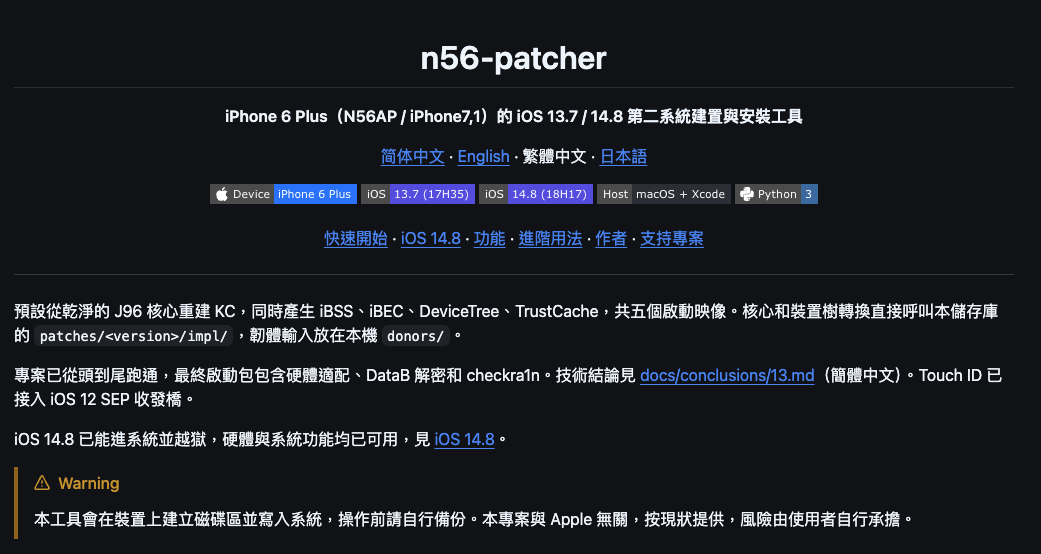
Source: KOCPC Chinese