


For those who attend meetings often, AI is now surely used to help take notes and summarize, but most meeting content is highly confidential and must never be leaked, so they’ll definitely want to use local AI tools. If you don’t yet have a local workflow you’re used to, or haven’t found a good local AI meeting tool, the Yogurt recommended in this article is well worth trying: it’s free and open source and runs entirely locally. Setup is also super simple—no need to connect any API; once you install the software, it downloads the required models, and then you can start using it.
In addition to transcribing recordings into text, it also automatically generates an AI summary after the meeting ends. If needed, you can also ask questions through the AI Q&A feature. More importantly, it has a built-in MCP server that can be integrated with other AI tools. It is available on Windows, Mac, and Linux.
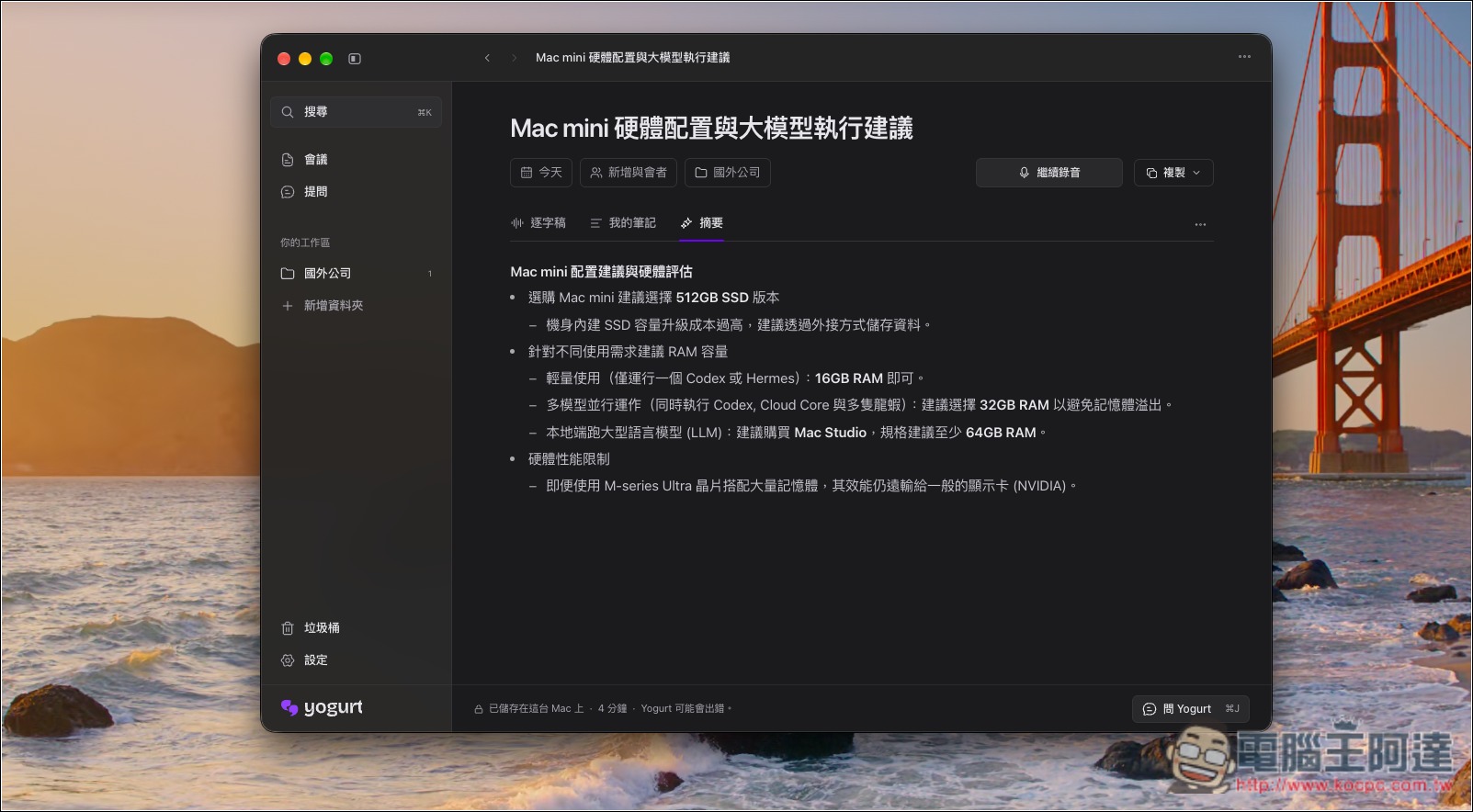
Introduction to Yogurt, a free and open-source local AI meeting notes tool
Yogurt is a free, open-source local AI meeting notes tool developed by Frigade, supporting Windows, macOS, and Linux. Unlike many services that require uploading recordings to the cloud for analysis, Yogurt performs speech recognition, meeting summarization, and AI Q&A entirely locally, with no account registration required and no subscription fees. For users who frequently attend online meetings and do not want their work content sent to external servers, it is an excellent choice.
Using it is intuitive. When you start recording during a meeting, Yogurt can capture both the microphone and audio played on your computer at the same time, and convert the conversation into a transcript in real time. Unlike some AI meeting assistants, it does not need to send a bot into the video meeting, so no unfamiliar account appears in the participant list. In addition to Zoom, Microsoft Teams, and Google Meet, it can also record other calling apps that can play audio on your computer. For supported platforms, the app also detects when a meeting starts and prompts you whether to record, and stops automatically when the meeting ends. You should still inform other participants before recording.
After the recording ends, it automatically organizes the conversation transcript and any notes the user manually adds into an easy-to-read meeting summary. If the meeting content is too long, you don’t have to search line by line—just ask the AI directly, for example, “What was just decided?” or “What was discussed in last week’s meeting?” It will find the answer from existing records and include the corresponding source for easy cross-checking. Notes can also be categorized by folder and searched by title, content, and transcript, making it easier to organize multiple meetings.
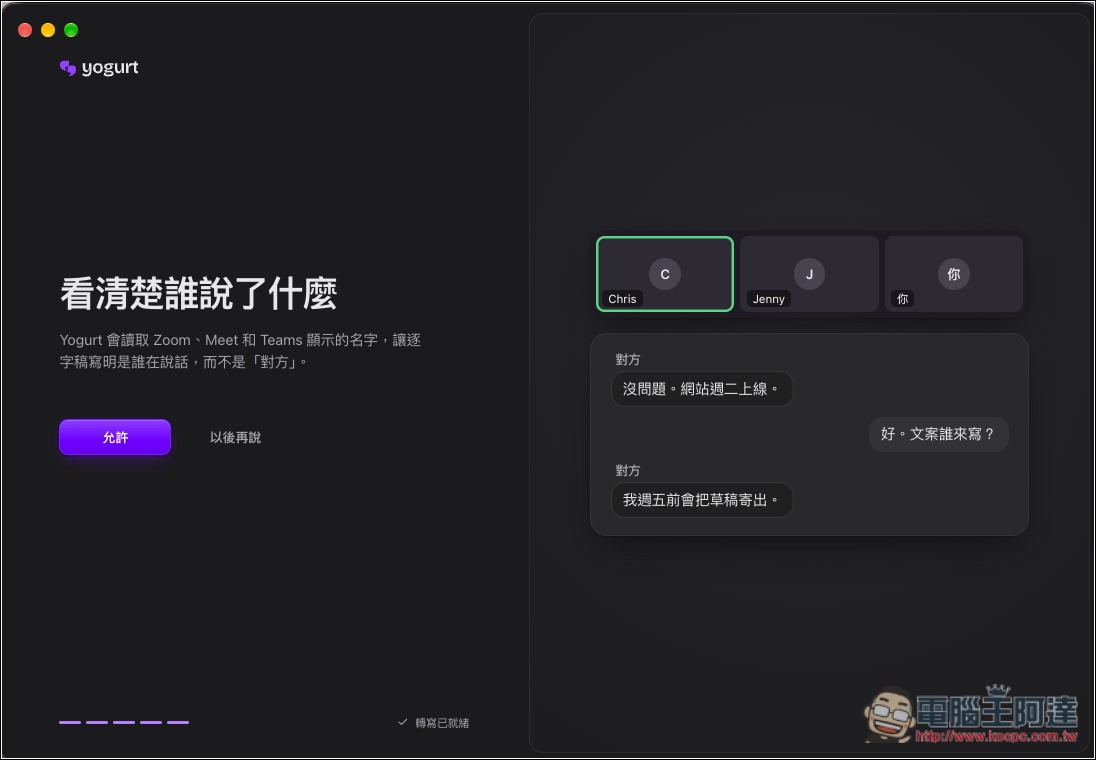
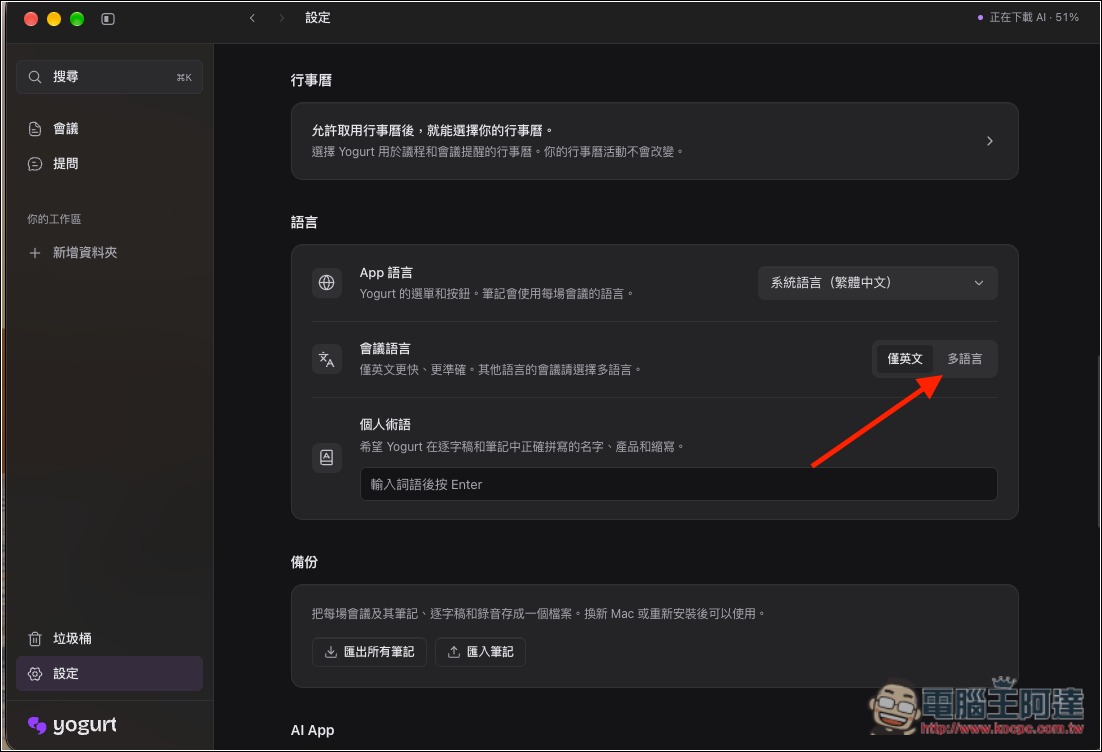
For language, it uses Whisper-related technology for speech recognition; after switching to multilingual mode, it can recognize 99 languages. Summaries follow the meeting’s primary language, while AI answers are generated according to the language of the question. On Mac, when conditions are met, it can also identify speaker names displayed in Zoom, Teams, and Meet, helping clarify who said what. Completed notes and transcripts can be copied or exported as Markdown for easy saving to other note-taking software.
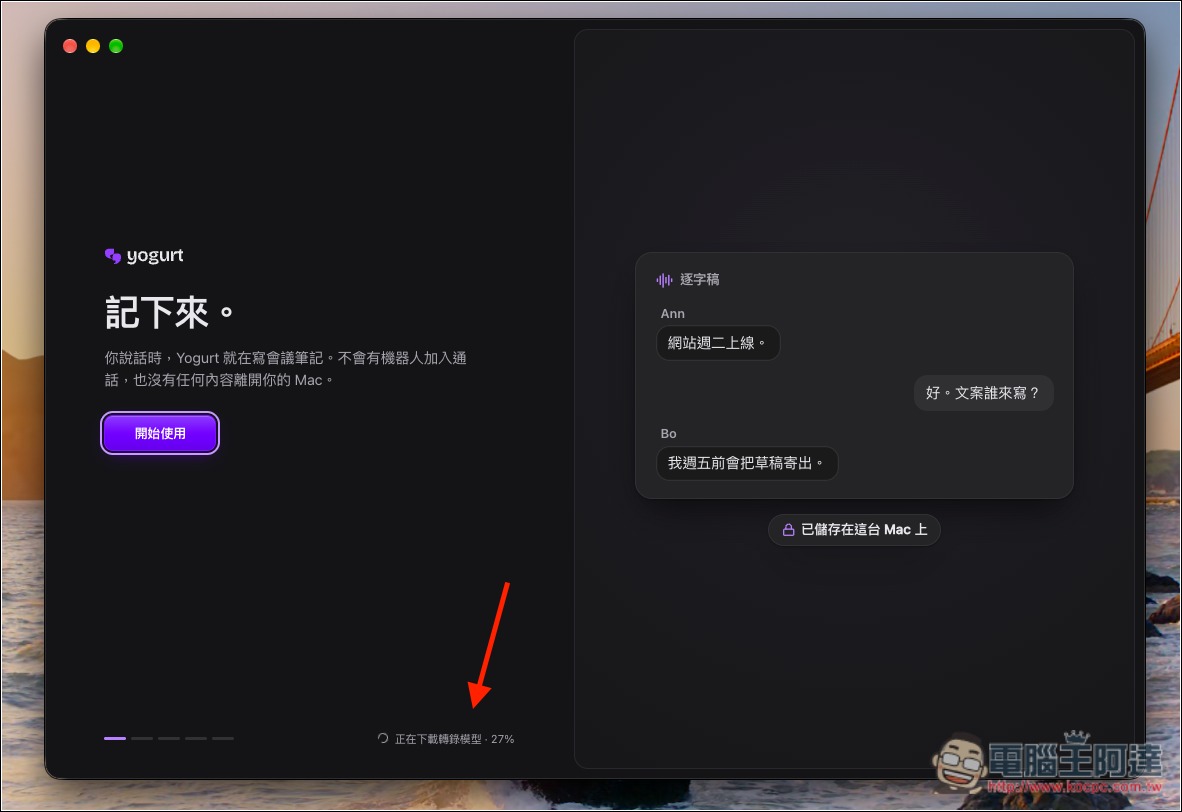
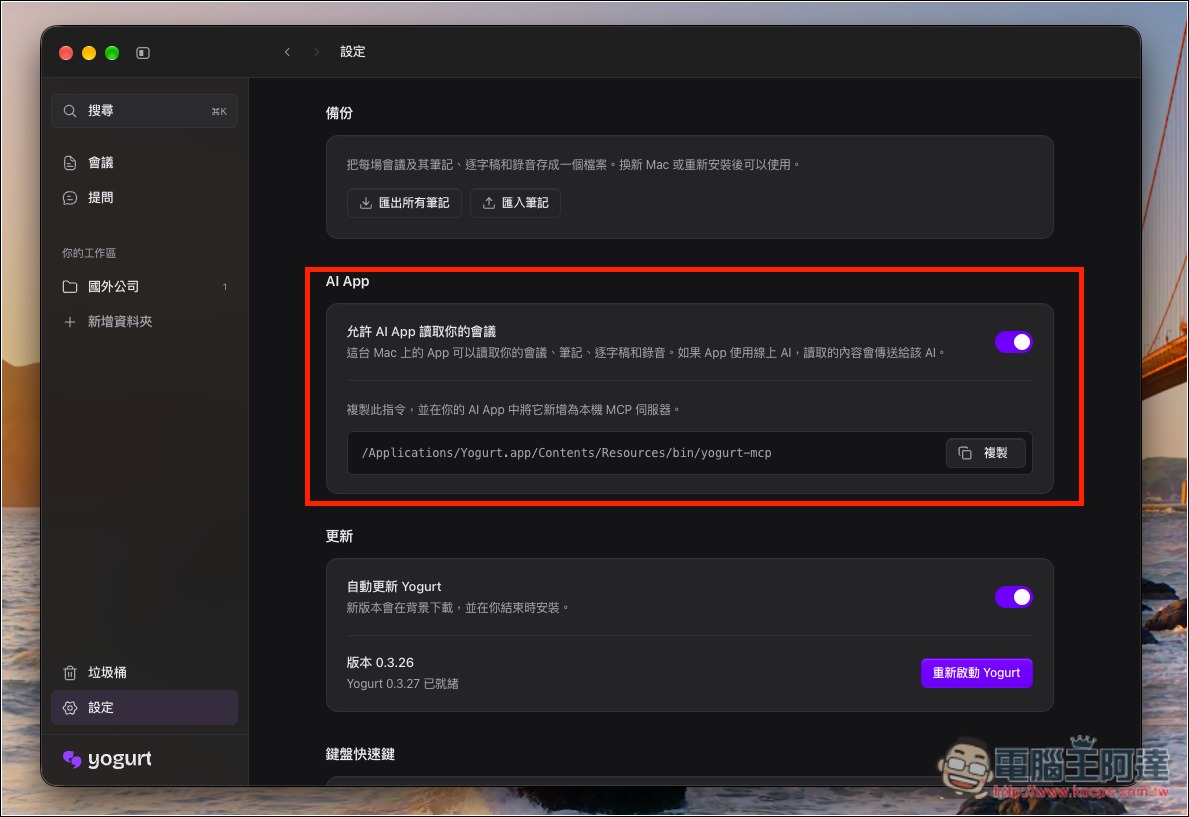
Initial setup requires downloading AI models. The smaller note model is about 5GB, while advanced models selected based on computer performance can exceed 14GB, so remember to reserve storage space. The basic requirement is at least 8GB of RAM; Macs require an Apple Silicon processor. Yogurt also provides a local MCP server, allowing users to authorize other AI assistants to read meeting notes and transcripts.
Key Features
- Completely free and open source: MIT-licensed, with no account registration or subscription fees required.
- Local AI processing: speech recognition, meeting summaries, and AI Q&A can all run offline on your computer.
- Real-time recording to text: record microphone and system audio simultaneously and convert conversations into transcripts.
- AI-generated summaries: automatically organize key points based on meeting transcripts and personal notes.
- AI Smart Q&A: Ask AI questions about past meeting content, with sources provided for the answers.
- Supports recognition of 99 languages: switch to multilingual mode to process Chinese, English, Japanese, and other languages.
- Supports common meeting platforms: compatible with Zoom, Microsoft Teams, Google Meet, and other calling software.
- Meeting recording reminder: When a supported online meeting is detected, you’ll be reminded to record, and recording stops automatically when the meeting ends.
- Meeting search and categorization: supports folder management, keyword search, and export in Markdown format.
- Speaker identification: The Mac version can identify the names of speakers displayed by common meeting platforms when conditions are met.
- Supports MCP integration: authorize other AI assistants to read meeting notes and transcripts.
- Cross-platform support: Windows, macOS, and Linux versions are available, with a minimum requirement of 8GB of memory.
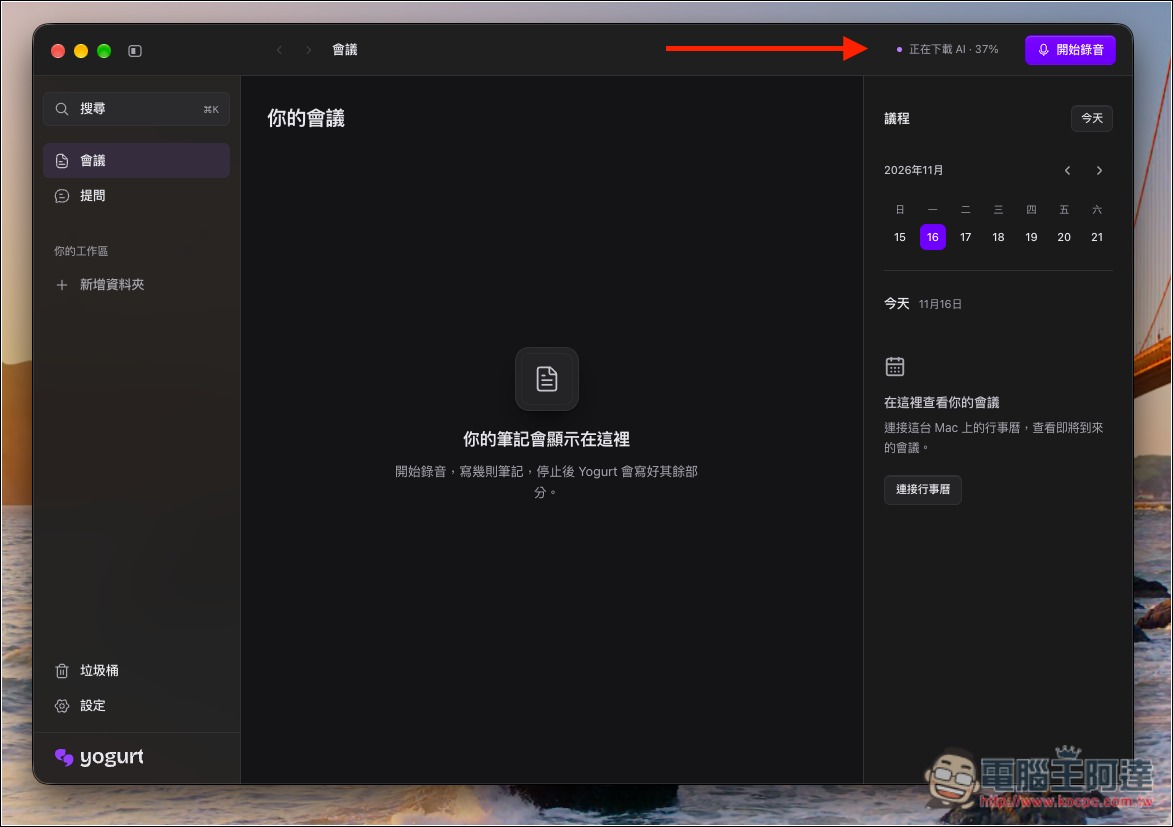
After opening Yogurt, it will automatically start downloading the required AI models:
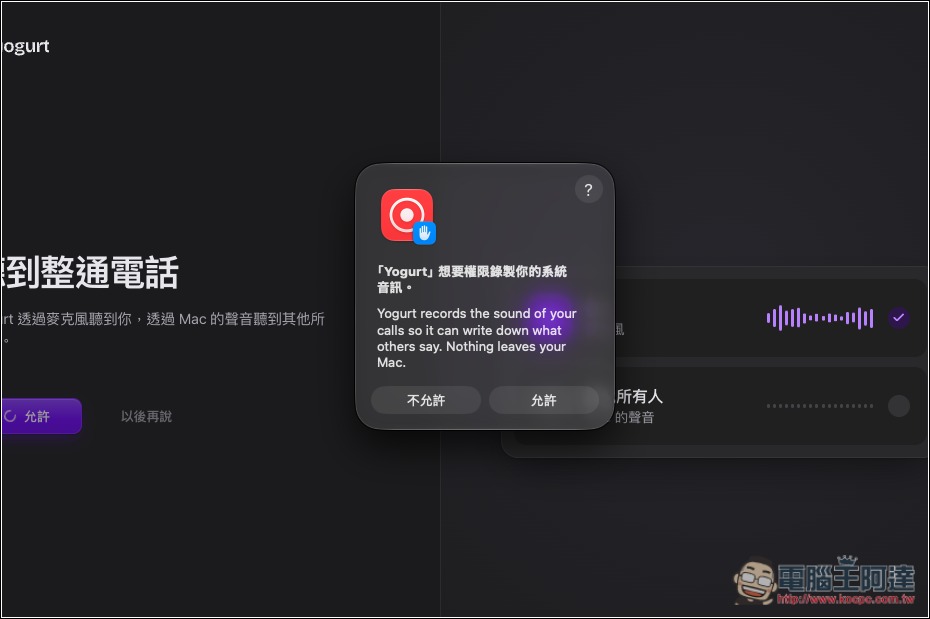
Remember to allow microphone and recording permissions:
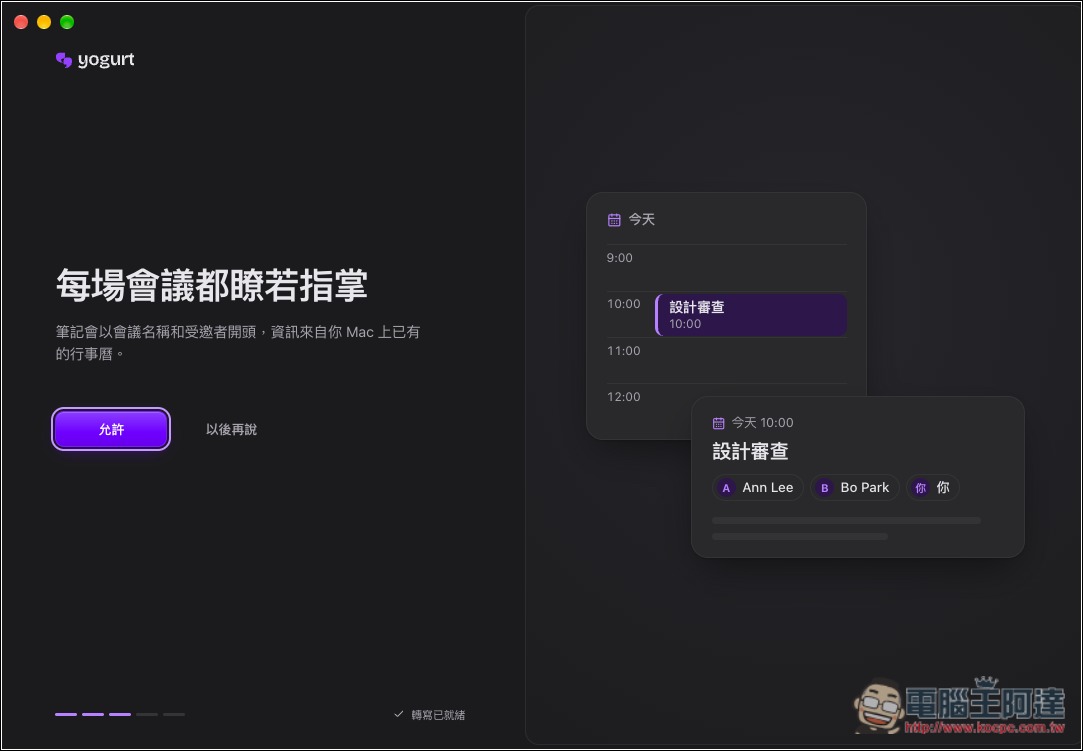
The Mac version can also integrate with Apple Calendar:
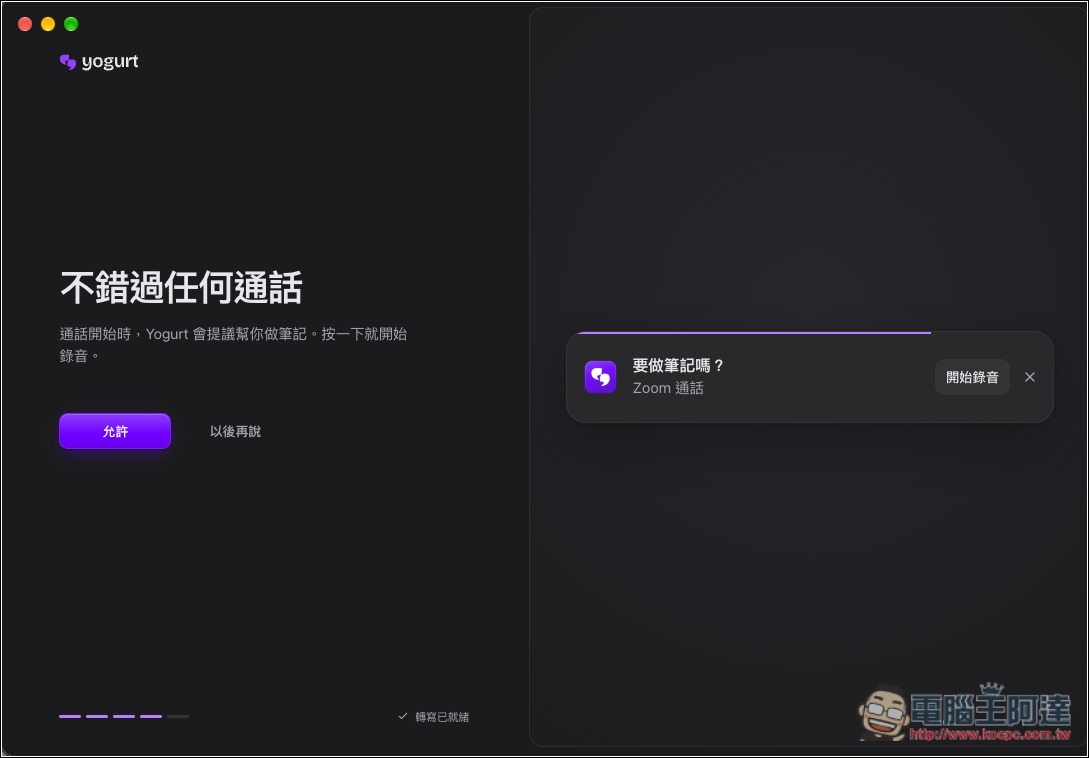
It will automatically detect supported meeting tools. If it detects that a meeting is in progress, it will display a reminder notification:
The Mac version supports name recognition, which can be used in Zoom, Meet, and Teams:
The image below shows the interface. On the left are two features, “Meetings” and “Questions.” Recorded meetings are saved under the former, and if you have any questions for the AI, go to the Questions feature. Remember to wait until the AI has finished downloading before you start using recording:
The meeting language defaults to English. If your meeting is in Chinese or another language, remember to switch to multilingual:
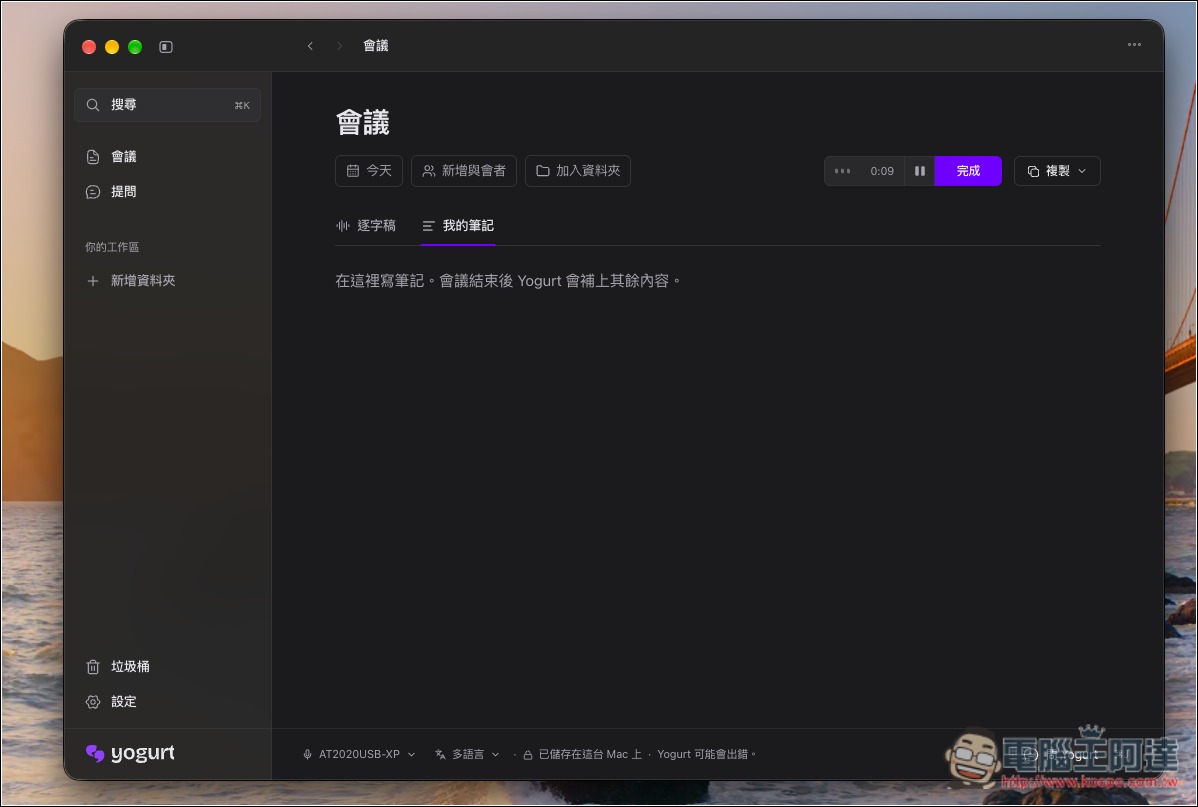
Press the Start Recording feature in the top right, and you’ll enter that meeting interface. You can record any key points in My Notes:
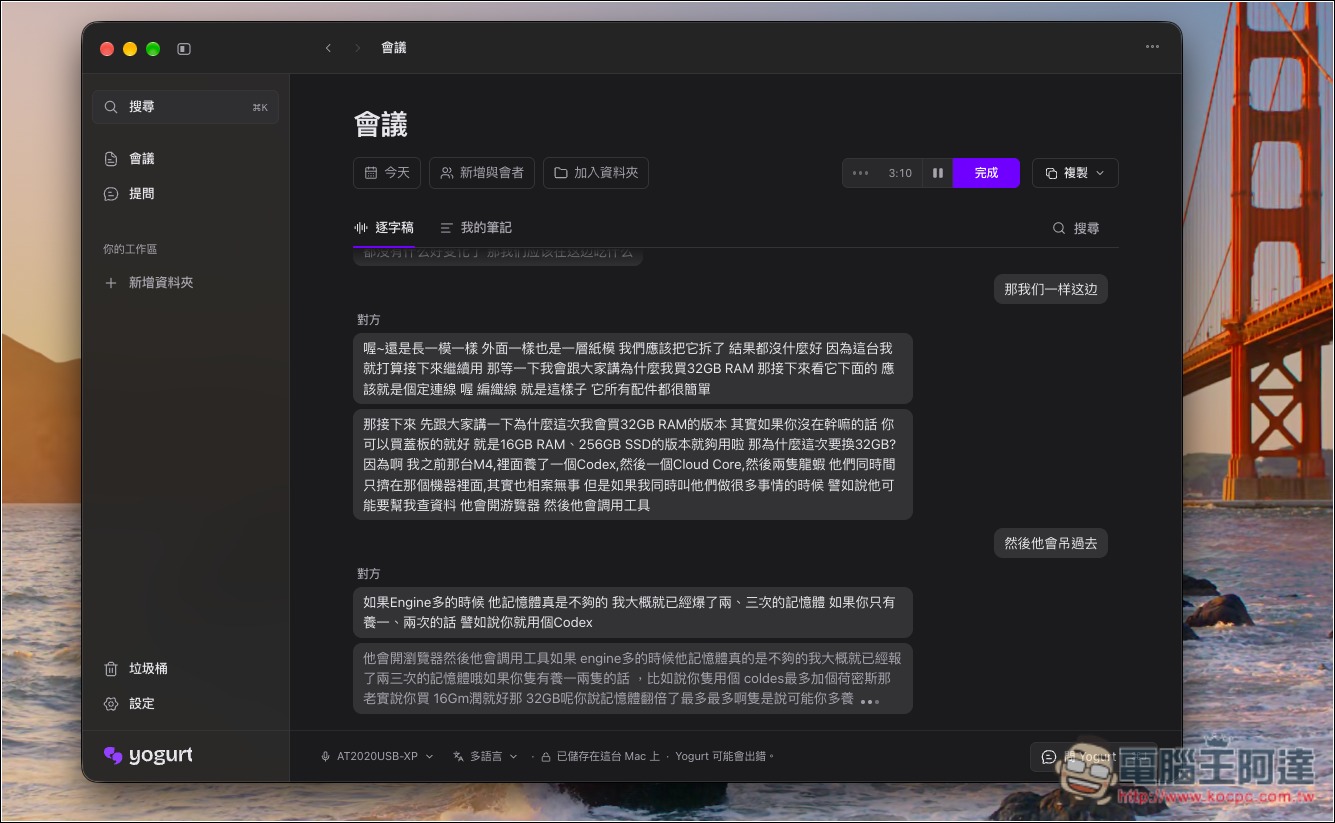
The transcript will display the current speech-to-text results from the recording in real time. In the image below, I’m using a microphone to record a YouTube video, so the audio capture quality may be okay, but I don’t think the recognition performance is very good. However, the recording file will be retained after it ends, so it’s okay if it isn’t transcribed well right now; it can still be processed later:
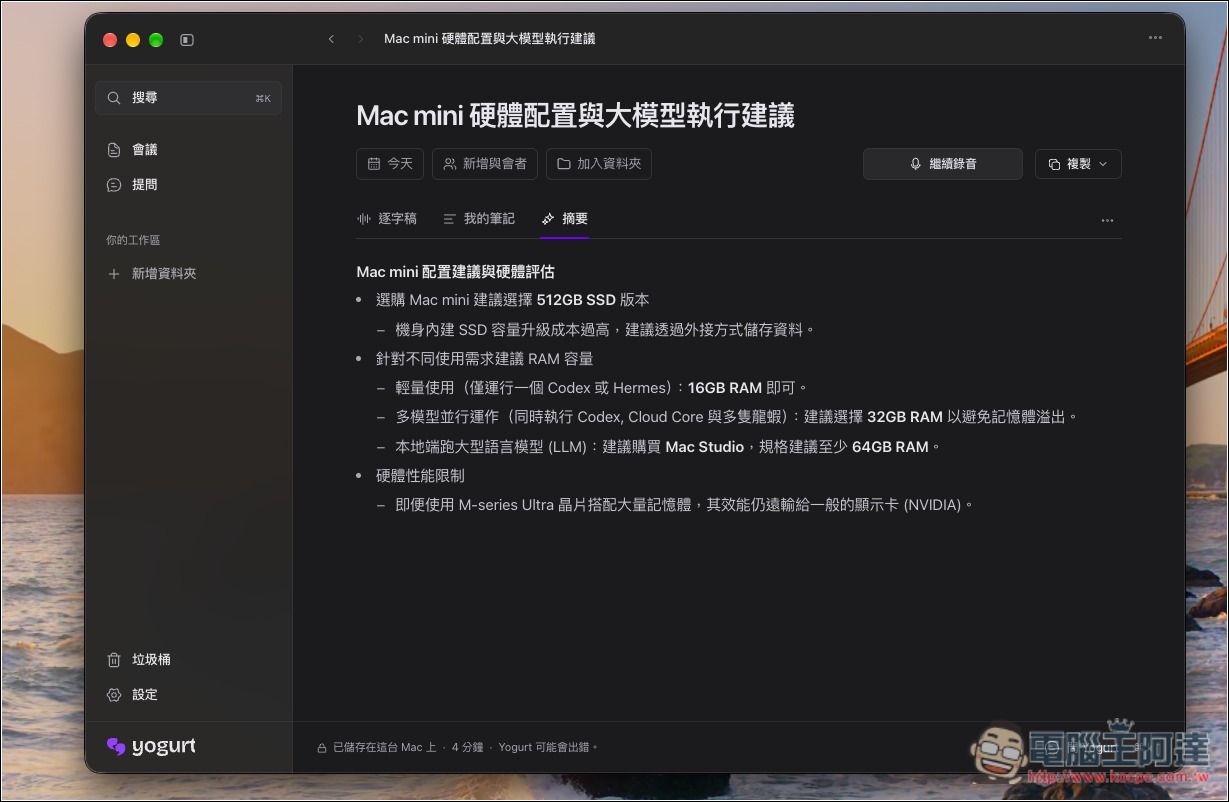
After recording, a summary is automatically generated, which I think is pretty good—it really does cover the key points:
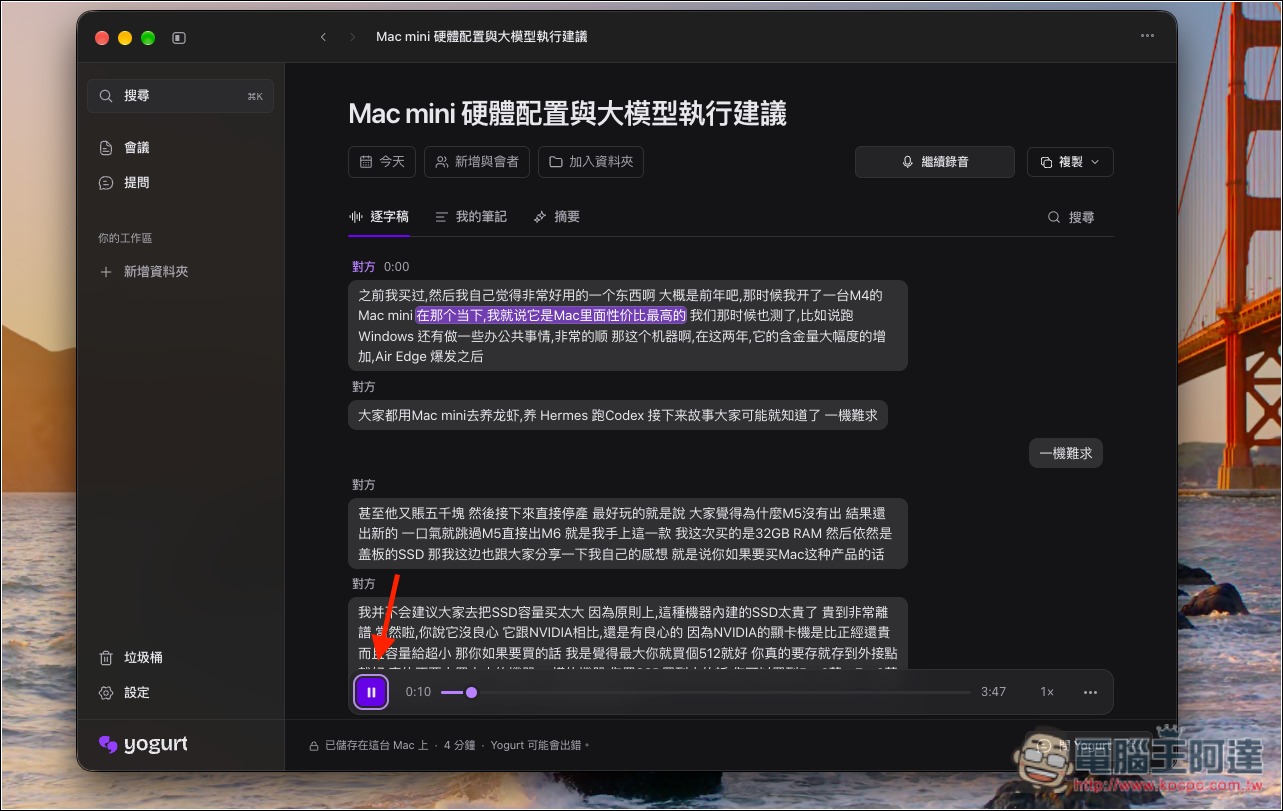
If you want to listen to the recording, go back to the transcript page; you can play it below:
If you have any questions about the meeting, you can ask the AI in the Q&A section:
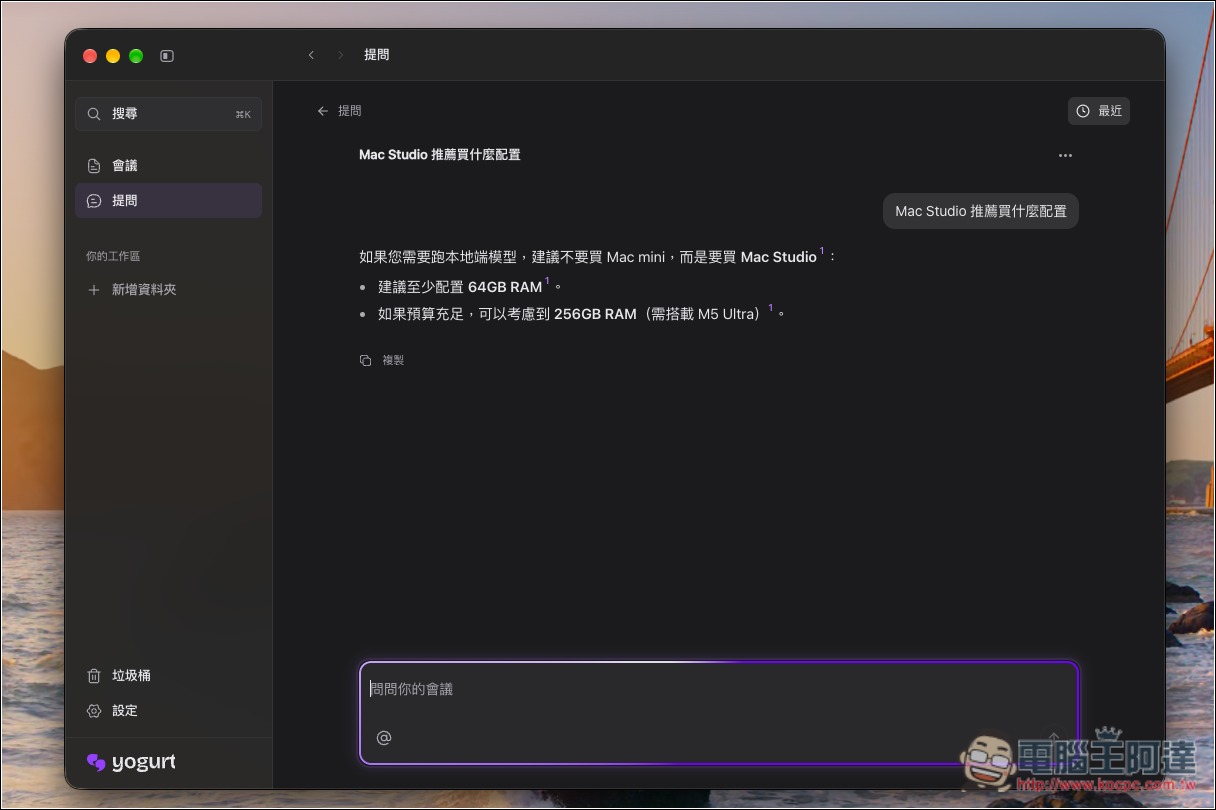
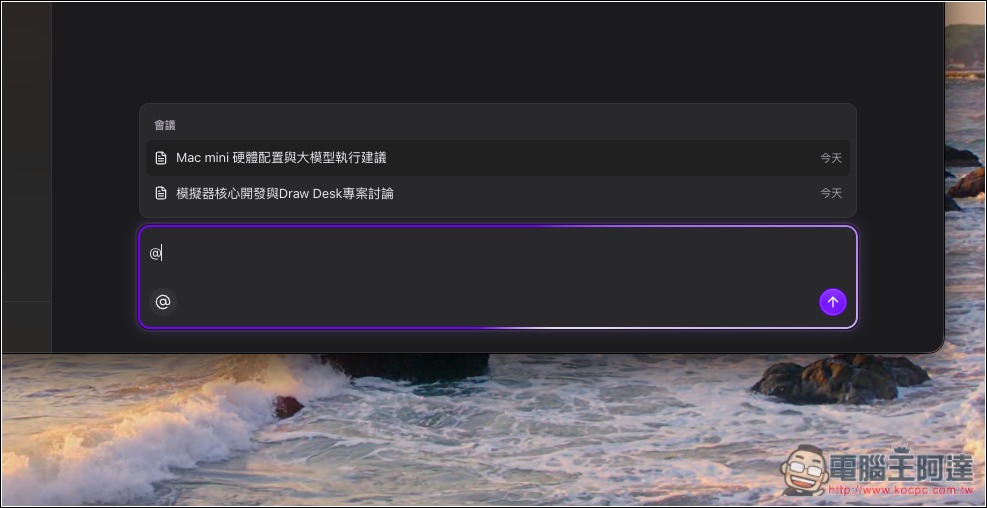
By default, it answers for all meetings, but you can also specify the meeting you want to ask about:
For those who need to connect other AI tools via MCP, just enable the AI App feature and you’ll get the instructions:
Source: KOCPC Chinese