


In this era of skyrocketing SSD prices, no one would be happy if something were quietly wearing down their SSD’s health behind the scenes. Recently, on an overseas Reddit forum, a user reported discovering that their SSD health was dropping by about 1% every month, and had been doing so for 16 months. After investigating, the issue pointed to a background service in AMD’s graphics card driver: even when the computer is idle and doing nothing, it keeps writing data to the system drive, with some players observing write speeds of 5MB per second. In response, an official AMD representative has acknowledged the issue, and the fix is expected to be released in the next version of the Adrenalin driver.
AMD Acknowledges Radeon Driver Abnormally Writing to SSDs! Users Report SSD Health Dropping 1% Every Month for 16 Consecutive Months, Fix Expected in 26.11.1
According to foreign media Tom’s Hardware According to reports, Reddit user darklinkpower posted a warning in r/pcmasterrace that the latest AMD Adrenalin driver has a bug that quietly but continuously writes to the system SSD in the background. He only noticed this after seeing the “1% drop per month” post in the Radeon subreddit, and quoted another player’s description:
部分近期的 AMD 驅動,可能有個和「AMD External Events Utility」服務有關的問題,這項服務對應 atieclxx.exe 與 atiesrxx.exe 兩個處理程序。以我的情況來說,這個元件讓系統 SSD 持續以大約每秒 5MB 的速度寫入,就算我沒有在做任何需要這麼多磁碟活動的事情也一樣。
PSA: As of the latest AMD Adrenaline update, a bug may be causing silent, constant writes to your SSD, unnecessarily killing its lifespan.
byu/darklinkpower inpcmasterrace
AMD External Events Utility is a service installed together with the Radeon driver, and it handles display-related events such as monitor detection and AMD Software hotkeys. Normally, it is idle most of the time, but this bug causes it to keep writing even when the computer is idle, and many people seem to be encountering it, with different write rates for each person.
Russian tech website Comss Compiled reports from AMD’s official forum: RX 9070 XT with Windows 11 at about 0.3MB/s, a screenshot posted by an AMD representative at about 0.7MB/s, RX 9060 XT with Windows 10 at about 1.5MB/s, and an RX 7800 XT user measured 600MB written within 10 minutes using Process Monitor. On Reddit, 5MB/s is the highest value:
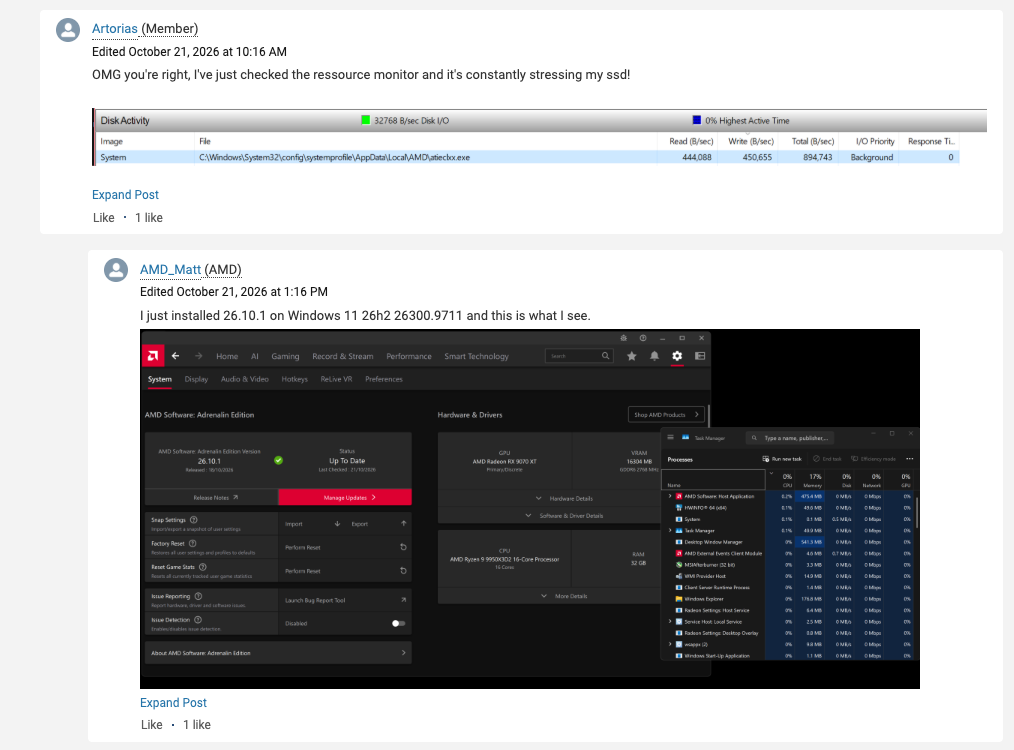
Related reports began appearing around July this year, and multiple driver versions from 26.6.4 to 26.10.2 may be affected, with cases on both Windows 10 and Windows 11.
5MB per second doesn’t seem like much—any random phone photo you save is bigger than that—but the problem is that it doesn’t stop: as long as the machine is on, it keeps writing. If we roughly calculate based on uninterrupted writing, the accumulated amount looks like this:
| Sustained write speed | Daily appointment | Approximately every 30 days | One-year contract |
|---|---|---|---|
| 0.3MB/s | 25.9GB | 0.78TB | 9.5TB |
| 0.65MB/s | 56.2GB | 1.68TB | 20.5TB |
| 1.5MB/s | 129.6GB | 3.89TB | 47.3TB |
| 5MB/s | 432GB | 12.96TB | 157.7TB |
SSD lifespan is related to TBW (Total Bytes Written). Each storage cell in the NAND flash memory can only be erased and written a limited number of times, so the more data is written, the faster it ages. Comss also gave the example of a 2TB Kingston NV3, whose rated endurance is 640TBW. If data is continuously written at 1.5MB/s, it would take about 13.5 years to use up. If it is the 5MB/s reported by netizens this time, the limit would be reached in about 4 years.
Moreover, the smaller the SSD capacity, the lower the TBW usually is.
So how do you check whether your AMD computer is affected? You can check using Windows’ built-in Resource Monitor:
- Press Win + R on Windows.
- Type resmon and press Enter to open Resource Monitor.
- Switch to the “Disk” tab.
- In “Processes with Disk Activity,” click the “Write (B/sec)” column to sort by write volume.
- Check whether atieclxx.exe and atiesrxx.exe are present, and observe whether they keep writing at a few hundred KB or even a few MB per second while the computer is idle.
- If you cannot find the above process, you can also check the disk activity of the System process to confirm whether the relevant file paths involve atieclxx.exe.
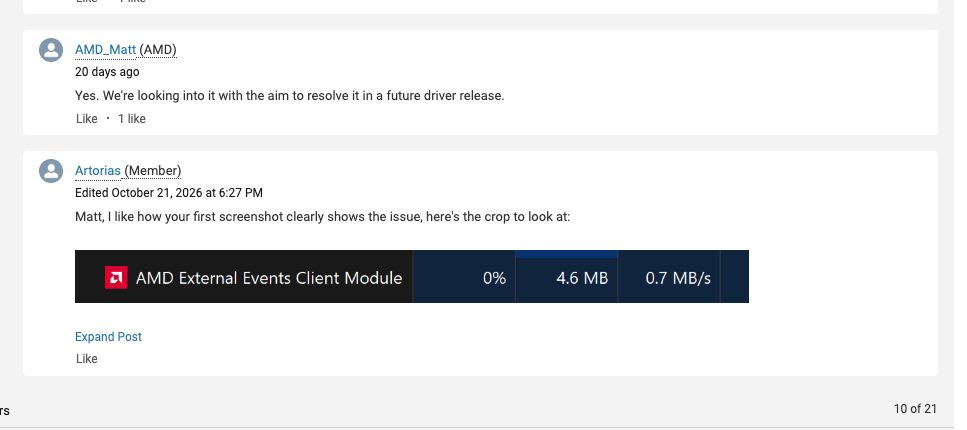
AMD official community representative AMD_Matt previously replied in the forum thread for the 26.10.1 driver, saying that this indeed appears to be a bug: “We are investigating this issue and aim to resolve it in a future driver release.” But no timeline was provided:
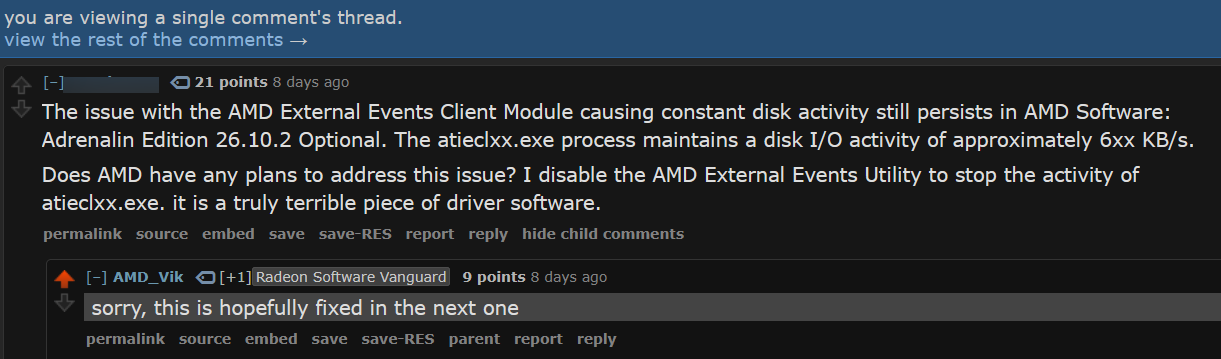
Later, another AMD representative, AMD_Vik, also responded on Reddit. He first apologized to players, then said, “Hopefully it will be fixed in the next release.” He further explained that the issue appears to be caused by an interaction between External Events Utility and Microsoft’s PCIe Filter Driver. The relevant fix has already been submitted and is expected to be included in Adrenalin 26.11.1:
Although AMD has confirmed it, it should be noted that there is currently no evidence that all Radeon graphics cards are affected.
Source: KOCPC Chinese