


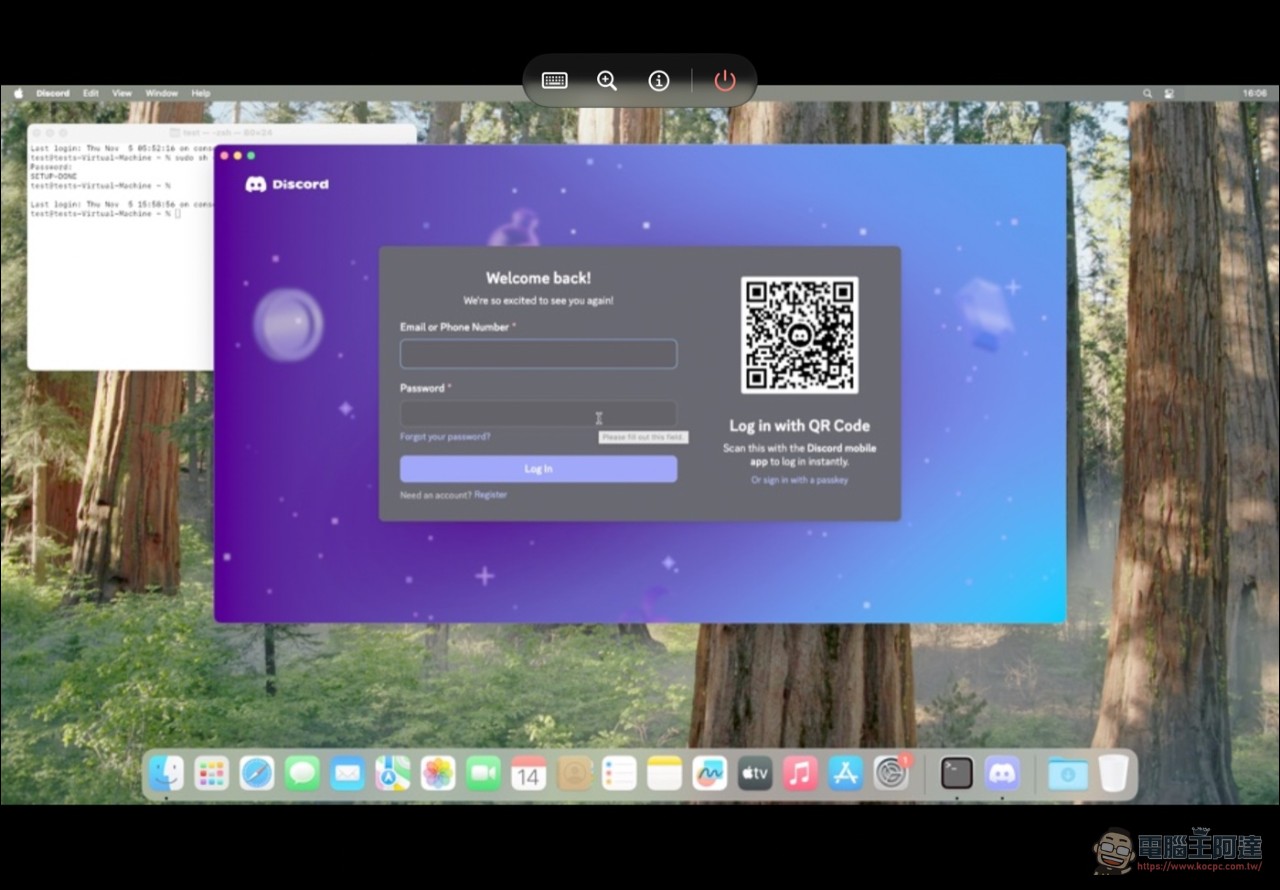
Many people may have thought that Apple’s mobile processors perform well enough to run macOS, but it just depends on whether Apple is willing to allow it (later came the Macbook Neo, which used a phone processor). Recently, a GitHub project called “Henge,” which appeared only on November 2, turns the feature Apple won’t give you—running macOS on an iPhone—into installable software. The open-source emulator Henge released version 0.1 on November 6, installing Apple’s macOS directly on iPhone and iPad, with no Mac required and no jailbreak needed; version 0.2, following on November 7, even crammed the latest macOS 27 (Golden Gate) into the phone. Developer Leviidev is not doing this for the first time—last month he had just used the same underlying technology to get Android running on an iPhone.
From Husk to Henge: Two Pieces of the Same Person’s Puzzle
Henge’s technical foundation comes from the author’s previous work Husk. Husk launched in September this year and lets iPhones directly run Android games and apps, operating through a self-built translation layer without fully booting Android. Henge’s build documentation explicitly lists that it directly incorporates Husk’s StikJIT (a JIT just-in-time compilation tool on iOS), the libslirp network stack, and glib. The same engineering of “running a foreign operating system inside the iOS sandbox” translated Android apps last month and this month emulates the entire macOS.
Without using QEMU, write your own ARM64 JIT emulator.
In terms of technical approach, Henge does not use the common QEMU or call Apple’s official Virtualization.framework. Its core is a custom ARM64 JIT emulator paired with Metal graphics acceleration. Because the iPhone and Mac both use ARM64, the emulator must reproduce macOS instruction set behavior under iOS constraints, which saves the heaviest burden of cross-architecture translation—this is why it can reach the macOS lock screen in about 15 seconds on an iPhone 17 Pro. During installation, Henge directly downloads Apple’s publicly released restore image to obtain macOS Sequoia; the project itself does not bundle any Apple system files.
Version 0.2: macOS 27 launches, connect a display to use as the host
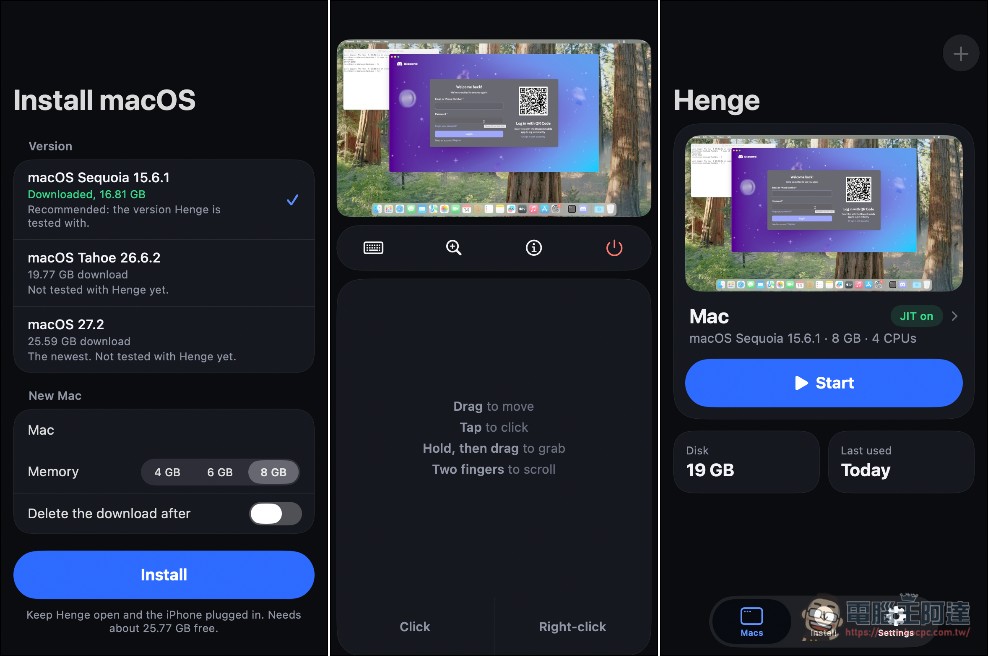
The 0.2 version released on November 7 pushed feasibility up another level. macOS Golden Gate 27.2 has been confirmed to install and boot on the iPhone 17 Pro; a 12 GB iPhone was measured to allocate 10 GB of memory to a virtual Mac, with memory options ranging from 1 to 16 GB.[1]The new version also supports outputting a virtual Mac to an external display via USB-C (available on iOS 27 and iOS 17 through 26), and opens up the part the public cares about most: a free personal Apple Developer team can sign and install it, with no paid certificate required. On the performance side, it adds 60 Hz and 120 Hz ProMotion refresh rate options, iPad P3 display color calibration, and fixes a bottleneck in the memory query mechanism.
Henge 0.2 is out, and it can run macOS Golden Gate on iOS! Henge 0.2 featured USB-C external display, colors fixed, and more. And also Golden Gate runs, still slow but better then before. Download: https://t.co/X88NGIcpg1 https://t.co/rpg1Zda4Fh
— levi (@leviidev01) November 7, 2026
43 GB, JIT permissions, and a bunch of restrictions
Don’t get too excited just yet—the current barrier to entry is still fairly high. The system requirements are iOS or iPadOS 17 or later, an A14 or newer chip or an M1 or newer chip, and about 43 GB of free space (the 17 GB download file can be deleted after installation; 26 GB is for macOS), andBe sure to enable JIT permissions.The methods include StikDebug, TrollStore, jailbreaking, or the StikJIT assistant built into Henge on iOS 26 and later. Known limitations include: signing in to an Apple account within macOS fails due to a verification error; only one virtual Mac can be started per launch; emulation runs slower than an actual Mac; and the only tested model so far is iPhone 17 Pro.
GPL licensing is incompatible with the App Store.
The licensing structure determines how Henge is distributed. The project uses GPL-2.0; because it incorporates GPL components from the QEMU ecosystem, the binary constitutes a GPL combined work, and the documentation states outright that it cannot be listed on the App Store (and Apple certainly won’t allow it). Users must sideload it via SideStore or AltStore, or install it through TrollStore. A contrasting case is vphone-cli, which InfoQ reported on in September this year: the project brings full iOS 27 virtualization to Apple Silicon Macs, the opposite direction from Henge. Both use Apple’s publicly released restore images and both operate on the edge of Apple’s licensing terms.
GitHub – Leviidev/Henge
In fact, Apple phone chips from the A14 onward are powerful enough for everyday macOS use; the limitations are concentrated in software licensing and JIT permissions (without this permission it is extremely slow—the normally distributed QEMU version takes half an hour just to boot). If you can sort out the three pieces of the puzzle—developer signing, USB-C external display, and macOS 27—then connecting an iPhone to a display becomes a mini Mac setup, officially moving from demo videos into a reality you can install yourself.
Source: KOCPC Chinese