


As AI tools become more widespread, many people now store not only photos and videos in the cloud, but also AI-generated images and videos and various work files, which quickly makes free cloud storage insufficient. A paid subscription may not seem like much per month, but accumulated over a year or five years, it is actually a considerable expense. On top of that, once you stop renewing and your storage exceeds the free quota, you can no longer upload new files, leaving you completely locked in.
As a result, “lifetime plans,” which can be paid for in a single lump sum with no monthly fees afterward, have become increasingly popular in recent years.
If you missed it before, pCloud recently launched a “Double 11 limited-time plan.” Not only are the 500GB, 2TB, and 10TB lifetime cloud storage options discounted, but there is also an extremely cost-effective 3-in-1 lifetime bundle. In addition to 3TB of lifetime cloud storage, it includes the pCloud Pass professional password manager and pCloud Encryption client-side encryption protection. All three services are lifetime versions, and the price is less than 40% of the original price—a very good deal.
pCloud 2026 Double 11 sale is officially here! Save 62% on the 3-in-1 lifetime bundle
pCloud’s Double 11 promotion this time runs from November 1, 2026, to November 18. The most recommended option is the “3-in-1 Lifetime Bundle”: with a single purchase, you get 3TB of lifetime cloud storage, the lifetime version of the pCloud Pass password manager, and the lifetime version of pCloud Encryption client-side encryption, for a discounted price of US$579—about NT$19,000, less than NT$20,000.
This 3-in-1 lifetime bundle normally costs US$1,517—nearly NT$50,000—so it’s a massive saving.
If you only need cloud storage, there are also three lifetime cloud storage plans to choose from: 500GB, 2TB, and 10TB.
| Plan | Program Content | Suitable For | Original price | Double 11 sale price |
| 3TB 3-in-1 Lifetime Bundle (Most Recommended) | 3TB lifetime cloud storage, pCloud Pass Lifetime, pCloud Encryption Lifetime | For those who need large capacity and also value password management and file encryption. | US$579 (save 62%) | |
| 500GB lifetime plan | Cloud storage only | Light users who mainly back up documents and phone photos. | US$159 (save 43%) | |
| 2TB lifetime plan | Cloud storage only | General users or families with large volumes of photos and videos | US$379 (save 47%) | |
| 10TB lifetime plan | Cloud storage only | Photographers, video creators, and studios that need to back up large volumes of media. | US$1,099 (save 61%) |
The biggest benefit of the 3-in-1 bundle is that it takes care of the three services modern people need most in one go. Normally, if you want to use these three services, you not only have to subscribe to them separately, but the cost also adds up significantly over time. Take two common services on the market, Google Drive and 1Password, as an example.
Google AI Pro offers 5TB of cloud storage for $19.99 per month, and 1Password Personal is $3.99 per month. These two services alone cost about $288 per year, meaning it takes only about 2 years to match the price of the pCloud 3-in-1 lifetime bundle; after that, the lifetime version is pure savings.
Of course, this comparison is still a bit unfair—after all, Google AI Pro also comes with other benefits.
The 500GB, 2TB, and 10TB standalone plans only include lifetime cloud storage. Although they are also discounted, they do not include pCloud Pass or pCloud Encryption. If you later want to use password management or file encryption features, you will have to purchase them separately. In that case, ordering the 3-in-1 bundle directly is actually more cost-effective.
A quick look at the three key features of the pCloud 3-in-1 lifetime bundle
3TB of lifetime cloud storage for photos, videos, and AI creative assets.
How big is 3TB? Roughly estimating with a phone photo of about 5MB, it can hold around 600,000 photos. Even 4K video footage that often runs to several GB can fit quite a few projects. Nowadays, many people are using AI to generate images, videos, and music, or even using AI to assist with software development, and the materials and project files accumulated over time can be substantial. With 3TB of cloud storage, you won’t have to constantly worry about running out of space.
On computers, pCloud offers the pCloud Drive desktop app, which works on both Windows and Mac. After installation, an extra virtual drive appears on the computer, so even files stored in the cloud can be opened and dragged directly in File Explorer or Finder, just like they are on an external hard drive, and you don’t need to download all files to your local machine—this is especially practical for computers with smaller SSD capacity.
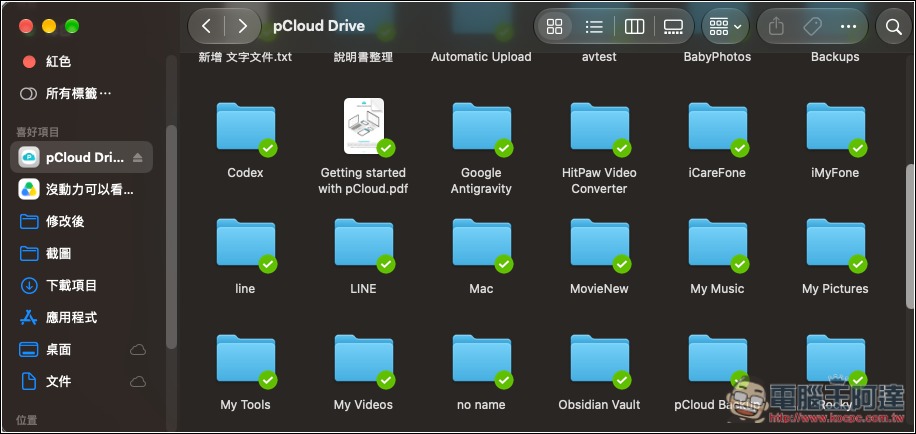
If you regularly work with large amounts of AI-generated images and videos, or completed project assets, you can store them all in pCloud, which leaves more free space on your computer.
It’s very convenient that you can send files to colleagues or clients and directly generate a sharing link. If you accidentally damage or delete a file, you can also recover it through file version history and the recycle bin.
pCloud’s mobile app also supports automatic backup. Once enabled, the photos and videos in your photo library will be automatically backed up to pCloud, so you won’t have to worry about transferring data when you switch phones.
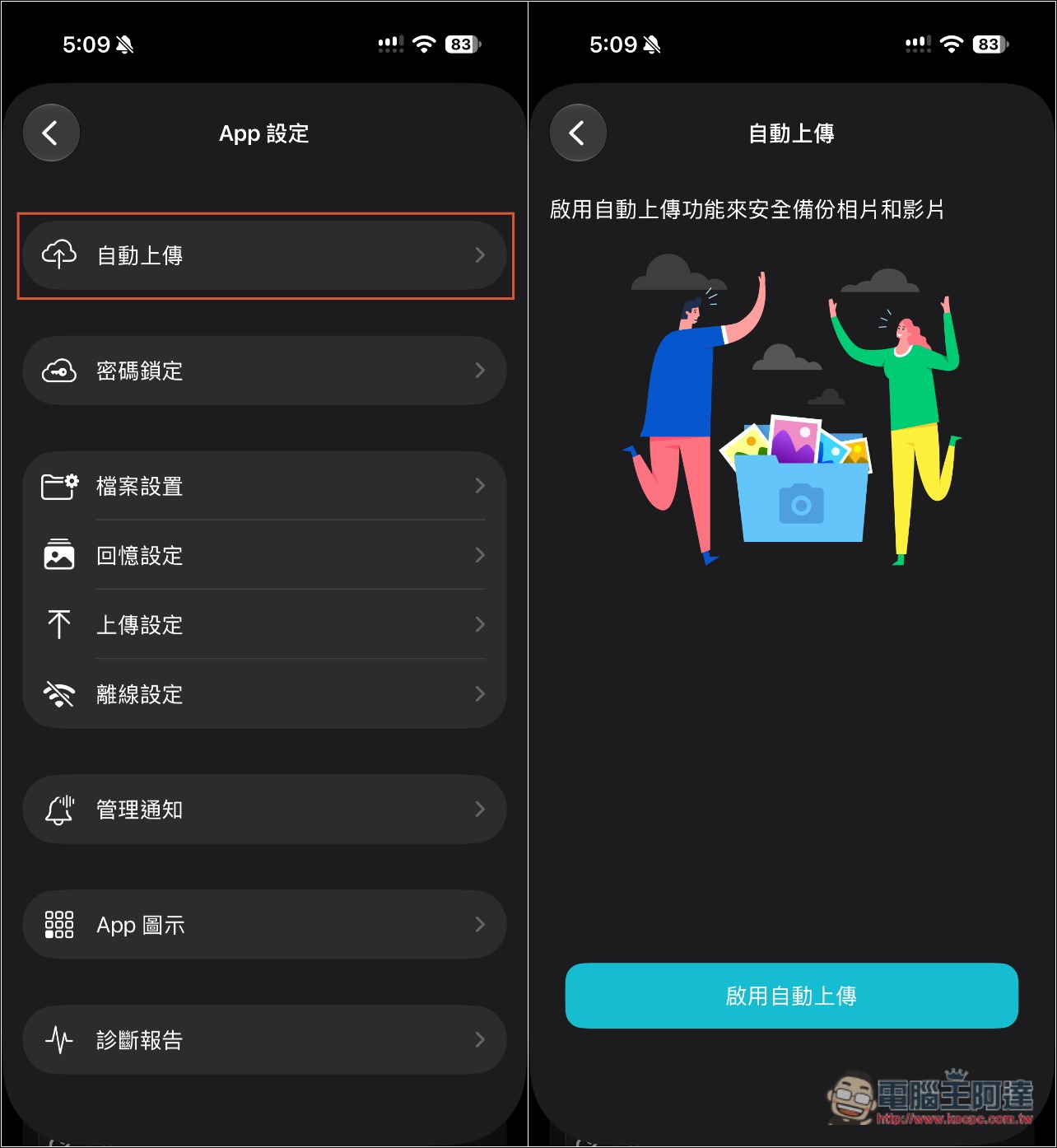
pCloud Pass Lifetime Edition: centralized account and password management, with autofill for added convenience
These days, almost everyone has quite a few website and app account credentials. If you set an easy-to-remember password for each one, the risk in this AI era can be said to be very high.
With pCloud Pass, even if you set high-strength random passwords, you don’t have to worry about forgetting them—you can easily store all your account passwords in one place. It also offers browser extensions for Chrome, Edge, and others, plus autofill in the mobile app, so you no longer have to enter them manually one by one. On your phone, you can also unlock with Face ID or Touch ID.
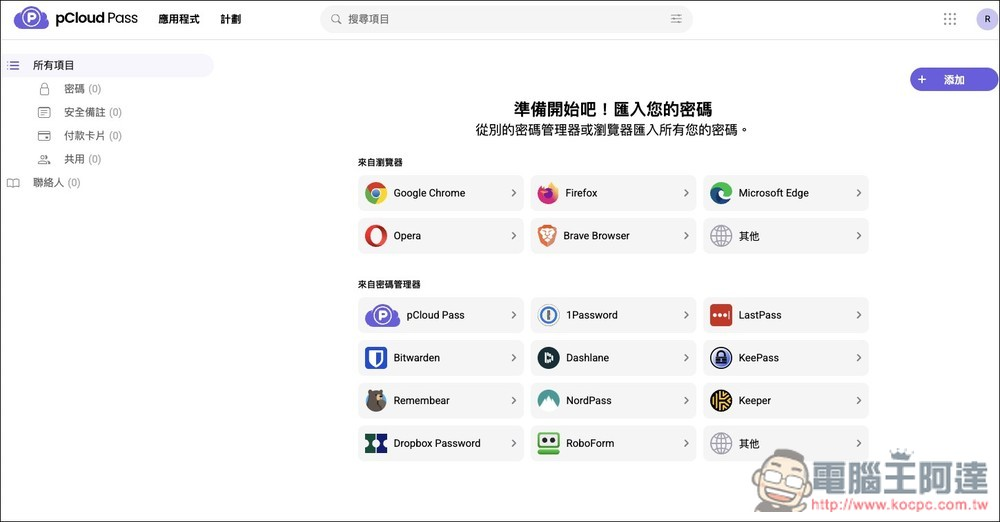
Besides passwords, pCloud Pass can also store credit card details and automatically fill in payment information at checkout. Sensitive information such as ID numbers and bank account numbers can also be saved as encrypted notes. All data is encrypted with AES-256 on your device before being uploaded and synced, and only your master password can unlock it.
Even better, you can securely share a set of passwords with your family when needed.
pCloud Encryption Lifetime Edition: encrypt important files before uploading.
Most cloud services generally encrypt files on the server side after they are uploaded, and the service provider also holds the keys.
pCloud Encryption uses client-side encryption: files are encrypted on your device before being uploaded to the cloud, and it uses a zero-knowledge encryption architecture—the key to unlock them is only in your hands, and even pCloud cannot see the file contents. pCloud officially held a $100,000 cracking challenge with 2,860 participants over 180 days, and no one succeeded in cracking it.
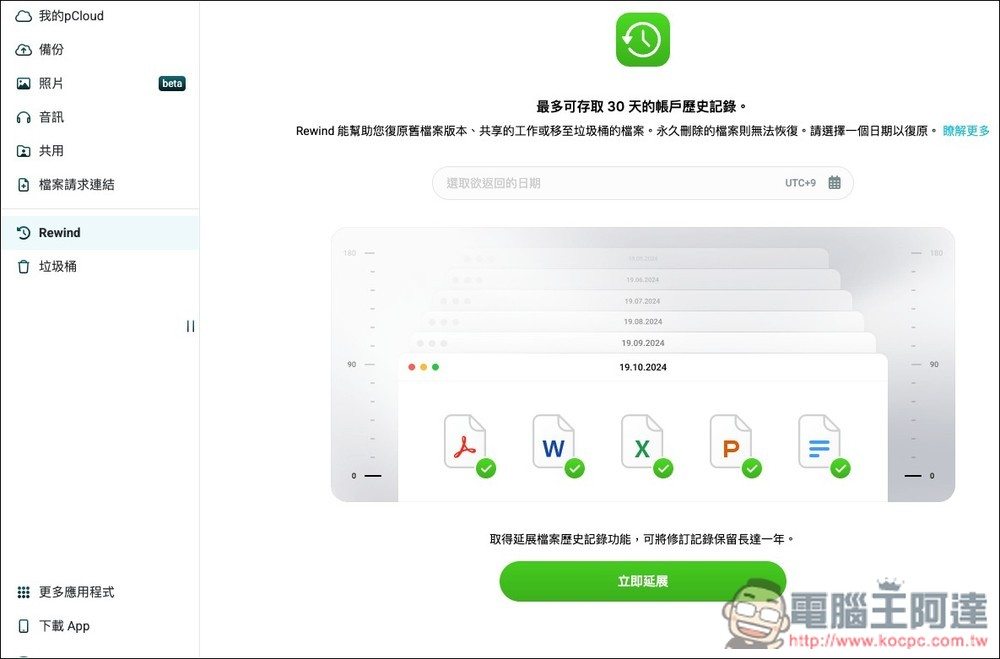
Using it isn’t complicated either: After you enable pCloud Encryption, a Crypto Folder will appear in your account. Put sensitive files such as scanned ID documents, contracts, tax filing data, and financial statements into it, and they will be encrypted automatically. You can open it on the web version, desktop, and mobile.
However, note that only files placed in Crypto Folder are protected by client-side zero-knowledge encryption; after purchase, not all cloud files automatically receive the same protection. Also, because only you hold the key, be sure to remember the encryption password you set when configuring Crypto Folder—if you forget it, pCloud cannot help you recover it.
Why recommend buying the pCloud Lifetime plan? Pay once and get better value over the long term.
The biggest advantage of the pCloud lifetime version is that you only need to pay a one-time fee, and after that you don’t have to keep paying monthly or annually.
Although the purchase price is higher than a regular subscription plan, if you use it long enough, the average cost ends up being lower (I also broke down the math above), and you won’t have to worry about future subscription price hikes driving your original spending higher and higher—especially given how sharply storage device prices have risen in recent years, the risk of price increases is even greater.
Besides the price advantage, the lifetime version also eliminates subscription management: you don’t need to check renewal dates every year, update payment information, or worry about automatic payments failing because your credit card expires.
For those who already habitually store phone photos, work documents, AI creative assets, and other data centrally in the cloud, using it will definitely be more hassle-free.
Source: KOCPC Chinese