


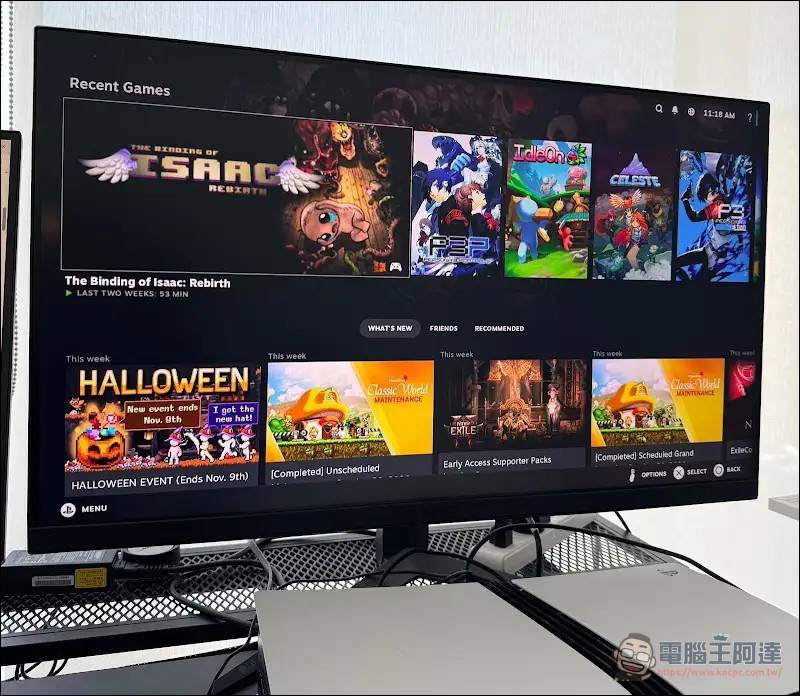
To play Steam games on a PS5, the answer for years has been “impossible.” If console players want to play PC games, they have to rely on Remote Play streaming to another computer, or modify the console themselves to install Linux plus Wine—every step is troublesome enough to make people give up. Recently, a third-party project has reduced this to a single installation file: drop it in and it’s done. The project is called “Playden for PS5.” Its approach is to use a Windows compatibility layer ported specifically for PS5 to run Steam games directly on the console’s local hardware, with no need for streaming, and no need to boot the PS5 into Linux first.
To be clear upfront: this is a jailbreak tool that damages the console.
But don’t get too excited yet—Playden requires a jailbroken PS5. The project’s README lists the environment it was tested in: firmware 13.60, jailbroken via a WebKit autoloader, with tools such as kstuff-lite 1.11, ShadowMountPlus v1.7-beta5fix1, and elfldr v0.26 loaded after each boot. Other firmware versions should theoretically work but have not been tested. The entire Windows compatibility layer is a separate project. prospero-win, released under the LGPL-2.1-or-later license.
The game itself runs by packaging each game as a separate PS5 application. Each game has its own disc icon on the home screen and its own dedicated Windows environment. On launch, control is handed to that dedicated application, which starts Wine and applies that game’s settings.
The game runs, but the numbers aren’t as impressive as expected.
As of October 24, a total of 193 games have been catalogued. The classification method is straightforward: 131 are marked as playable, 15 have issues but are playable, 43 cannot enter a playable state after launch, and another 4 outright refuse to prepare. The most notable entry on the list is Cyberpunk 2077, marked as playable, but its usage conditions are described in detail: the default launcher cannot open the game; you must change the executable in the game settings to bin/x64/Cyberpunk2077.exe, and Direct3D 12 must go through vkd3d-proton. The first launch resolution is 1024×768; if you want 1920×1080, you have to change it yourself in the settings. The test record states that the opening, menus, character creation, Nomad prologue, and garage scene are playable, using about 3 GB of video memory; 13 minutes of continuous play had no crashes, and frame rate was not measured.
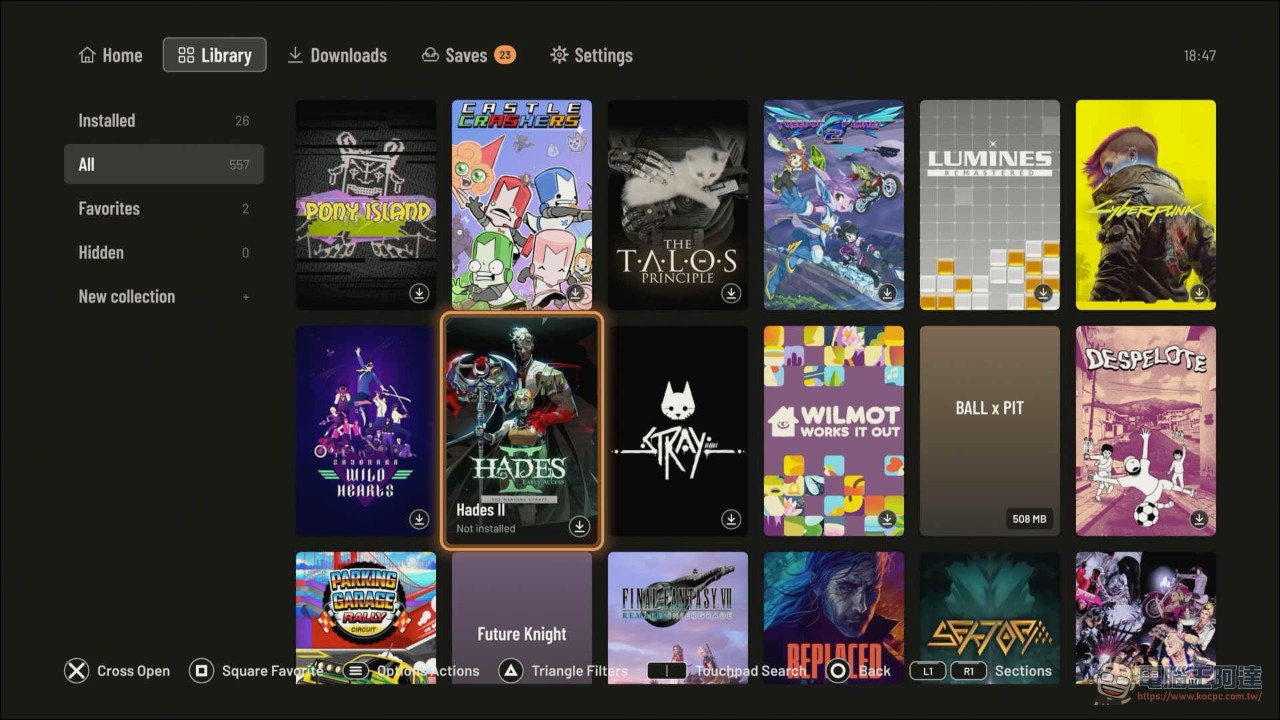
Hollow Knight, Cuphead, Portal 2, Dead Cells, and Deep Rock Galactic are also listed as playable, each with its own configuration prerequisites. For example, if Playden automatically determines the graphics settings for Dead Cells, it gets stuck at “Failed to initialize DirectX driver,” and DXVK must be specified manually.
It’s not just Steam.
Playden’s flow is similar to typical launchers: log in by scanning a QR code with the Steam mobile app or by entering your username and password directly, with support for Steam Guard email verification codes and mobile app approvals. Once logged in, you can browse your entire game library, search, sort, add favorites, and view game ratings and notes. Game downloads have a queue screen where you can check progress and designate the next game to prepare.
People who already have game files can take another route: import Playden from a USB flash drive, M.2 SSD, or FTP without needing a Steam account. Games can be installed in the console’s built-in storage or placed on an exFAT-formatted USB drive.
The earliest hands-on report in the community dates back to October 13. A player commented on r/PS5_Jailbreak that installation and operation were quite easy; the original Portal version had no issues during installation, and games worked as expected, with only two limitations: the mouse cursor could not be used, and pressing ESC could not open the options. Under that comment, someone asked whether there were more demanding new games that could run, and the maintainer replied that there was a list on the project page.
The output side has also been given an extra layer of handling: each game has its own settings screen where you can choose the program to launch, edit launch arguments and library overrides, and export the settings as a recipe to share. The DualSense controller supports multiple input layers such as XInput, DirectInput, Raw Input, and Windows.Gaming.Input; games will see the DualSense as an Xbox controller, and vibration is also supported. When there is no physical mouse and keyboard, you can use the left stick to emulate the mouse, or use the D-pad to emulate the arrow keys.
Risks of Accounts and Save Data
Playden states a warning right at the start of the “Before you use it” section in the README: it will log in with your real Steam account, download games, and read and write your Steam Cloud saves. The project is not affiliated with Valve in any way, nor is it supported or endorsed by Valve. In addition, the PS5 also needs to be jailbroken, which means that just by trying, you will void your PS5’s warranty or even get your console banned by Sony.
There are four specific risks. First, Playden is an unofficial Steam client that communicates directly with Steam servers, and Valve does not support third-party clients. Second, the Steam login token is stored on the PS5 without encryption; anyone on a jailbroken console who can read files can obtain it, including third parties connected via FTP. Third, Playden uploads saves after gameplay ends, and if the program malfunctions, it may overwrite a good save with an older or corrupted version. Fourth, a running game can obtain elevated privileges on the console, so you should only run games you trust. To avoid leaving the token on the console, you can turn off “Stay signed in” in settings and log in again every time you launch Playden.
As for whether you want to risk voiding your PS5 warranty just to try something new, that’s up to you.
Playden for PS5 Official Project (Source: GitHub)
Source: KOCPC Chinese