


From time to time, Steam suddenly offers limited-time free games, and unlike Epic, the window is usually very short—sometimes only 24 hours—so you might miss it before you even notice. This article introduces a very convenient extension called “FreeKeep.” Once installed, it checks in the background for new limited-time free Steam games and automatically claims them for you, so you don’t have to do anything. It also provides notifications for Epic limited-time free games so you don’t miss them.
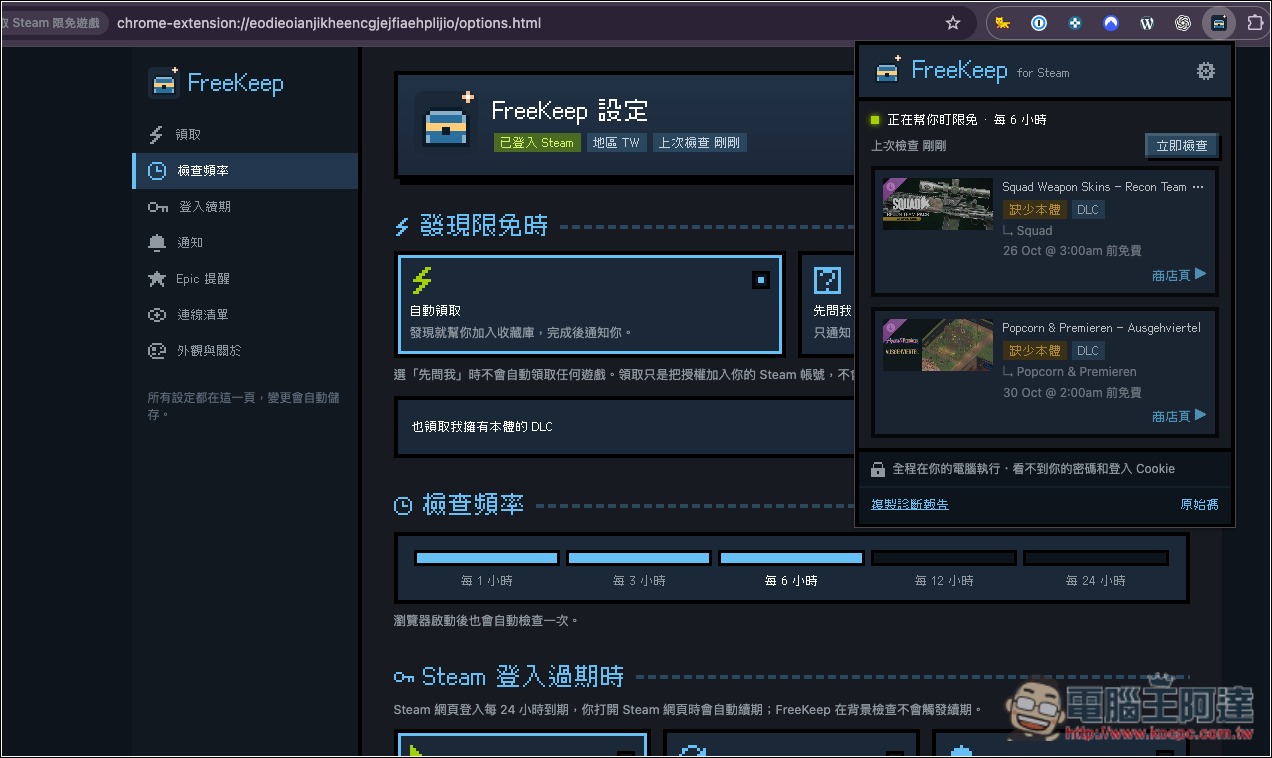
Introduction to the FreeKeep extension that automatically helps you claim Steam’s limited-time free games.
FreeKeep is a free, open-source browser extension that helps Steam players automatically claim limited-time free games and DLC, so they don’t miss free games they could have permanently added to their collection because they’re busy with work or forget to check sales events. Just install FreeKeep in your browser and log in to your Steam account on the official Steam website, and it will periodically check in the background for new limited-time free games and automatically add them to your Steam library when eligible—no need to search manually every day.
Unlike typical free-game notification tools, FreeKeep not only tells you which games are being given away for free but also completes the claim directly. The entire process uses only the existing Steam login session in the browser and simulates the Steam Store’s “Add to Account” action through background requests, without requiring you to enter your Steam username or password again.
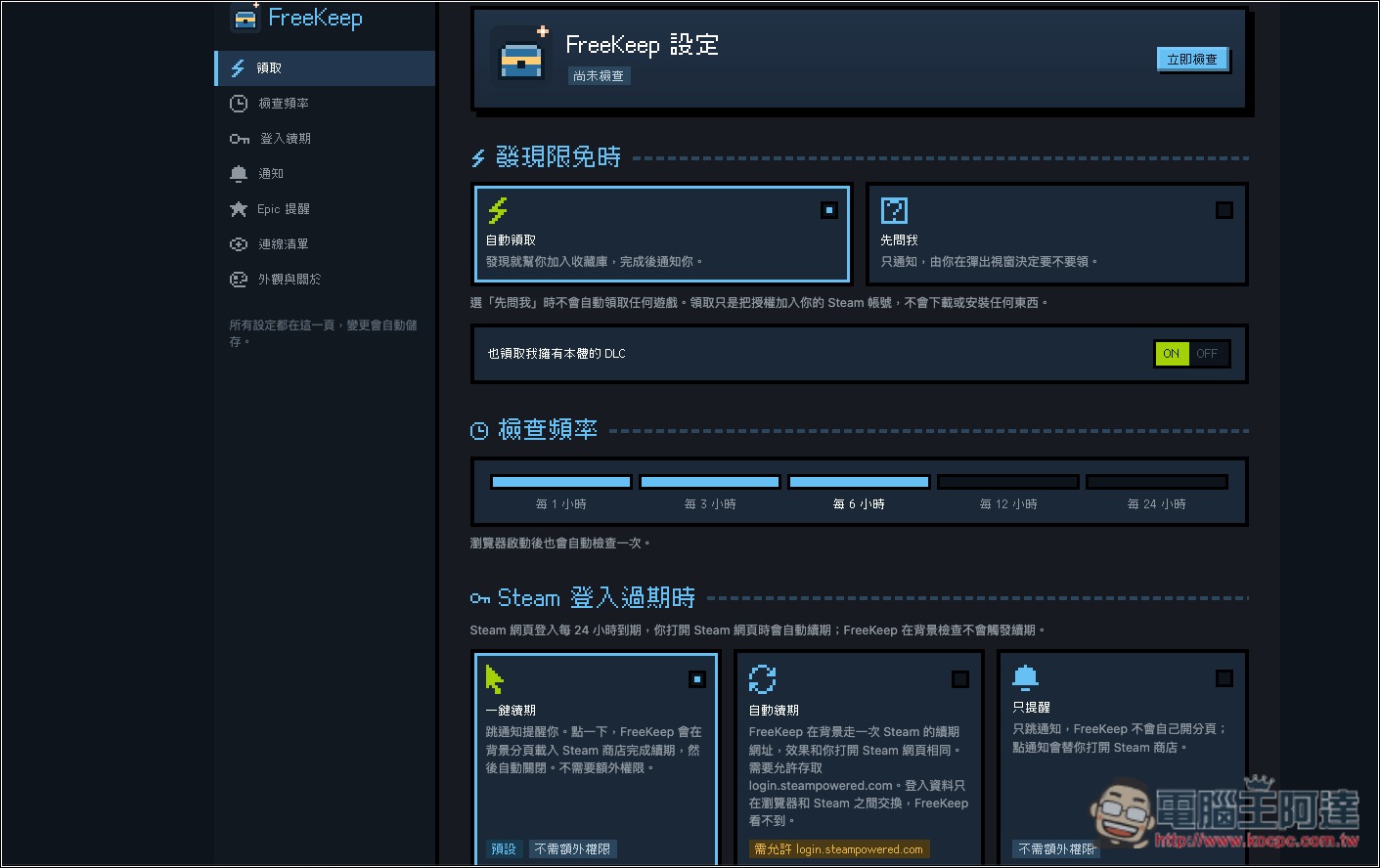
It offers highly flexible check settings: you can choose to check automatically every 1, 3, 6, 12, or 24 hours, and a check will also run when the browser starts. In addition to fully automatic claiming, the claiming mode can also be set to notify the user for confirmation first before deciding whether to claim. If a game is already in your own library, the system will automatically skip it to avoid duplicate processing.
In addition, FreeKeep targets Steam games that are free for a limited time and can be kept permanently, so it will not include free demos, beta versions, or games that are already free to play in the scope of automatic claiming. As for DLC, it will first confirm whether the player owns the corresponding base game. The tool will also determine free eligibility based on the Steam account’s store region, to avoid attempting to claim offers that do not apply to that region.
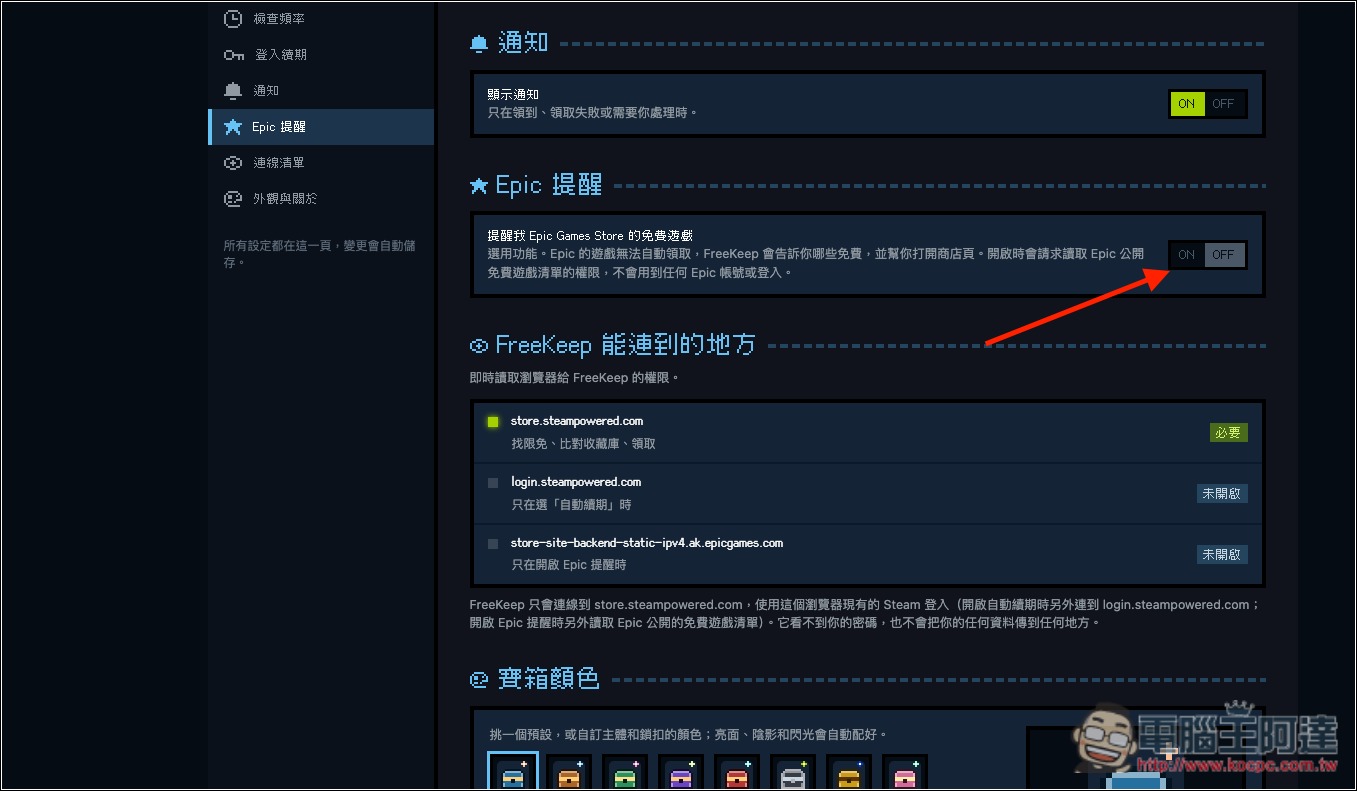
Regarding privacy, the developer states that FreeKeep does not require permission to read Steam login cookies, nor does it have its own backend server or tracking/analytics mechanisms. The code is publicly available on GitHub so capable users can inspect it themselves. In addition, it supports free game alerts for the Epic Games Store, but the Epic portion only provides notifications; users still need to go to the store themselves to claim the games.
Main Features
- Automatically claim free games: automatically add Steam limited-time free games that can be kept permanently to your library.
- Supports free DLC: If you own the base game, you can also automatically claim eligible free DLC.
- Periodic background checks: supports checks every 1, 3, 6, 12, and 24 hours, as well as checks on browser startup.
- Two collection modes: choose fully automatic collection, or manually confirm after receiving a notification.
- No additional login required: uses your existing Steam login status in the browser, so you don’t need to provide your password to the extension.
- Smart game filtering: automatically excludes games you already own, free demos, and regular free-to-play games.
- Regional eligibility: determine whether the offer applies based on the Steam store region.
- Epic free game reminder: You can opt in to notifications about Epic Games Store free game events.
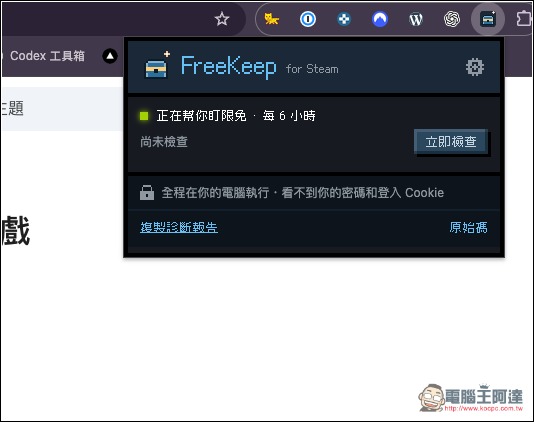
After installing FreeKeep, open the settings in the top right corner:
Here you can adjust various settings, including automatic claiming, check frequency, and what to do when your Steam login expires:
Epic can’t claim automatically, but it offers notifications; those who don’t want to miss out can turn notifications on. Below, you can also configure the browser permission data that FreeKeep can read:
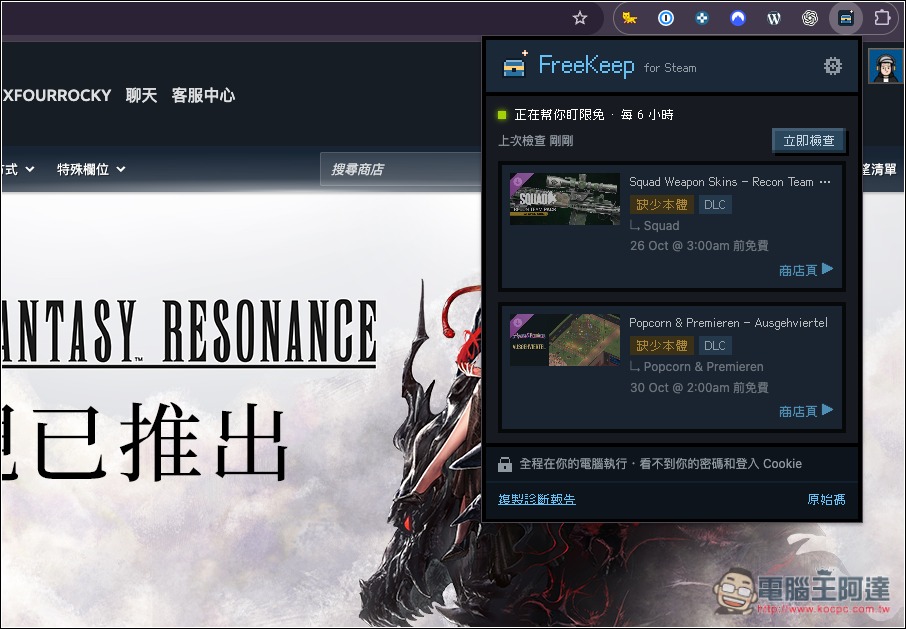
After making sure your browser is already logged in to your Steam account, open the extension icon to see the check status and whether there are currently any limited-time free games:
Source: KOCPC Chinese