


Although Google Meet already offered real-time speech translation, it not only supported very few languages but could also only translate between one specified language pair. Recently, Google officially announced that its Gemini-powered real-time speech translation has expanded to 63 languages at once, including Chinese. Even more conveniently, it now also includes automatic language detection, so if some people in a meeting speak English, some speak Japanese, or even three or four or more languages are used, the system will identify them on its own and provide real-time speech translation without the need to manually switch translation languages, making it much more convenient to use.
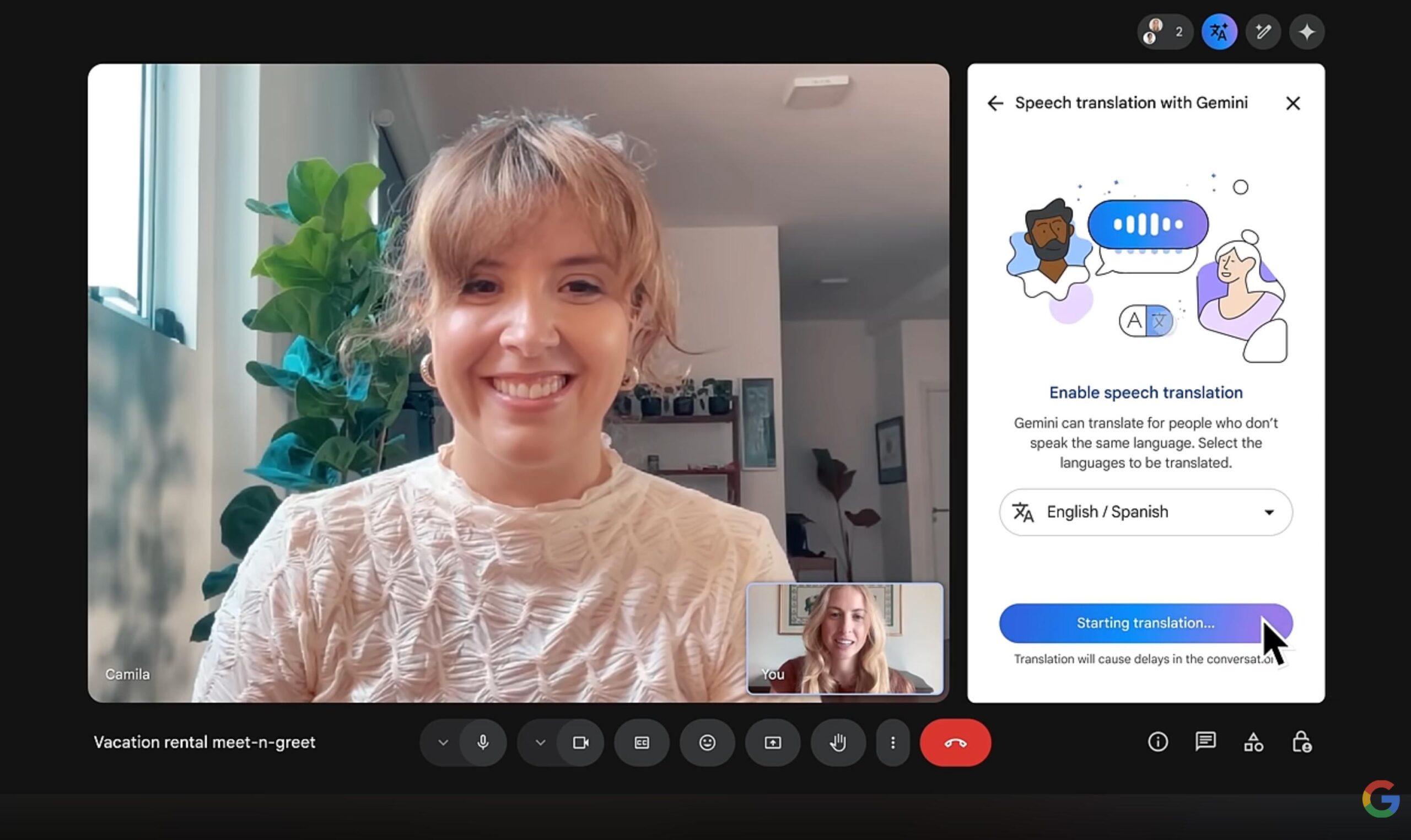
Image source: Google
Google Meet real-time voice translation gets a major upgrade: expanded support to 63 languages and automatic detection of the speaker’s language, eliminating the need for manual switching.
For those who aren’t clear on this, here’s a quick explanation: real-time voice translation is different from the more familiar “translated captions.” Translated captions convert what the other person says into text displayed on the screen, while real-time voice translation directly plays the translated content as speech, and it tries to preserve the speaker’s original intonation, rhythm, and pitch as much as possible, so it sounds more like the other person is speaking your language.
This feature was first available in 2025, but at the time it only supported English and Spanish. Later, French, German, Portuguese, Italian, and others were gradually added, but there was a usage restriction: one of the parties had to be English. And this time Google Meet upgradeIt then switched to being powered by Google’s Gemini 3.5 Live Translate model, announced in June, so not only did the number of languages expand to 63, it can also automatically detect the speaker’s language.
There will be a dedicated translation button on the meeting toolbar. You just need to turn on voice translation and select the language you want to hear, and the system will automatically determine what language others are speaking. For example, in a meeting with colleagues from the US, Japan, and Korea, the US colleague presents in English, the Japanese colleague then asks a question in Japanese, and the Korean colleague adds something in Korean; the system will automatically identify the language of each segment of speech and translate it into your preferred language and play it to you. Even if the same speaker switches languages partway through, it can switch along with them. And everyone can set their own preferred language.
For the actual effect, please refer to Google’s demo video:
In addition, if you already understand multiple languages and, besides your native language, want to hear only the original speaker for other languages, Google Meet also offers a “languages you already understand” setting. For example, if your English is good, add English; when an English speaker is speaking, the original audio will be kept, and only Japanese, Korean, or other languages will be translated.
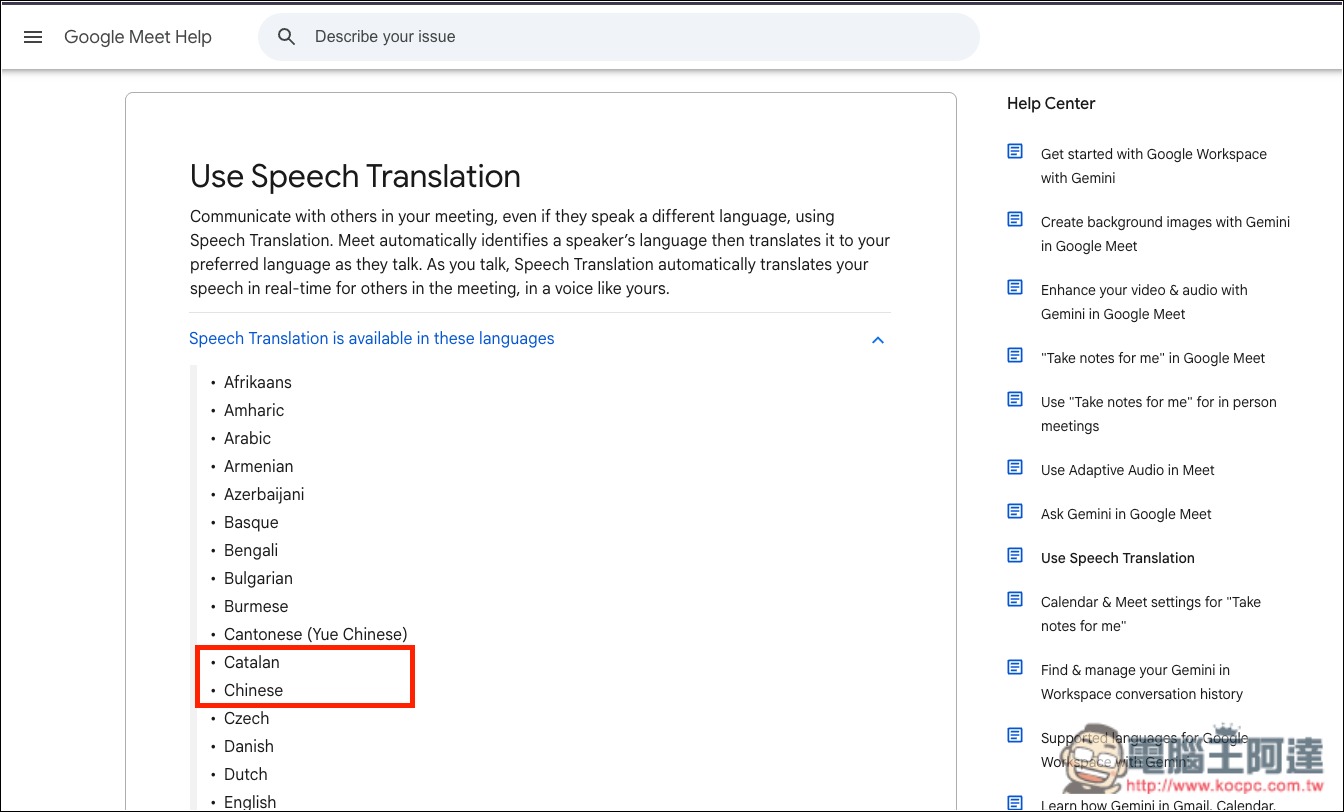
According to the supported languages listed in the Google Meet Help Center, the 63 languages include “Chinese” and “Cantonese”; the Asian languages also include Japanese, Korean, Thai, Vietnamese, Indonesian, Malay, Filipino, and others:
After you turn on real-time voice translation, if you also enable captions, captions synchronized with the translated speech will appear on the screen, so you can listen and read at the same time. Google also notes that during the initial rollout, captions and translated speech may not always be perfectly synchronized.
The new live speech translation will roll out gradually starting October 22 and may not be fully available until mid-November at the latest. If you use a company or school account, availability will depend on the update schedule set by your administrator; some people will get it earlier, while others may have to wait an extra week or two. Mobile users should remember to update the Google Meet app to the latest version.
Available options include:
- Individual plans: Google AI Pro, Google AI Ultra
- Business plans: Business Standard, Business Plus, Enterprise Standard, Enterprise Plus, Frontline Plus
- Education and add-on plans: Google AI Pro for Education, AI Expanded Access, AI Ultra Access
Translation also has a time limit: with the basic Workspace plan and Google AI Pro, each meeting can be translated for up to 90 minutes. Google AI Ultra, AI Expanded Access, and AI Ultra Access raise this to 8 hours.
Source: KOCPC Chinese