


Google recently targeted Google Translate(Google TranslateImportant feature updates are rolled out, bringing practical improvements for both Android and iOS. On Android, background simultaneous interpretation has been officially added, letting users switch apps during real-time translation without interrupting the conversation. On iOS, the ear-proximity “Listening Mode” that was previously exclusive to Android has arrived, allowing users to listen to translations privately through the earpiece without headphones.
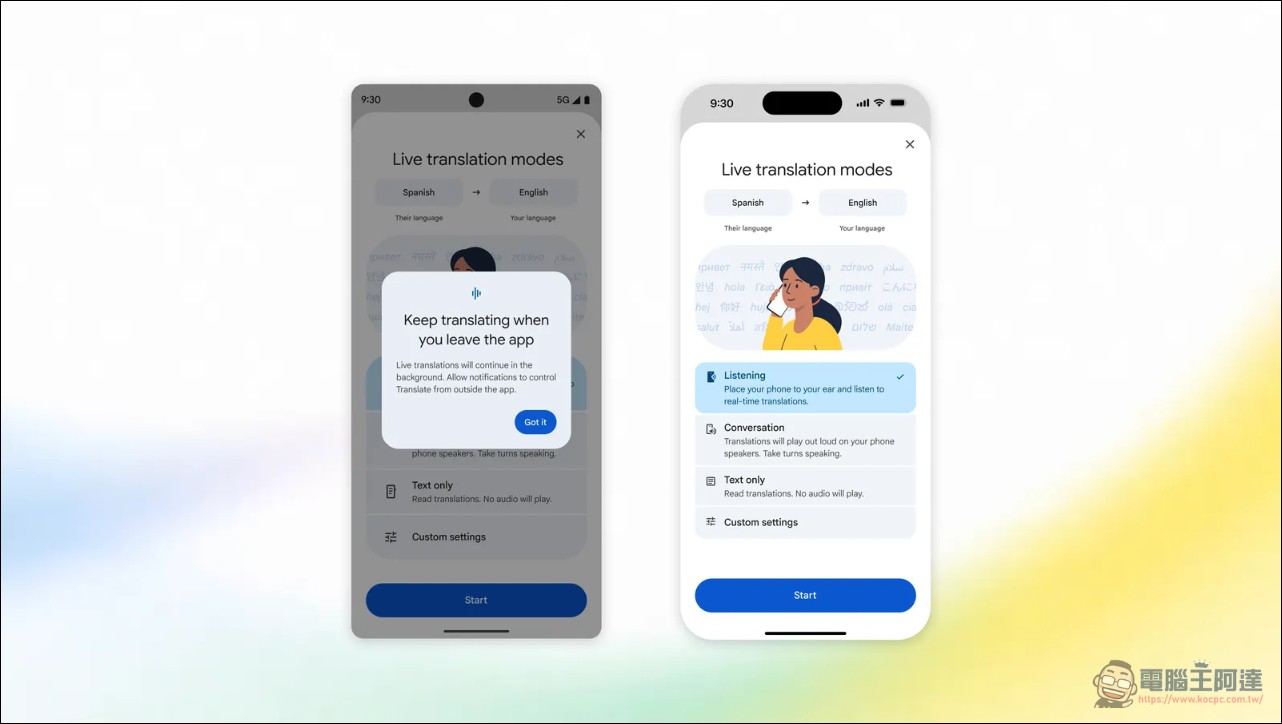
Android Background Simultaneous Interpretation: A Key Enhancement for Multitasking Scenarios
Google Translate’s real-time interpretation mode (Live Translate) has long been a core feature for cross-language communication, now supporting near-instant speech conversion across more than 70 languages. This technology works by simultaneously recognizing the speech of both parties during a conversation, displaying the translated content as text on the screen, with the option to play audio output as well. According to official Google statistics, more than one-third of live translation sessions among current users exceed five minutes, showing that the demand for long, continuous conversations is far from rare.
Previously, when using the simultaneous interpretation feature, users had to keep the translation interface permanently in the foreground. As soon as they needed to switch to a map to check a route, open a notepad to record information, or view a hotel reservation, the translation process was forcibly interrupted. This caused considerable frustration in real travel or business scenarios, forcing users to repeatedly choose between keeping the conversation going and looking up other information—making the entire experience rather fragmented.
The new background mode completely solves this pain point. After enabling real-time translation, Android users can freely switch to other apps for multitasking, and can even continue speech recognition and translation in a locked state with the screen off. Users simply need to light up the screen to view the organized bilingual side-by-side content. This improvement significantly enhances Google Translate’s practicality in multitasking scenarios, making it especially suitable for international travel and business situations where users need to look up information while holding conversations. For example, when checking in at a hotel front desk, users can chat with the staff while switching to their email to confirm the reservation code, then return to the translation interface to view the response—the entire process flows smoothly without interruption. Google has also revealed that this background execution feature will eventually come to the iOS platform, though no specific timeline has been provided yet.
iOS Close-to-Ear Listening Mode: A Private Solution for Scenarios Without Earphones
This time, iOS is getting the “Listening Mode” feature, which first launched on Android earlier this summer. The design concept behind it is fairly straightforward: when users want to privately listen to translated content in a public setting but don’t have wireless earphones on hand, they can simply hold the iPhone up to their ear like answering a phone call, and the earpiece will automatically play the translated audio. The feature already drew considerable attention when it was first unveiled at this year’s Google I/O conference.
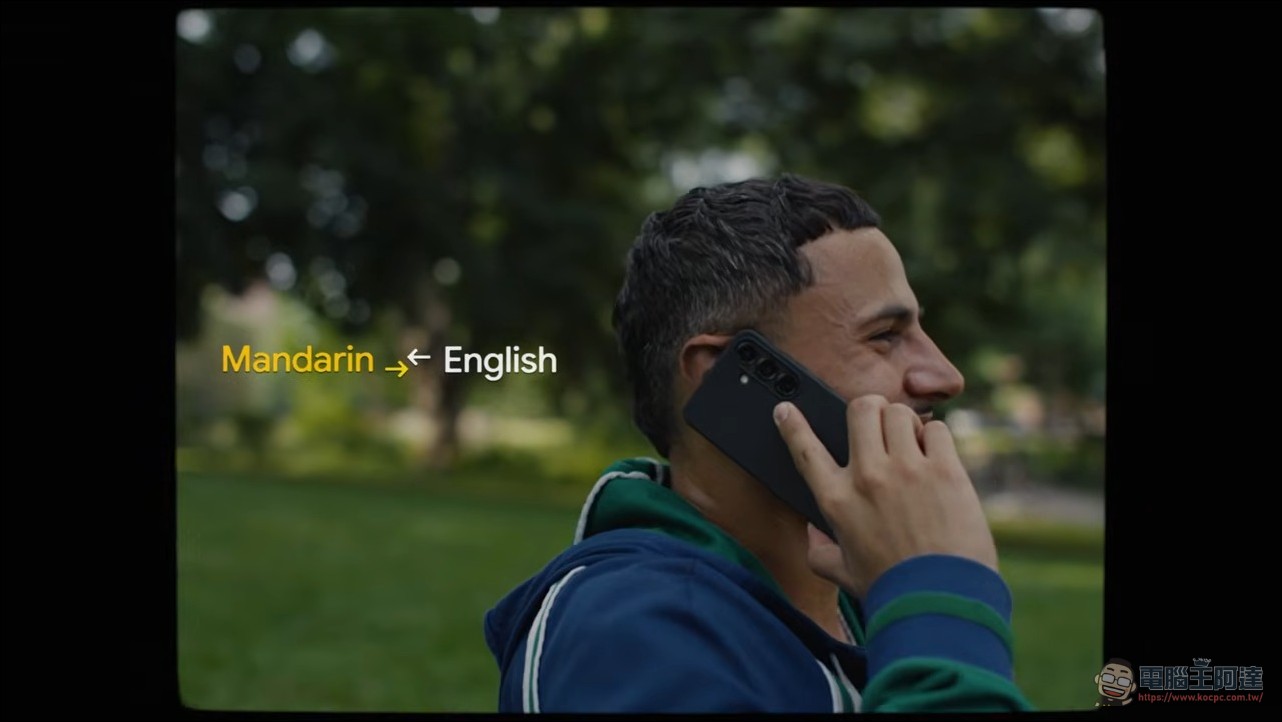
The value of this feature is that it fills a gap in previous usage. Traditionally, to listen to real-time translation without headphones, users could only turn on the speaker. In noisy or public environments such as airport announcements, public transportation, and restaurants, this was inconvenient and also risked leaking conversation privacy. Hold-to-ear listening mode lets iPhone users maintain a private translation experience in these situations, without needing to buy any additional accessories.
From a technical perspective, listening mode takes advantage of the near-field acoustic characteristics of the iPhone’s earpiece itself. When the phone is held close to the ear, the proximity sensor automatically activates the earpiece mode, routing the translated speech through the top earpiece rather than the bottom speaker, making it nearly inaudible to those nearby. Google’s implementation on iOS also includes real-time automatic volume adjustment, which dynamically increases or decreases the earpiece volume based on ambient noise levels, ensuring clear listening whether on a noisy street or in a quiet room.
Summary: Translation tools are moving from feature completeness to scenario completeness.
From a product evolution perspective, Google Translate’s latest updates across both platforms focus primarily on strengthening use-case coverage rather than improving translation quality itself. Background mode removes the constraint of “not being able to do anything else while translating,” while listening mode resolves the awkwardness of “not being able to listen privately without earphones.” These two updates reflect that translation apps are moving from the “feature-complete” stage toward the “scenario-complete” stage—meaning that beyond simply being able to translate, the app must also behave naturally across the various real-world contexts users are likely to encounter.
For frequent business travelers or travel enthusiasts, these two features directly address the two most common pain points in real-world travel: first, needing to check maps, itineraries, or emails while using translation for a conversation; second, needing to talk to someone without headphones while keeping the conversation private from bystanders. Google chose to push this update in September, right before the peak autumn travel season, which is also a well-timed move. These two new features have been rolling out to users worldwide with the latest version of Google Translate. Users can check their app stores for updates. If you can’t get the update or find it doesn’t work well, you can also use the real-time translation app we developed—personally, I find it more stable than Google’s.
Source: KOCPC Chinese