


In Taiwan, LINE is something just about everyone has. It’s not only for everyday life—sometimes for work, people also use LINE to exchange contact info or even add each other directly. While adding someone as a LINE friend isn’t hard, afterward you may still need to send them your basic details, such as your phone number, email, company website, and so on.
At this time, the free tool “X Lead LINE 數位名片” is very useful—it takes only about a minute to easily create a dedicated LINE digital business card. Not only can you include basic contact information, but you can also add products, services, and other content, effectively turning a traditional business card into a simple personal introduction and sales page.
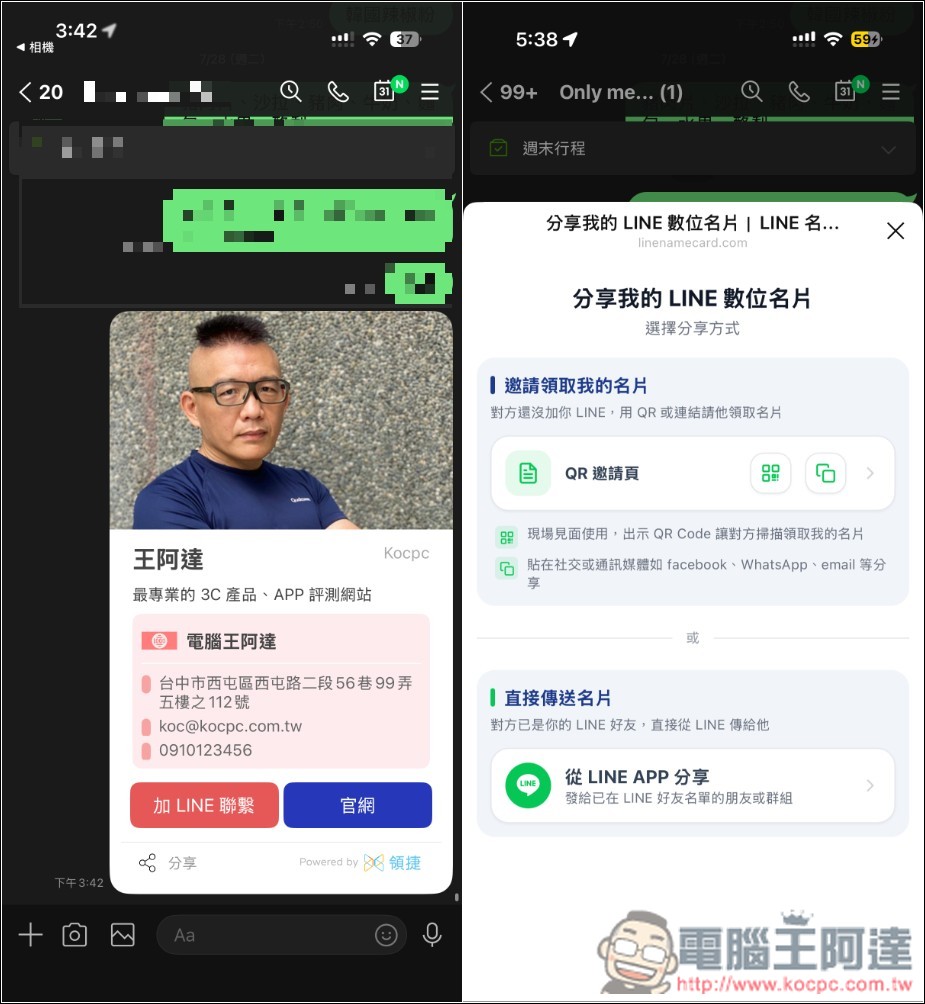
X Lead LINE Digital Business Card Introduction and Operation Tutorial
X Lead LINE Digital Business Card is a free online electronic business card creation tool. Its standout feature is bringing traditional business cards directly onto LINE—no need to install complex design software or have any design experience. Just enter your personal information, upload images, and pick a color scheme you like to quickly create your own LINE digital business card. The entire process takes about 1 minute, making it very convenient for sales professionals, freelancers, solo entrepreneurs, or anyone who frequently needs to exchange contact information.
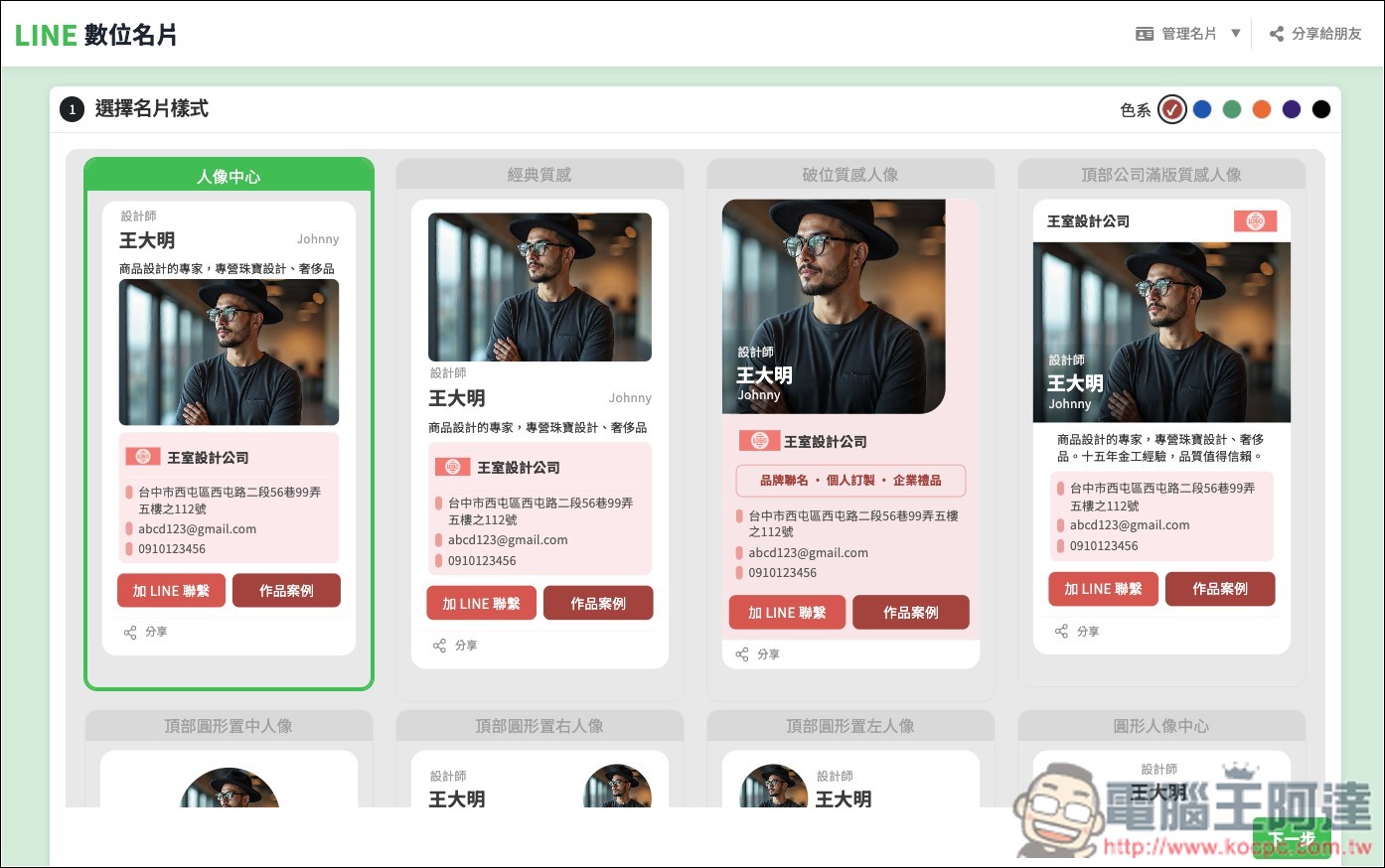
Offers over 50 color combinations, so even without design knowledge, you can choose the ideal business card look based on your brand style or personal preference.
Another practical feature is QR Code sharing. Once created, you can use the QR Code for the other party to scan directly, and they will receive a digital business card. When meeting clients, at networking events, or in exhibition settings, you can simply take out your phone to quickly exchange information, which is quite convenient.
Key Features
- Create a LINE digital business card for free, no need to pay production costs.
- Enter your data, upload images, and select a style to create quickly.
- You don’t need design skills to quickly customize a business card style that suits you.
- Have the other party scan the QR Code to quickly view the digital business card.
Go to X Lead LINE digital business card
After entering the X Lead LINE digital business card via the link above, click “Create Now” below:
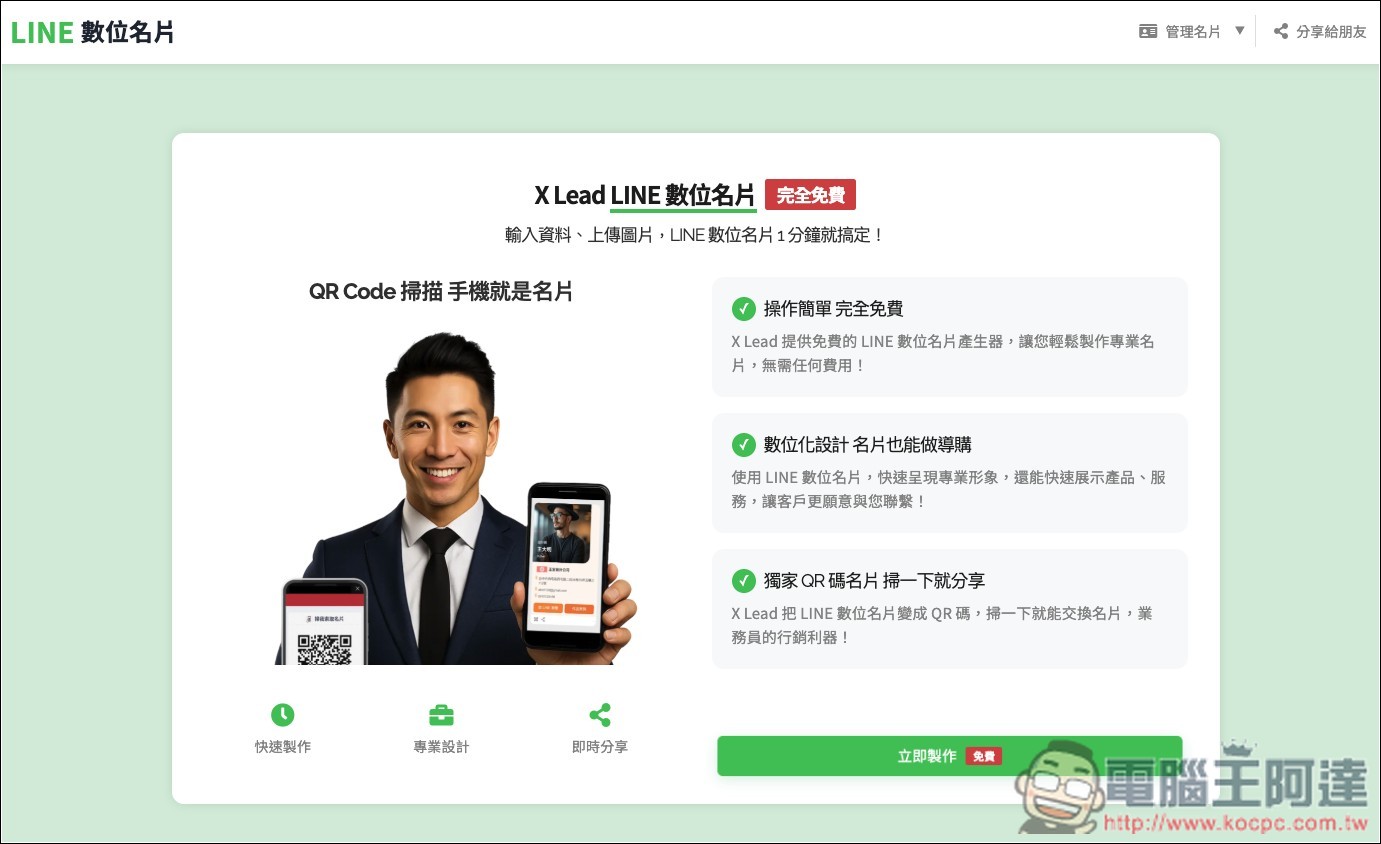
Next, you’ll see over 50 business card styles in various color and layout combinations; you can choose the color scheme in the upper right corner:
After you find one you like and click Next, you can start editing the business card. It’s simple—just click on the info on the card that you want to edit. There’s a tutorial on the right side if you need help, feel free to take a look.
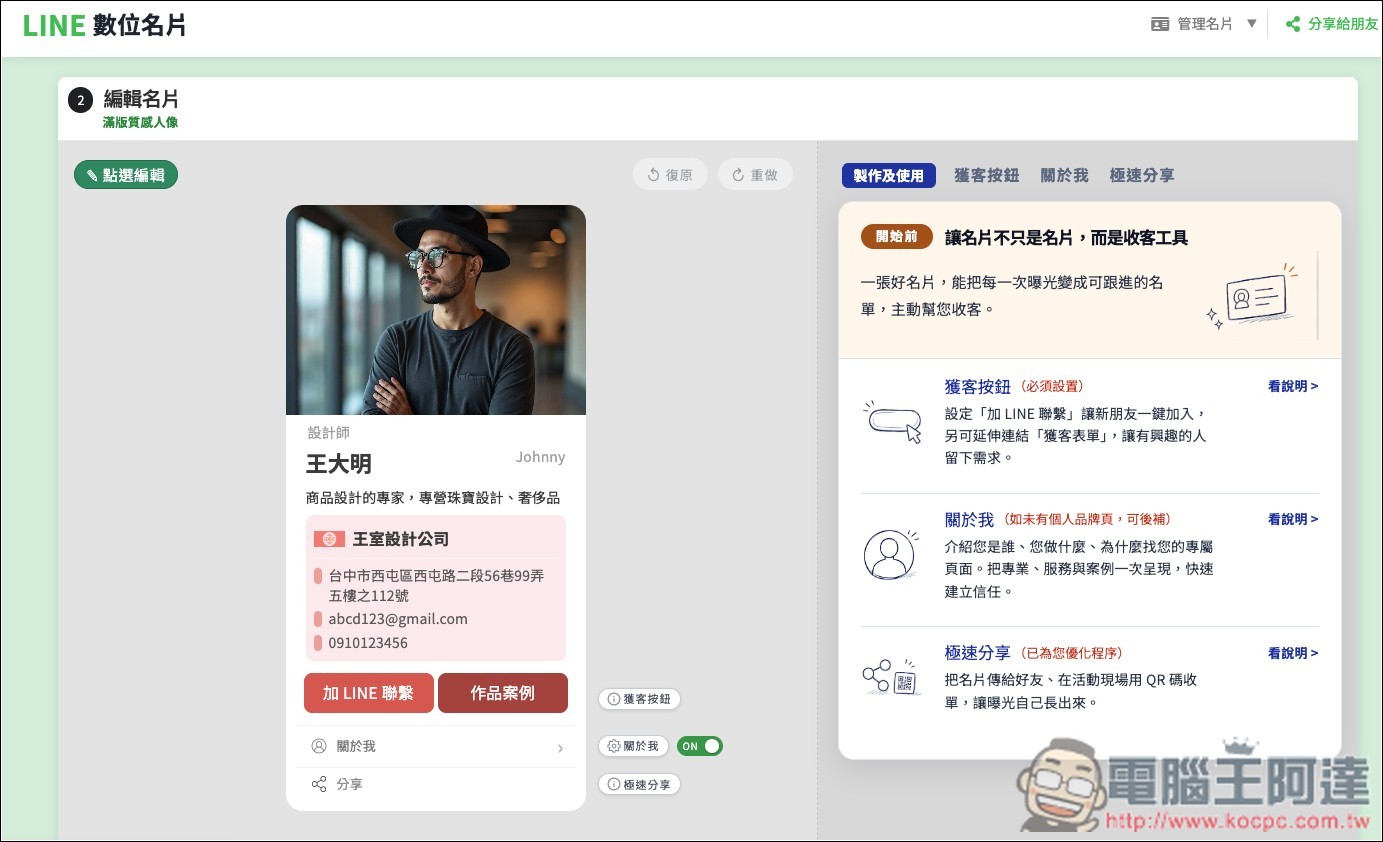
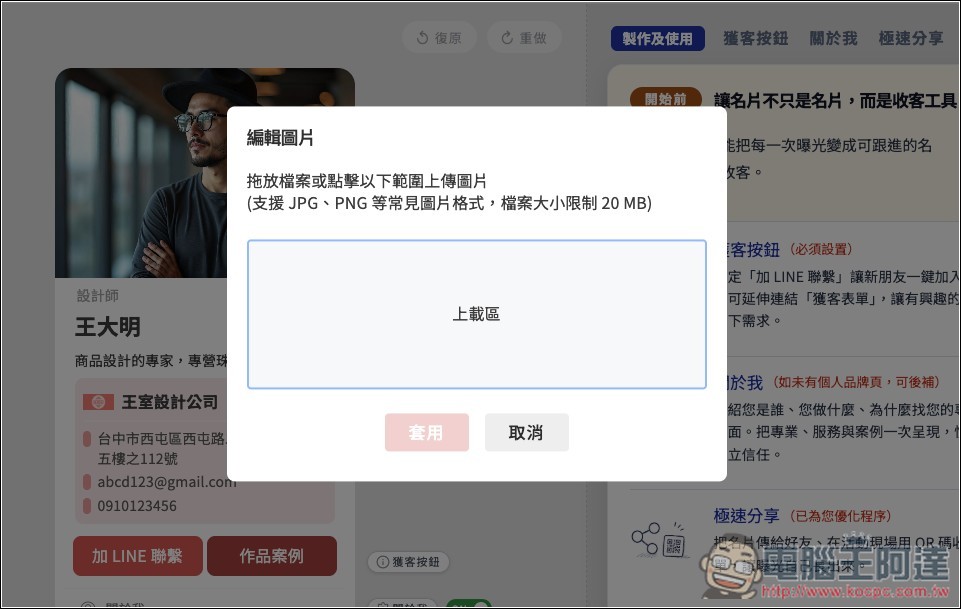
Click the photo to upload your own photo, supports common formats like JPG and PNG, but the file cannot exceed 20MB:
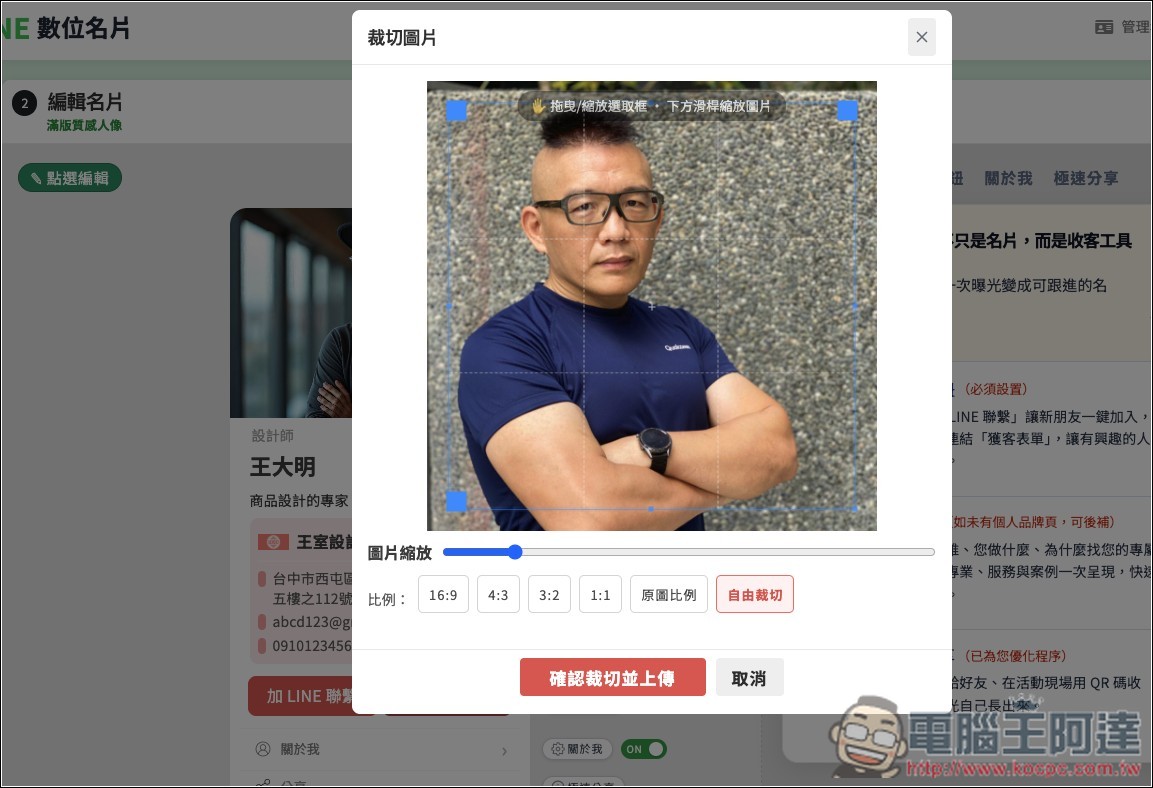
Crop the area you want to display; there are also ratio options below:
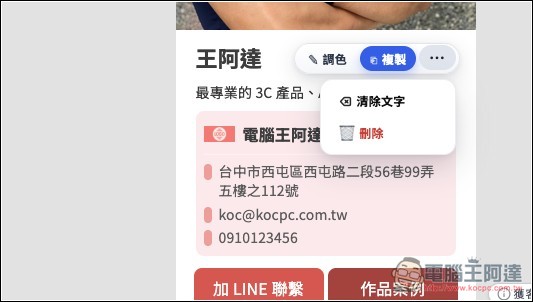
Once the image is ready, edit the information below. If there’s anything you don’t want to display, click on it to delete it:
Below are two default buttons: “Add LINE Contact” and “Portfolio”. The button text, background color, link URL, etc. of these two can all be modified.
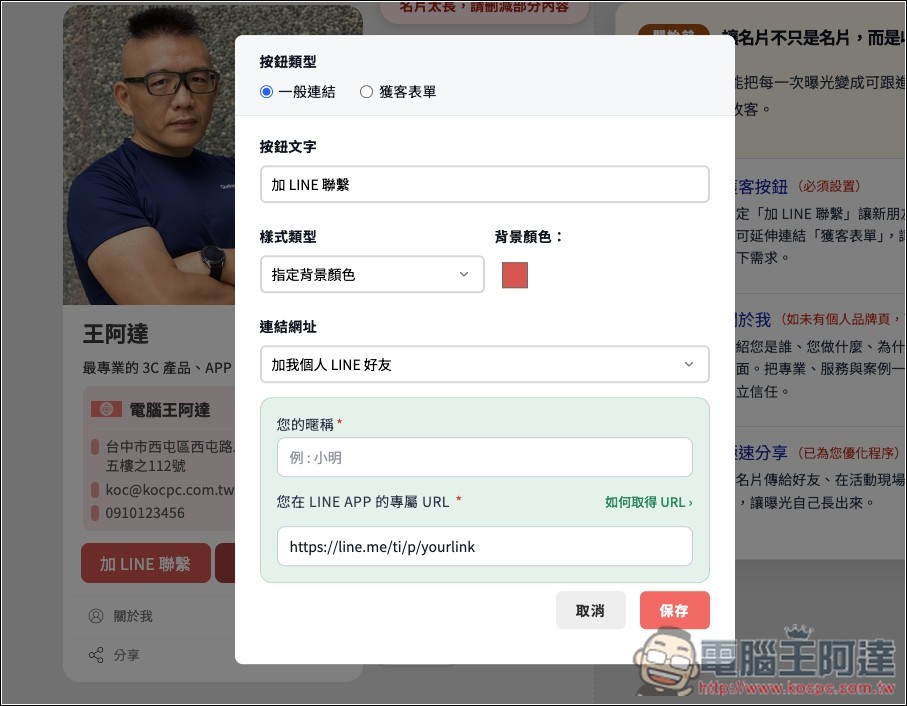
Like, I don’t need work case studies, so I’ll just change it to “Official Website”:
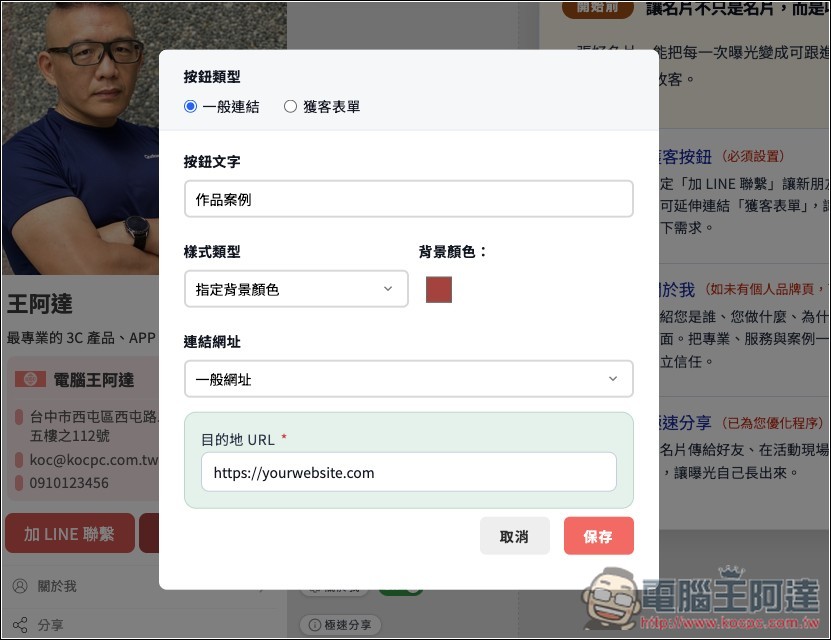
The button then becomes the official website’s text. Also, one thing to note is that if you also see a warning saying ‘Business card too long, please delete some content’ when creating, this is basically caused by the image being too large:
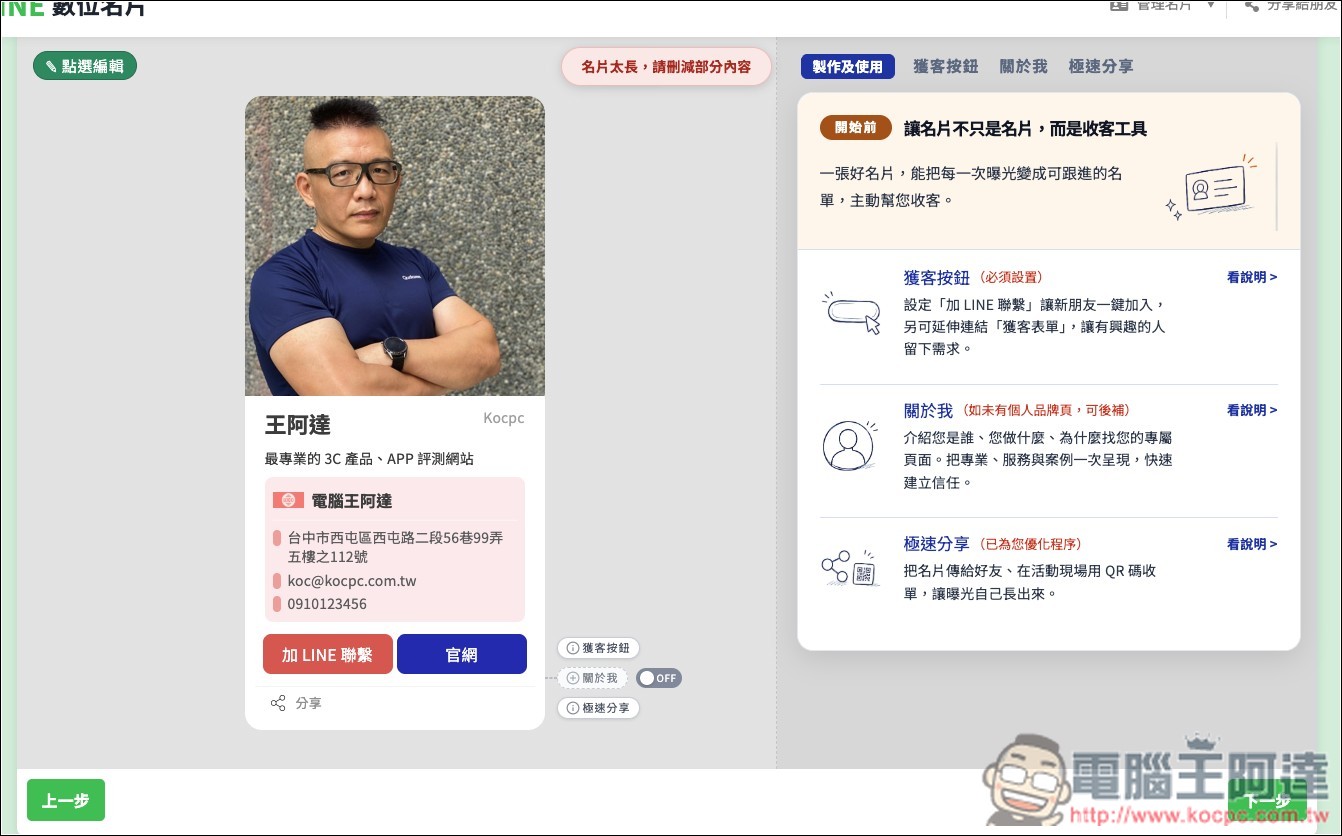
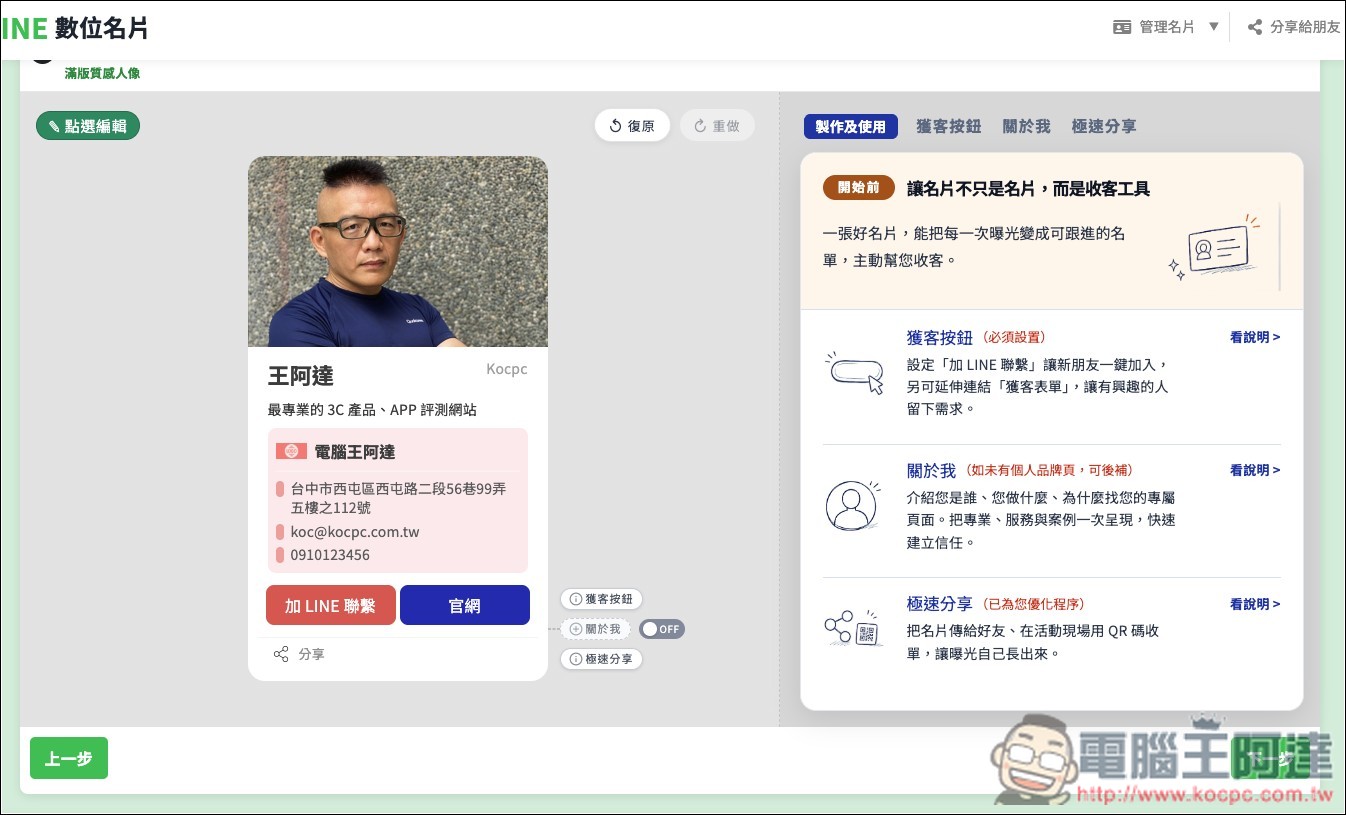
After I changed the crop to landscape orientation, this message disappeared. After completing, click Next at the bottom right:
If you’re making it on a computer, take out your phone and scan the QR Code above:
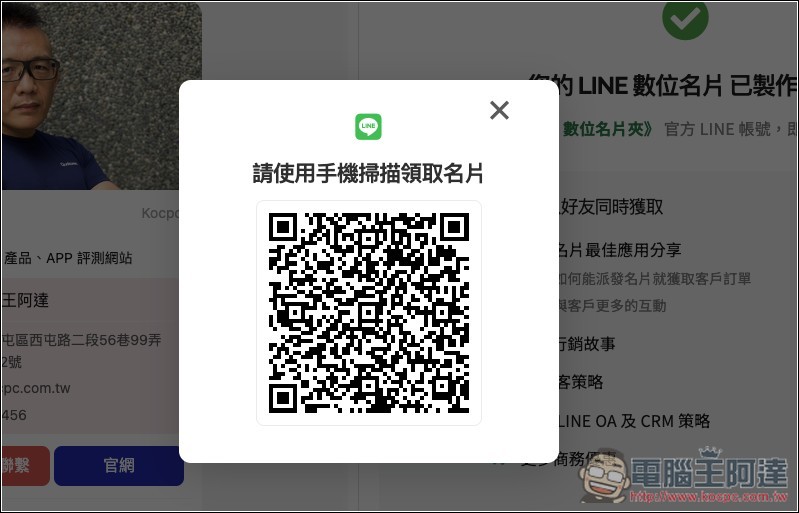
It will redirect to the screen for adding friends to your X Lead digital business card holder:
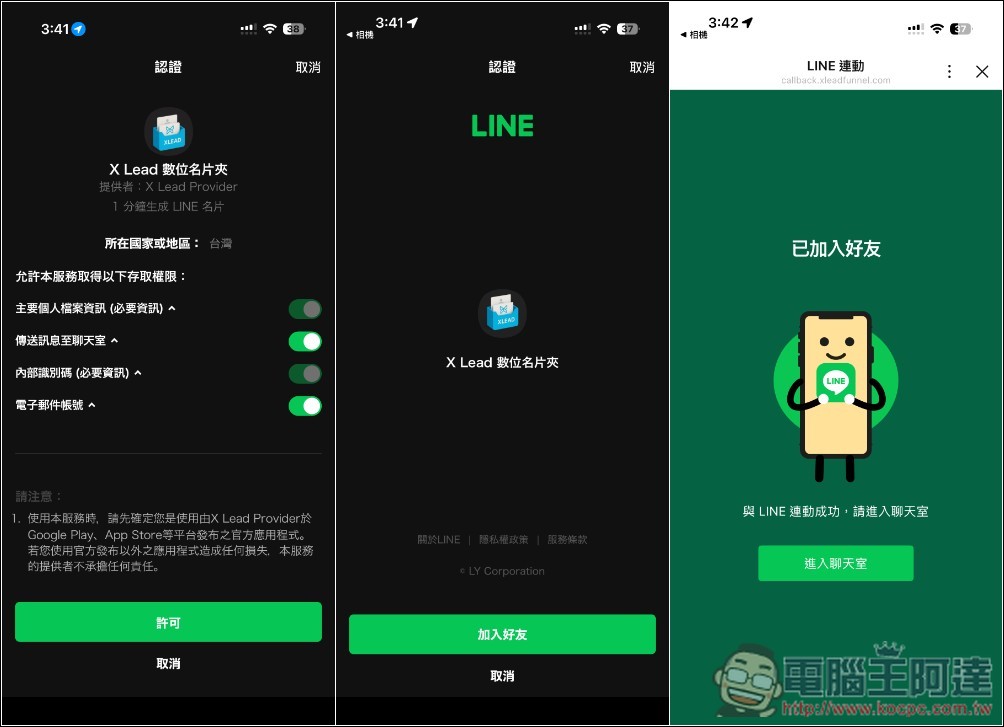
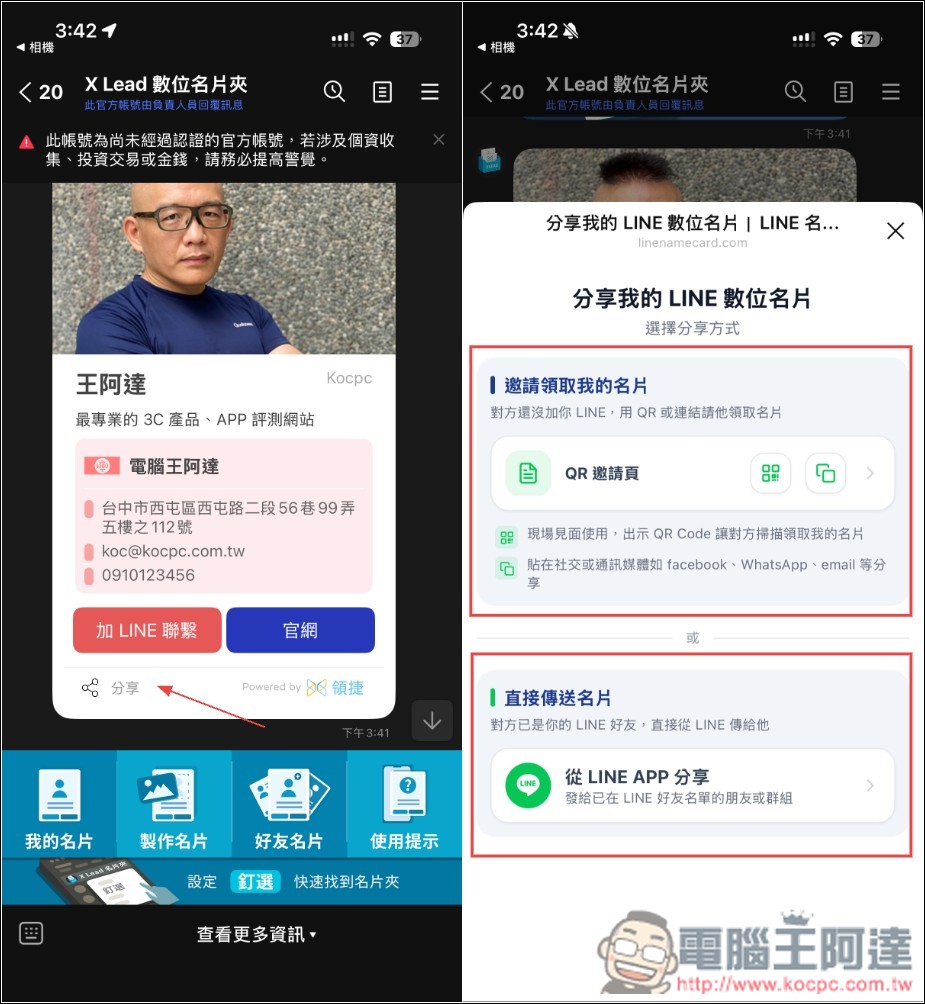
Once you’ve added a friend, you’ll receive the LINE digital business card you just created. Tap Share below, and you can choose to use ‘QRCode’ or ‘Share directly from LINE’:
Source: KOCPC Chinese