


Although there are many video download tools online, they are still not very convenient to use on mobile phones. This article recommends a simple and easy-to-use free app called “影片口袋.” All you need to do is copy the URL of the social media video you want to download and paste it into the app, and the video will automatically be downloaded to your phone. It is very easy to use.
Reminder: Before use, please confirm for yourself whether content on YouTube or other websites is legally licensed—for example, works you uploaded yourself, Creative Commons licensed content, or public domain material. If it is copyrighted music or audiovisual work, downloading or converting it without the rights holder’s consent may involve copyright risks and may also violate the original platform’s terms of service.
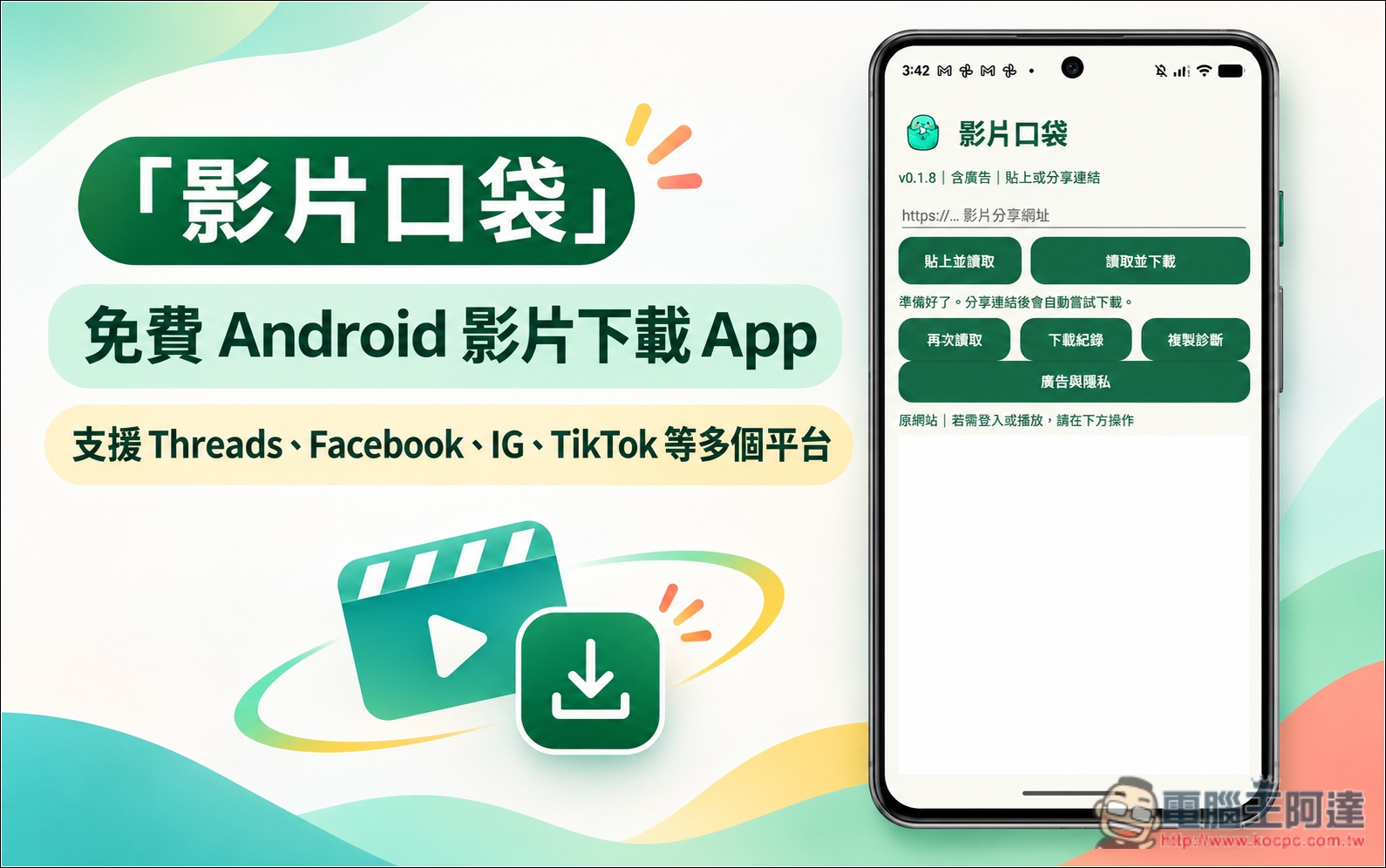
Introduction to “Video Pocket,” a Free Android Video Download App
影片口袋 is a free video download tool designed specifically for Android, allowing users to save online videos to their phones. It is very easy to use: just copy the video URL and paste it into the app, and it will automatically try to resolve the video source and retrieve a complete downloadable MP4 file.
In addition to manually pasting a URL, Video Pocket also supports Android’s built-in Share feature. When you see a link to a video you want to save in another app, you can send it directly to Video Pocket through the share menu, and the system will automatically start fetching it. If the same page contains multiple videos, the tool also provides a video selection feature, letting users choose which one to download without having to find the source for each video one by one.
In terms of supported platforms, Video Pocket can currently attempt to parse videos from social networking sites such as Threads, X (Twitter), Facebook, Instagram, TikTok, Douyin, and Xiaohongshu. As long as a complete MP4 can be obtained from the source page, there is a chance the download will succeed. However, video formats and access restrictions differ across platforms, so not all links will work, and not all segmented streams or protected videos are supported.
For content that requires login to view, 影片口袋 also offers a built-in web browser, allowing you to open the original website directly, complete the login, and then reload it—no need to switch to another browser.
After the download is complete, videos are saved directly in the Download folder on the Android phone, making it easy to organize them with file management tools. The app also provides download history and system notifications; simply tap a completed download item or notification to play the video directly in the app, with no need to install an additional player.
In terms of privacy, according to the description, video parsing is mainly performed locally on the phone. When downloading, it connects directly to the source website or video server and does not need to go through the developer’s video parsing backend. Download history and settings are also mainly stored on the device.
Key Features
- Supports multiple social media sites: it can attempt to parse videos from platforms including Threads, X, Facebook, Instagram, TikTok, Douyin, and Xiaohongshu.
- Paste a URL to parse: enter a video link and try to retrieve the complete downloadable MP4.
- Android sharing integration: Share video links directly from other apps to reduce steps.
- Supports multi-video selection: when a page contains multiple identifiable videos, you can choose which items to download.
- Built-in web browsing: open the source website and log in, then try reloading the video.
- Download history and video playback: Files are saved in the phone’s Download folder and can be played directly after the download is complete.
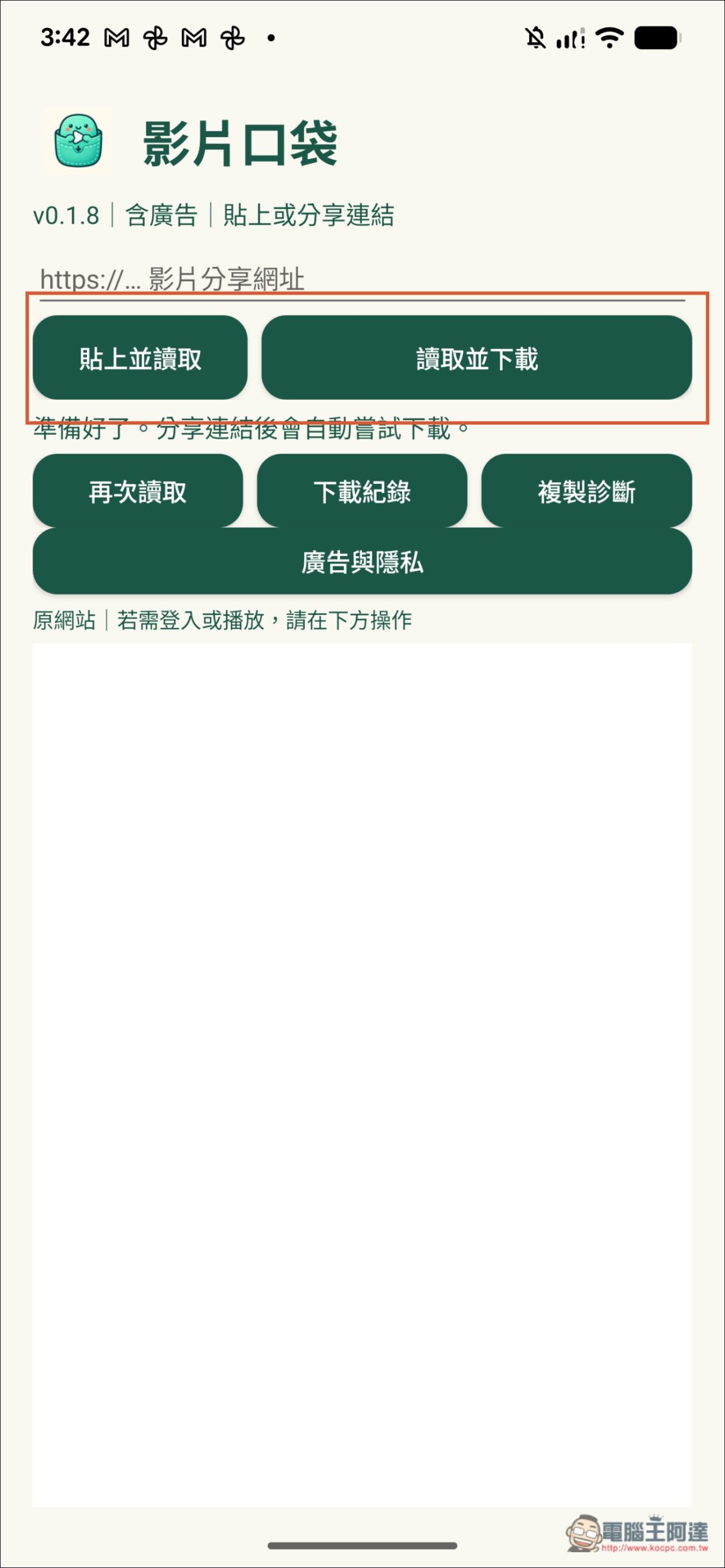
The Video Pocket interface is very simple. After opening it, you’ll see two functions at the top: “Paste and Fetch” and “Fetch and Download.” After copying the video URL, tap “Paste and Fetch,” and the App will directly parse and download it. “Fetch and Download” is used when you paste the URL into the field above:
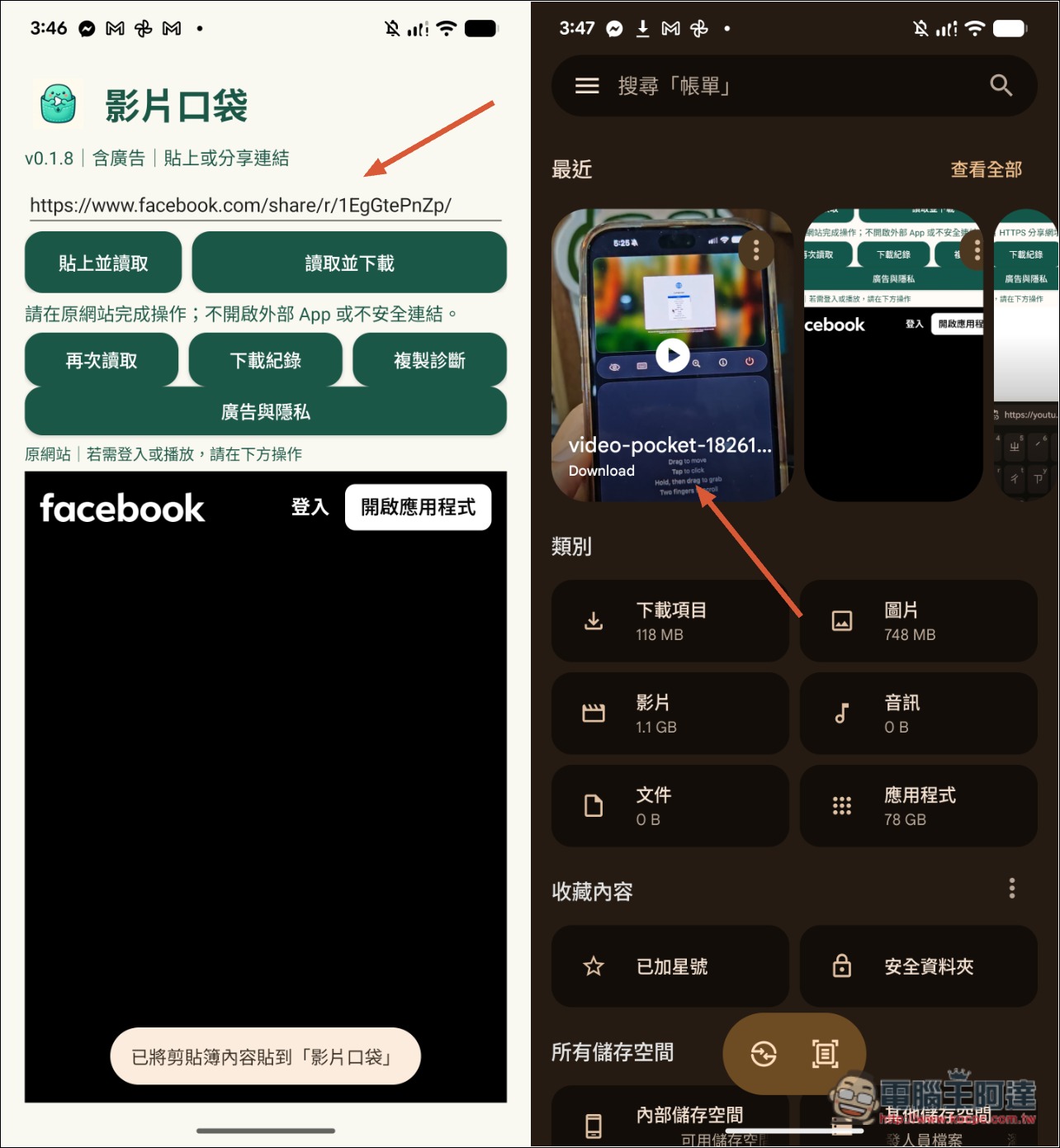
The download speed was very fast. After I clicked paste and load, it finished in just a few seconds. When I opened the Downloads folder in the Files app, I did see this video:
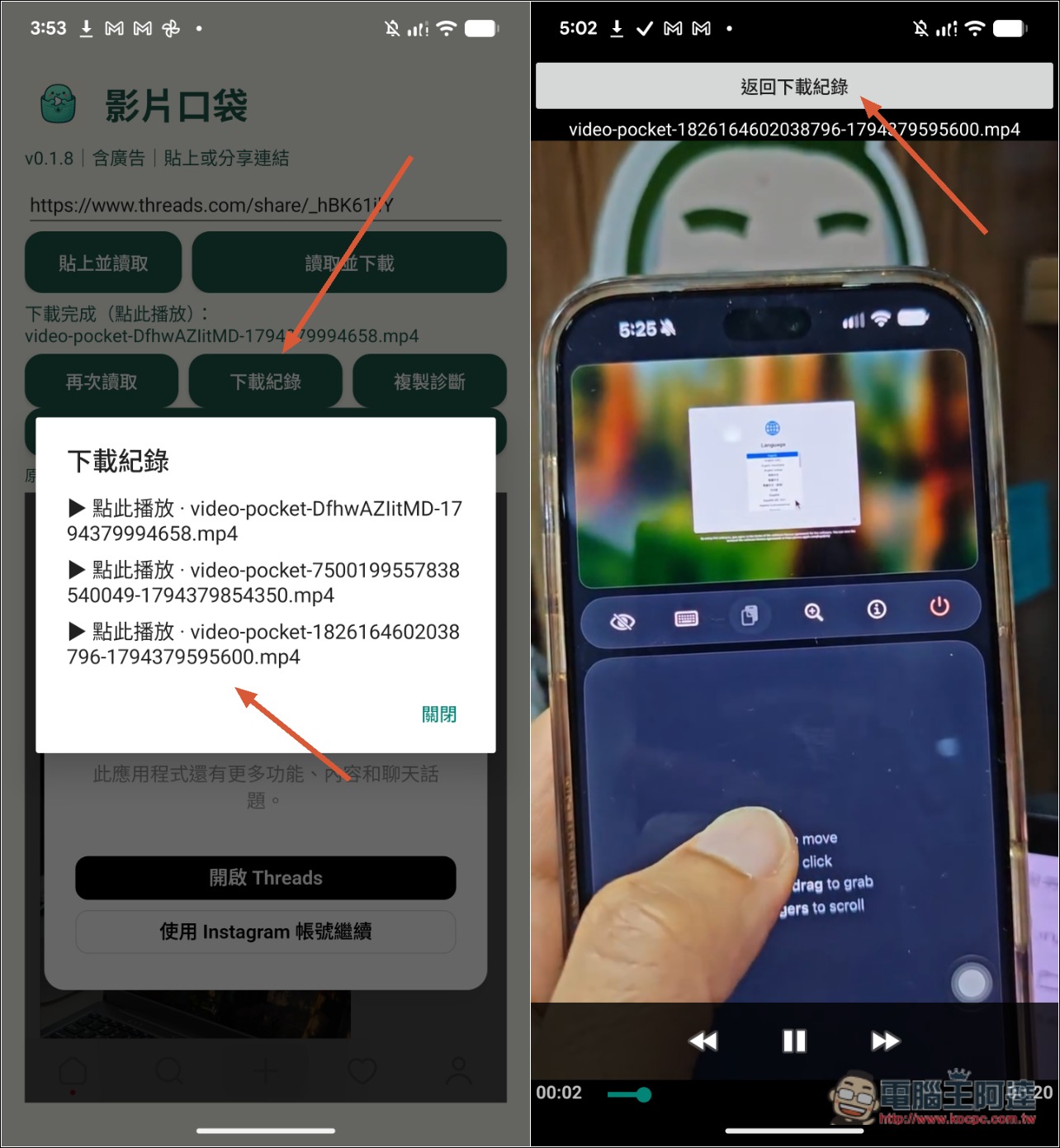
You can also view it directly in the download history. It has a built-in player, so you can open and play it right away. After watching, tap Back and you’ll return from the download history to the App home page:
An ad pops up before downloading; press the close ad button at the top and the download will start. I also tested TikTok and there’s no problem:
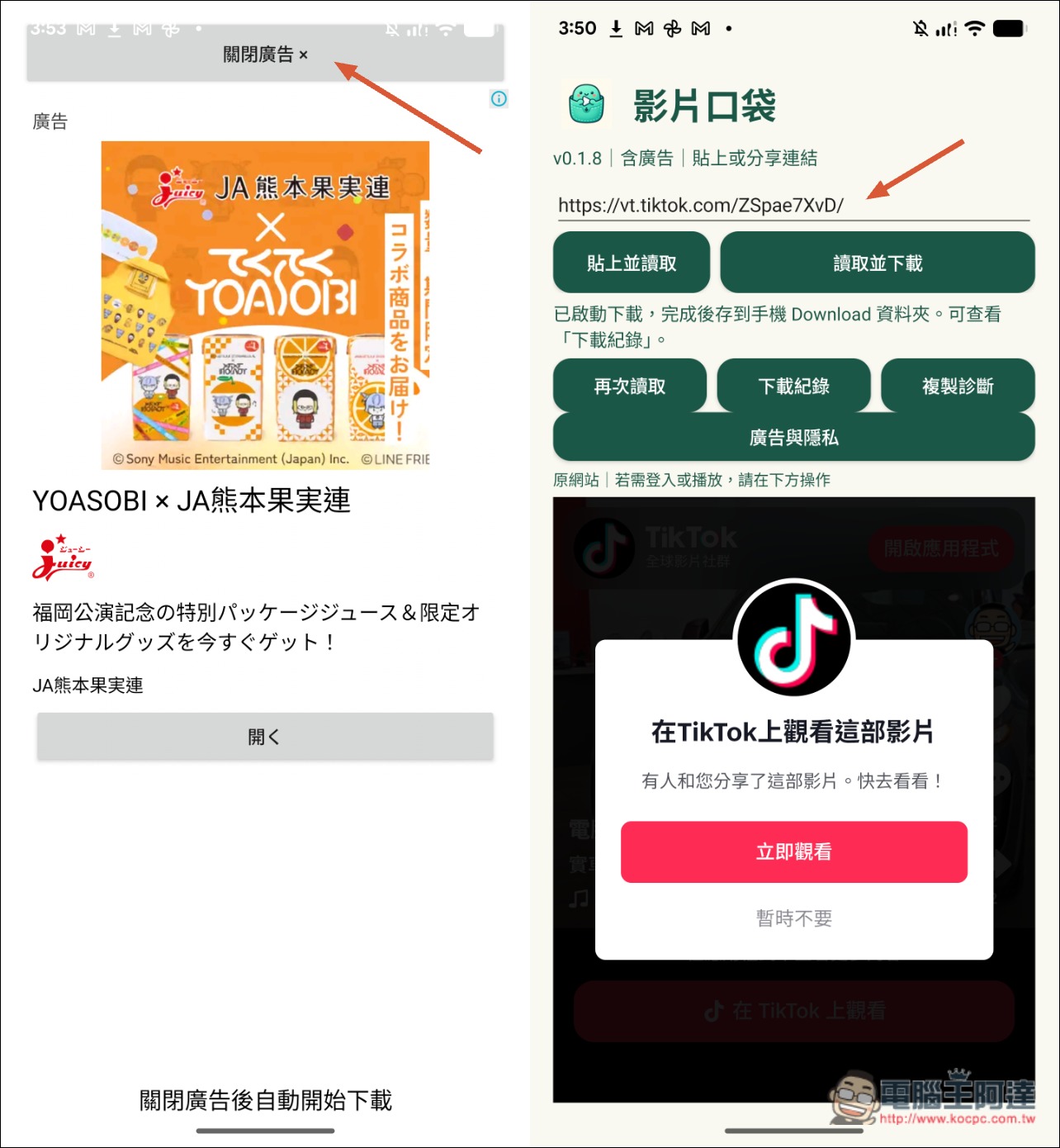
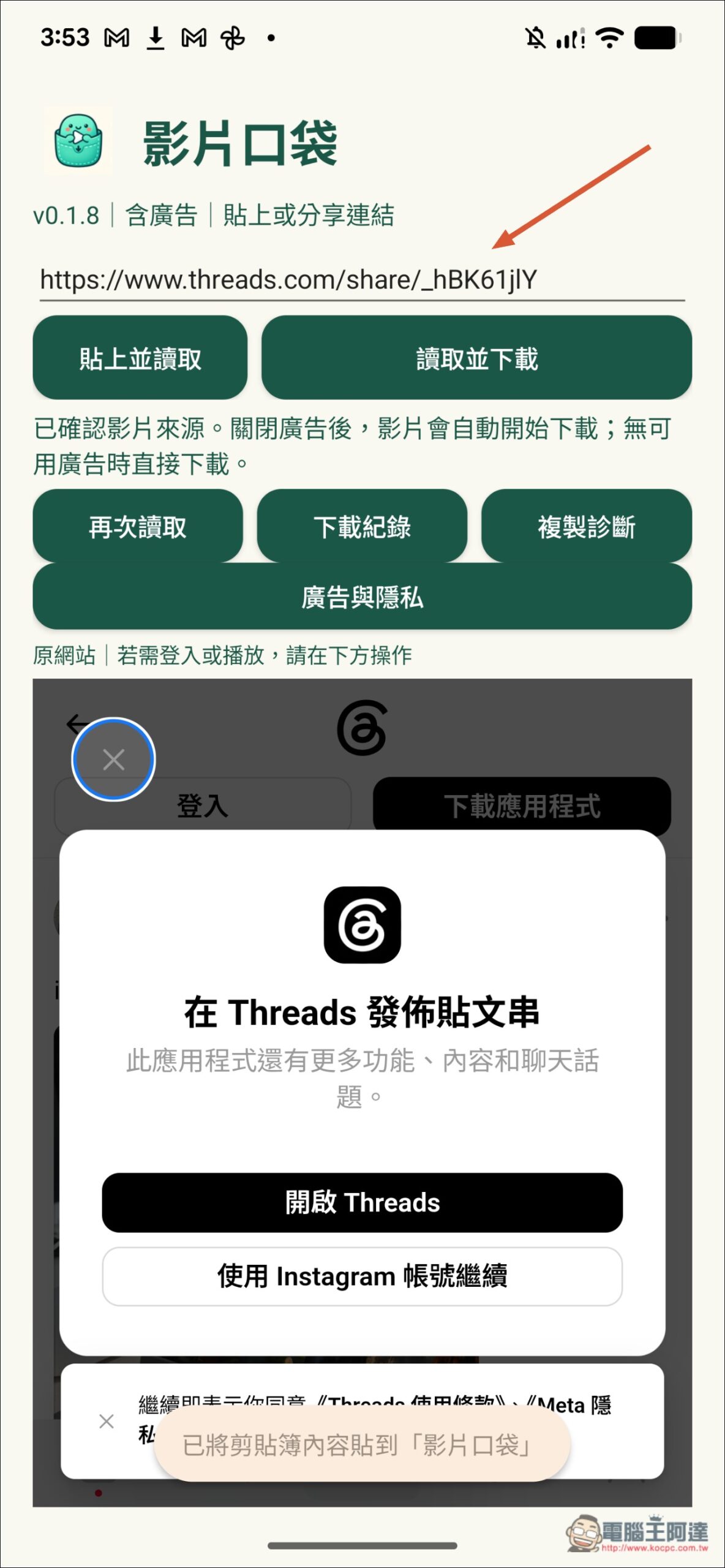
The Threads video was also successfully downloaded:
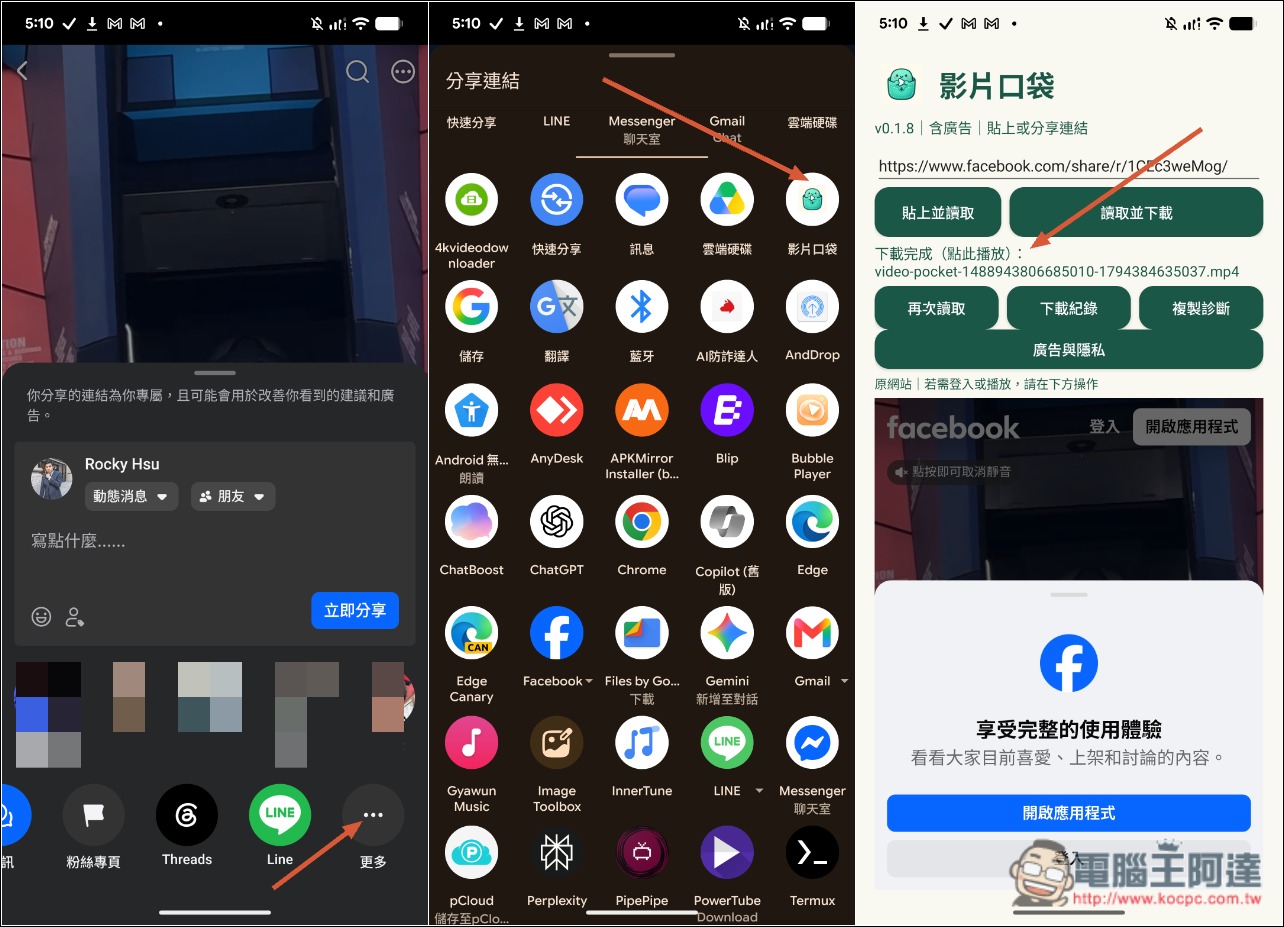
If you’re too lazy to switch back and forth, you can use the video’s share function, find Video Pocket, and tap once to start downloading directly:
Source: KOCPC Chinese