


Google recently in Google Drive’sThe support page has published an important announcement.Confirming that the desktop app will stop supporting Google Photos backup after August 10, 2026. This change did not come entirely without warning, but if you haven’t been paying close attention to related updates in the past, seeing this notification now may indeed feel sudden and unsettling.
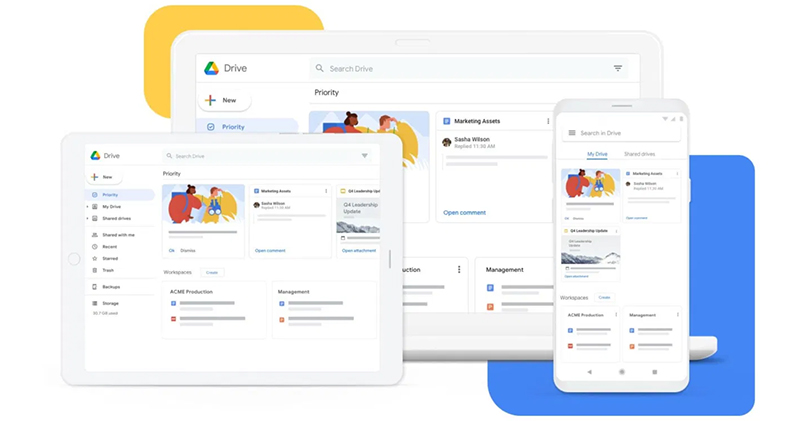
Google Drive’s desktop app photo backup service will end on August 10; what should you do then?
The source of confusion lies in the fact that Google Drive and Google Photos themselves won’t stop working after that date. The real change is that a convenient option previously offered by the desktop version of Google Drive—”automatically sync and back up photos in specific folders to Google Photos”—is being removed. For many users, the value of this feature lies in its “automatic” and “seamless” nature, allowing photos to stay consistent between the two services without any extra steps.
However, starting August 10, this cross-service automatic sync will officially come to an end. In other words, you can still use Google Drive, and you can still use Google Photos, but photos will no longer be automatically transferred between the two via the desktop application. If you have long relied on this workflow, you’ll need to prepare in advance so you don’t mistakenly assume your photos are backed up to Photos, only to discover when you need them that the backup was never completed.
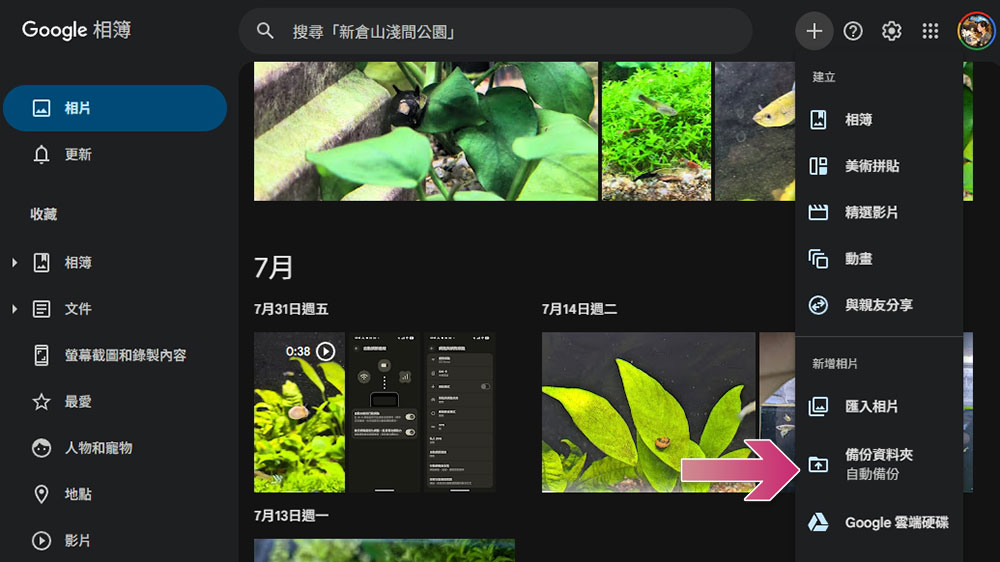
The good news is that while this change brings some inconvenience, there are still alternatives. Since there’s currently no official Google Photos desktop app, you’ll need to use the Google Photos web version for backups instead. This does add one more step compared to the original automatic sync, but it’s the only viable option at this stage. The process isn’t complicated: after visiting the Google Photos website, click the “+” symbol in the top right corner, select “Back up folders,” and you can set up which local folders to upload. Once configured, all you need to do is visit the Google Photos website again, and the system will automatically back up the latest photos in that folder. Although this requires one extra manual step compared to the original “Google Drive auto-sync,” it’s an acceptable alternative once you get used to it.
During the transition period, you can set reminders for yourself to make sure you don’t forget to trigger backups manually. With only a few days left until August 10, it’s still not too late to adjust your workflow. It’s important to note that photos previously uploaded to Google Photos through the old method will be fully retained, but in the future, you will no longer be able to use Google Drive for desktop to sync new photos.
If you primarily use your phone for taking photos, we recommend installing the Google Photos mobile app. The mobile version offers more complete automatic backup features, uploading photos immediately after capture, and also lets you set backup quality, and even provides a mode to save cloud storage space. For most people, this will be an easier and more reliable backup method.
Source: KOCPC Chinese