


OpenAI has previously announced that the ChatGPT Atlas browser will be retired.The timing is this week, August 9. If you’re still using it, there’s not much time left for the transfer. To that end, the official has also released a full explanation page detailing what users can do before it is discontinued; here’s a summary for you.
ChatGPT Atlas officially stops service on August 9! Bookmarks will not be transferred automatically. Remember to back up before it shuts down.
OpenAI recently further announced Data Handling and Migration Recommendations After ChatGPT Atlas Service DiscontinuationAtlas is scheduled to cease operations on August 9, ending the roughly 30-day grace period. After that deadline, the App may not even be able to launch or browse regular web pages.
Cybersecurity is also a major concern. OpenAI hasn’t committed to continuing to release security updates after Atlas is discontinued, and the official recommendation is for users to migrate to other browsing environments before August 9. Don’t keep using Atlas as your primary daily browser just because it still opens for now.
[Backup Tutorial] Bookmarks won’t automatically transfer, remember to export HTML first.
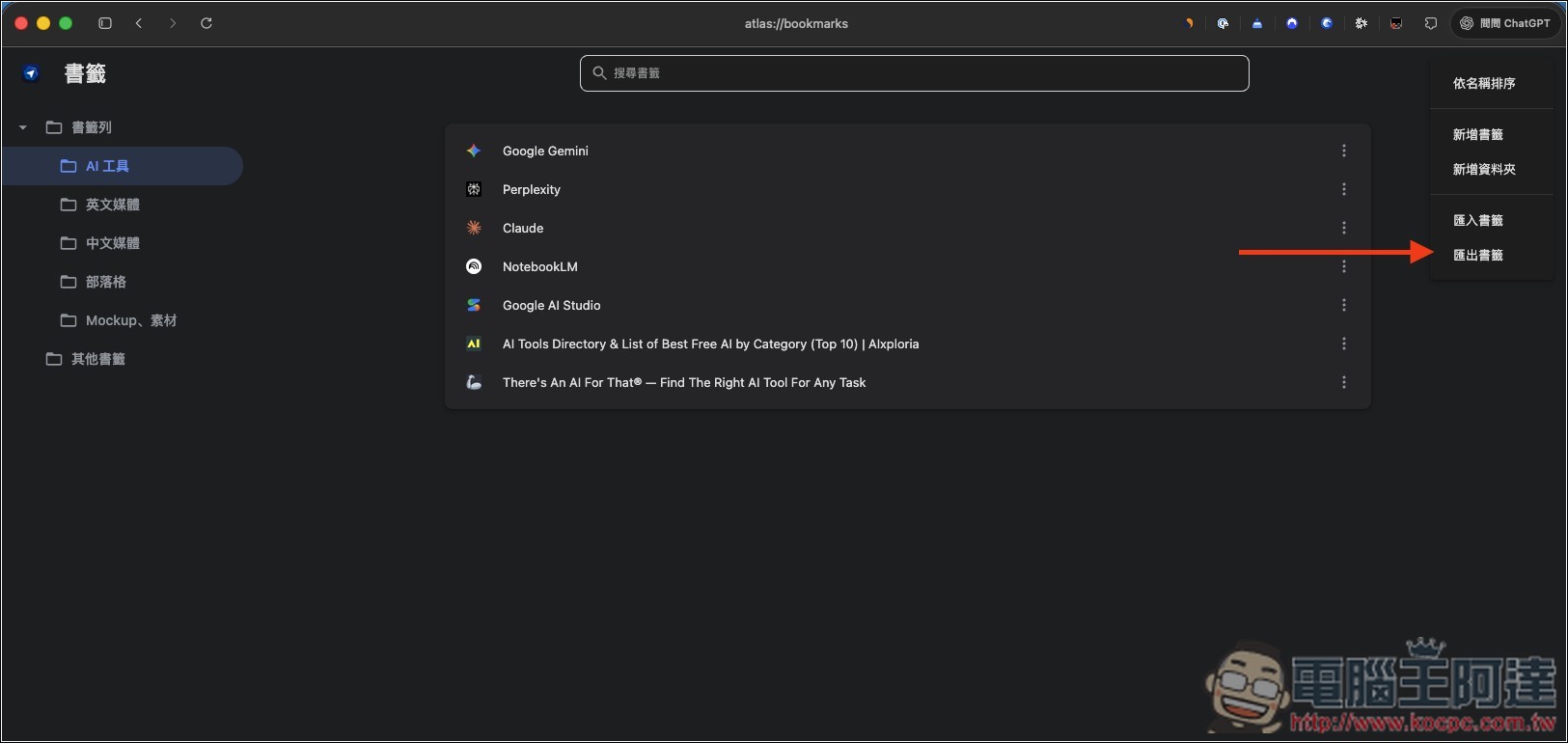
Before Atlas is discontinued, the most important backup is exporting bookmarks. OpenAI has confirmed that Atlas bookmarks will not automatically appear in the new ChatGPT desktop version or other browsers—users must manually save them as HTML files.
The operating instructions are as follows:
- Launch ChatGPT Atlas.
- Enter the bookmarks menu or bookmark manager.
- Find the “Export Bookmarks” option.
- Save the bookmarks as an HTML file and remember the save location.
- Go to the ‘Downloads’ folder in Finder, or the folder you just specified, and confirm that the HTML file actually exists.
Additionally, Atlas currently does not automatically transfer open tabs, so you can bookmark important pages or copy the URLs into a memo or a new browser. Browsing history also cannot be migrated, so if you rely on history to find information you viewed a few days ago, remember to organize the pages you need before the deadline.
Cookies might be exportable, but there’s no guarantee your login state will carry over.
OpenAI says Atlas will provide a cookie export option where feasible, but cookies or currently active login sessions cannot be directly imported into another browser, and Chrome may not necessarily have a corresponding import pipeline. In other words, even if you get the export file, you can’t assume that sites like Gmail, Notion, or company backends will keep you logged in on the new browser.
The safer approach is to first confirm that the passwords for commonly used websites are already stored in a reliable password manager, check whether the two-factor authentication device and backup codes are still available, and then log in again on the new browser.
Cookies and session files may contain account access credentials, so never casually upload them, send them to others, or hand them over to transfer tools of unknown origin.
No need to worry about your ChatGPT conversation records. OpenAI explains that ChatGPT conversations are stored separately from Atlas’s local browser data. As long as your original ChatGPT account, subscription plan, and workspace access remain valid, closing Atlas will not delete these conversations.
OpenAI’s two officially recommended alternative routes
The first route OpenAI offers is to switch to the new ChatGPT desktop app, which has a built-in browser and supports multiple tabs, file downloads, website logins, autofill, password management, extensions, and persistent browsing state. ChatGPT can open multiple tabs within the same task, wait for you to finish logging in, and then continue processing the work.

However, it’s not a traditional browser-first interface, and each chat room uses its own independent browsing state, so it’s not really suitable as a primary browser for everyday use (at least it feels very laggy to me, and there’s currently no bookmark management feature either).
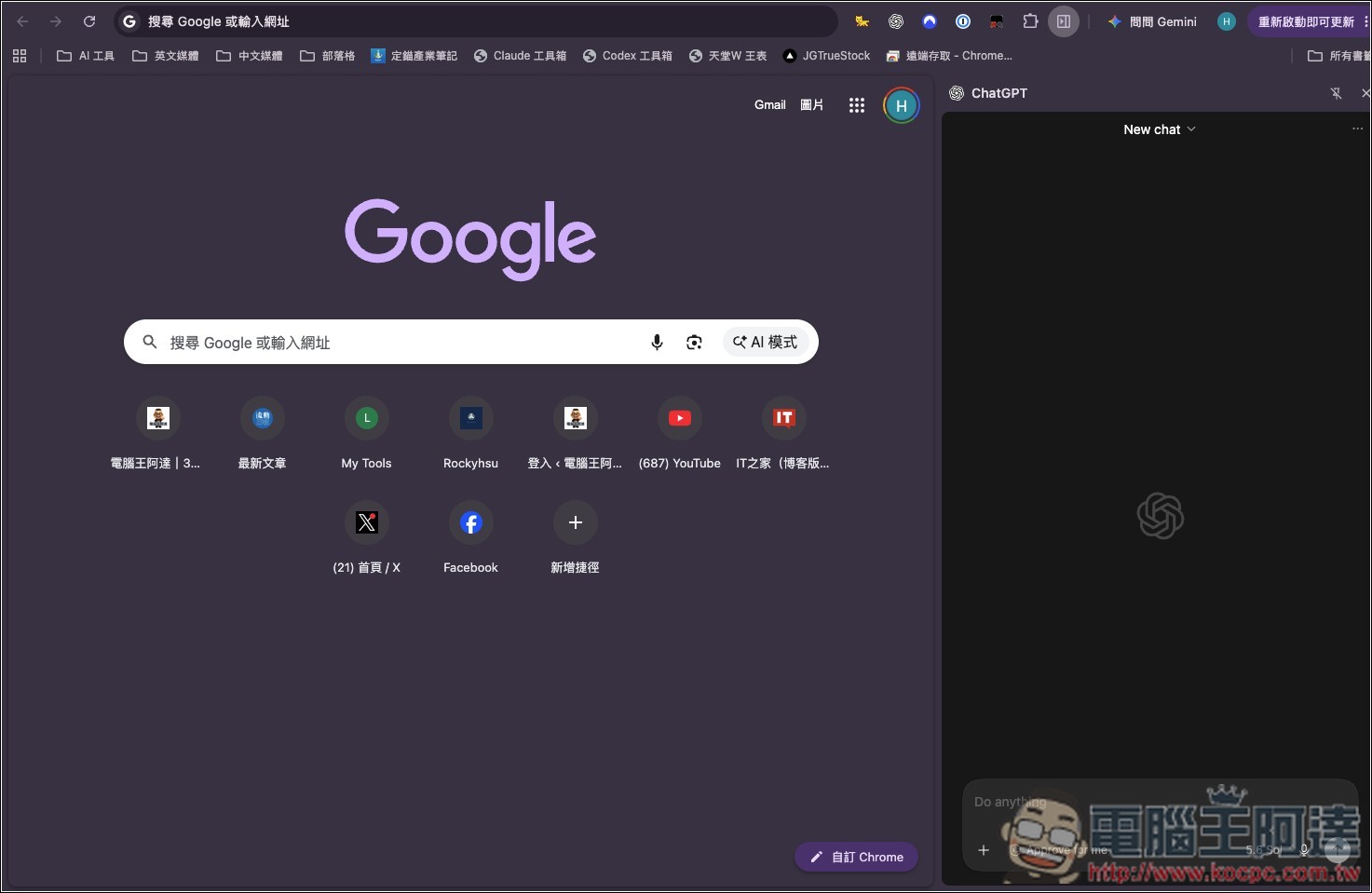
Another route is to switch to Chrome and then install the ChatGPT/Codex extension.
After installation, you can continue using ChatGPT in the Chrome sidebar. OpenAI also officially recommends that when you need to carry over existing Chrome profiles, cookies, login states, tabs, or Chrome extensions, Chrome is the preferred choice rather than recreating the environment from ChatGPT’s built-in browser.
Source: KOCPC Chinese