


We wrote a report last year, in which Google demonstrated the effect of turning a photo into a 3D theater animation in its latest Google Photos/Google Photos feature ( old article ). In fact, this feature was originally popular on Facebook, but this feature can only be used on Facebook. If you want to share it to other platforms, there is no way to do it.
Recently, Google has added this feature to Google Photos, and it is not limited to Android or iOS devices. As long as the Google Photos APP is installed on mobile phones and tablets, you can use this feature. Let’s turn photos into 3D!

(Image source: drawn by Copilot)
Google Photos Movie Motion Effect Photo Tutorial (Android)
First, click on the Google Photos APP. The platform tested here is Android, and the mobile phone used in the demonstration is Google Pixel 4a 5G:
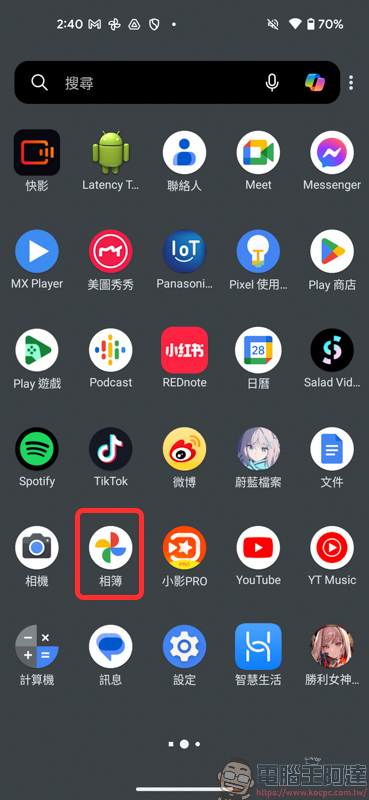
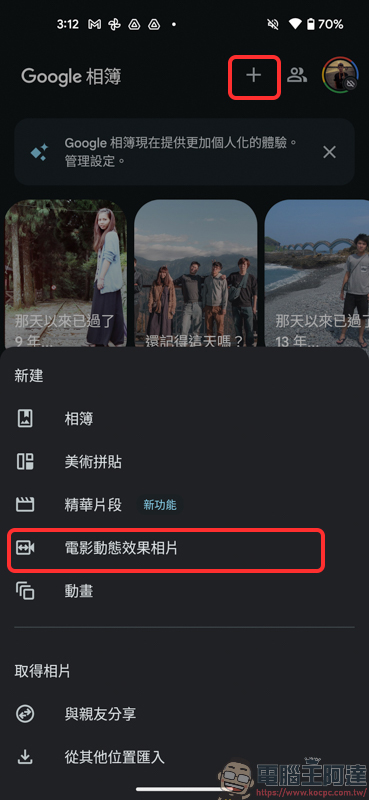
There are two ways to turn on the movie dynamic photo effect. One is to click the + at the top on the Google Photos APP homepage, then click the movie dynamic photo below, and then select the photos you want to process:
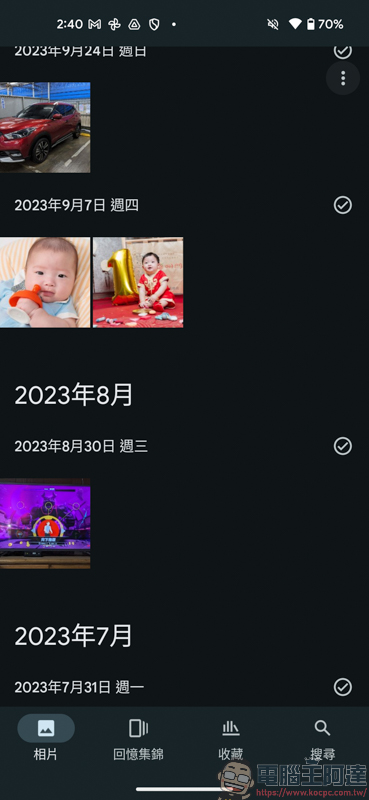
Another way is to just find a photo that you want to have a movie motion photo effect:
After clicking on the photo, swipe up from the bottom of the screen:

Then the option to add new effects will appear. Here, find and click Create. Then there will be movie dynamic photo effects below. Click to execute and wait a few seconds to complete:
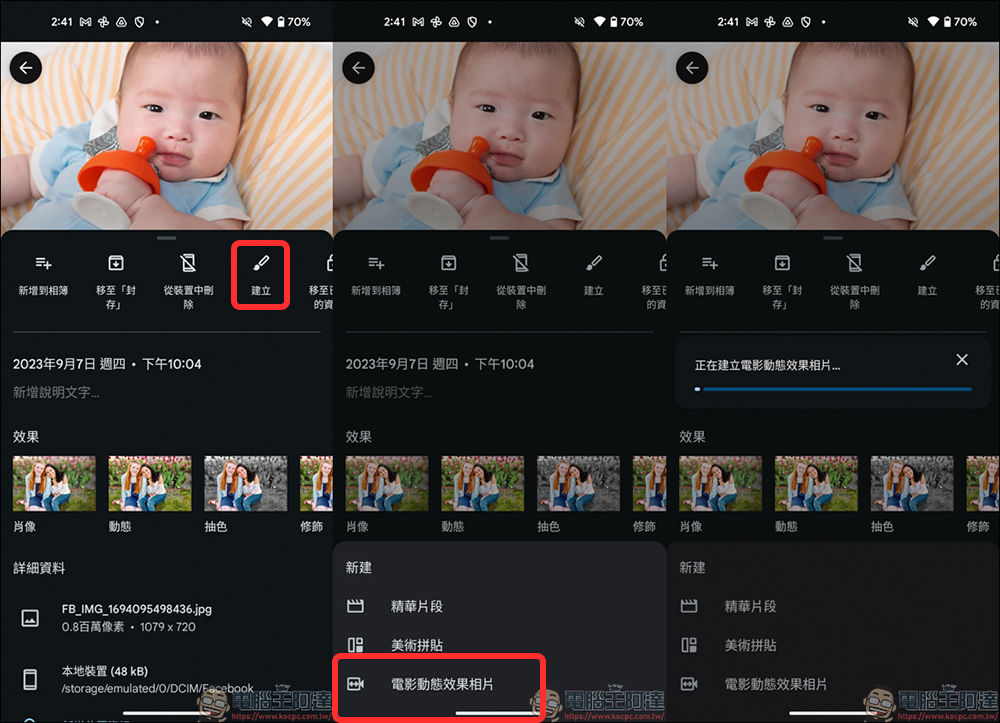
Come and see the finished product! What was originally a static picture now has the feeling of a movie camera, and the photo looks more vivid:
But after using it, if the subject of the photo is too full, the dynamic effect will be poor. An example like the one below looks relatively successful. The people, background, and decorations are very lifelike, and there seem to be very few flaws and no weird distortions:
Food photos can also be set with movie motion effects, and while the photo is moving, the bowl of noodles looks like it was shot on video, which is very realistic (Click me to watch the video)
Google Photos Movie Motion Effect Photo Tutorial (iOS)
iOS devices can also be used. The phone tested was iPhone 12 Pro. The operation methods are the same as those for Android introduced above, so I won’t go into details:

Since the photo was taken with a mobile phone in portrait mode, the transferred video will be judged as Short when uploaded to YouTube. Please click on the video to enjoy it yourself (Click me to watch the video)
How to use Google Photos dynamic effect photos
With the built-in movie animation effect photo function in Google Photos, you can easily turn static photos into 3D photos, and it can be used on any tablet/mobile phone platform. The format of the finished video will also be an MP4 file, which can be shared and watched whether you want to share it on various social platforms such as Facebook, Instagram, YouTube, etc. This is more useful than Facebook’s 3D photos. Let’s learn it quickly!

Source: KOCPC Chinese