


Everyone uses LINE every day to chat with family and friends and communicate with customers. Have you paid attention to whether your account settings are complete? We have previously introduced LINE’s official account health check tips for switching devices, and this time we have gone one step further and introduced the new LINE Account Health Check 2.0, so that everyone can review and check whether their account settings are complete, and also get to know the new reminder mechanism and binding platform accounts!
LINE Account Health Check 2.0: In addition to fully setting 3 pieces of information, get to know the new reminder mechanism and bind a platform account at the same time!
If you are worried about losing your LINE account and data when changing your phone, it is also important to perform regular health checks on your LINE account. It only takes a few minutes each time to ensure more peace of mind for daily use, and smoother account transfer if you need to change phones in the future. Today I’m going to share with you the new LINE Account Health Check 2.0. Before starting, you might as well review the previous Tips for health check of LINE switching account。
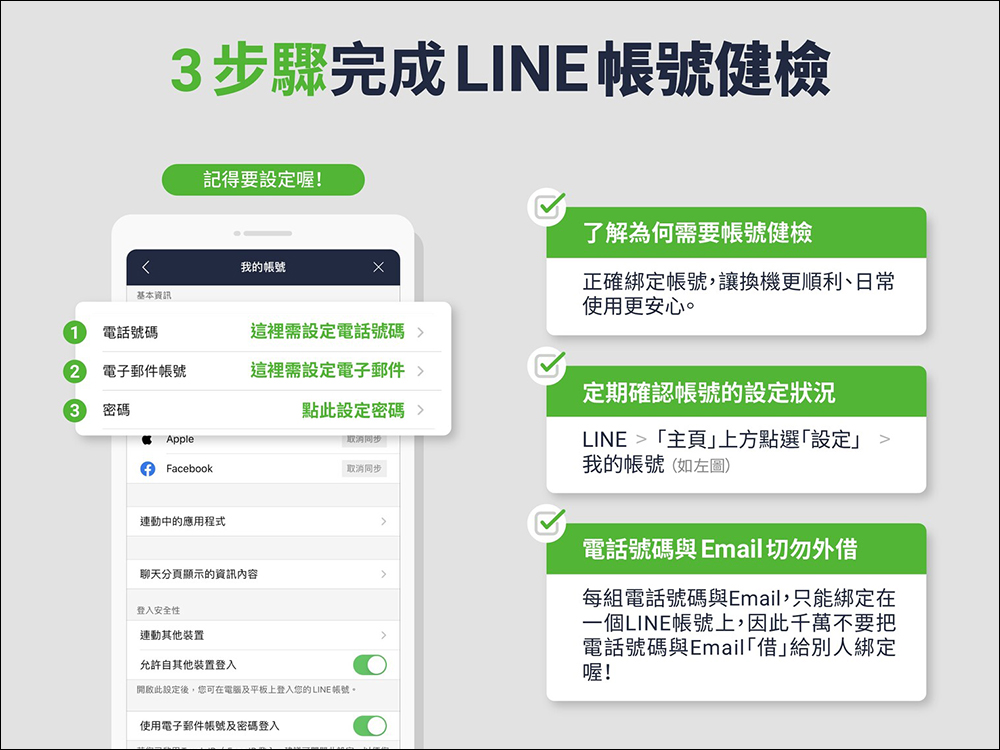
Set these 3 items
When performing a health check on your LINE account, you must first go to “My Account” in LINE settings and complete the settings for “phone number”, “email account” and “password”.
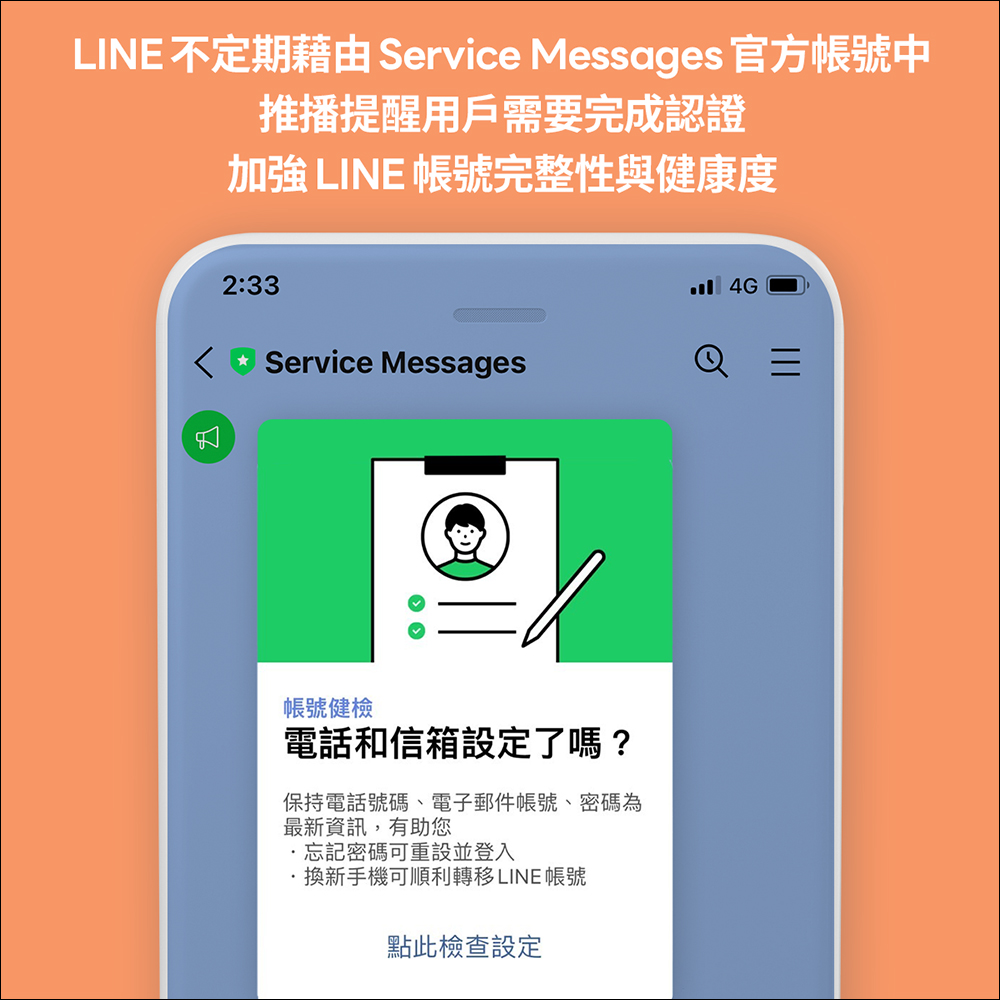
Enhance account integrity and health through Service Messages official account reminders
The basic information settings of a LINE account are very important. The LINE team will occasionally use Service Messages to remind users that they need to complete the authentication. When you receive a message reminder, you can rest assured and quickly complete the basic information settings of LINE. If you have set up the settings well, you may not receive this reminder setting message. There are many benefits if you have actually completed the account settings. If you accidentally forget the password, you can reset the password smoothly, and when you need to change it in the future, it will be smoother.
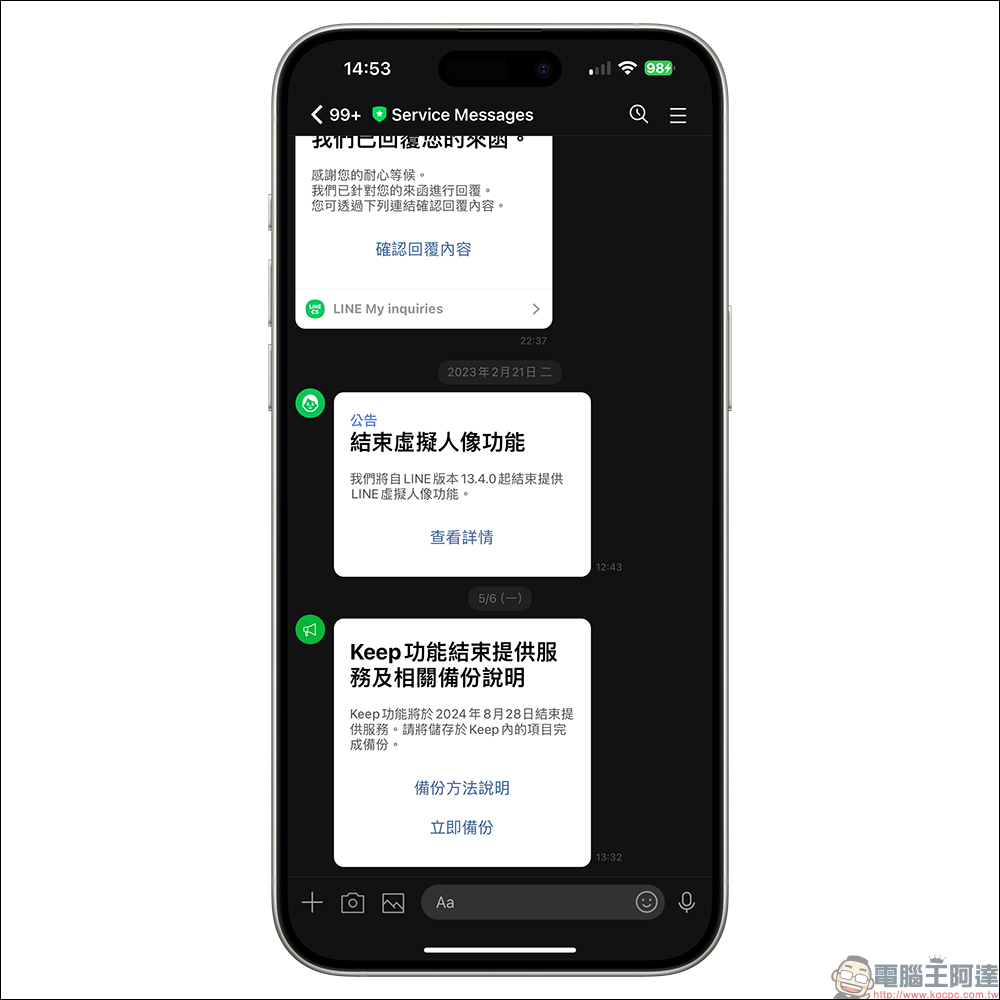
In addition, Service Messages will also push notifications to users before some important LINE functions and services are terminated. For example, last year, LINE version 13.4.0 ended the provision of LINE avatar function, and the Keep function will end on August 28 this year, users have been reminded in advance. Therefore, when you receive messages from the official Service Messages account, be sure to open them and read them!
Bind platform account to make LINE account more complete
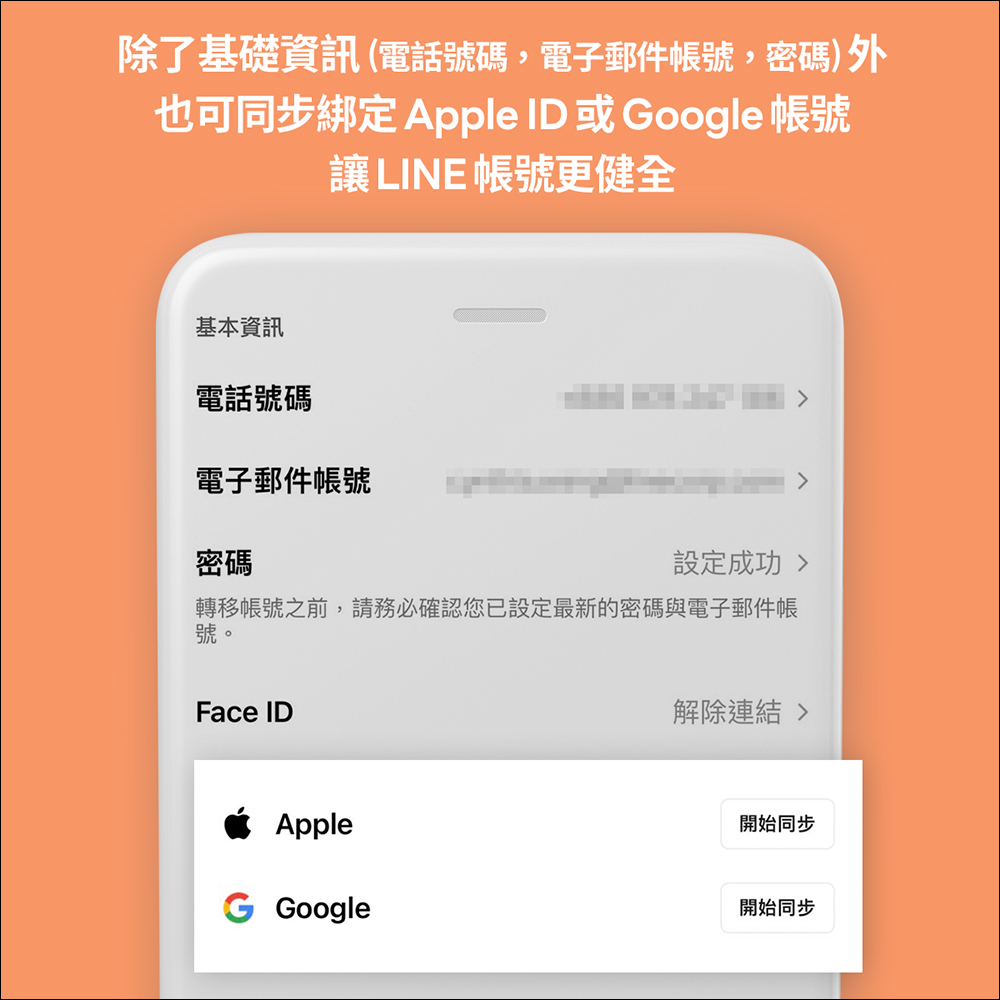
In addition to the basic “phone number”, “email account” and password settings, it is also recommended that you can synchronize and bind your Apple ID or Google account. The advantage is that next time the LINE App is reinstalled, transferred or changed, if you have bound and synchronized Apple ID or Google account, you can click “Continue with Apple” or “Log in with Google Account” when you open LINE for the first time, and you can log in without using your phone number!
Synchronization binding setting path: Click the gear icon “Settings” in the upper right corner of LINE’s “Homepage”, then click “My Account” > click “Start Sync” in the Apple/Google field.
Further reading:
LINE free sticker collection: 21 LINE stickers for limited time download
Source: KOCPC Chinese